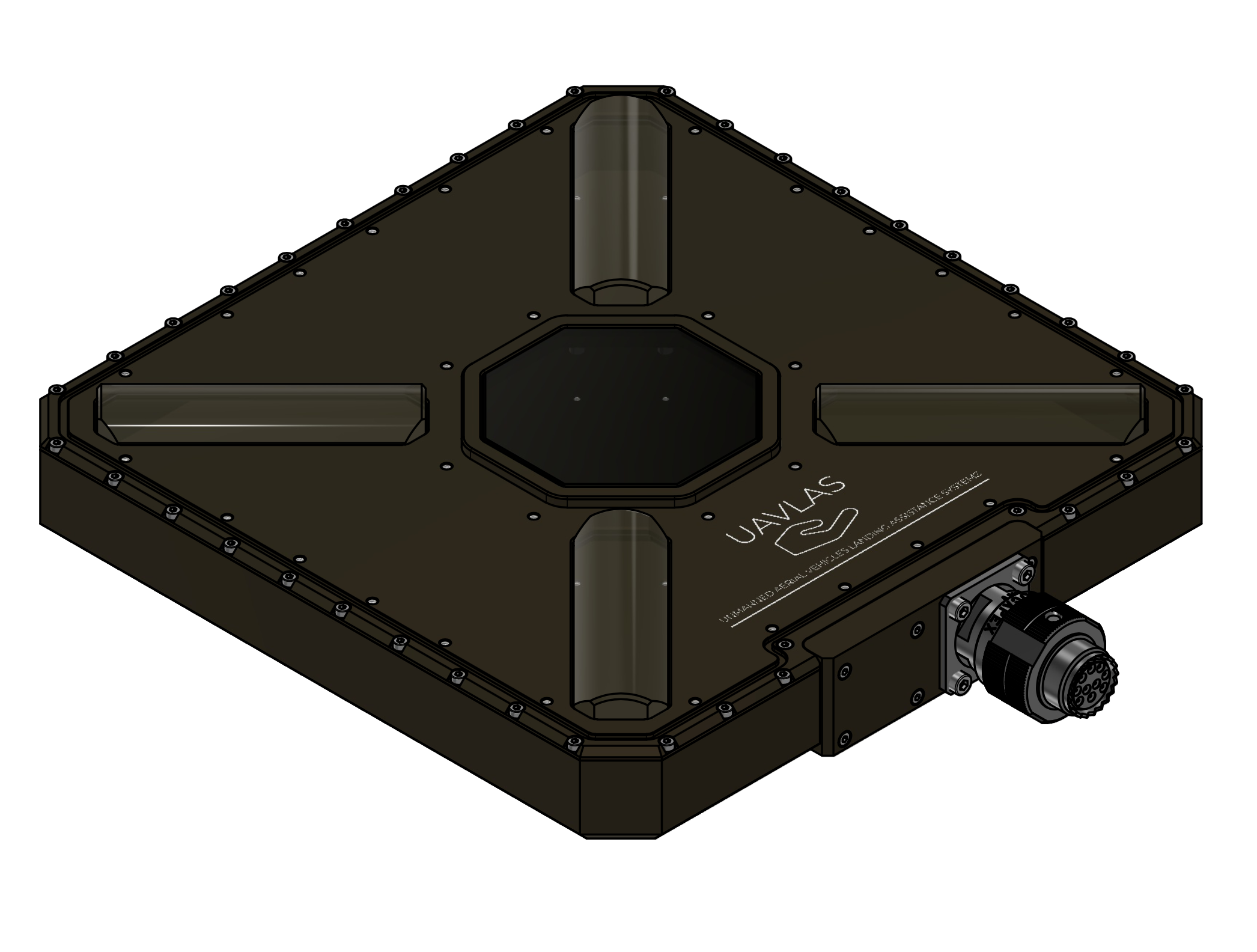
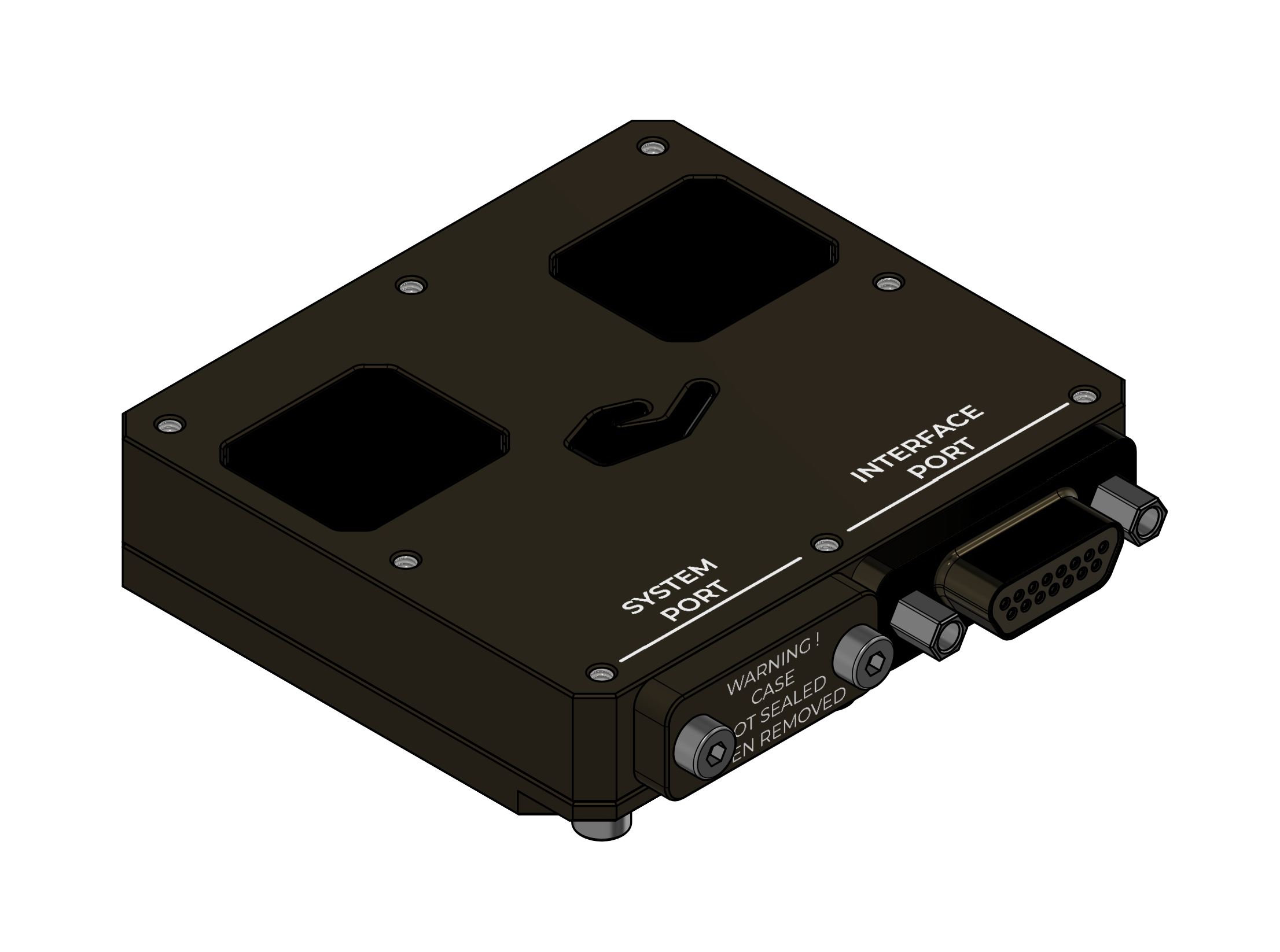
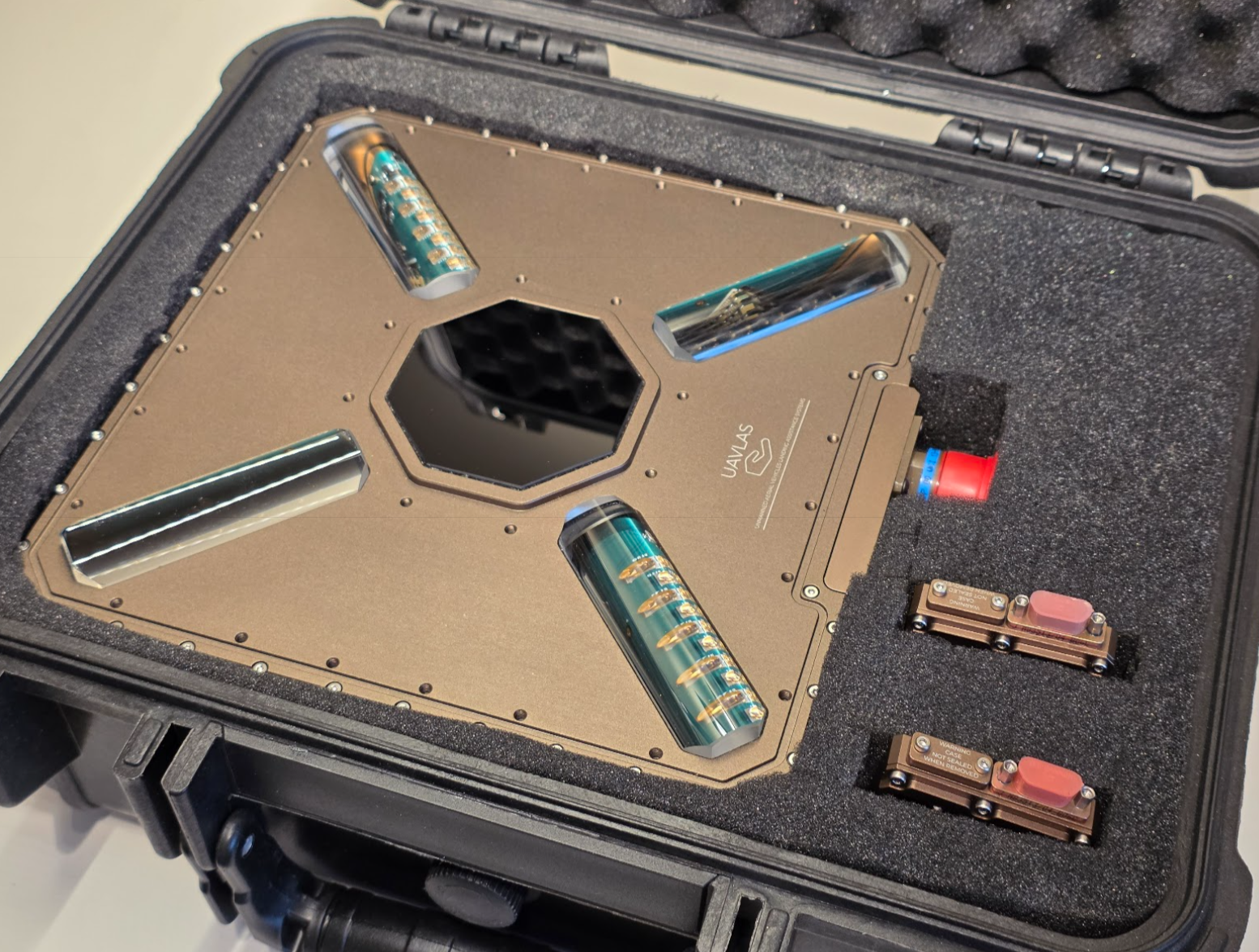
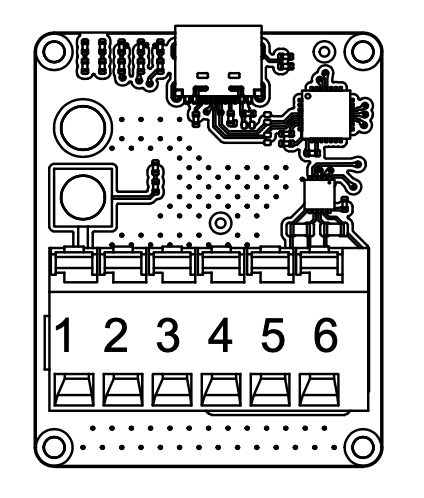
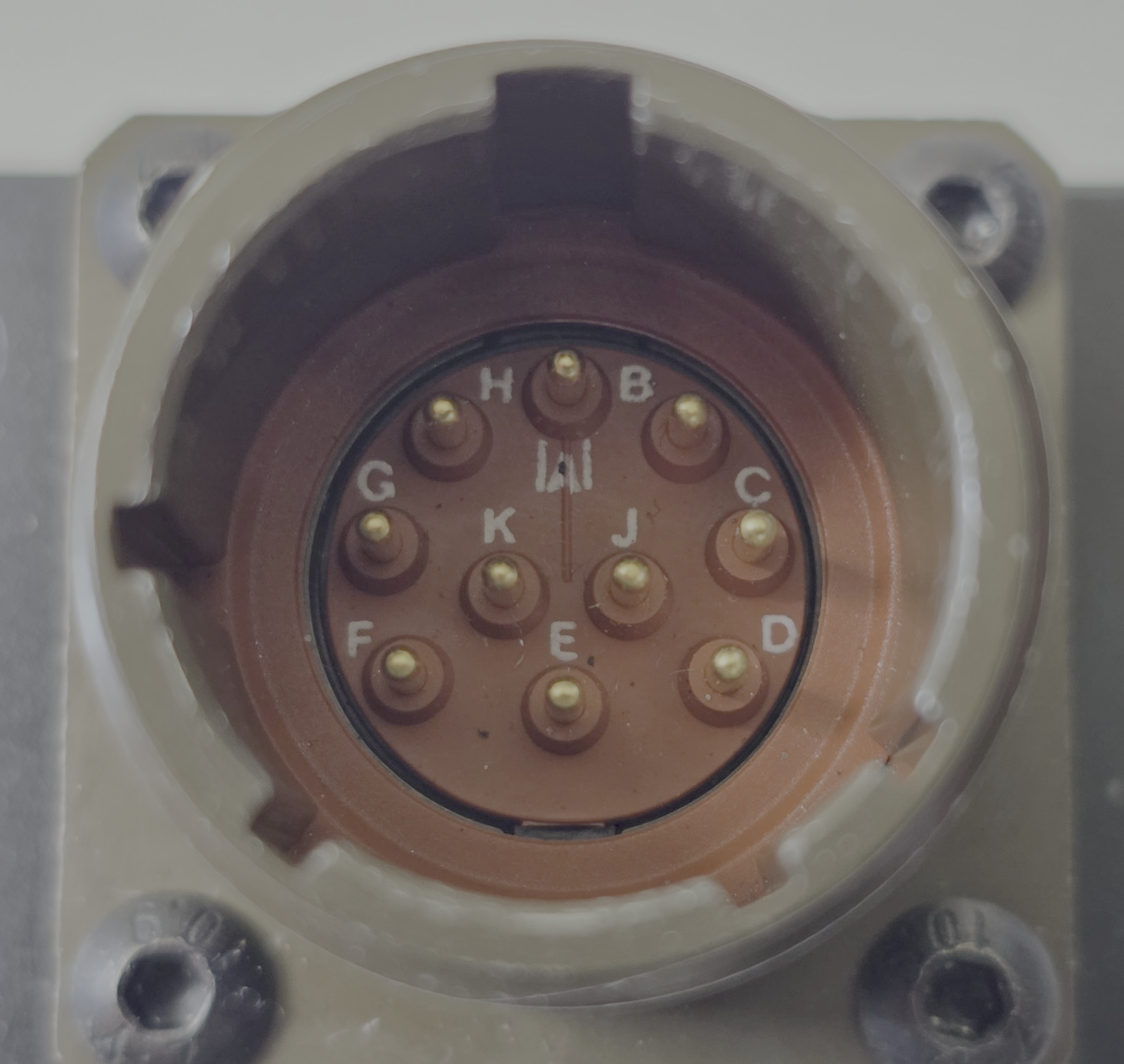
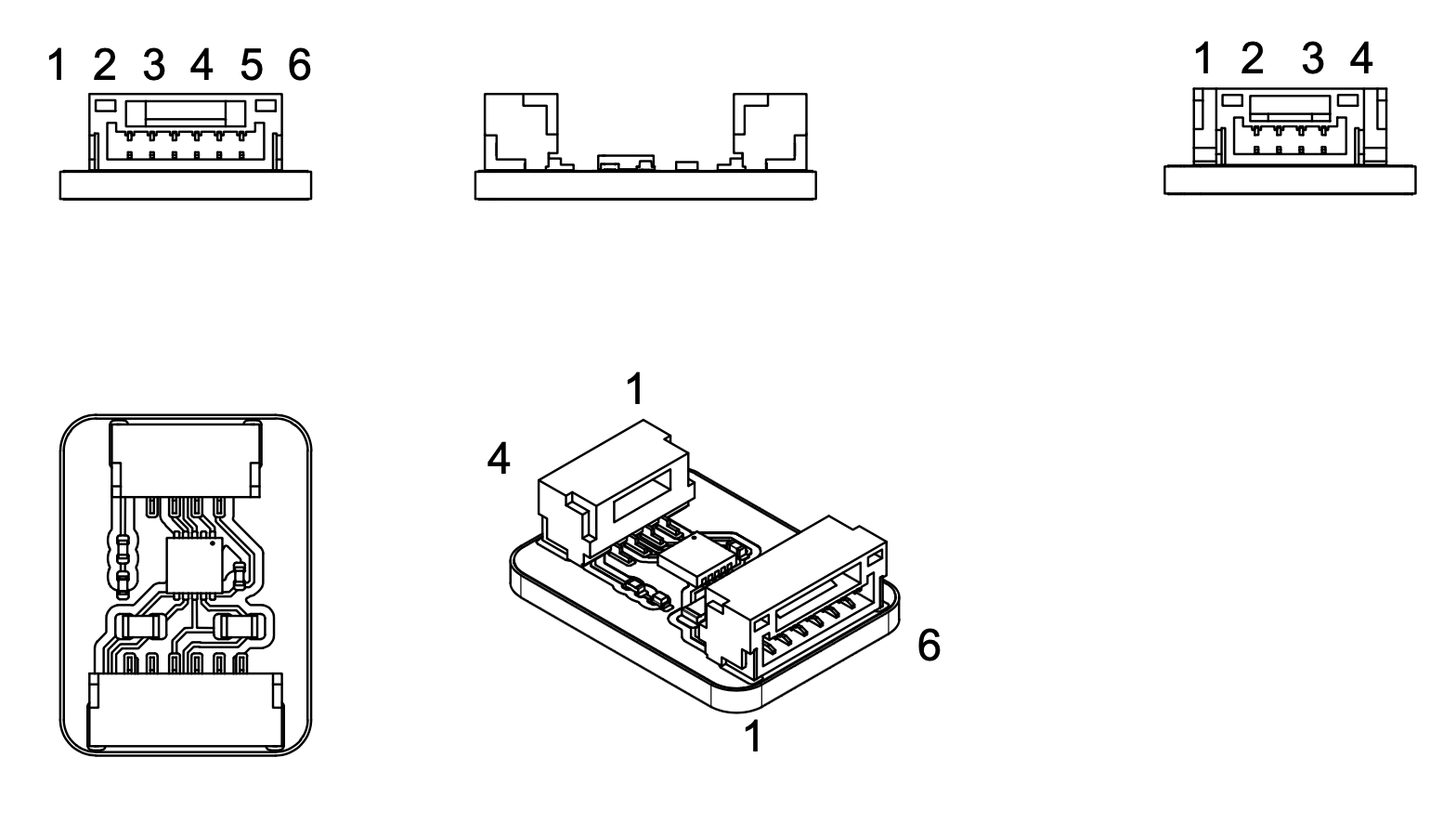
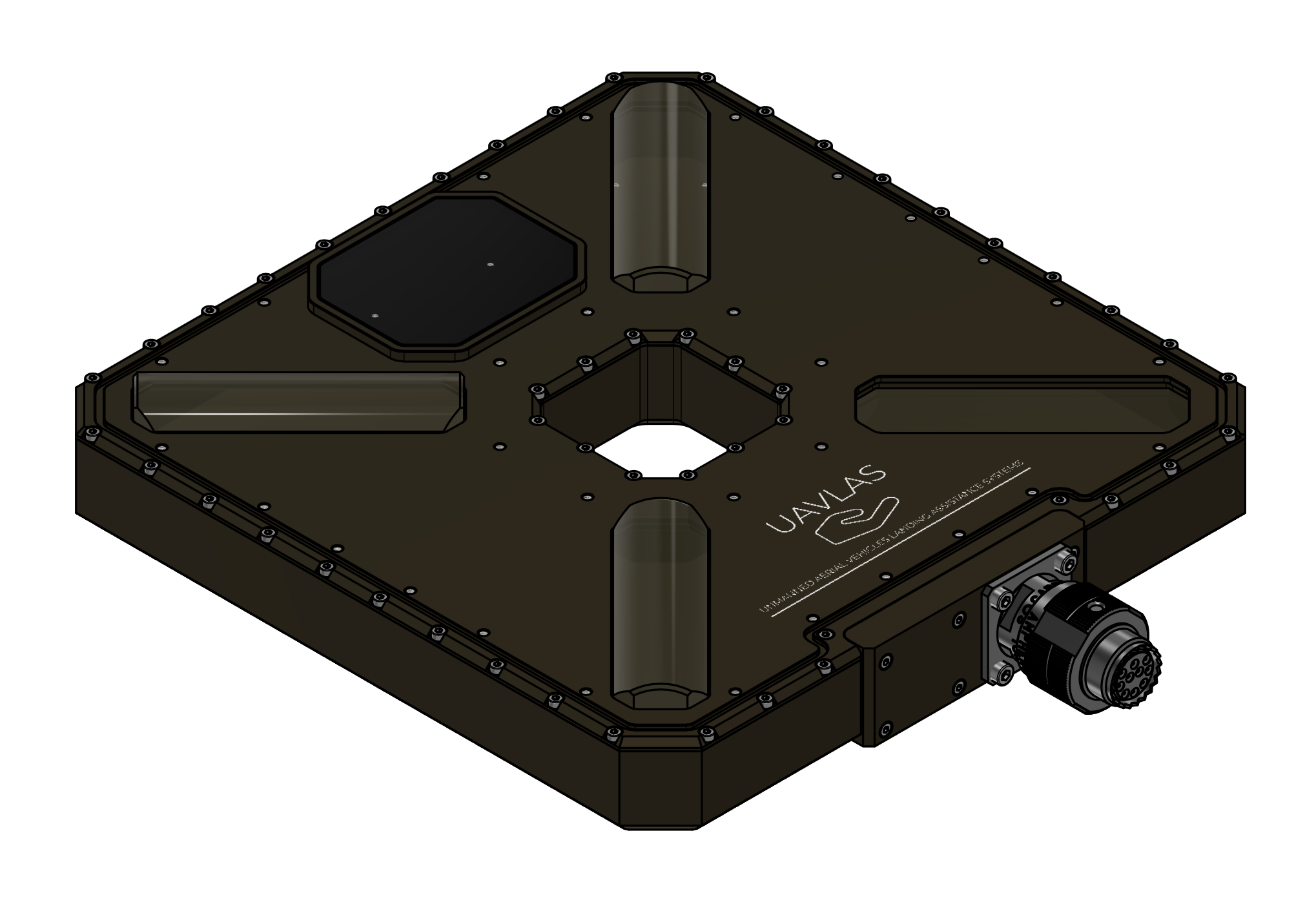
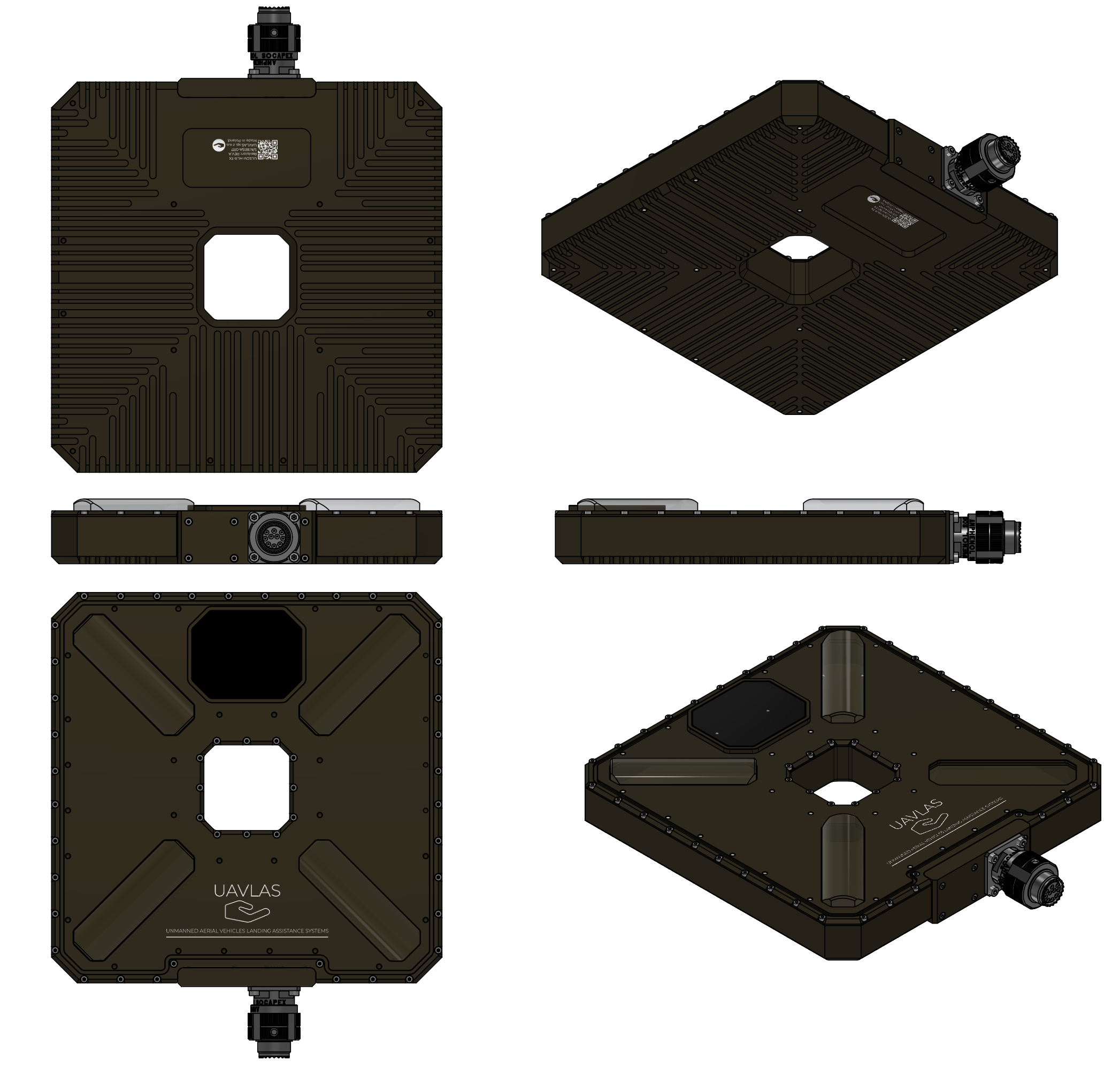
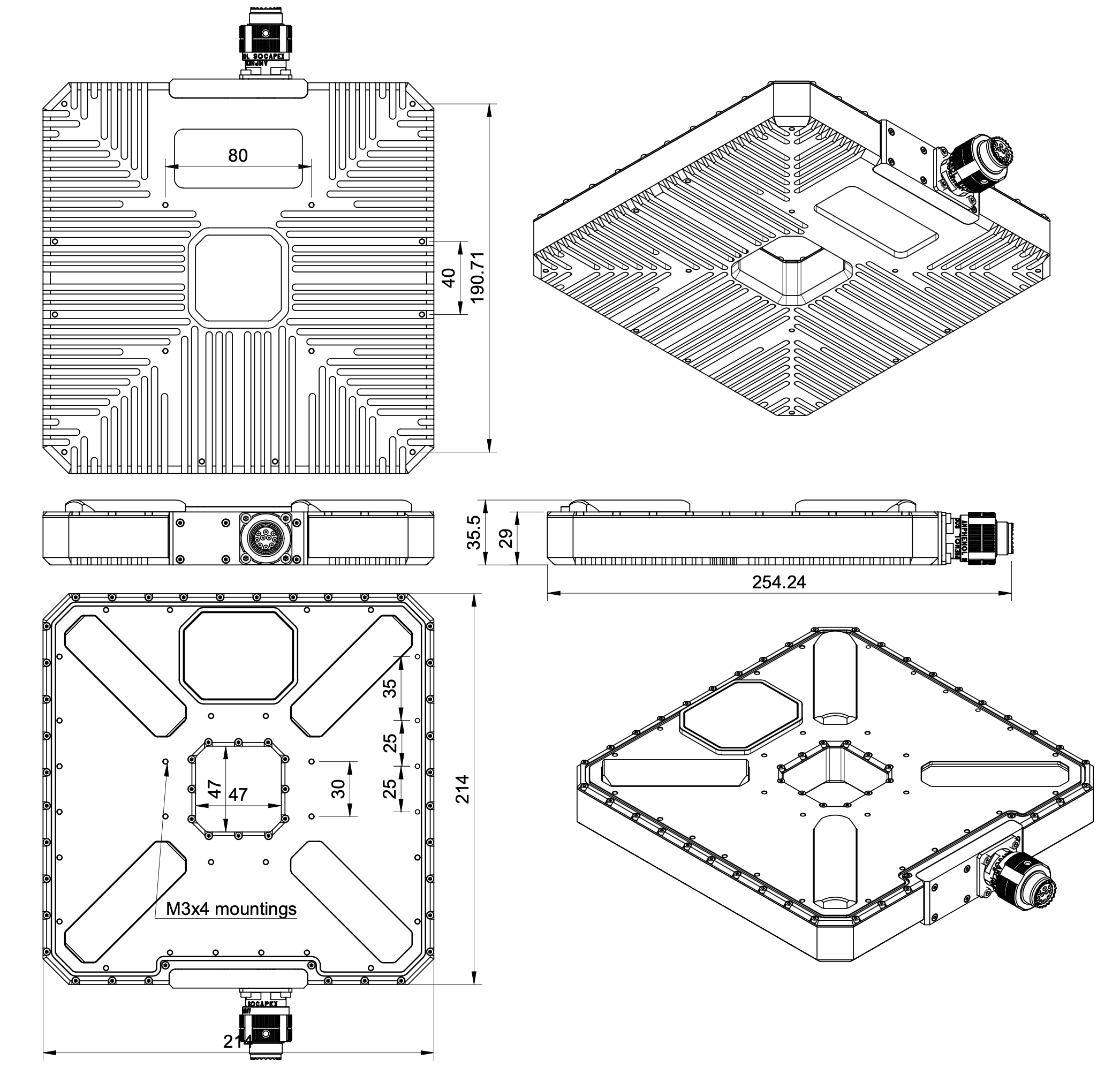
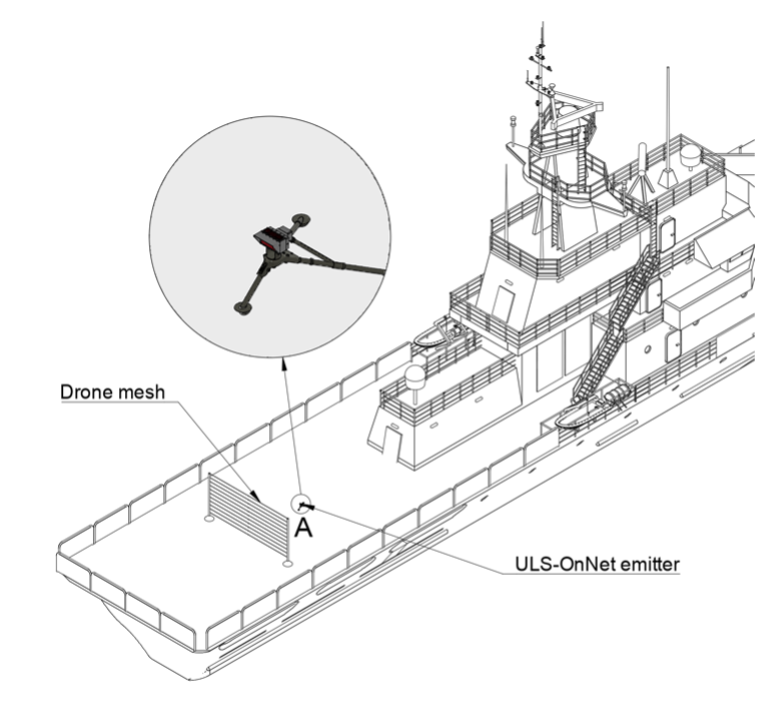
Everything you need to choose, install, integrate and fly a UAVLAS precision landing system.
Overview explains how the ground transmitter and the onboard receiver work together.
ULS-Tools is the configuration software: downloads and firmware updates.
Integration holds the ArduPilot and PX4 guides, common to all products.
Product sections — ULS-XCopter, ULS-ProCopter, ULS-Heli, ULS-XSpot, ULS-OnNet and the ULS-DeCoNet protocol — describe where each system is applied and hold its datasheet, Interface Control Document and Operation Manual.
Troubleshooting lists common problems and their fixes, and the FAQ answers frequent questions.
Each product document is generated from the same source as its controlled PDF; the numbered PDF can be downloaded from the document portal.
If you find an inaccuracy or an error, please let us know.
1 - How UAVLAS Precision Landing Works
How UAVLAS precision landing works: an infrared ground beacon and an onboard receiver that tells the autopilot where the landing point is.
UAV Precision landing Systems
UAVLAS (Unmanned Arial Vehicles Landing Assistance Systems) is a group of systems assisting the landing of vertical take-off / landing vehicles and fixed-wing UAVs.
The system consists of several types of devices - onboard receivers, processors and a ground emitters (beacon), communication and navigation units. The system operates in the infrared. The beacon forms a virtual grid of positions above itself; the receiver, guided by the current grid square, decides its location relative to the lighthouse.
Ground module
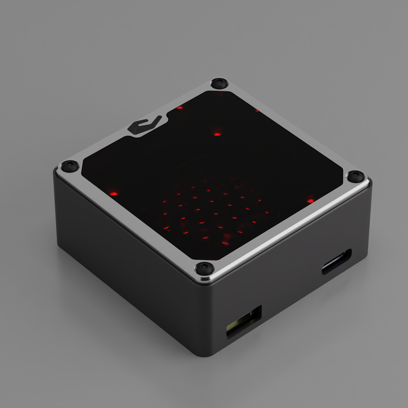
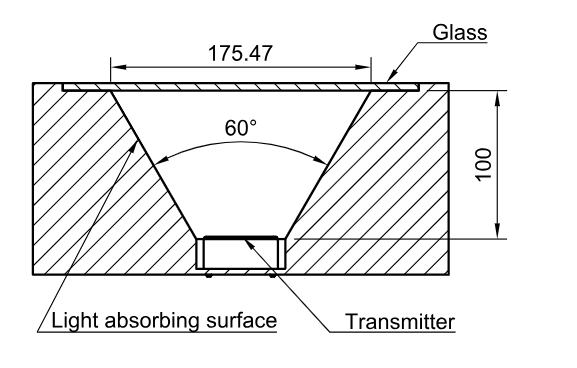
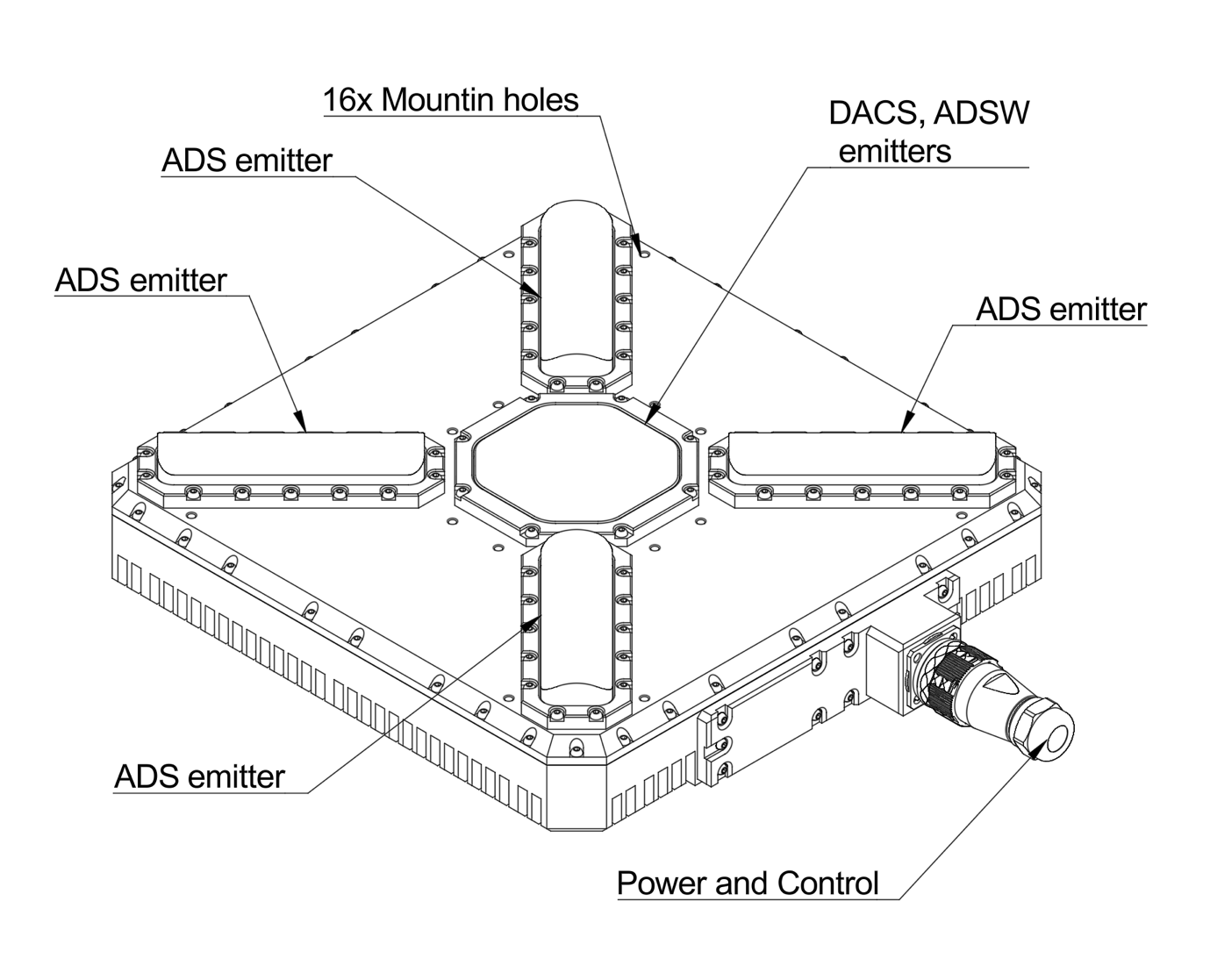
The ground module is equipped with a matrix of light emitting diodes, which works in the infrared range. The special arrangement of the LEDs allows the device to form a virtual grid in the space above it, with an aperture of more than 50 degrees (for ULS-XCOPTER). A specially developed radiation algorithm can significantly reduce the consumption of the device, while maintaining maximum efficiency and range of the system.
The small system consumption - this allows the emitter to work more than 30 hours continuously from a single battery. The ground module has an indication that displays the current state of the device.
The on-board module
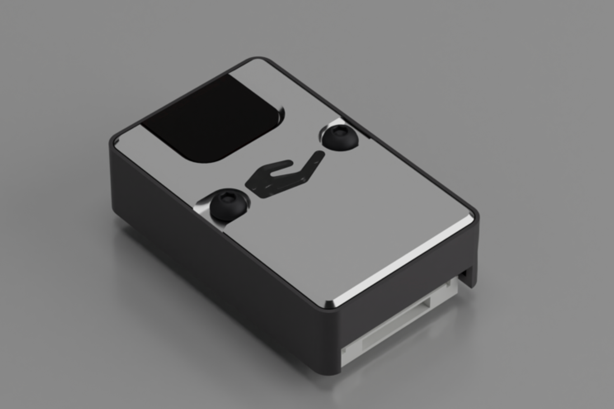
The on-board module has small dimensions. This allows you to easily place it on almost any aircraft. A small weight (less than 10 grams for ULS-XCOPTER ) and low power consumption will save the aircraft a great deal of energy in maintaining this system. The field of view of the sensor is more than 100 degrees - this allows the receiver to “see” the ground module, even with the large inclinations of the aircraft. Special technical solutions allow the receiver to be sensitive while having good resistance to extraneous noise.
Advantages
Does not require an additional height sensor. The system allows you to independently determine the distance to the lighthouse. This provides the possibility of landing on a site whose height is significantly higher relative to the surrounding terrain.
Small overall size and low power consumption. It takes up little space on an aircraft and saves energy resources. The ground part can work for a long time on an autonomous power source.
The system is invariant to the position of the drone. The formation of the information about the angular position of the apparatus occurs on the ground. Accordingly, the roll, pitch and course of the aircraft do not affect the readings. This allows landing in gusty winds and strong vibrations of the apparatus.
It is possible to change the approach path by changing the slope of the transmitting beacon. This allows landing in places limited by a vertical obstacle (for example, a platform on the wall).
2 - ULS-Tools Configuration Software
ULS-Tools is the configuration software for UAVLAS transmitters and receivers: device status, configuration, charts and firmware updates.
ULS Tools software allows configuring UAVLAS devices and provide complete information of device status to help integrate system in different AP systems.
It allows updating firmware of devices as well.
Lasted version of software you can get using information on Software Download Page
Toolbar
Toolbar (from left to right): “Back to Device View”, “Configs cards”, “Updates”, “Serial port”, “Connect/Disconnect”,“Refresh page”.
Connect devices
To connect device to computer according to the info on Integration guides and the Operation Manual of your product.
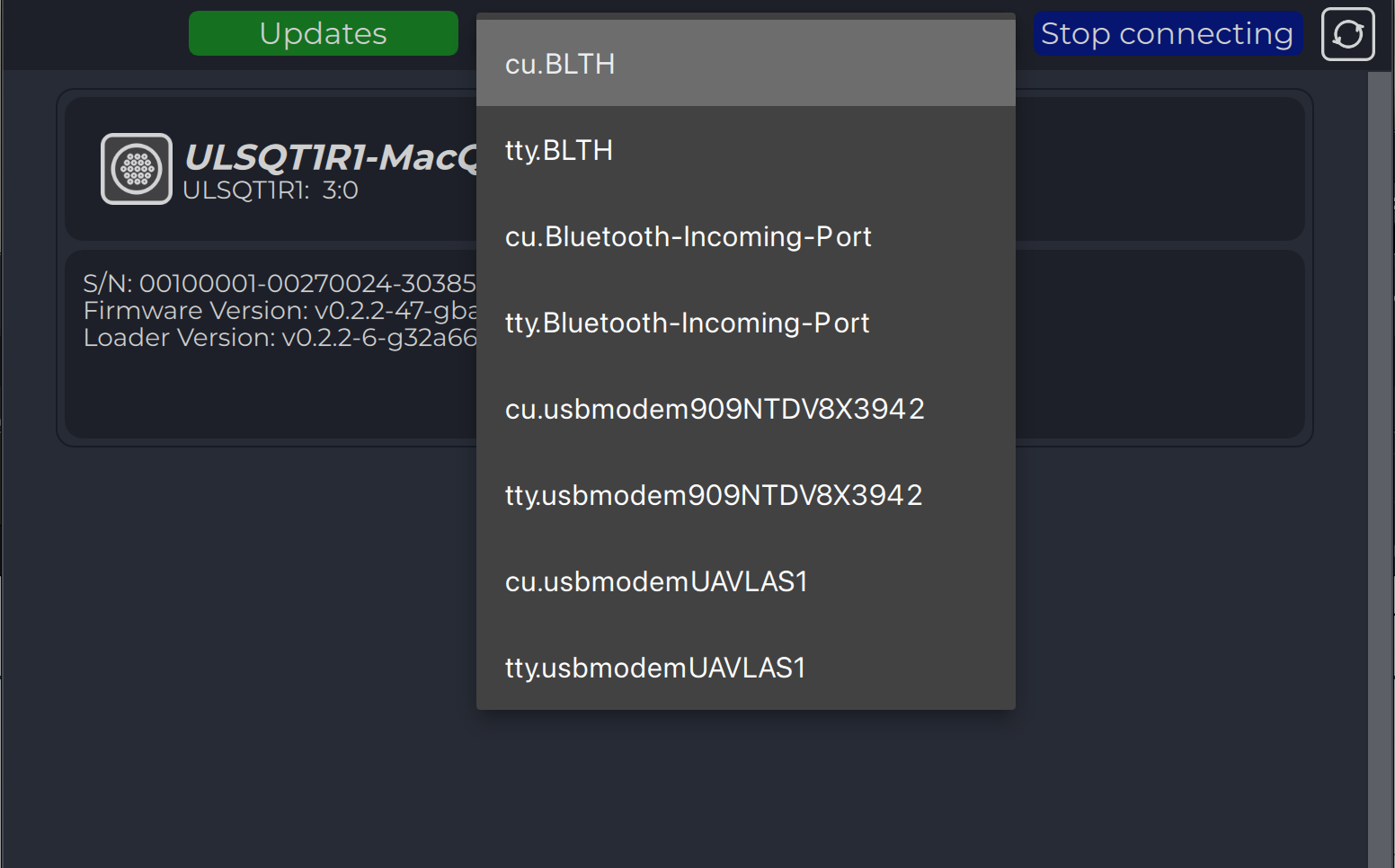
The program will try to automatically connect to the devices. By the way, you can press stop connecting, select port from dropdown list and press connect.
Device View
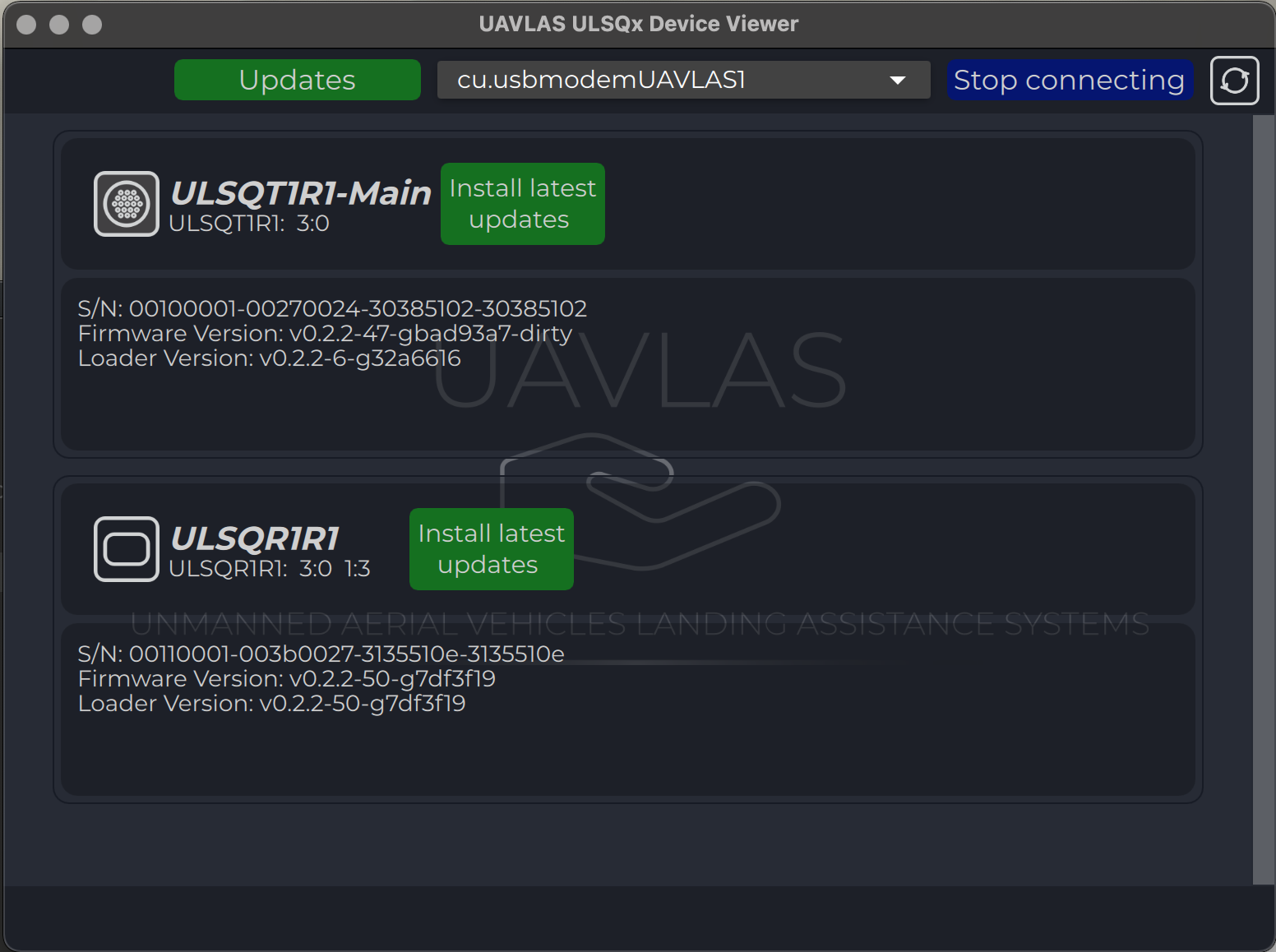
All the connected devices appear on the ain device page as icons.
Each icon contains information about the device (serial number, firmware version).
All updates information is requested from the server automatically and, in case of new updates for device are available, corresponding button appears.
You can enter the device page by pressing the device icon.
Configs cards
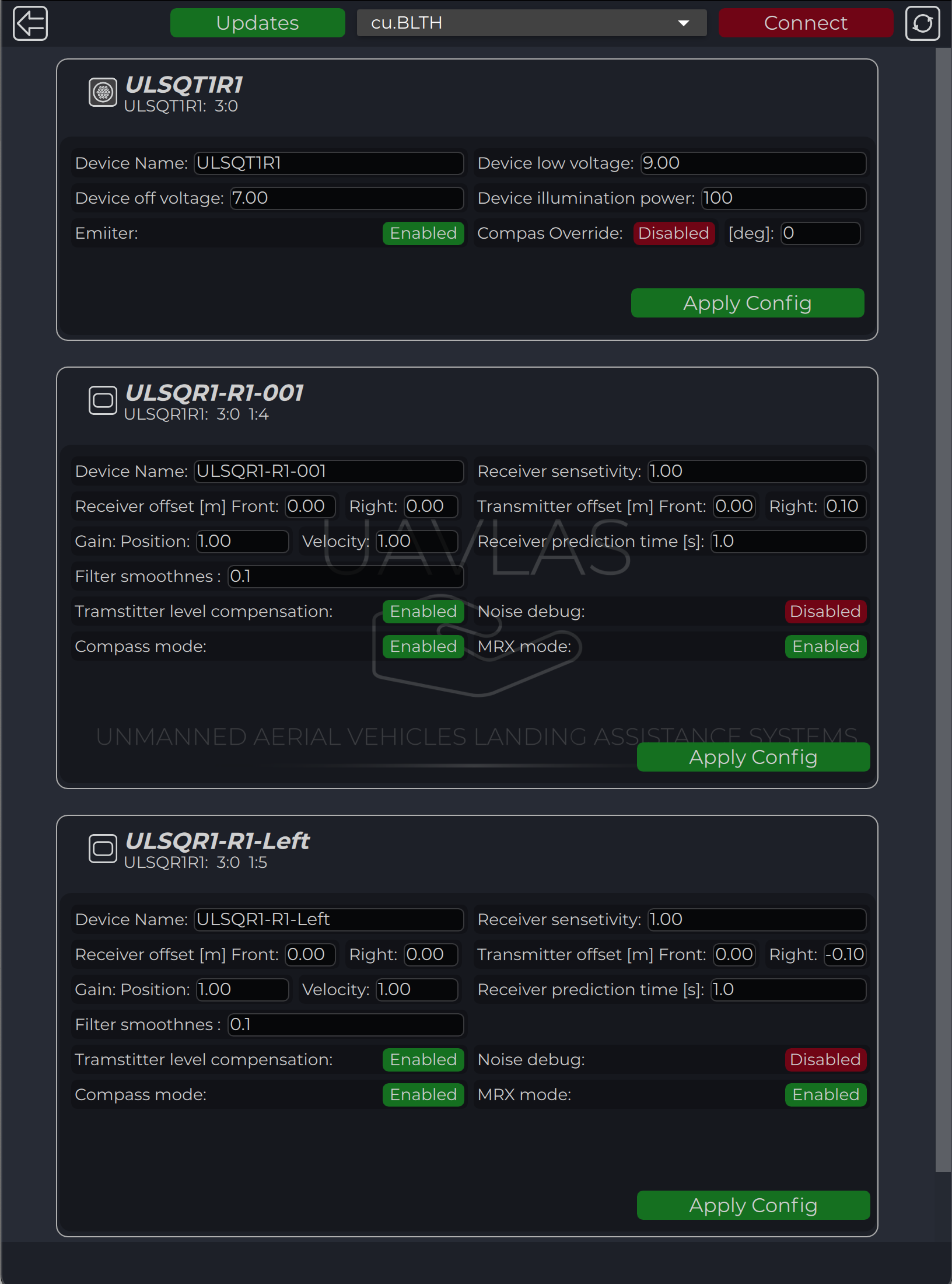
All connected devices appear on the configuration device page as cards.
Each card contains information about the device configuration.
You can enter the device page by pressing “Configs cards” icon on the toolbar.
Config for each device are applied individually by pressing “Apply config” button in each card.
2.1 - Download ULS-Tools
Download the latest ULS-Tools release for Windows, macOS and Linux, the configuration and firmware update software for UAVLAS devices.
ULS-Heli, ULS-OnNet, ULS-XSpot device support added
CAN blitz messages updates
Small issues fixed.
* Note: for Windws OS it requred to have Visual C++ Redistributable installed.you can download it here: Visual C++ Redistributable
* Note: To use latest features and firmware download Beta version of ULSTools. Betta version can contains some issues and bugs. We recommend to use sable for production. You can download Beta version here: Beta version repository
2.2 - Update Firmware
How to update the firmware of UAVLAS transmitters and receivers with ULS-Tools.
Firmware Update
Updating to last version of firmware can be done from the main device vew page.
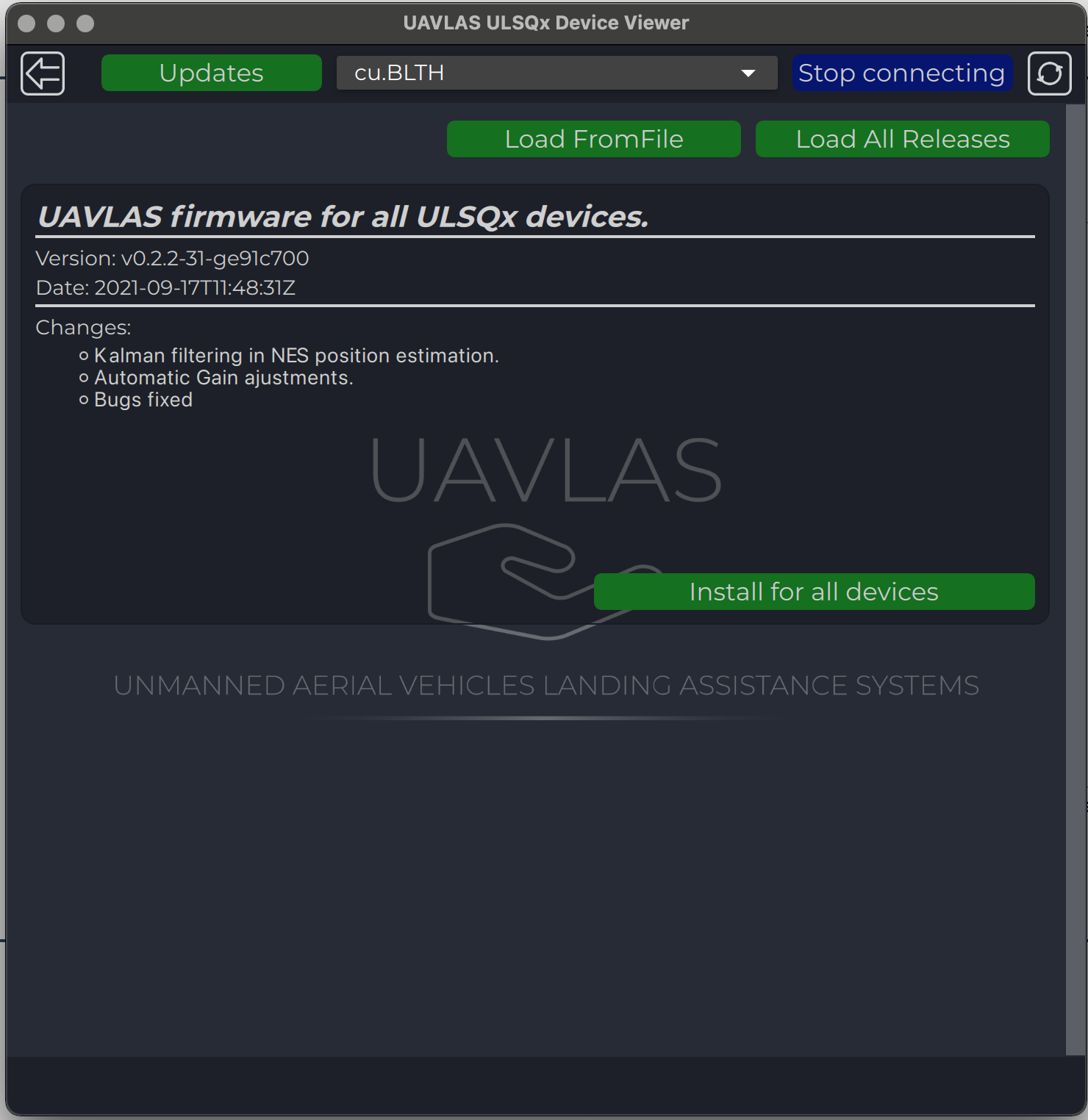
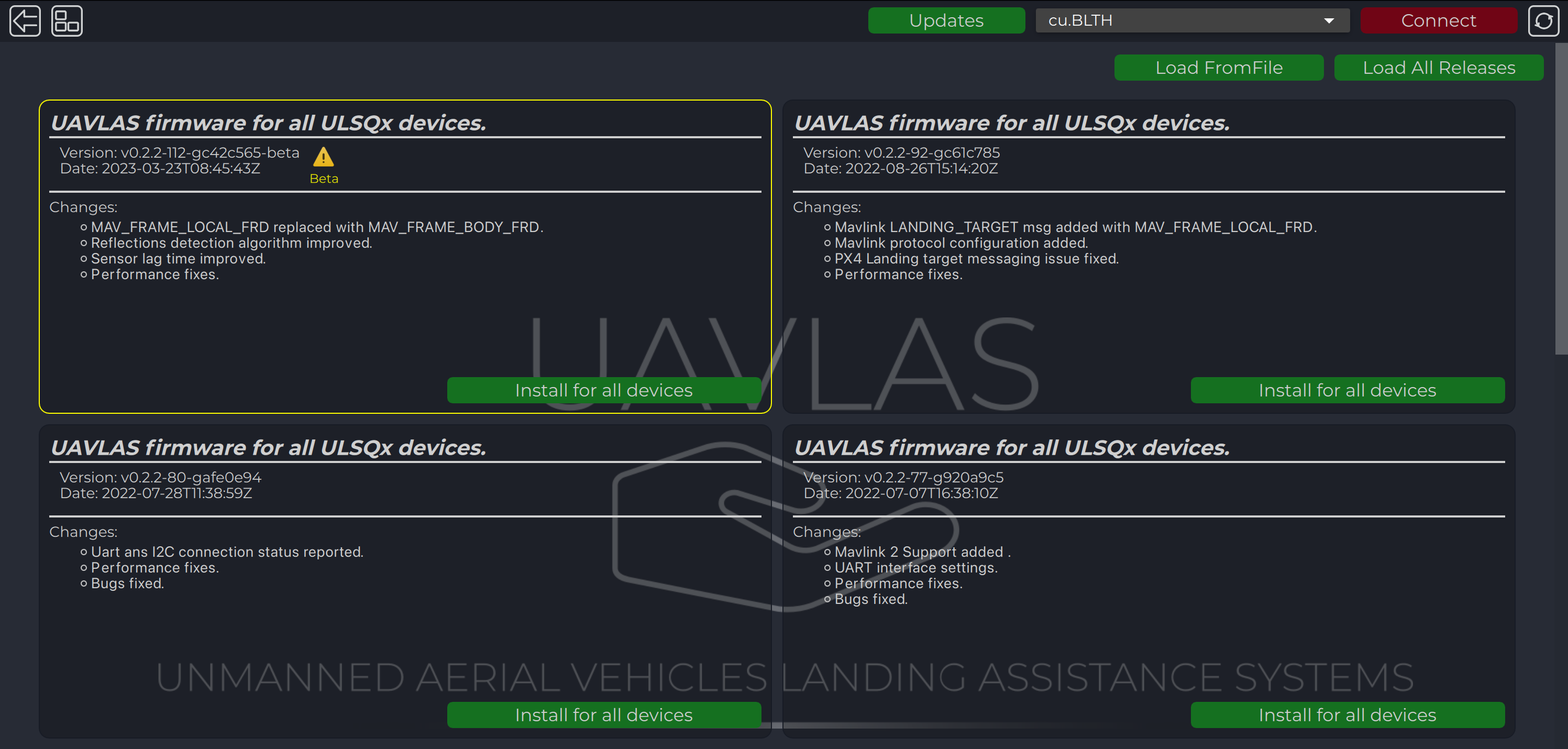
Update all devices at once or update to a specific version or from file can be done from the update page.
The last release appears on the page automatically, but you can load all releases or load firmware from a file using corresponding buttons.
After loading, use “Install for all devices” to update firmware.
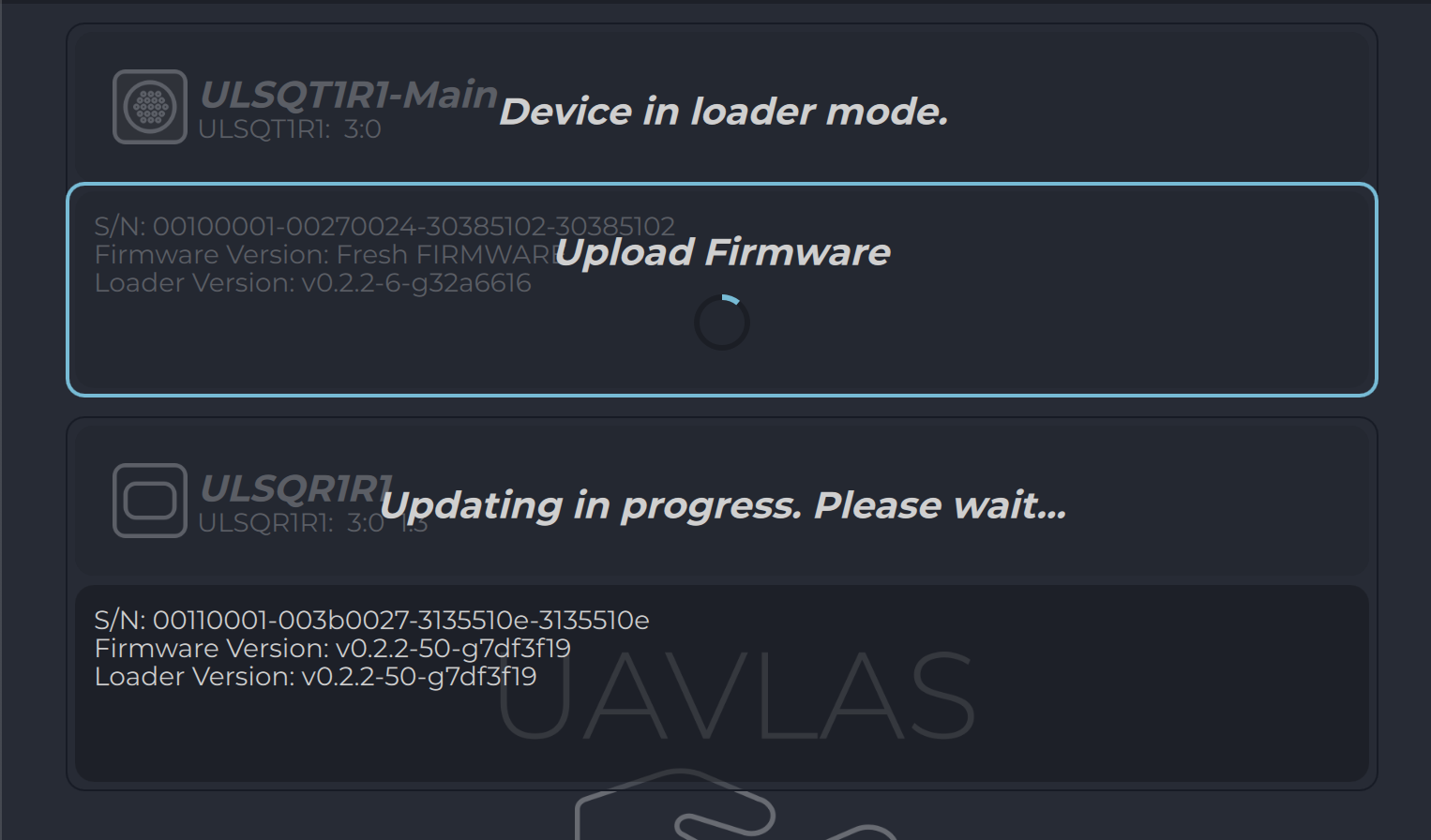
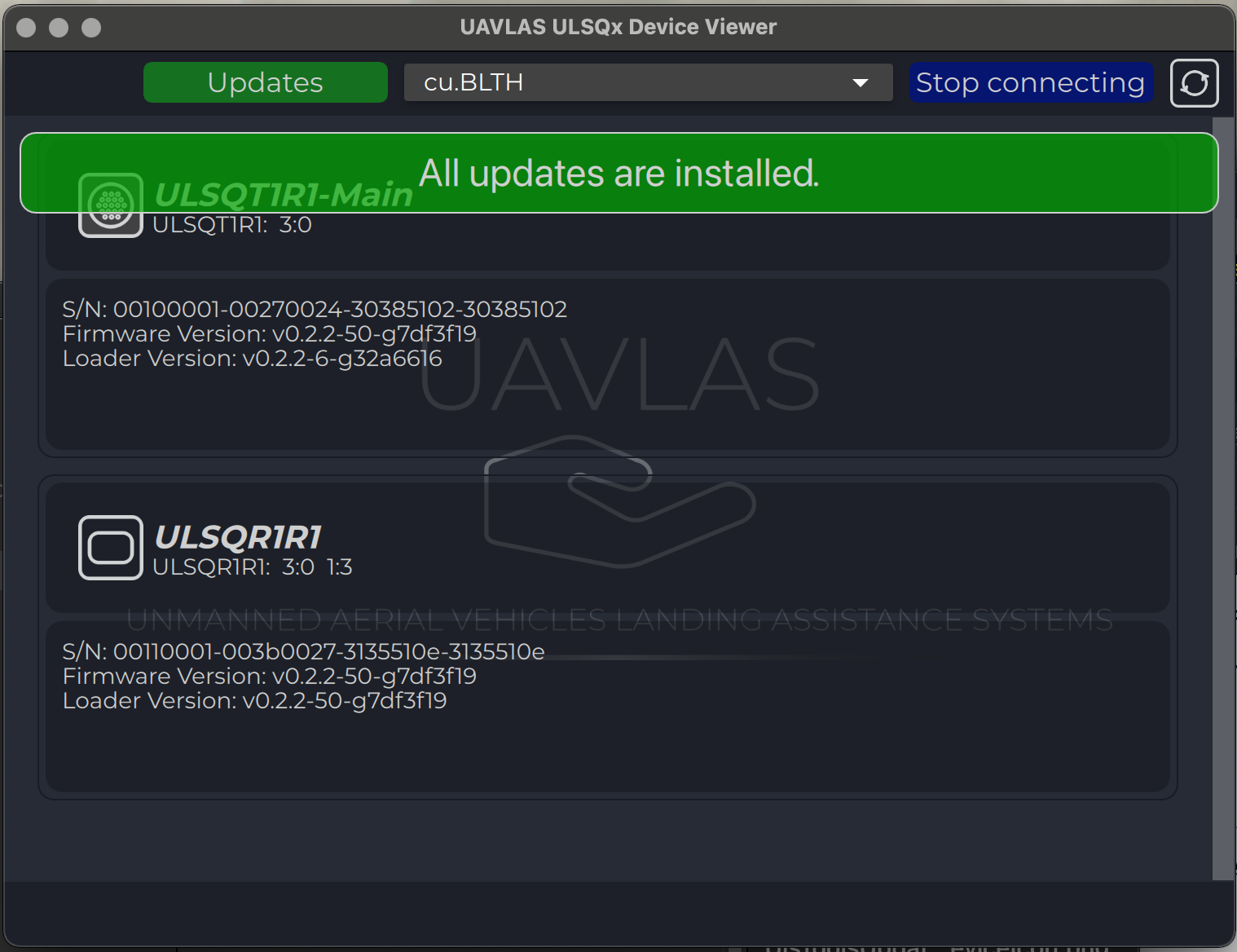
Progress of updating process are displayed on Device View Page.
Warning
***DO NOT DISCONNECT ANY DEVICES OR CLOSE PROGRAM UNTIL UPDATE PROCESS COMPLIED!***.
After updating you will get the corresponding message.
Firmware Update Beta version
“Beta” releases contains builds with new features and recommended for testing purposes.
Updating to beta version of firmware can be done on the update page.
Update all devices at once or update to a specific version or from a file can be done from update page.
“Beta” version is visible only if “Load all releases” pressed and marked with “Yellow” icon and border.
After loading, use “Install for all devices” to update firmware.
Progress of updating process are displayed on Device View Page.
Warning
***DO NOT DISCONNECT ANY DEVICES OR CLOSE PROGRAM UNTIL UPDATE PROCESS COMPLIED!***.
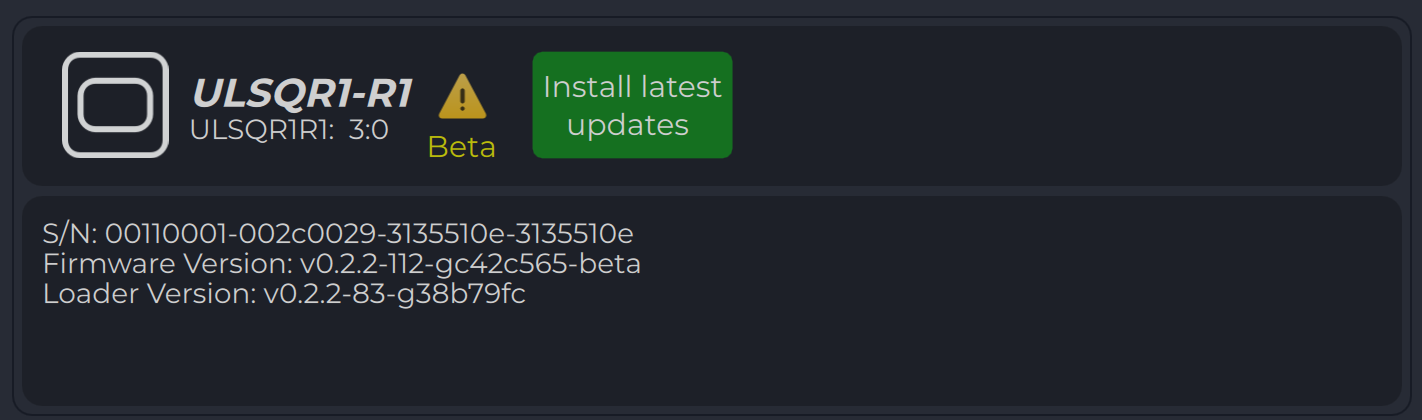
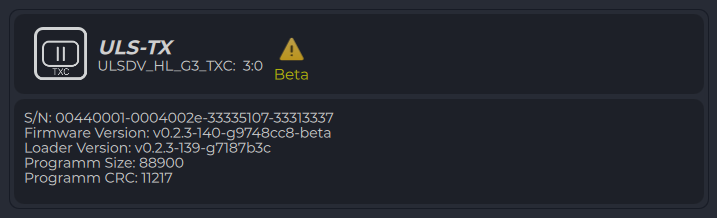
All devices flashed with beta version are marked with corresponding “Yellow” logo on “Device view” page
3 - Autopilot Integration Guides
Connecting any UAVLAS landing system to ArduPilot and PX4 autopilots.
Application
These guides are common to every UAVLAS system that talks to the autopilot
over MAVLink: ULS-XCopter, ULS-ProCopter, ULS-Heli and ULS-XSpot. They cover
autopilot parameters, link verification and tuning of precision loiter and
landing. Product-specific installation, pinouts and wiring are in each
product’s Operation Manual and Interface Control Document.
Documents
Each page is generated from the source of the controlled PDF; the numbered PDF can be downloaded from the document portal.
3.1 - ArduPilot Integration Guide
Connect any UAVLAS precision landing system to ArduPilot: PLND, serial and stream-rate parameters, LANDING_TARGET check, precision loiter and PID tuning.
ULSDC-PBIG161026-AP · version 1.0.0 · issued October 16, 2026 The numbered PDF is the controlled copy: download it from the portal.
Introduction
Purpose
This guide describes how to connect a UAVLAS precision landing system to an ArduPilot (ArduCopter) autopilot, configure the autopilot, verify the link and tune precision loiter and landing.
Intended Audience
Integrators and operators setting up precision landing on ArduPilot vehicles.
Applicability
This guide applies to every UAVLAS precision landing system that connects to the autopilot over MAVLink: ULS-XCopter, ULS-ProCopter, ULS-Heli and ULS-XSpot. Product-specific installation, pinouts and wiring are in each product’s Operation Manual and Interface Control Document.
Integration
Preparing for Integration
Download the latest version of ULS-Tools. Connect all UAVLAS devices to a PC and update their firmware before proceeding.
Update the autopilot to the latest ArduCopter version.
Install the transmitter and receiver(s) and wire the receiver to a free autopilot UART (TELEM) port. Pinouts and wiring diagrams are in the Interface Control Document and Operation Manual of your product.
Configure the transmitter in ULS-Tools.
Configure the receiver in ULS-Tools (on dual-receiver systems, configure both receivers).
Generation 3 receivers (ULS-Heli-G3, ULS-XSpot-G3) have an RS422 interface. A UART-only autopilot needs the ULS-XX-UART-RS422 onboard adapter.
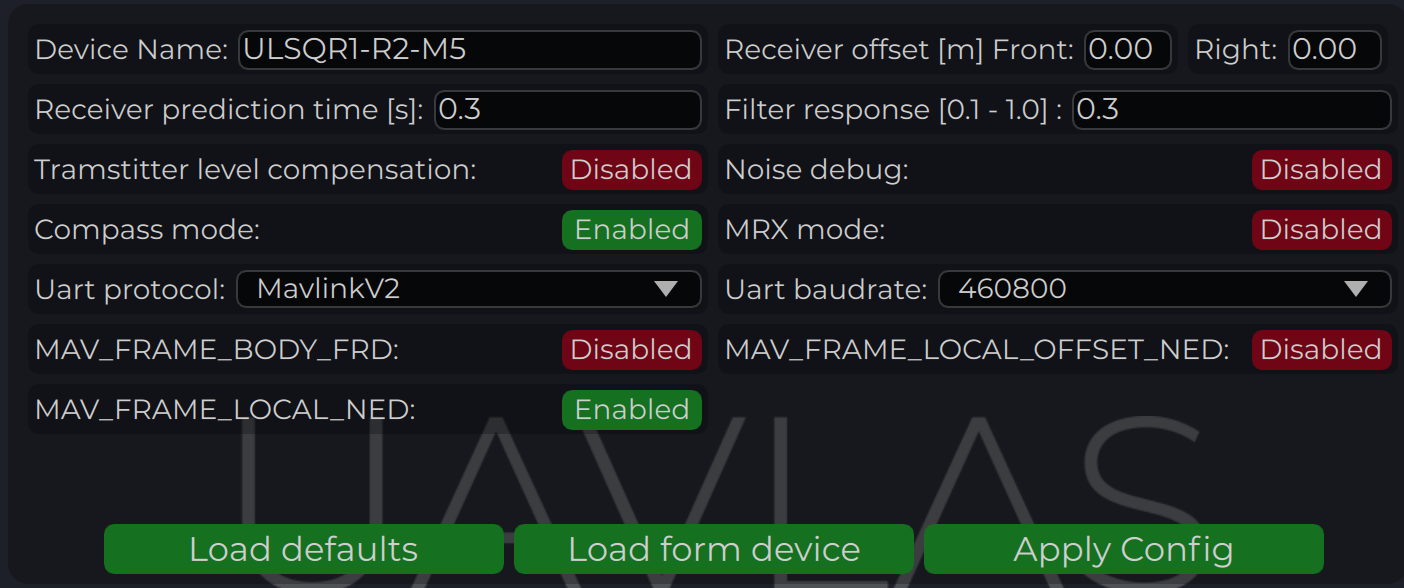
The system communicates with ArduPilot over MAVLink 2 and reports the target in MAV_FRAME_BODY_FRD.
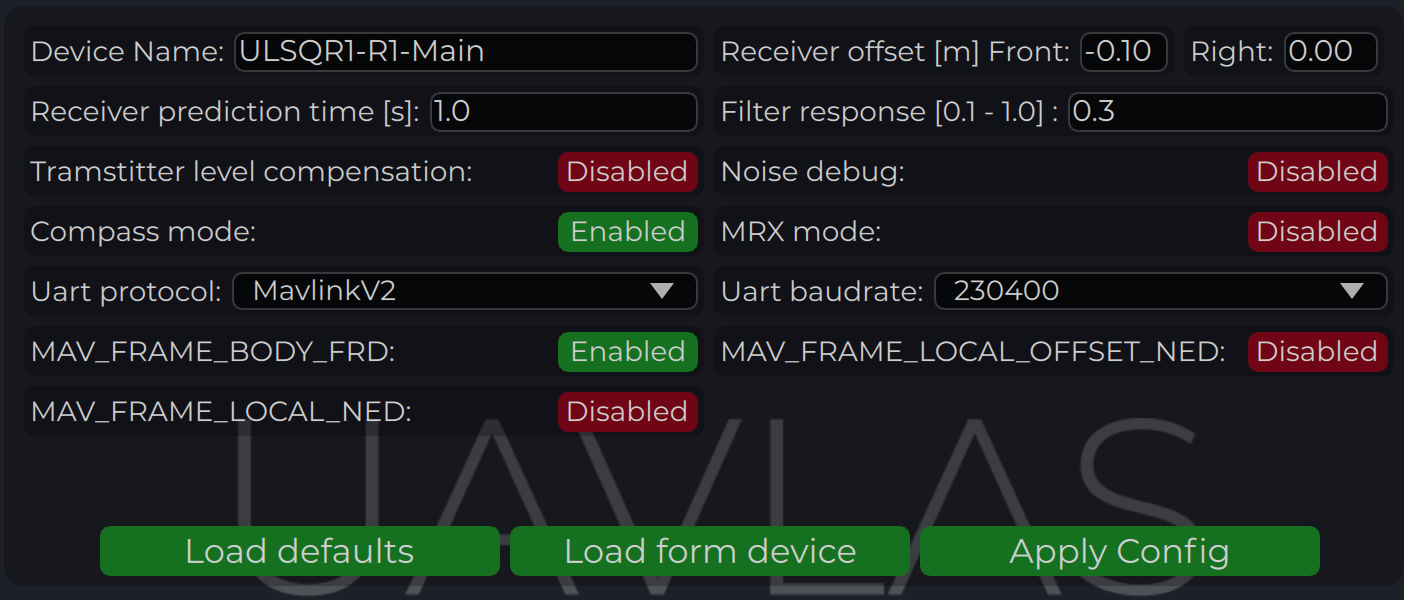
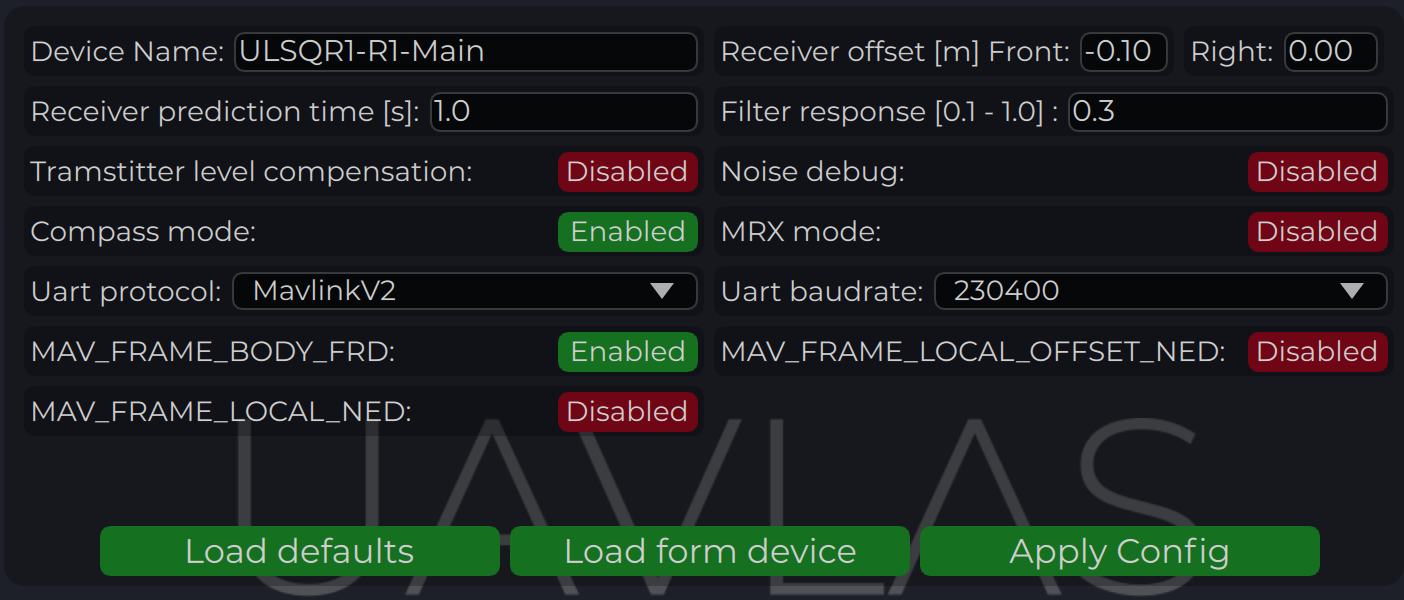
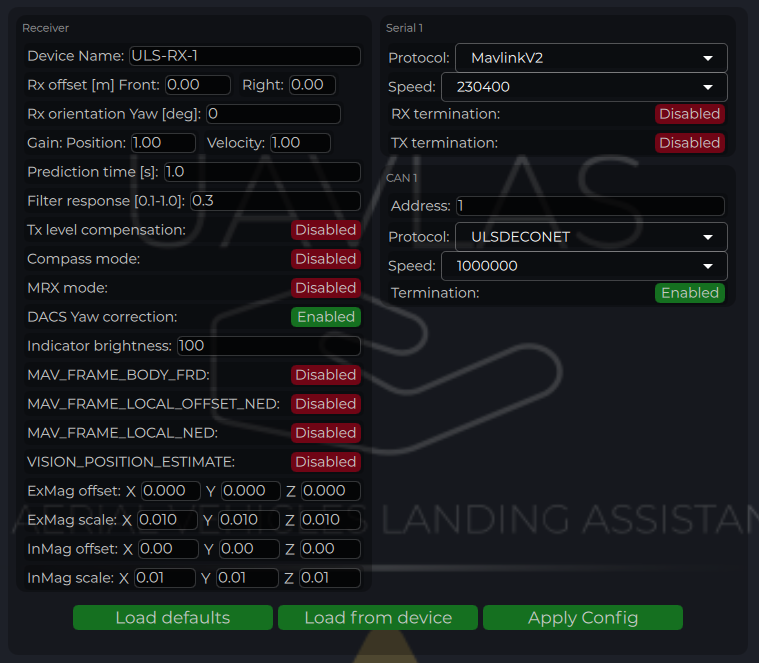
Example of receiver configuration:
Figure: Receiver Configuration for ArduPilot
Autopilot Configuration
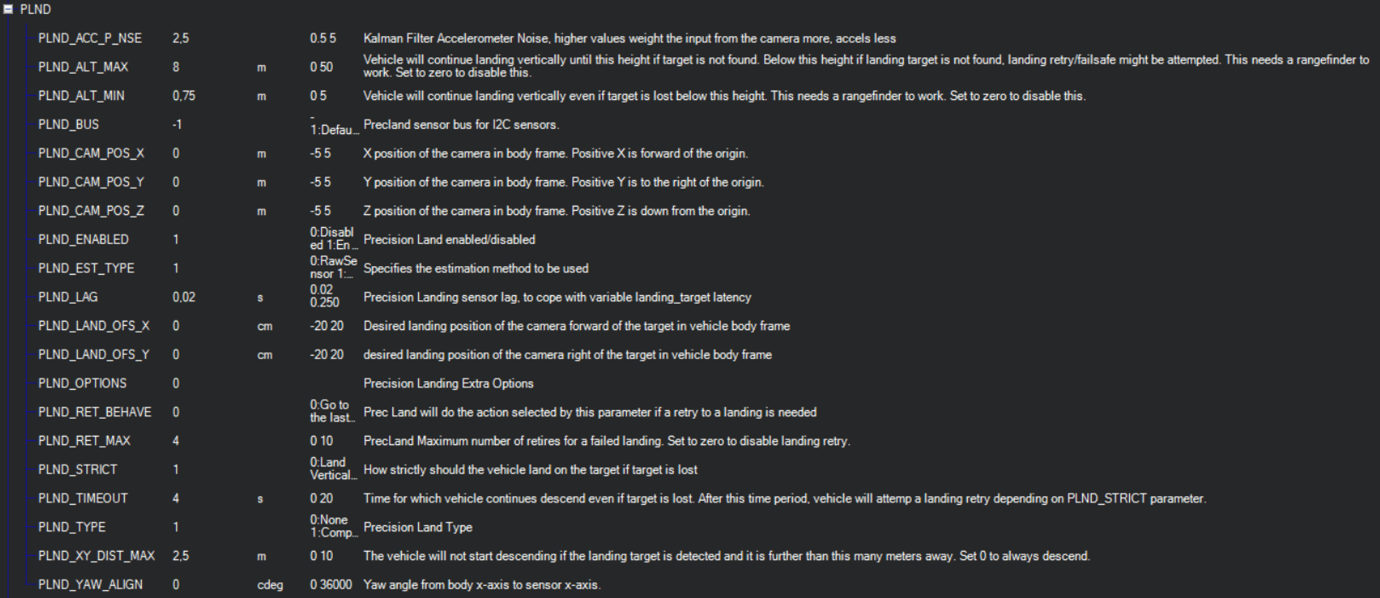
Setup PLND Section
Param
Value
Comment
PLND_ENABLED
1
Enable the precision landing module
PLND_TYPE
1
Use type = 1 to enable UAVLAS sensor over the companion computer driver
Table: ArduPilot PLND Section Parameters
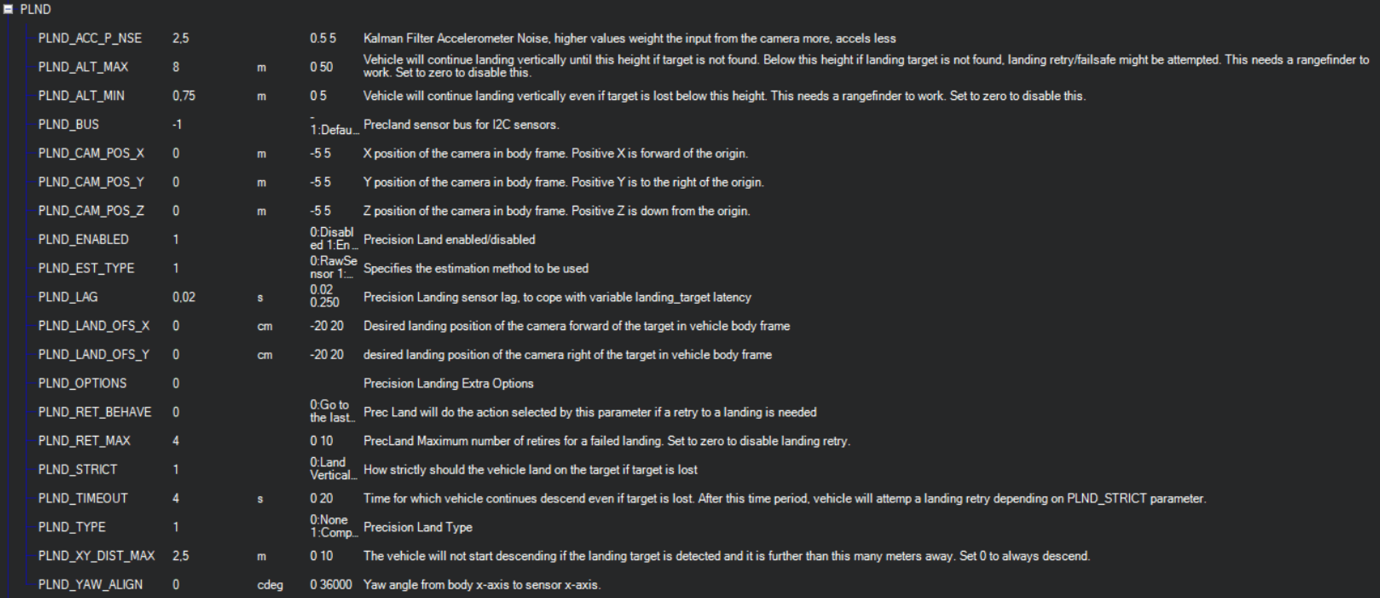
All other PLND parameters should remain at defaults, or be set according to your vehicle requirements.
Figure: PLND Configuration Example
It is recommended to test several Kalman filter options during test flights (or switch it off) to achieve the best performance.
Set Up Serial Communication in SERIALx Section
The example uses SERIAL2; use the number of the port the receiver is wired to.
Param
Value
Comment
SERIAL2_BAUD
230
Baud rate — must match the receiver UART baud rate setting
SERIAL2_OPTIONS
0
Default
SERIAL2_PROTOCOL
2
MAVLink 2 protocol
Table: ArduPilot SERIALx Section Parameters
Set up serial stream rates in the SRx section. The sensor requires the following data from the autopilot:
Param
Value
Comment
SR2_EXTRA1 (or MAV2_EXTRA1)
20
Attitude stream at 20 Hz — required for compass mode yaw orientation
SR2_POSITION (or MAV2_POSITION)
20
Optional — Vehicle LOCAL_POSITION_NED stream at 20 Hz for absolute target position calculation
Table: ArduPilot SRx Stream Rate Parameters
Check Setup
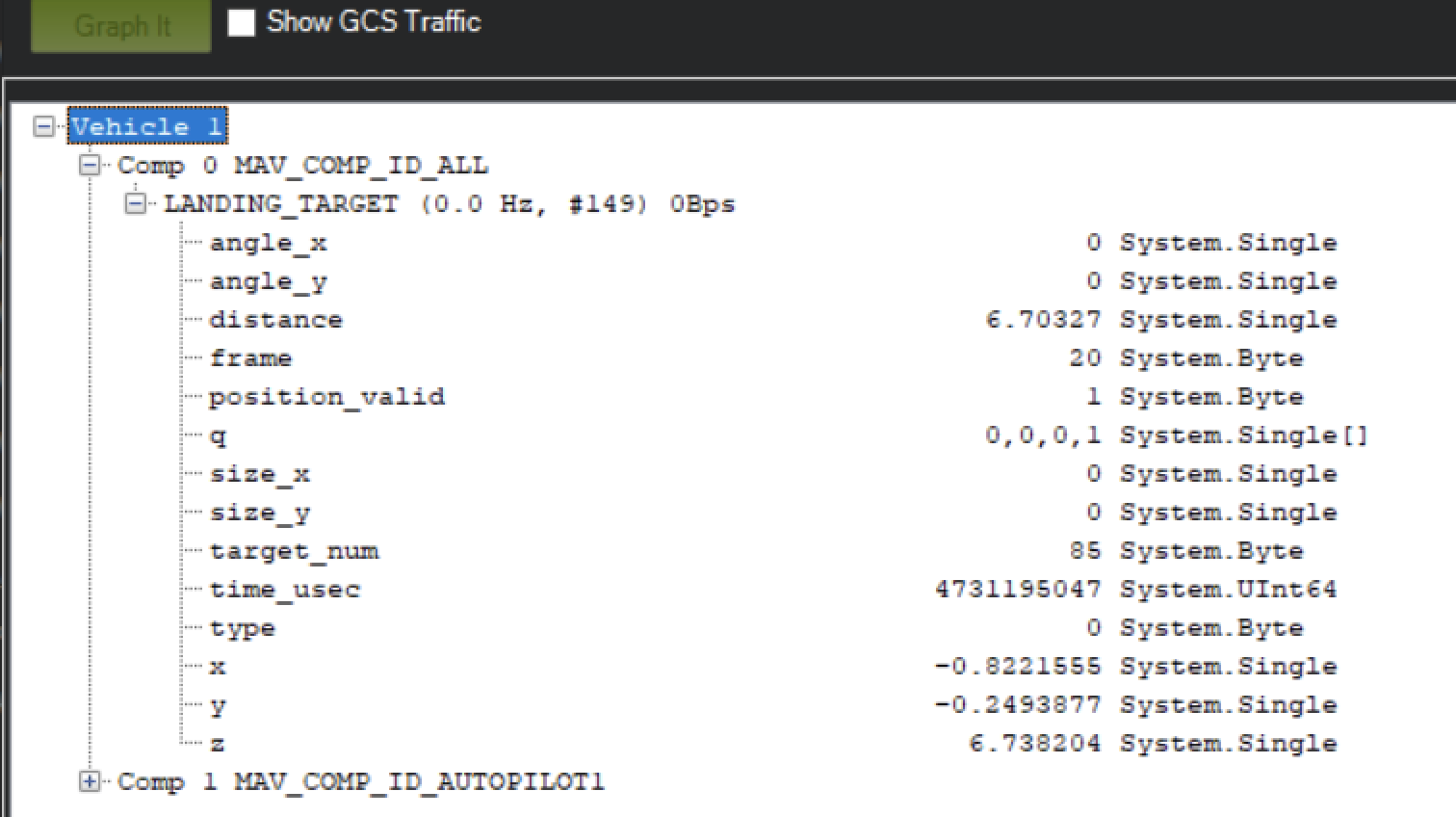
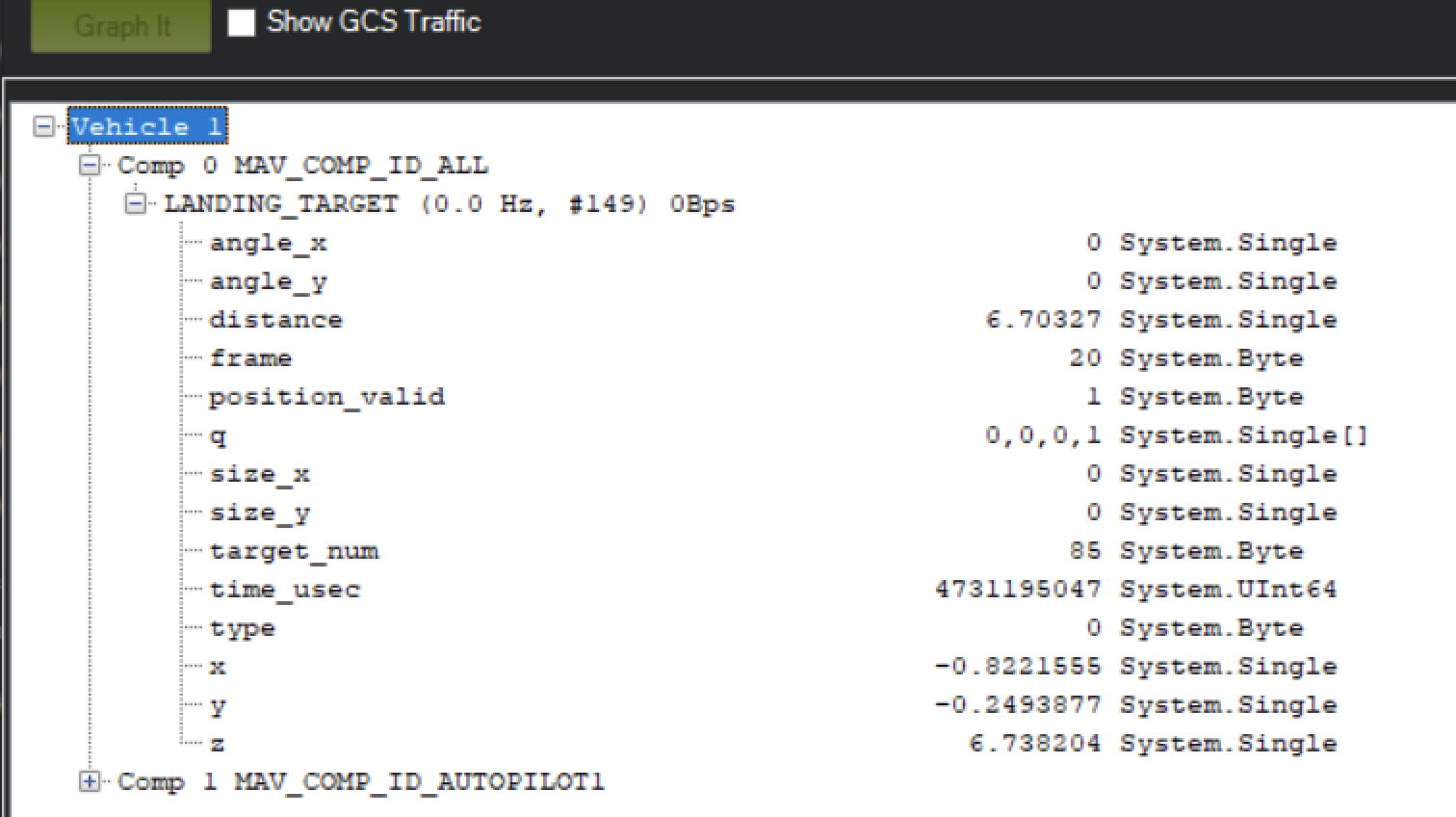
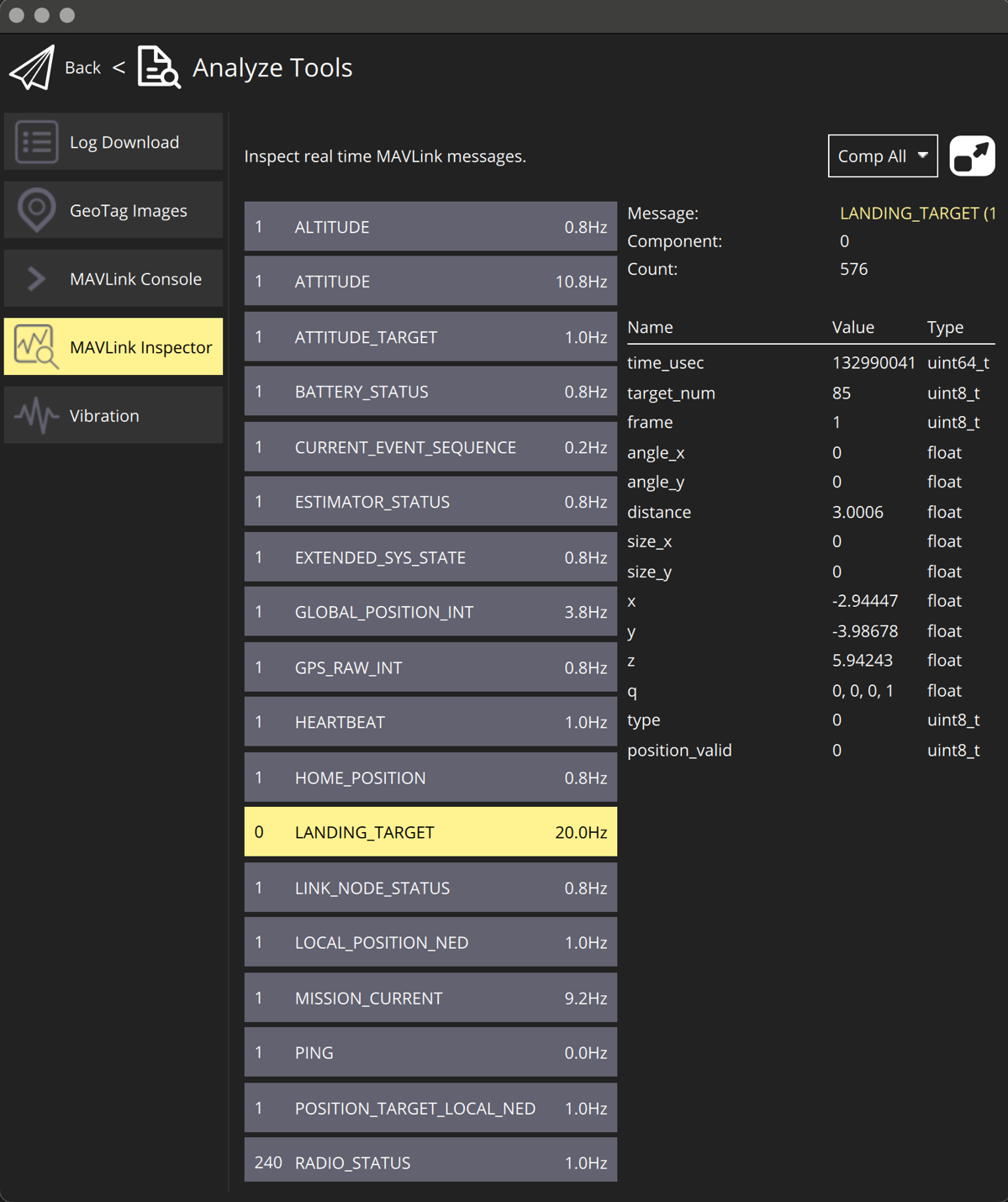
When configuration and wiring are correct, GPS is available, and the receiver is in the field of view of the transmitter, you will see the LANDING_TARGET MAVLink message in the MAVLink Inspector (Mission Planner example shown):
Figure: LANDING_TARGET Message in MAVLink Inspector
Setup Precision Loiter Mode
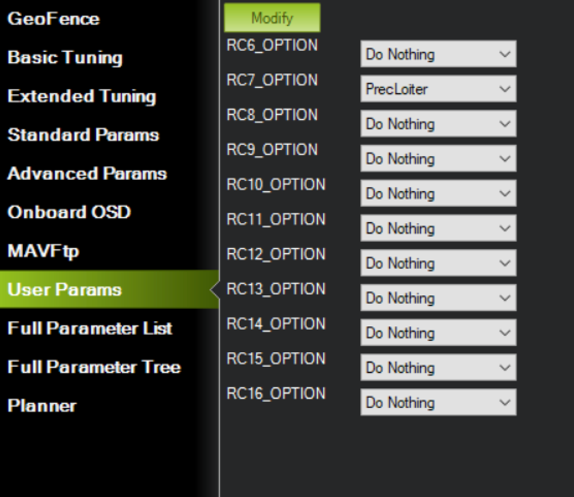
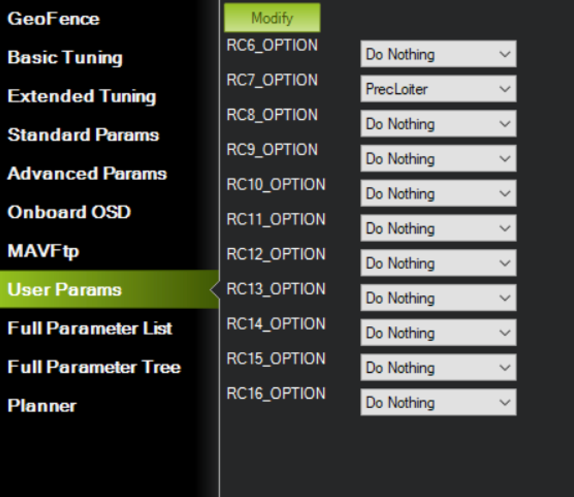
Attach any unused switch to the PrecLoiter option to enable precision loiter mode:
Figure: PrecLoiter Switch Configuration
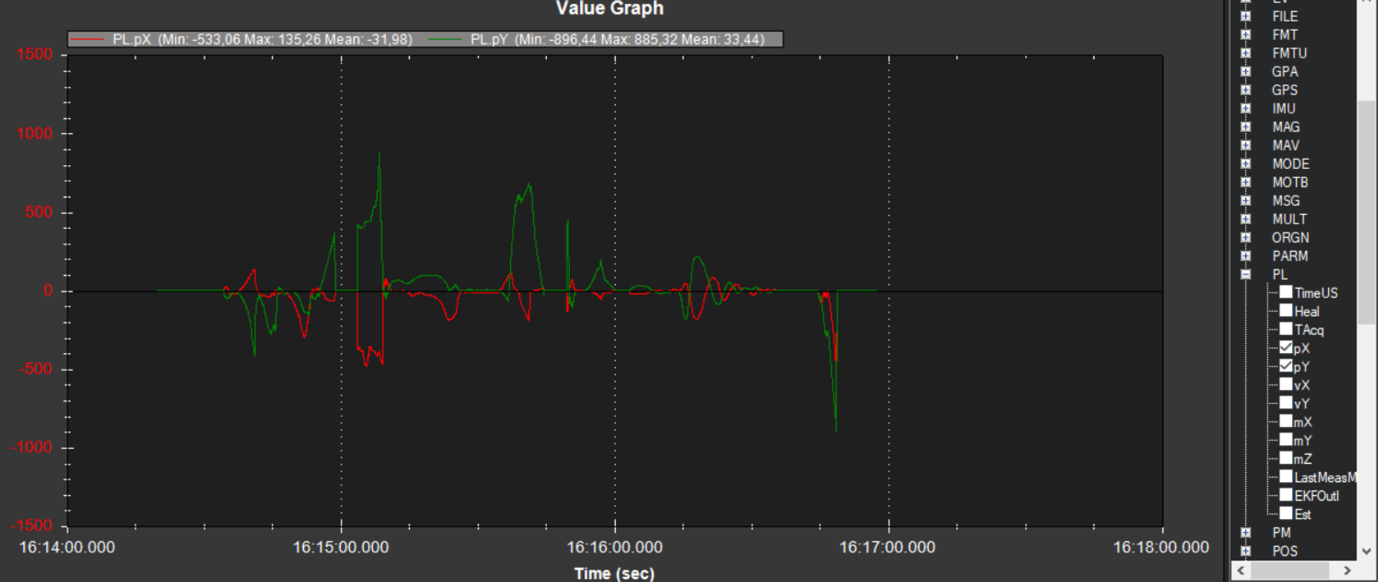
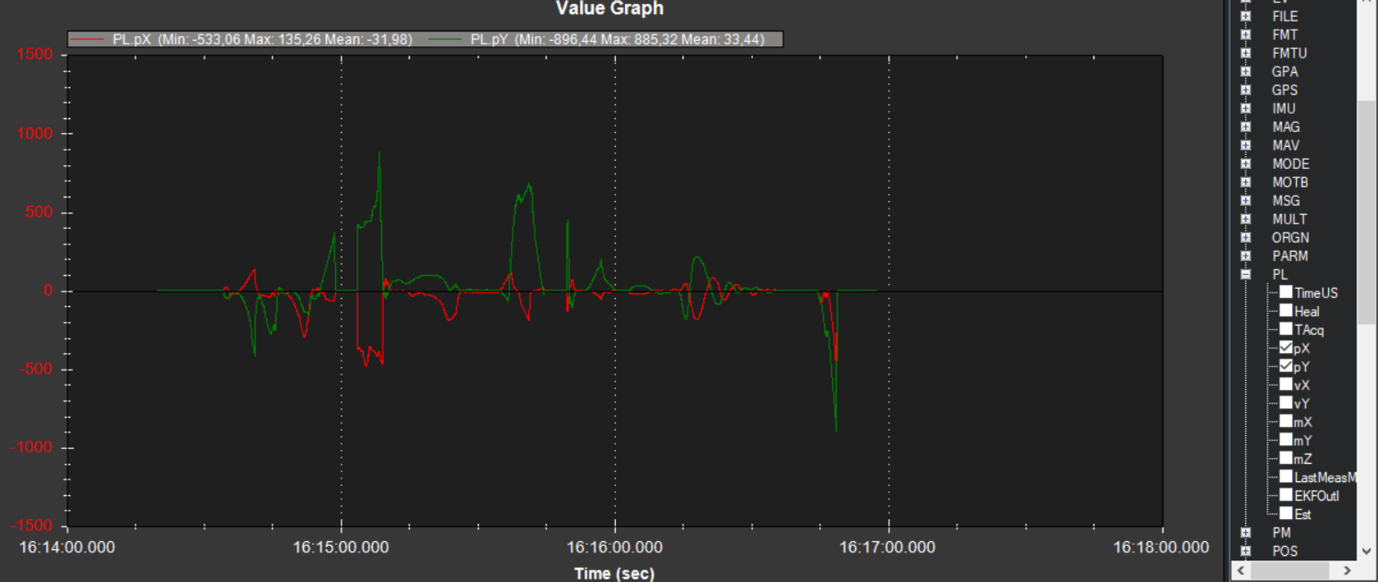
Activate the switch and confirm messages “PrecLoiter: LOW” and “PrecLoiter: HIGH” appear. After a test flight above the target, check telemetry for PL offset data.
Figure: Telemetry Data Showing PL Offsets
PID Tuning
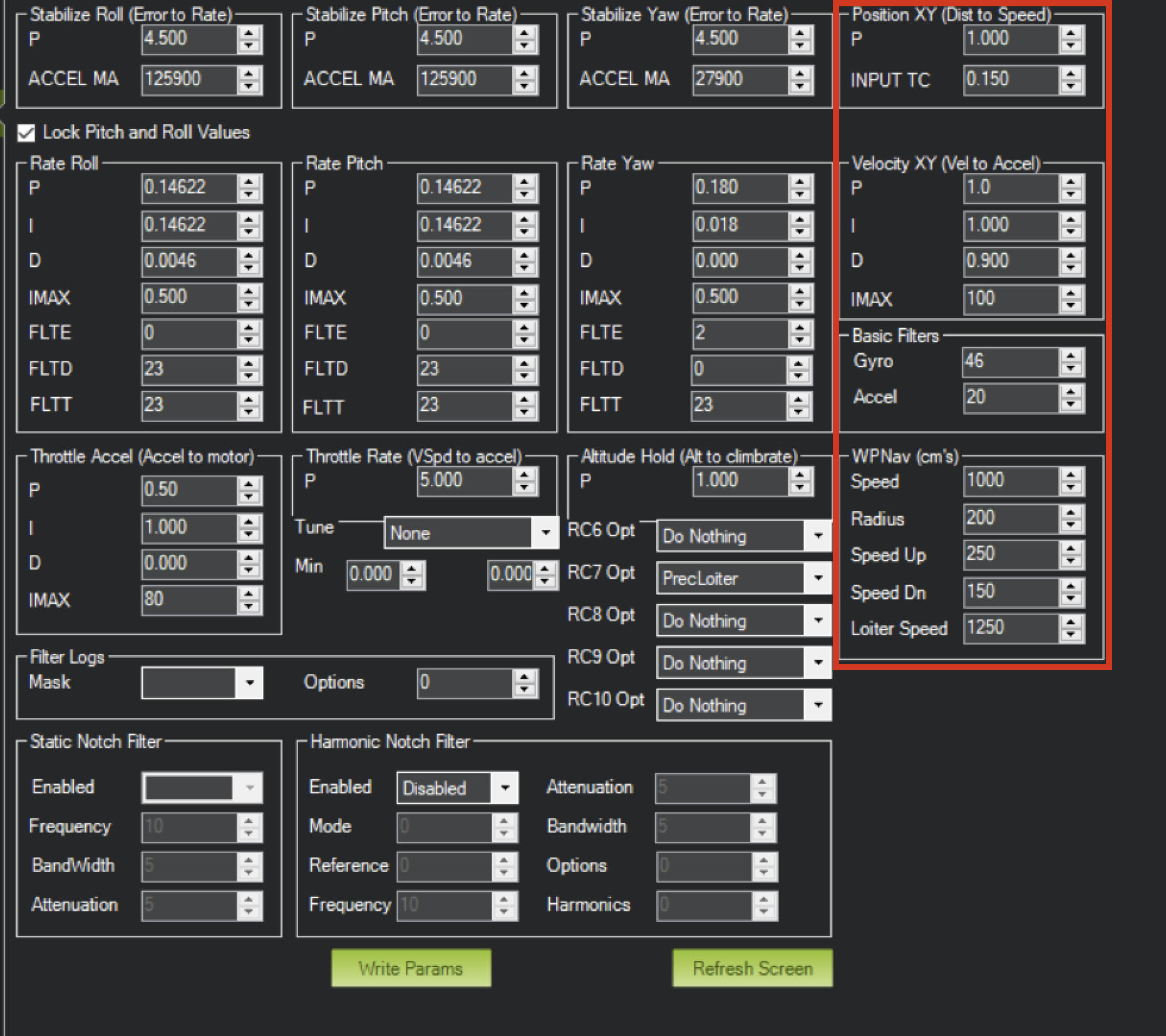
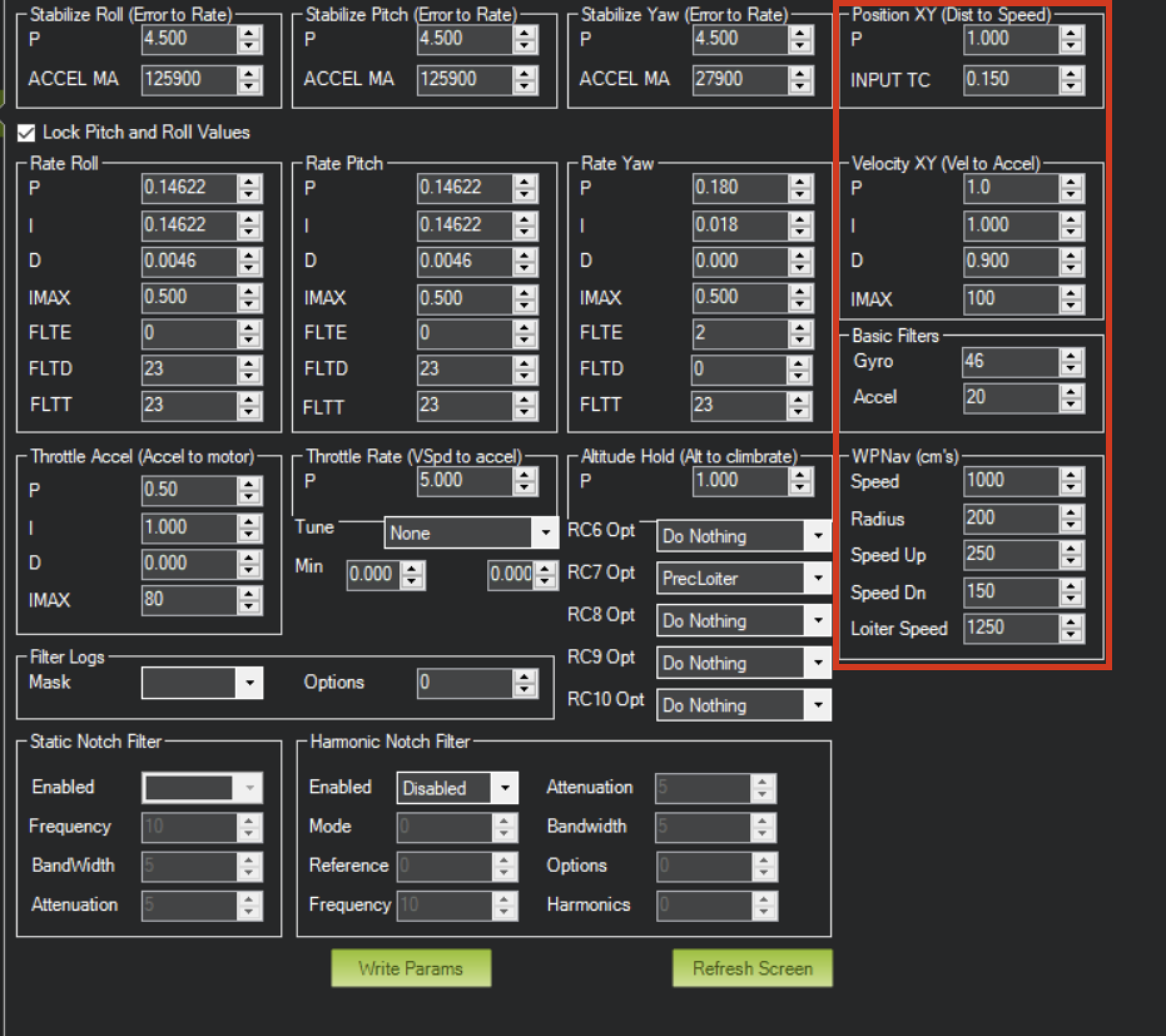
In case of oscillations or instability during landing, check the PID parameters in ArduPilot Extended Tuning.
It is recommended to tune Position XY, Velocity XY, and Loiter Speed for the best performance:
Figure: ArduPilot Extended Tuning Parameters
Settings of Velocity XY P = 0.8, I = 0.2, D = 0.6 have worked well for some customers as a starting point.
It is recommended to start PID testing and performance validation in Precision Loiter mode before enabling full precision landing.
Connect any UAVLAS precision landing system to PX4: MAVLink port parameters, LANDING_TARGET check in QGroundControl and precision landing missions.
ULSDC-PBIG161026-PX4 · version 1.0.0 · issued October 16, 2026 The numbered PDF is the controlled copy: download it from the portal.
Introduction
Purpose
This guide describes how to connect a UAVLAS precision landing system to a PX4 autopilot, configure the MAVLink port, verify the LANDING_TARGET message and fly a precision landing mission.
Intended Audience
Integrators and operators setting up precision landing on PX4 vehicles.
Applicability
This guide applies to every UAVLAS precision landing system that connects to the autopilot over MAVLink: ULS-XCopter, ULS-ProCopter, ULS-Heli and ULS-XSpot. Product-specific installation, pinouts and wiring are in each product’s Operation Manual and Interface Control Document.
Integration
Preparing for Integration
Download the latest version of ULS-Tools. Connect all UAVLAS devices to a PC and update their firmware before proceeding.
Update the autopilot to the latest PX4 version. The stock PX4 firmware supports UAVLAS systems; no custom build is needed.
Install the transmitter and receiver(s) and wire the receiver to a free autopilot UART (TELEM) port. Pinouts and wiring diagrams are in the Interface Control Document and Operation Manual of your product.
Configure the transmitter in ULS-Tools.
Configure the receiver in ULS-Tools (on dual-receiver systems, configure both receivers).
Generation 3 receivers (ULS-Heli-G3, ULS-XSpot-G3) have an RS422 interface. A UART-only autopilot needs the ULS-XX-UART-RS422 onboard adapter.
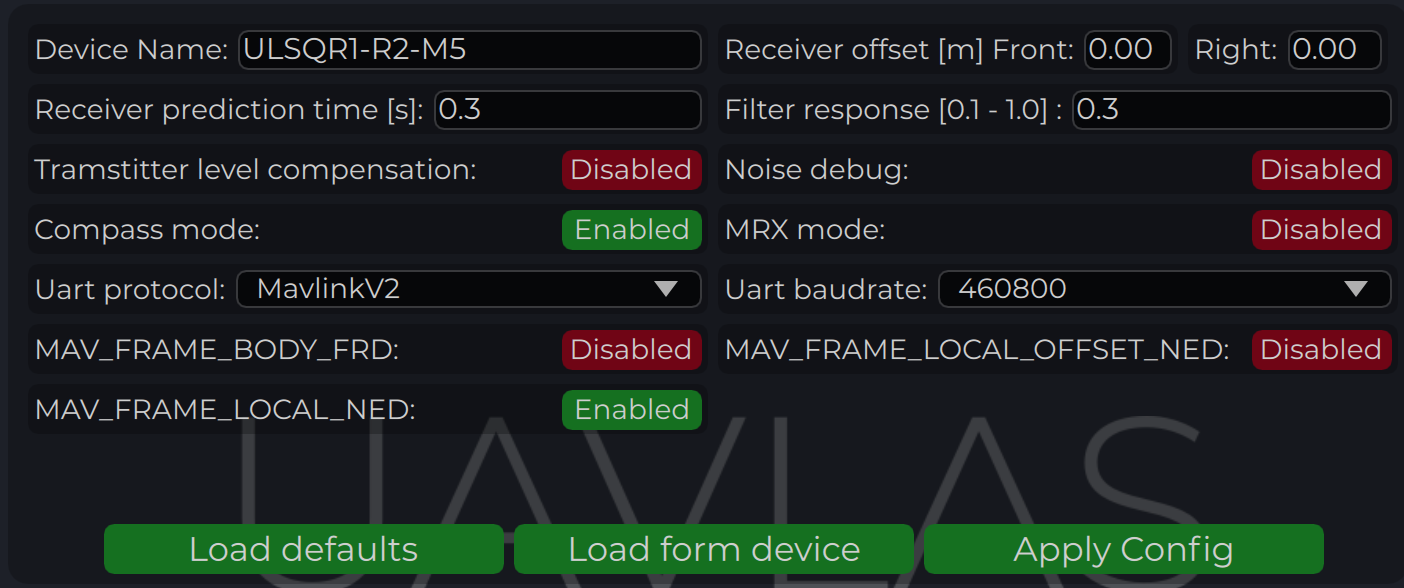
The system communicates with PX4 over MAVLink 2 and reports the target in MAV_FRAME_LOCAL_NED.
Example of receiver configuration:
Figure: Receiver Configuration for PX4
Configure PX4 Autopilot
Values are provided as an example (Pixhawk4-mini AP):
PX4 Parameter
Value
Comment
MAV_1_CONFIG
TELEM/SERIAL4
Requires reboot to apply the next parameters
MAV_1_FORWARD
Enabled
Forward MAVLink messages
MAV_1_MODE
Onboard
Set link mode to onboard
SER_TEL4_BAUD
460800_8N1
Must match the UART baud rate set in the receiver configuration
Table: PX4 Autopilot Configuration Parameters
Running and Testing
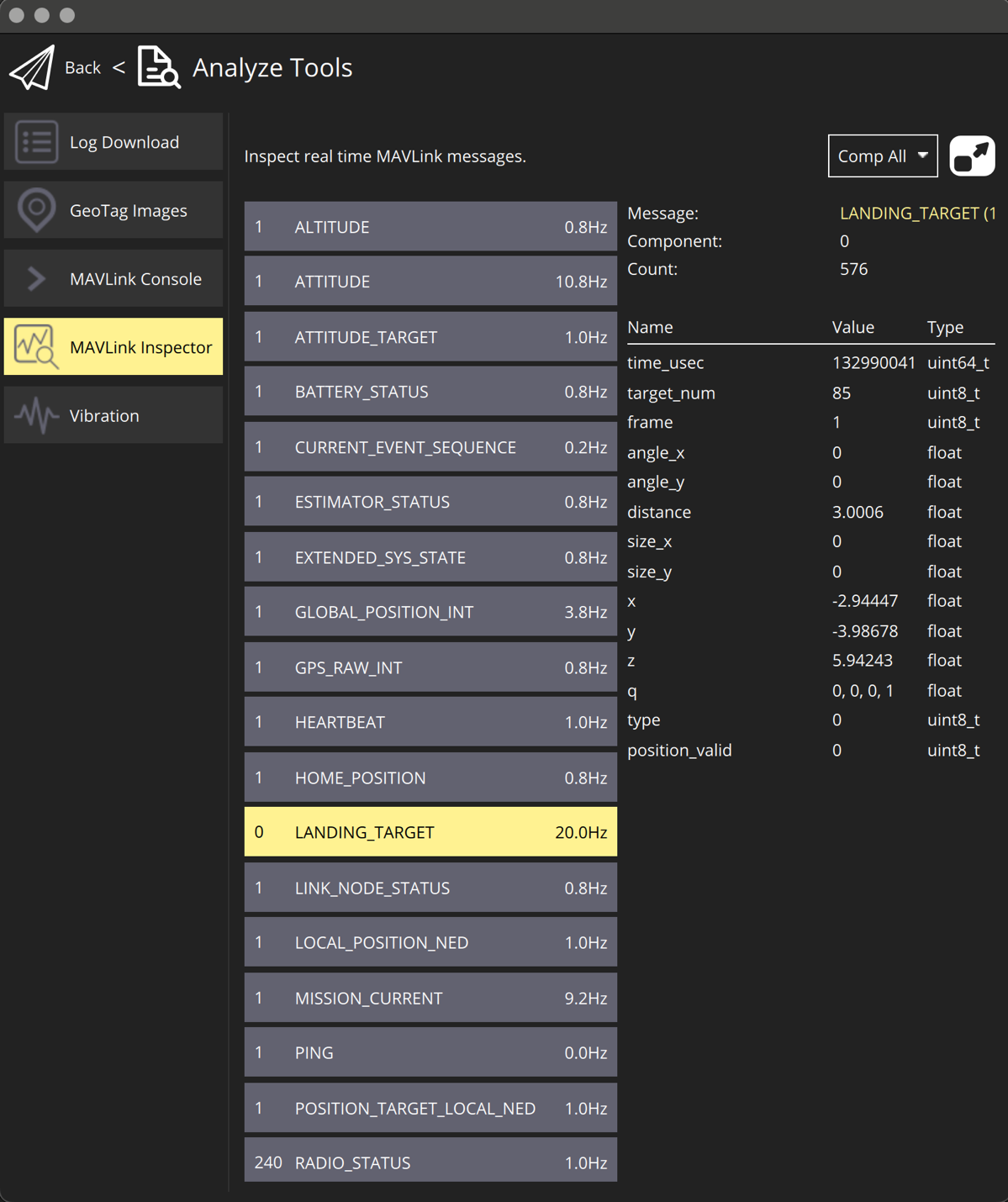
After configuration and wiring, power up the drone and transmitter. In QGroundControl, go to Analyze Tools → MAVLink Inspector and check for the LANDING_TARGET MAVLink message.
If the vehicle is providing a LOCAL_POSITION_NED message to the UAVLAS system and is hovering over the beacon, the field position_valid = 1 will appear in LANDING_TARGET.
To perform precision landing, create a flight plan and enable the Precision Landing option on the landing waypoint.
LANDING_TARGET may be unavailable when connected over USB. Use a telemetry channel (UART modem, etc.) to connect the drone to QGroundControl during testing.
Compact precision landing system for small VTOL drones, from 100 g up to 30 kg.
Application
ULS-XCopter is designed for small vertical take-off and landing aircraft.
Its low weight and size fit drones weighing as little as 100 grams, which
makes it the usual choice for getting to know the technology and for
research institutes running experiments with vehicles.
Landing on a platform and emergency landing — the small transmitter
marks the landing point on any platform; for an emergency landing it is
simply placed on the ground and powered.
Elevated platforms — the system measures the distance to the landing
point itself, so landing on masts, tall structures or large vehicles
needs no extra sensors or adjustment.
Balconies and one-sided platforms — tilting the transmitter sets the
approach angle, so the drone can land where a vertical descent is
impossible. This can be disabled in the receiver settings, for example
for moving platforms.
Wireless charging and contactless delivery — the system gives the
horizontal offset and the height, so the drone can hover precisely over
a charger or a drop point.
The ULS-XCopter is not dust- or waterproof; for harsh environments see
ULS-ProCopter or ULS-Heli.
Documents
Each page is generated from the source of the controlled PDF; the numbered PDF can be downloaded from the document portal.
4.1 - ULS-XCopter-G2 Datasheet
Specifications, performance, dimensions and pinouts of ULS-XCopter-G2 — compact precision landing system for small VTOL drones, from 100 g up to 30 kg.
ULSDC-PBDS310325 · version 0.1.0 · issued March 31, 2025 The numbered PDF is the controlled copy: download it from the portal.
Introduction
Purpose
The purpose of this datasheet is to provide comprehensive technical information about the ULS-XCopter-G2 System family. This includes specifications, performance characteristics, and detailed descriptions of system components, such as transmitters and receivers. By outlining the interfaces between these components, the datasheet aims to facilitate seamless integration and operation for system engineers, integrators, and developers working with the system.
Scope
This document is intended for use by system engineers, integrators, and developers working with ULS-XCopter-G2 systems. It provides detailed information on the system components, specifications, interfaces, and operational characteristics.
System Base Components
Transmitter (Ground Unit)
A transmitter is a device placed on the ground (platform, moving object). It emits a signal in the Infrared range and serves as a kind of beacon. Transmitter marks position for drone landing.
The primary function of the transmitter is to continuously send out a coded signal that can be detected and interpreted by the receiver unit onboard the XCopter. This signal contains critical information needed for the operation of the ULS-XCopter, such as positional data, commands, and system status.
Receiver (Onboard Unit)
A receiver is a device that is placed on board an aircraft.
The receiver decodes this signal to derive flight information such as positional coordinates, real-time transmitter status updates, and landing guidance. It interprets the data to navigate accurately and ensure drone follows the intended flight path. It provides feedback to the autopilot systems, such as Ardupilot and PX4, to adjust the flight parameters as needed for optimal and safety landing or hovering above.
Part Numbering
Part Number
Description
ULS-XCopter-G2
System set with 1 receiver. Generation 2.
ULS-XCopter-G2-MRX
System set with 2 receivers. Generation 2.
ULSDV-XC-G2-TX
Transmitter unit. Generation 2.
ULSDV-XC-G2-RX
Receiver unit. Generation 2.
GHR-10V-S
10 Pin Connector for receiver. Manufacturer, JST Commercial.
GHR-06V-S
6 Pin Connector for transmitter. Manufacturer, JST Commercial.
GHR-04V-S
4 Pin Connector for transmitter. Manufacturer, JST Commercial.
Table: ULS-XCopter-G2 Part Numbers
System Specifications
Common Specification
Parameter
XCopter-G2
Distance range (m)
0.1 - 20.0
Working angle (deg)
60
Data update frequency (Hz)
20
Table: Common System Specifications
Receiver (Onboard Unit)
Parameter
XCopter-G2
Field of view (deg)
100
Dimensions (mm)
20 x 32 x 9
Weight (g)
10
Power Consumption (W)
0.3
Voltage supply (V)
5.0
Interfaces
USB, CAN, UART
Table: Receiver Specifications
Transmitter (Ground Unit)
Parameter
XCopter-G2
Field of emitting (deg)
60
Dimensions (mm)
50 x 50 x 23
Weight (g)
45
Power Consumption (W)
2.4
Voltage supply (V)
7.5 - 27
Interfaces
USB, CAN, UART
Table: Transmitter Specifications
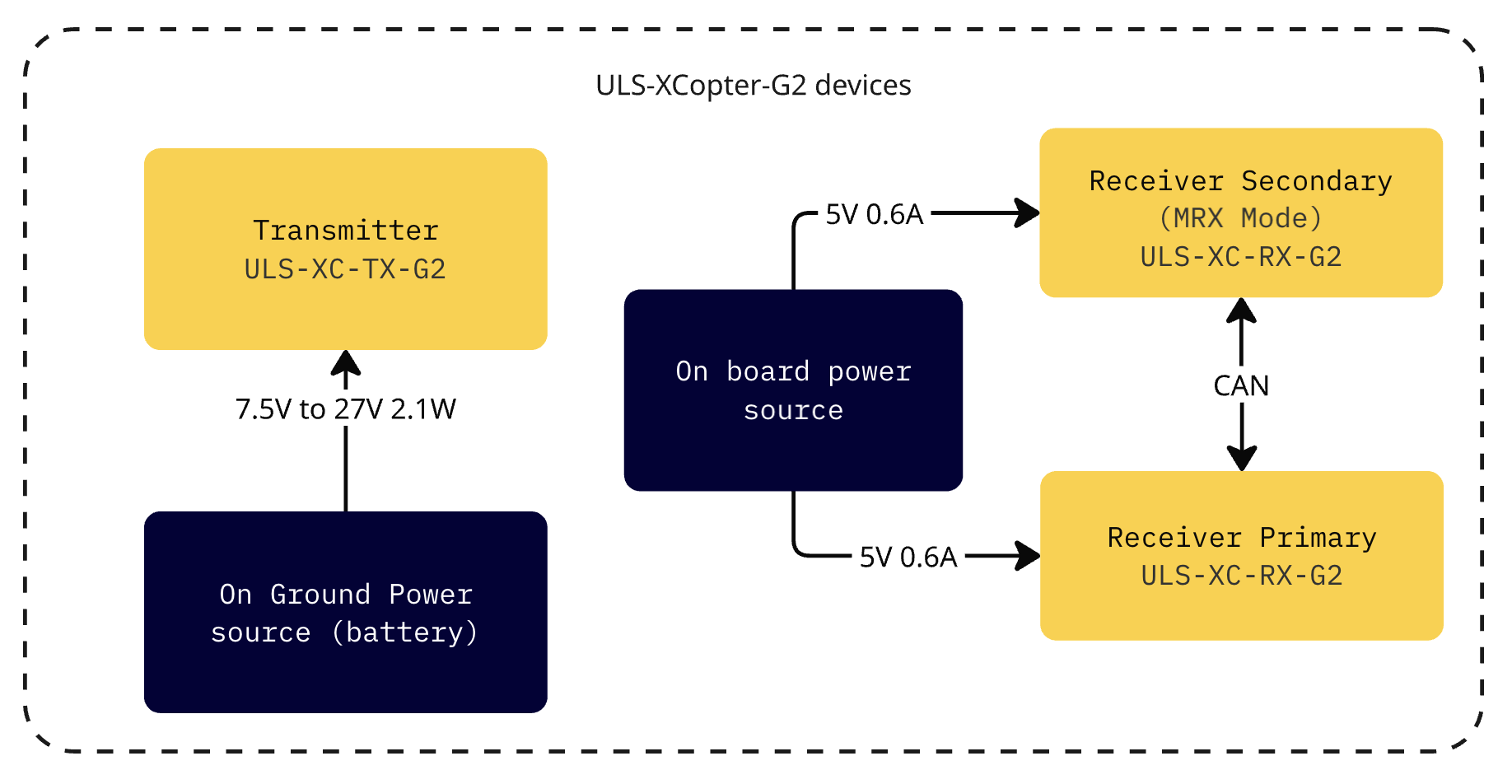
Please note that if you use a USB cable to connect the ULS-XCopter-G2 transmitter and power is supplied via this cable, you must ensure that the cable and power supply allows at least 3A. If the power supply or cable does not allow 5V 3A to be delivered to the transmitter, the device may not work properly. In this case it is recommended to use an external power supply of 7.5-24V connected to connector JX1 - External power and control.
The system is designed for commercial-grade environmental operation, suitable for outdoor and industrial applications where robust performance under varying environmental conditions is required.
Operating Temperature
The system components are rated for extended temperature operation:
Normal Operation: -20°C to +45°C when mounted on vehicle PCB
The wide operating temperature range enables deployment in diverse climates, from cold weather operations to hot desert environments.
Environmental Protection
IP Protection Rating: IP54 (dust protected, splash water resistant)
Note: While the system offers protection against dust ingress and water splashing, it is not waterproof. Additional protective measures may be required for operation in harsh weather conditions or marine environments.
Storage and Handling
Storage Temperature: -40°C to +85°C
Humidity: Up to 95% non-condensing
Altitude: Operation up to 4000m above sea level
Environmental Considerations
Dust Protection: The IP54 rating provides protection against dust ingress that could interfere with system operation. Regular cleaning is recommended in particularly dusty environments.
Moisture Resistance: Protected against water splashing from any direction. However, avoid direct water jets, submersion, or prolonged exposure to heavy rain without additional protective enclosures.
Thermal Management: Ensure adequate ventilation around system components during operation. Avoid mounting in locations exposed to direct sunlight or near heat sources that could cause components to exceed maximum operating temperature.
Condensation: When moving equipment between environments with significant temperature differences, allow sufficient time for thermal equalization to prevent internal condensation.
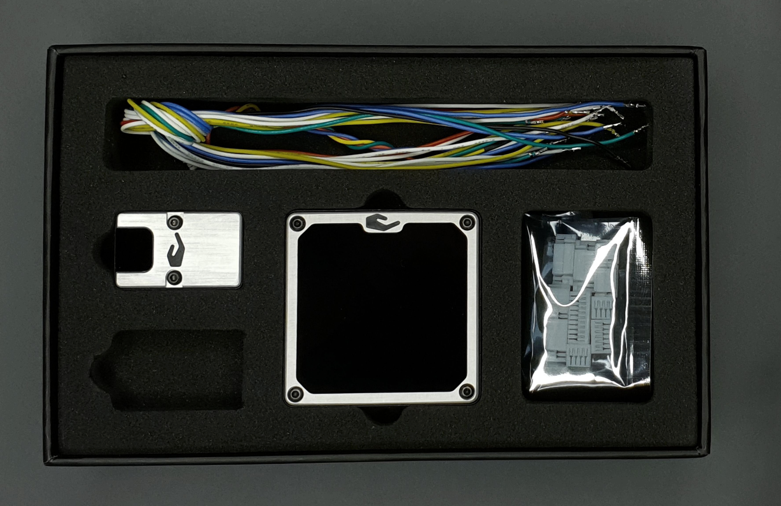
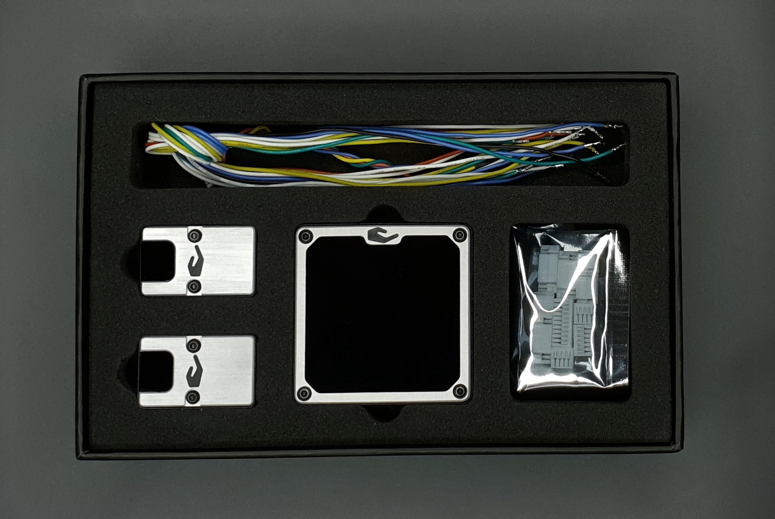
Some package contents (like cables and connectors) are subject to change.
Packed systems
Figure: ULS-XCopter-G2 in boxes
4.2 - ULS-XCopter-G2 Interface Control Document
Electrical, mechanical and communication interfaces of ULS-XCopter-G2 — compact precision landing system for small VTOL drones, from 100 g up to 30 kg.
ULSDC-PBICD310325 · version 0.1.0 · issued April 2, 2025 The numbered PDF is the controlled copy: download it from the portal.
Introduction
Purpose
This document outlines the interfaces between the ULS-XCopter-G2 system components, including the transmitter, receiver, and autopilot systems (Ardupilot and PX4 and similar).
Scope
This document is intended for use by system engineers, integrators, and developers working with ULS-XCopter-G2 systems. It provides detailed information on the interfaces between the system components, ensuring seamless integration and operation.
System Components
Transmitter (Ground Unit)
A transmitter is a device placed on the ground (platform, moving object). It emits a signal in the Infrared range and serves as a kind of beacon. Transmitter marks position for drone landing.
The primary function of the transmitter is to continuously send out a coded signal that can be detected and interpreted by the receiver unit onboard the XCopter. This signal contains critical information needed for the operation of the ULS-XCopter, such as positional data, commands, and system status.
Receiver (Onboard Unit)
A receiver is a device that is placed on board an aircraft.
The receiver decodes this signal to derive flight information such as positional coordinates, real-time transmitter status updates, and landing guidance. It interprets the data to navigate accurately and ensure drone follows the intended flight path. It provides feedback to the autopilot systems, such as Ardupilot and PX4, to adjust the flight parameters as needed for optimal and safety landing or hovering above.
Interface Overview
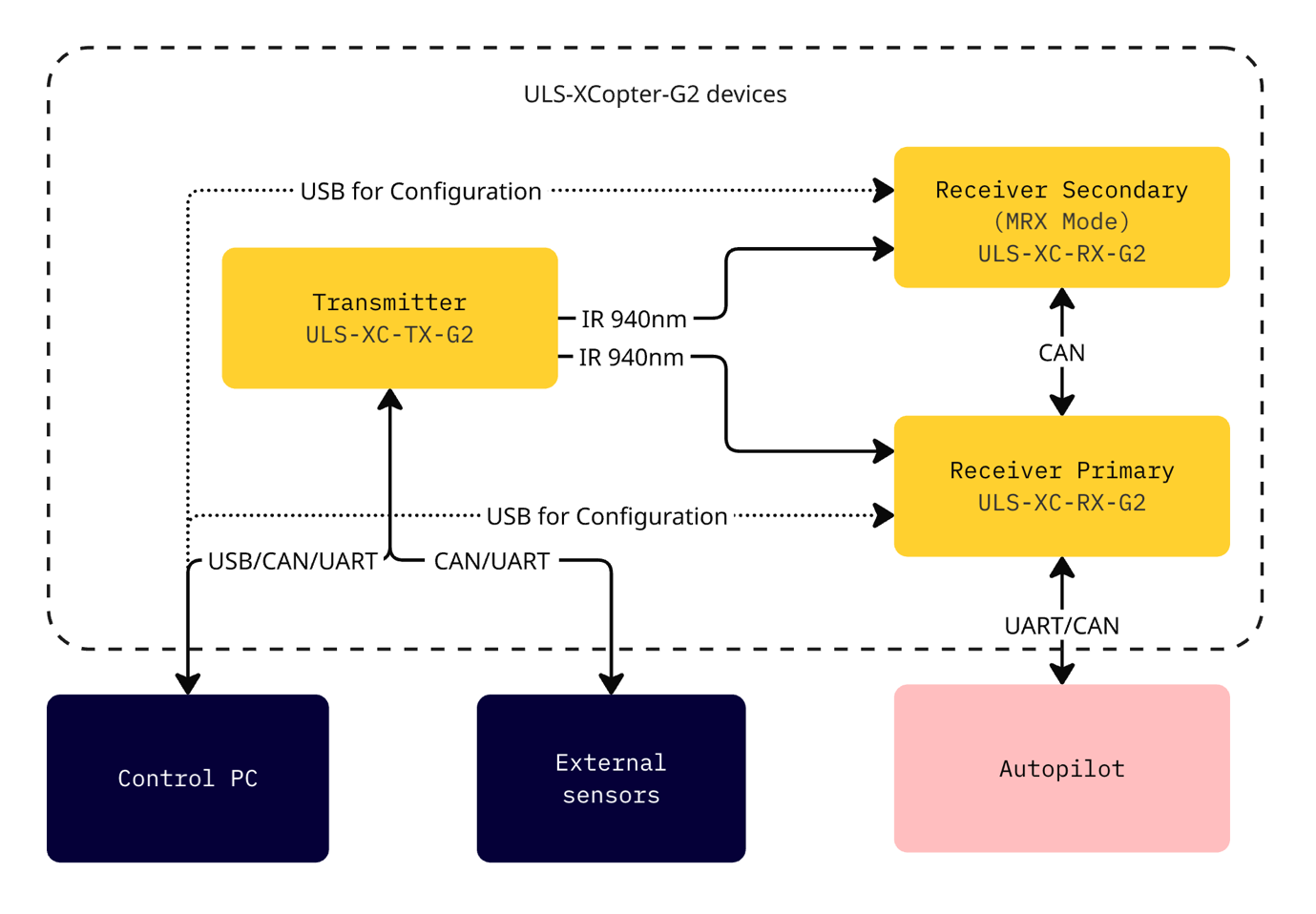
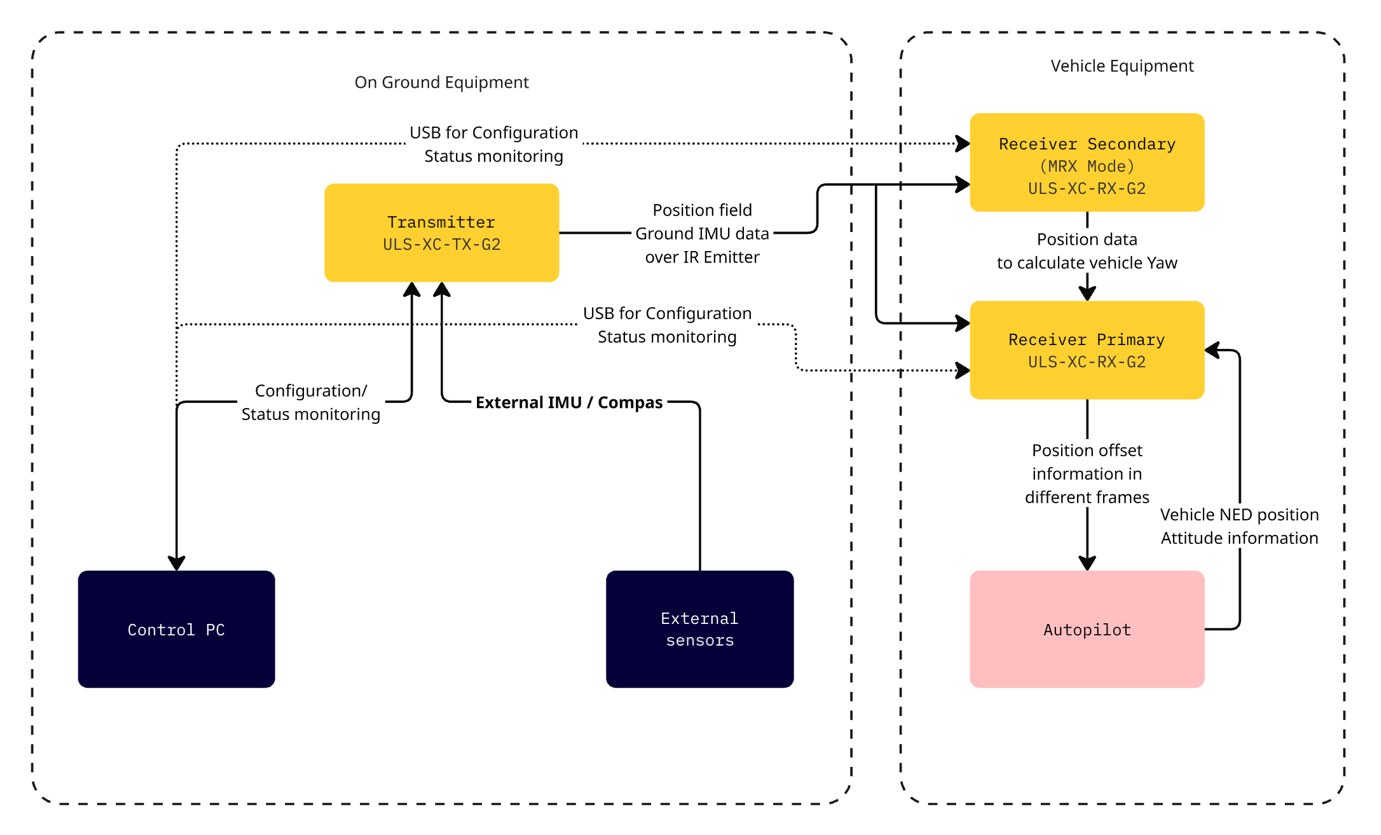
Figure: ULS-XCopter-G2 Interface Overview
Transmitter to Control PC Interface
Data Type:
Status information
Control signals
Transmitter configuration
Connection Type:
CAN
USB
UART
Transmitter to External Sensors Interface
Data Type:
Control signals
External IMU/COMPASS data
Connection Type:
CAN
UART
Transmitter to Receiver Interface
The transmitter and receiver use an optical interface to exchange data. Transmission uses IR emission at 940 nanometers. Data transmission is only in the direction from the transmitter to the receiver.
Data Type:
Position encoded data
Status encoded data (Transmitter orientation and instructions)
Connection Type:
Optical IR 940nm (Infrared optical link)
Data Flow:
Data is transmitted unidirectional from the transmitter (ground unit) to the receiver (onboard unit) via infrared optical signals. The receiver decodes the optical signals to extract:
The system is designed for commercial-grade environmental operation, suitable for outdoor and industrial applications where robust performance under varying environmental conditions is required.
Operating Temperature
The system components are rated for extended temperature operation:
Normal Operation: -20°C to +45°C when mounted on vehicle PCB
The wide operating temperature range enables deployment in diverse climates, from cold weather operations to hot desert environments.
Environmental Protection
IP Protection Rating: IP54 (dust protected, splash water resistant)
Note: While the system offers protection against dust ingress and water splashing, it is not waterproof. Additional protective measures may be required for operation in harsh weather conditions or marine environments.
Storage and Handling
Storage Temperature: -40°C to +85°C
Humidity: Up to 95% non-condensing
Altitude: Operation up to 4000m above sea level
Environmental Considerations
Dust Protection: The IP54 rating provides protection against dust ingress that could interfere with system operation. Regular cleaning is recommended in particularly dusty environments.
Moisture Resistance: Protected against water splashing from any direction. However, avoid direct water jets, submersion, or prolonged exposure to heavy rain without additional protective enclosures.
Thermal Management: Ensure adequate ventilation around system components during operation. Avoid mounting in locations exposed to direct sunlight or near heat sources that could cause components to exceed maximum operating temperature.
Condensation: When moving equipment between environments with significant temperature differences, allow sufficient time for thermal equalization to prevent internal condensation.
All changes to this document must be reviewed and approved by the relevant technical leads and stakeholders.
4.3 - ULS-XCopter-G2 Operation Manual
Installation, setup, integration and troubleshooting of ULS-XCopter-G2 — compact precision landing system for small VTOL drones, from 100 g up to 30 kg.
ULSDC-PBOM310325 · version 0.1.0 · issued April 2, 2025 The numbered PDF is the controlled copy: download it from the portal.
Introduction
Purpose
The purpose of this operation manual is to provide comprehensive guidance on the installation, configuration, operation, and troubleshooting of the ULS-XCopter-G2 System. This manual is designed to help users effectively integrate and utilize the system for precision landing and navigation applications.
Scope
This document is intended for use by system engineers, integrators, operators, and developers working with ULS-XCopter-G2 systems. It provides detailed information on system operation, configuration procedures, and integration with autopilot systems.
System Base Components
Transmitter (Ground Unit)
A transmitter is a device placed on the ground (platform, moving object). It emits a signal in the Infrared range and serves as a kind of beacon. Transmitter marks position for drone landing.
The primary function of the transmitter is to continuously send out a coded signal that can be detected and interpreted by the receiver unit onboard the XCopter. This signal contains critical information needed for the operation of the ULS-XCopter, such as positional data, commands, and system status.
Receiver (Onboard Unit)
A receiver is a device that is placed on board an aircraft.
The receiver decodes this signal to derive flight information such as positional coordinates, real-time transmitter status updates, and landing guidance. It interprets the data to navigate accurately and ensure drone follows the intended flight path. It provides feedback to the autopilot systems, such as Ardupilot and PX4, to adjust the flight parameters as needed for optimal and safety landing or hovering above.
Operation Theory
All data communication from the transmitter to the receiver is done in the optical band, which eliminates interference with other radio devices and radio signals.
Signal Transmission
The transmitter contains an array of emitting elements that operate in the infrared range. The transmitter emits a modulated signal with each of the transmitter emitters transmitting a unique signal. Each of the transmitter emitters emits in a unique direction.
Video: ULS-XCopter-G2 transmitter in action showing IR LED distributed illumination pattern
Position Calculation
The receiver receives the signal from the transmitter, decodes it, and by analyzing the signal can determine in which direction relative to the transmitter it is located. The distance to the transmitter is determined by the signal strength. Thus the system determines the position in a polar coordinate system with the origin at the center of the transmitter.
Orientation Considerations
The receiver position readings will change when the transmitter orientation is changed, but the change in receiver orientation will have no effect if the transmitter and receiver are within the range of visibility of the systems specified in the specification.
This must be taken into account when working with the system. In order to calculate the position of the receiver without errors in case of orientation changes, the transmitter is equipped with an inertial orientation measurement system. This system allows you to determine the orientation of the module and transmit this information to the receiver by means of an infrared signal so that it can correct the position according to the inclination of the transmitter (transmitter level correction function).
Coordinate System Conversion
The system can then convert the polar coordinate system to a Cartesian coordinate system. In this case, this coordinate system originates at the center of the transmitter.
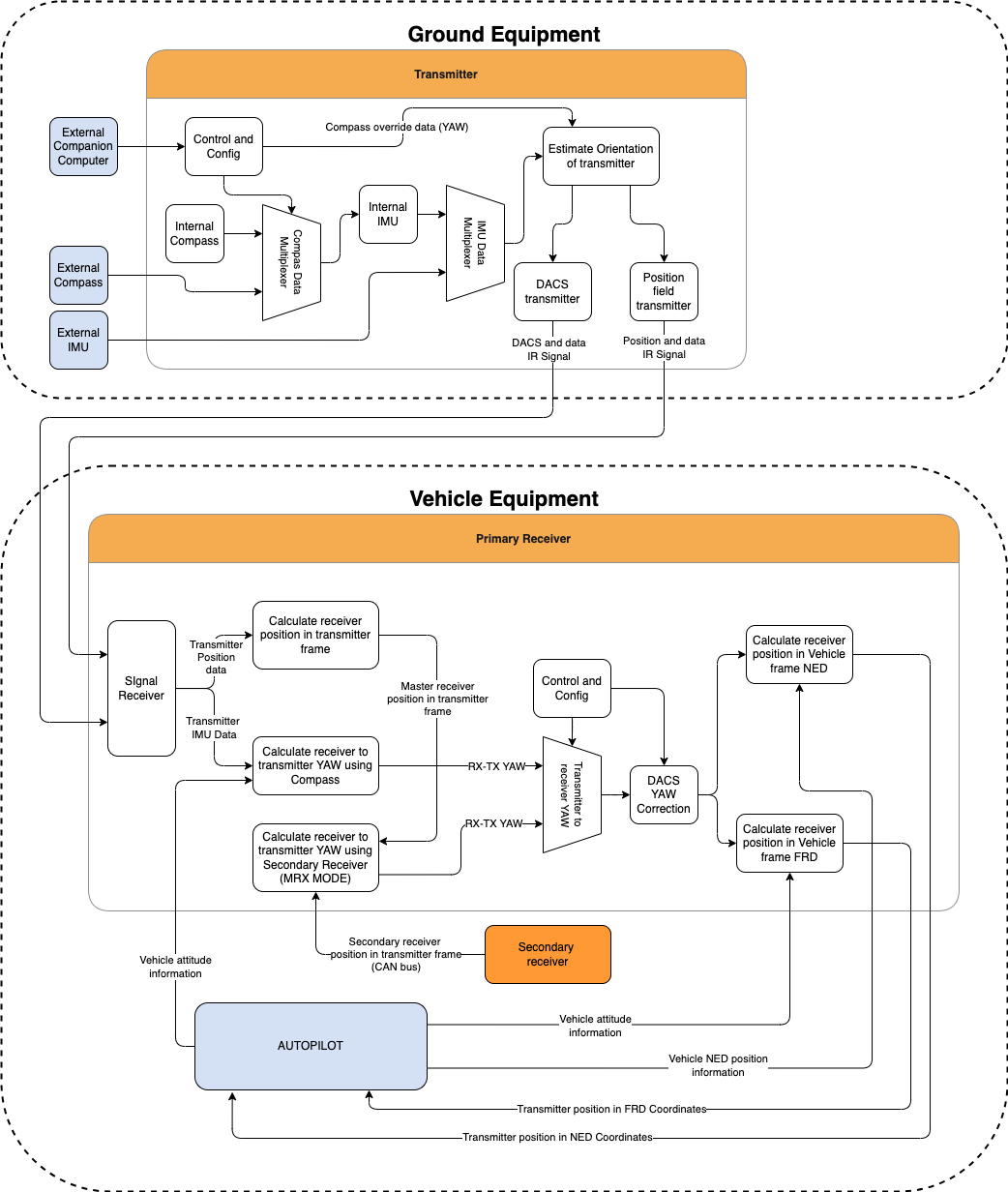
To navigate and ensure a precise landing, the autopilot needs information about the position of the landing point in a coordinate system either attached to the drone’s body or in a global coordinate system. For this purpose, the receiver requests information from the autopilot about its position and orientation. Then, using this information and information about the orientation of the ground transmitter, the receiver can calculate the position of the transmitter relative to the drone in the required coordinates.
Distance and Azimuth Correction System (DACS)
The unit also has a DACS (Distance and Azimuth Correction System). This allows you to more accurately calculate the YAW (Yaw) of the receiver versus the transmitter. This system serves as an aid in calculating the mutual orientation using a compass or MRX system.
System Applications
It is important to point out that the system will act as a navigation sensor. The information from our system can be used by autopilots and drones for various purposes:
Landing vehicle on platform
Hovering over a point of interest
Accurately dropping a load or precisely lowering it on a tether
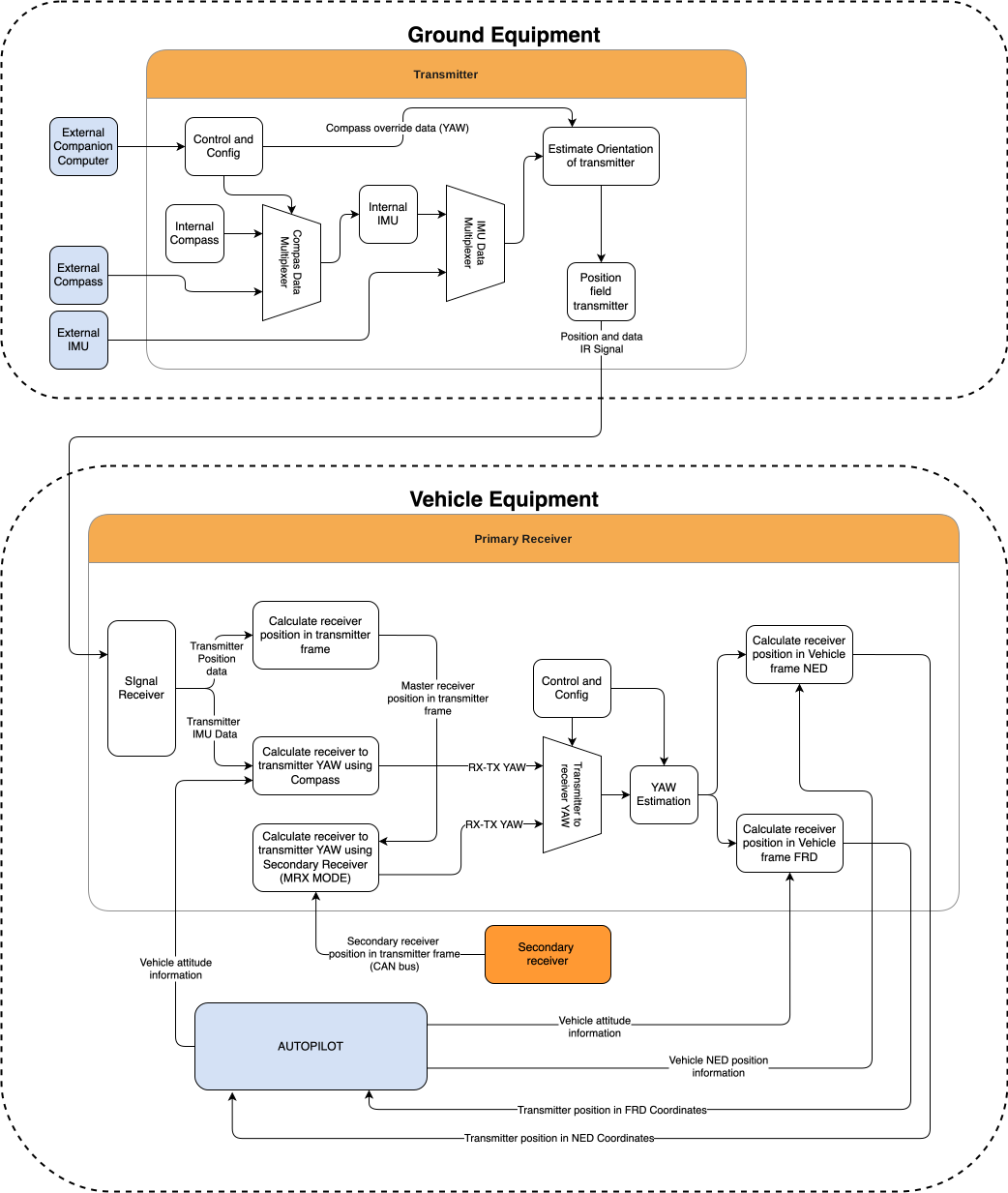
Functional Description Diagram
Figure: ULS-XCopter-G2 Functional Description
System Specifications
Common Specification
Parameter
XCopter-G2
Distance range (m)
0.1 - 20.0
Working angle (deg)
60
Data update frequency (Hz)
20
Table: Common System Specifications
Receiver (Onboard Unit)
Parameter
XCopter-G2
Field of view (deg)
100
Dimensions (mm)
20 x 32 x 9
Weight (g)
10
Power Consumption (W)
0.3
Voltage supply (V)
5.0
Interfaces
USB, CAN, UART
Table: Receiver Specifications
Transmitter (Ground Unit)
Parameter
XCopter-G2
Field of emitting (deg)
60
Dimensions (mm)
50 x 50 x 23
Weight (g)
45
Power Consumption (W)
2.4
Voltage supply (V)
7.5 - 27
Interfaces
USB, CAN, UART
Table: Transmitter Specifications
Please note that if you use a USB cable to connect the ULS-XCopter-G2 transmitter and power is supplied via this cable, you must ensure that the cable and power supply allows at least 3A. If the power supply or cable does not allow 5V 3A to be delivered to the transmitter, the device may not work properly. In this case it is recommended to use an external power supply of 7.5-24V connected to connector JX1 - External power and control.
The transmitter can be installed both indoors and outdoors. However, please note that this version of the system is not equipped with protection against moisture and dust. When installing the transmitter, care should be taken to ensure line-of-sight conditions between transmitter and receiver.
Figure: Transmitter installation variant
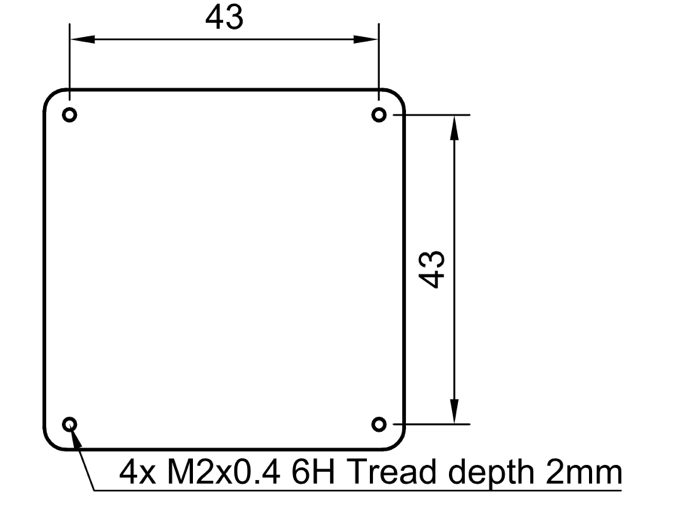
The device must be installed on a clean surface to avoid any obstacles. The device must be installed in an open area. There must be no obstacles in the radiation field of the transmitting device. If possible, avoid installing the system near vertical surfaces that can strongly reflect infrared radiation. The 4 holes on the bottom of the device can be used to mount the device. For fastening, use M2 screws, thread depth 2 mm.
It is allowed to install the device under a surface that is optically transparent to infrared radiation by more than 95%. Glass or transparent plastic can act as such a surface. In this case, to increase the coverage of the system at low altitudes, it is recommended to install the transmitter below the level of the platform. This will allow you to expand the coverage of the system to a larger area during touchdown.
Please note, to compensate for the loss of transmitter illumination, you can adjust the illumination power of the transmitter. To do this, place the receiver at a fixed distance from the installed transmitter (recommended 1-2 meters) and adjust the “Device illumination power” of the transmitter until the distance information on the receiver does not correspond to the actual distance. Maximum Correction for “Device illumination power” 110%
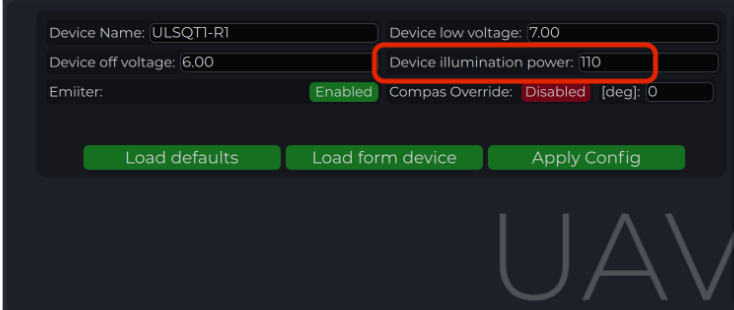
Figure: Transmitter illumination power
After installation, it is recommended to verify the correctness of the compass reading and, if necessary, correct the compass calibration.
Wiring Transmitter
The transmitter only requires power to operate. The transmitter can be powered either via USB-C or via a 6-pin connector located nearby. External compass (IMU) and control data can be sent over UART and CAN protocol. See pinout information of transmitter.
Configure Transmitter in ULS-Tools
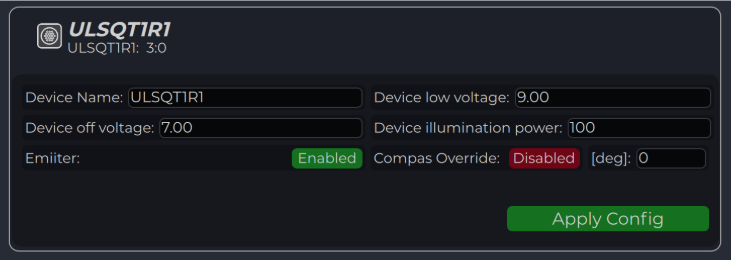
To apply any changes, press "Apply Config" button at the bottom of the field.
Voltage limit to disable IR emitters to prevent battery under discharge
Device illumination power
Emitters power correction (100 for normal operation)
Emitter (enable/disable)
Disable (for configure) or enable emitter
Compass Override (enable/disable) [deg]
Enable in case of module installed on fixed platform. The entered value will be used instead of internal compass data in “Compass mode”. In this way, the transmitter must be turned on the corresponding angle, CW to North.
Table: Transmitter Configuration Parameters
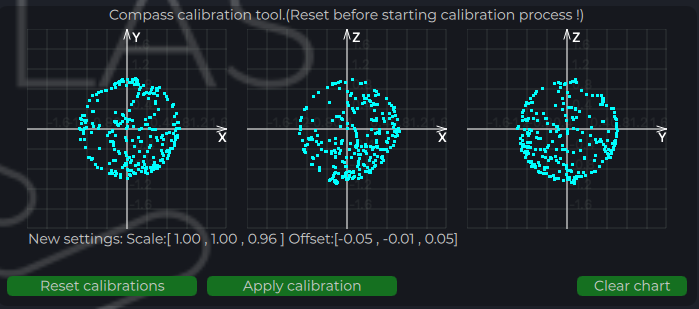
Compass Calibration
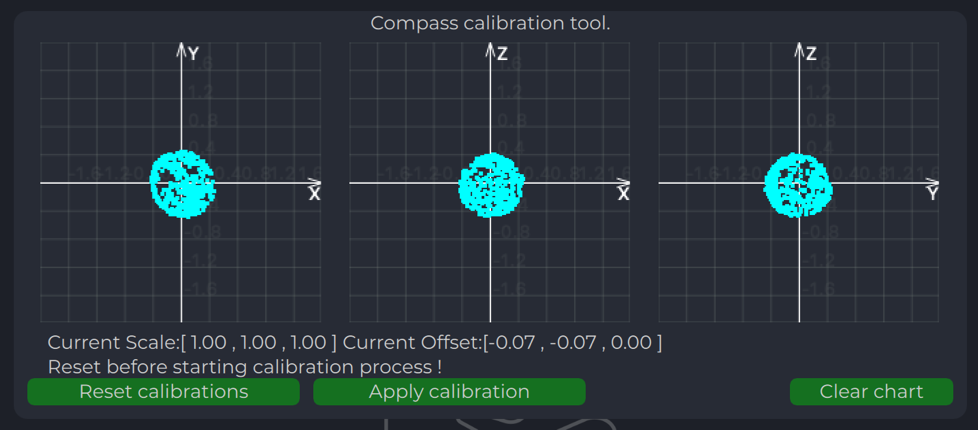
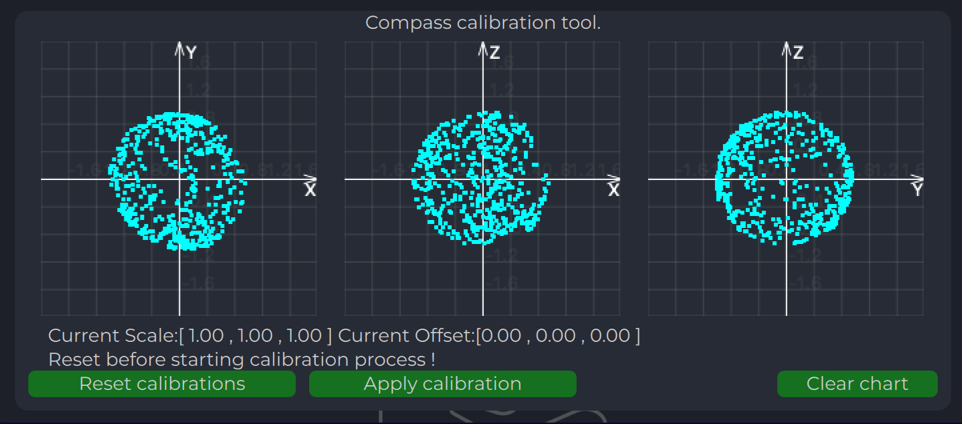
This compass is used to calculate an absolute heading of the ground unit. This information is transmitted to the Receiver and used to calculate NED coordinates. To be able to use compass, it needs to be calibrated before.
To calibrate compass:
Press “Reset calibrations”
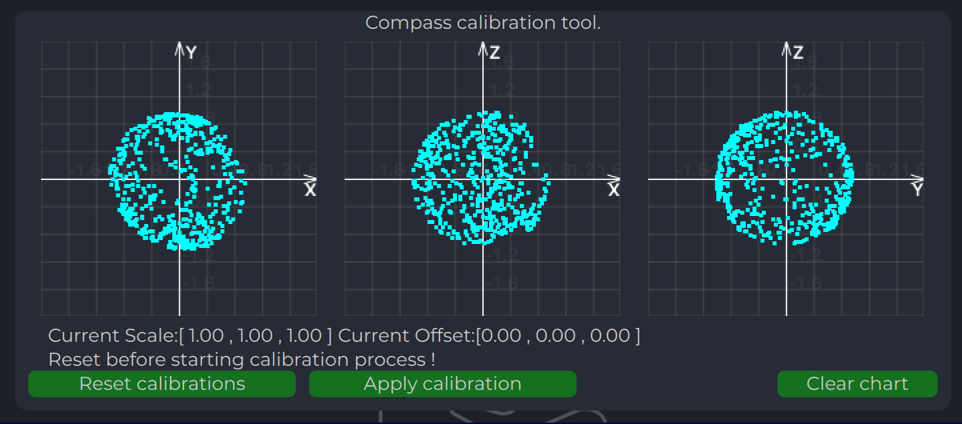
Rotate device in different directions until you get 3 circles on charts (see picture below)
Press “Apply calibration” & “Apply configuration”
During calibration you can press "Clear chart" to reset previous compass measurements.
Figure: Compass Chart Before Calibration
Figure: Compass Chart After Calibration
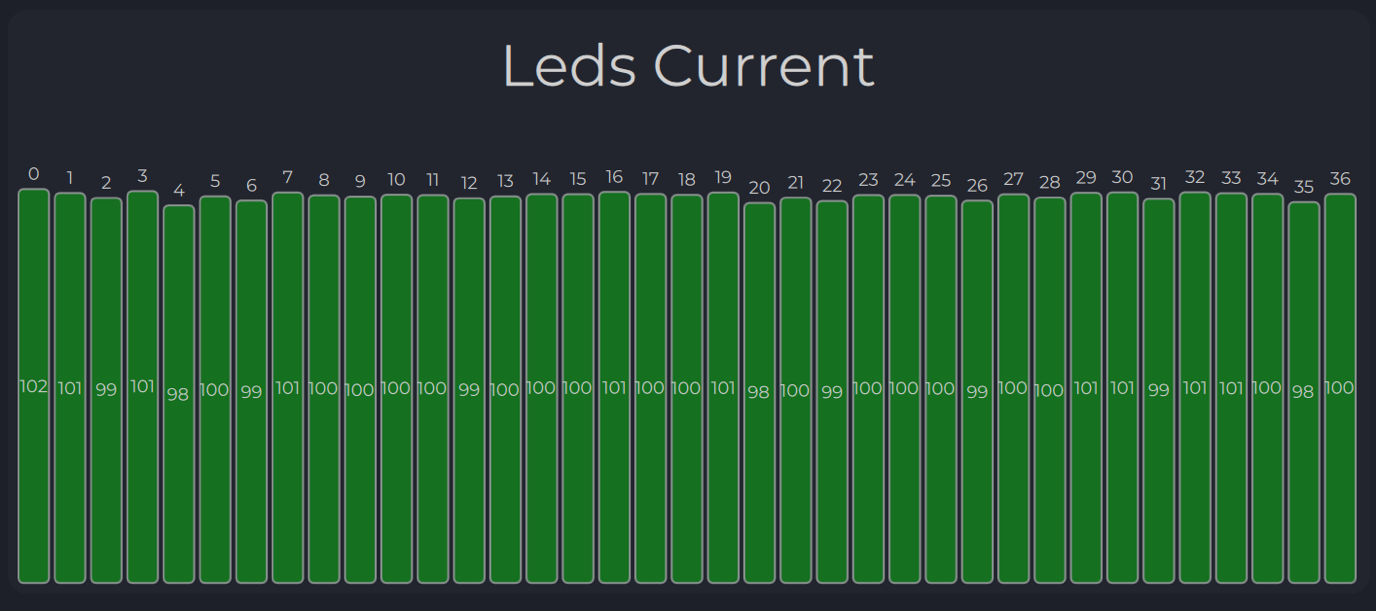
Emitters Power Indicator
On this field, system shows emitter’s state.
Figure: Emitters Power Indicator
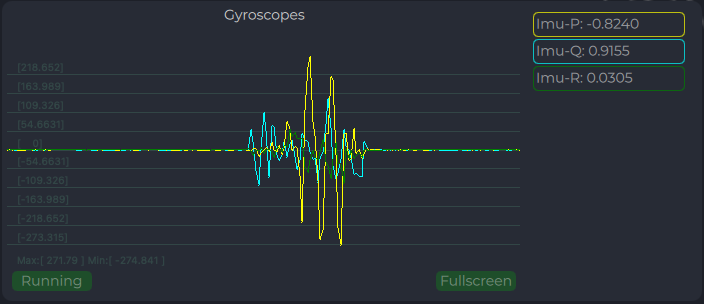
Charts Transmitter
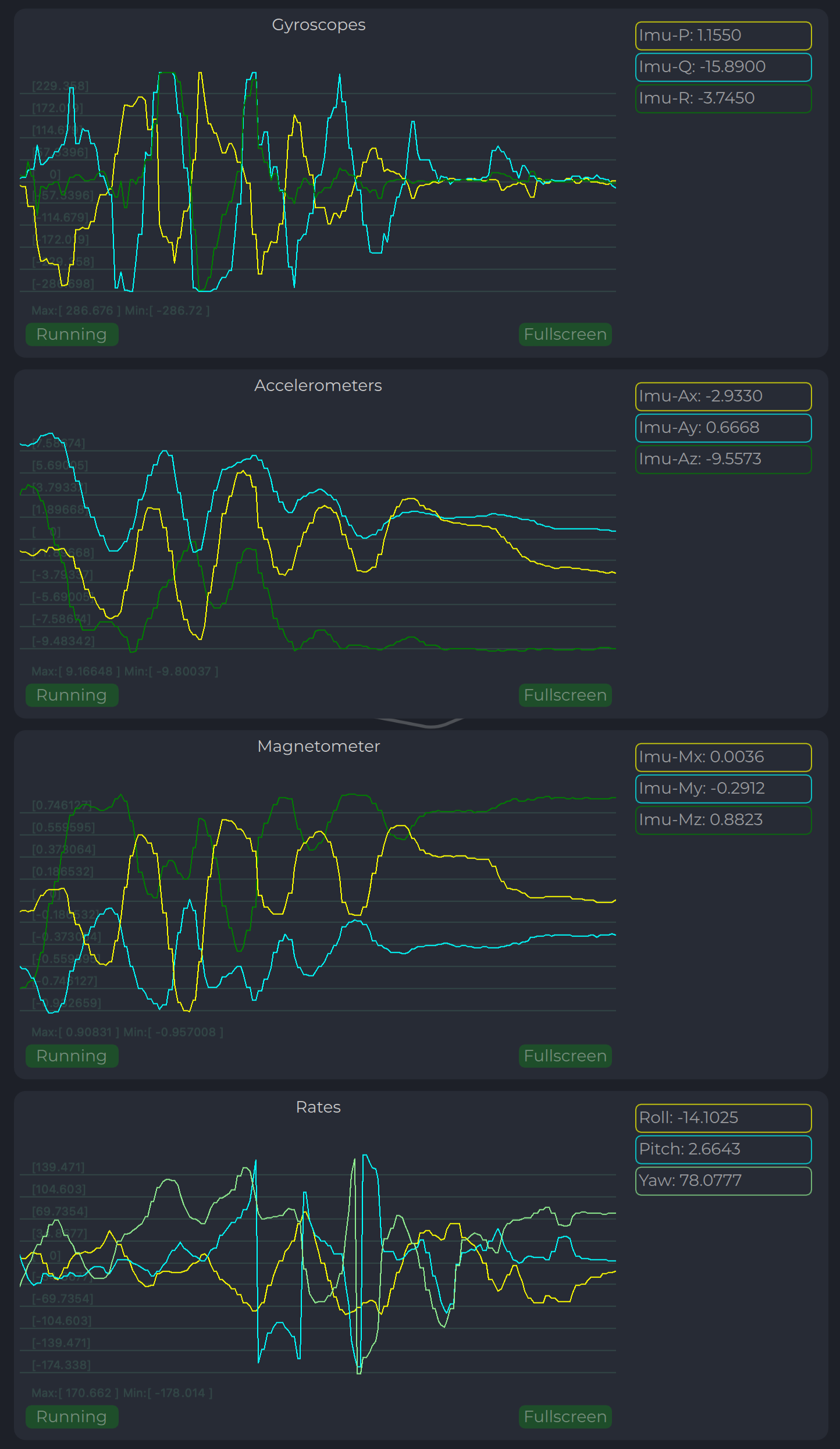
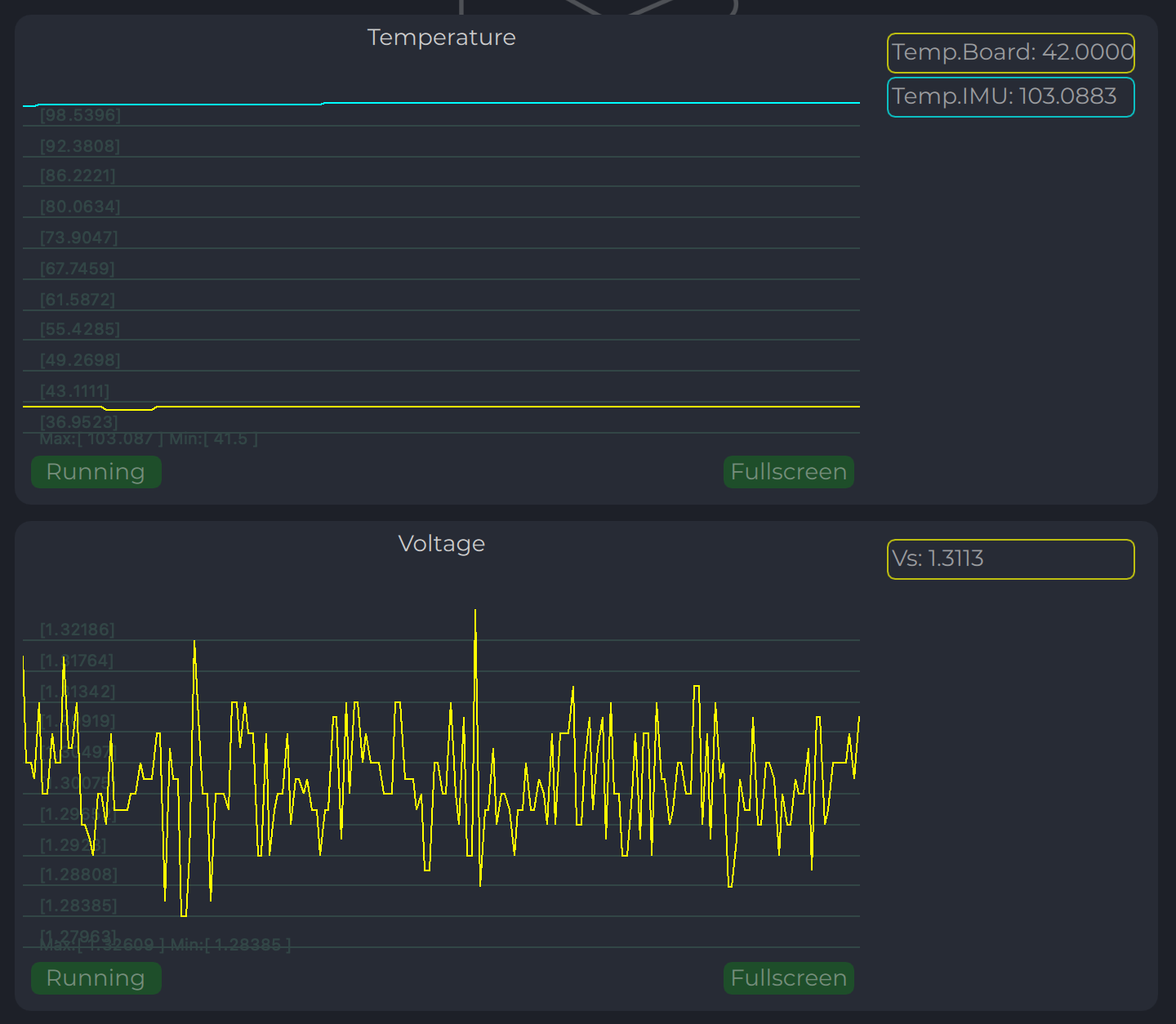
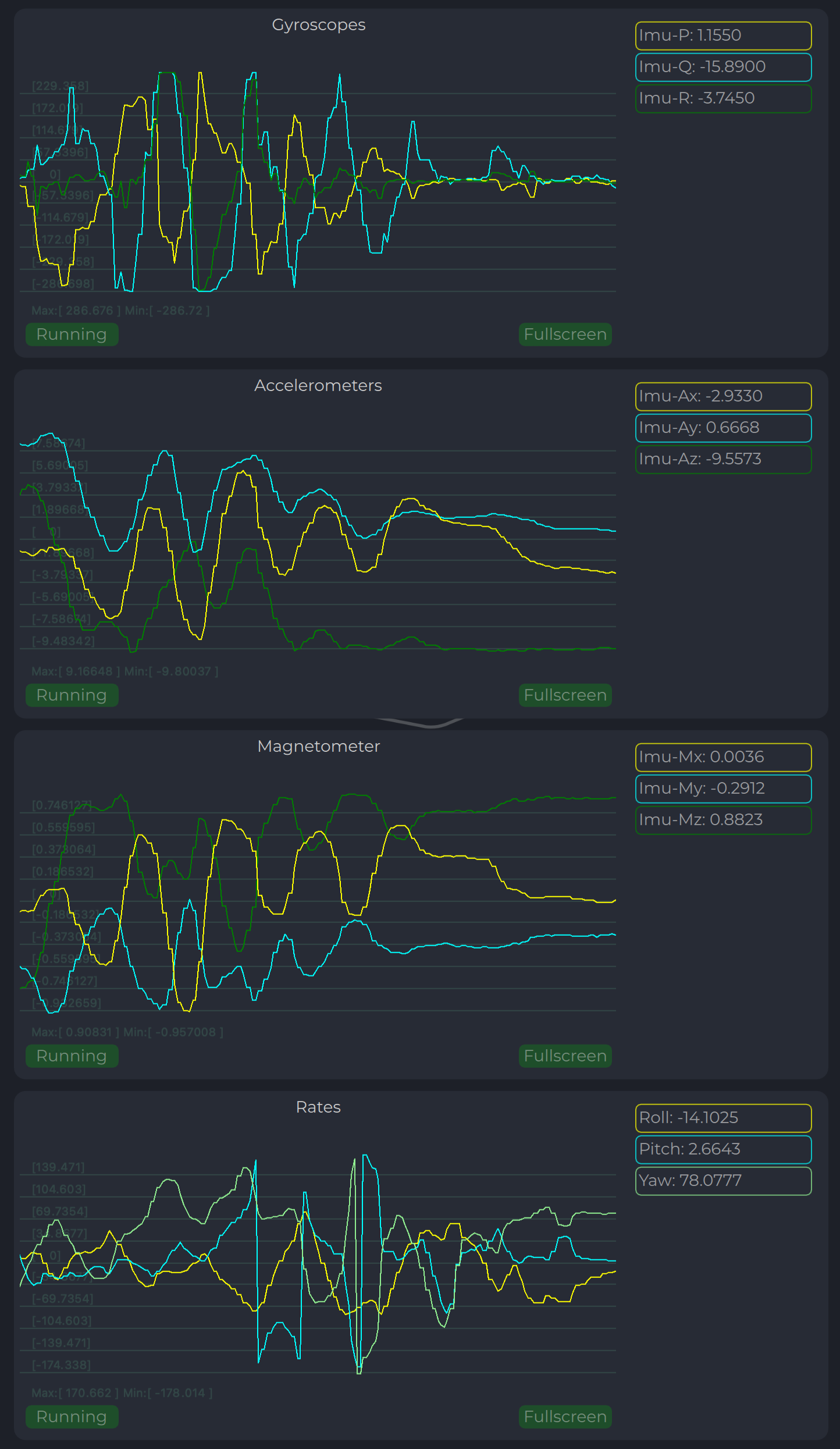
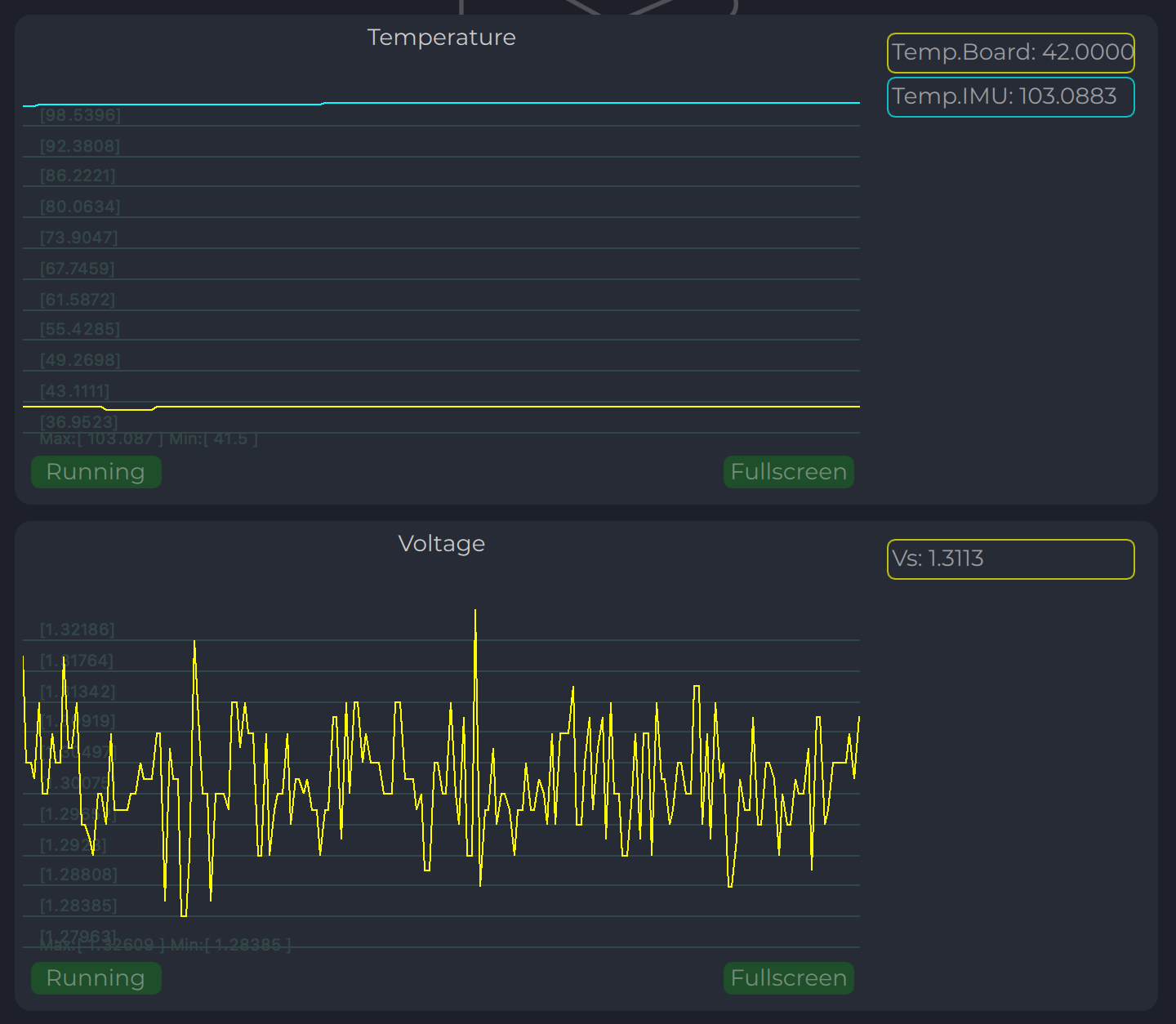
Program displays several parameters of the device on charts:
IMU data
Voltage (not valid when powered from USB)
Temperature data
Figure: Transmitter Charts - IMU and Compass Data
Figure: Transmitter Charts - Voltage and Temperature
LED Indicator
You can check the status of the transmitter by looking at the LED indicator on the transmitter. LED flashes in sequences of colors, so it can flash green-red-off-off or green-off-blue-off.
Flash Color
Description
Green
Normal operation
Orange
Low voltage
Red
Problem, check device. If it is first in sequence it can be LED malfunctions or power voltage below minimum, second for compass fail detect
Blue
Compass OK and device points to the North (brightness of illumination depends on how precise it is pointed to the North)
Table: LED Indicator Status
On-board Unit Installation (Receiver)
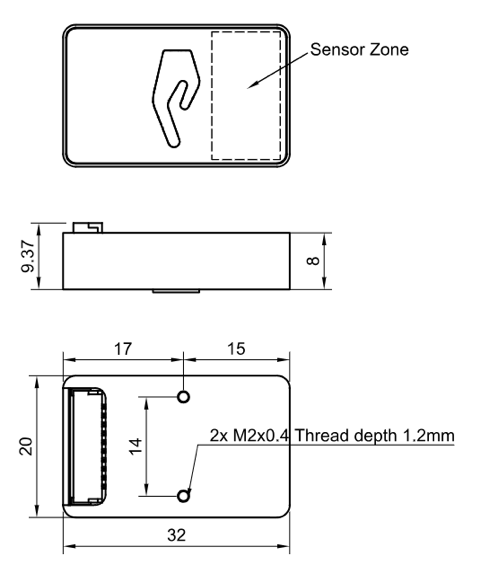
The receiver can be installed both inside and outside the vehicle. However, please note that this version of the system is not equipped with protection against moisture and dust. The orientation of the receiver does not matter - however, when installing the receiver, care should be taken to ensure line-of-sight conditions between the transmitter and receiver throughout the entire field of view of the receiver (100 deg). The receiver sensor zone is indicated in the figure.
Figure: Receiver Sensor Zone
Once the receiver is installed, enter the appropriate receiver offset information into the configuration.
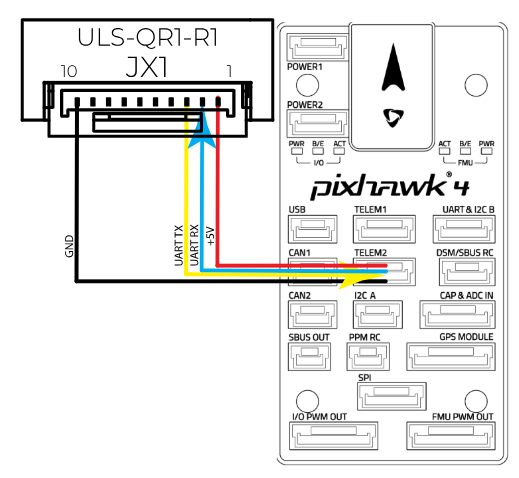
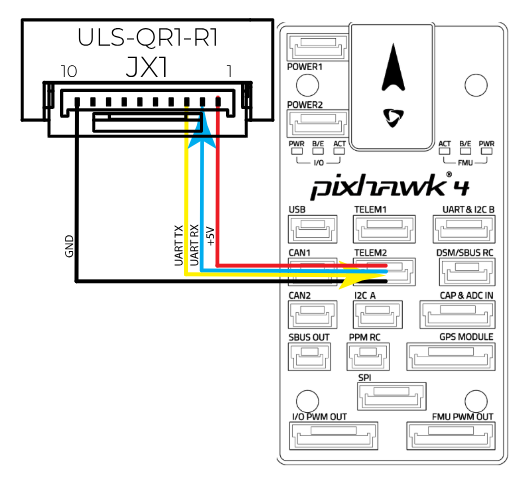
Wiring Receiver Pixhawk 4 Autopilot Connection Using UART
Figure: Receiver Pixhawk 4 Autopilot Connection
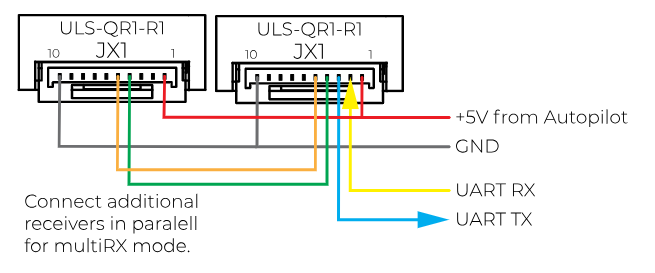
Wiring for MultiRX Mode (MRX)
Figure: MultiRX Mode Wiring Diagram
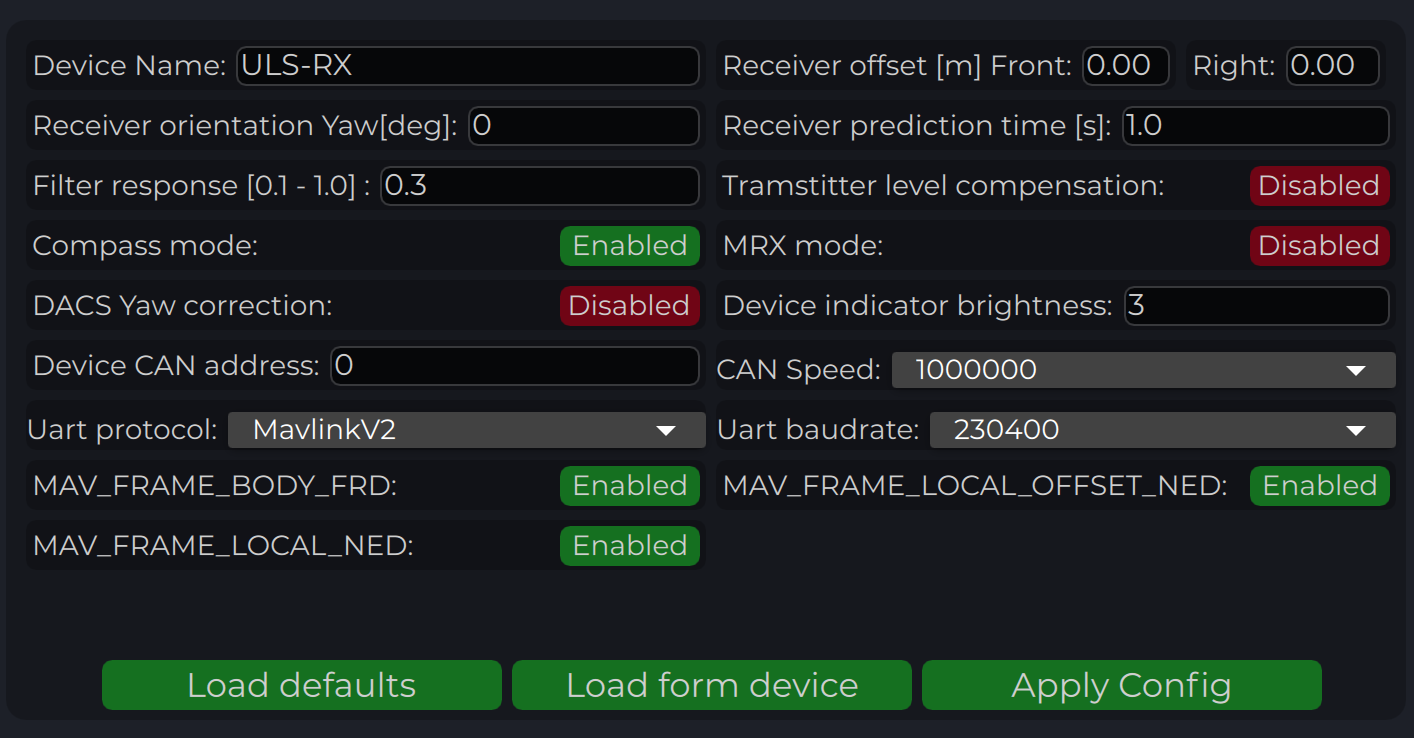
Configure Receiver in ULS-Tools
To apply any changes, press "Apply Config" button at the bottom of the field.
Configuration parameters are detailed in the table below.
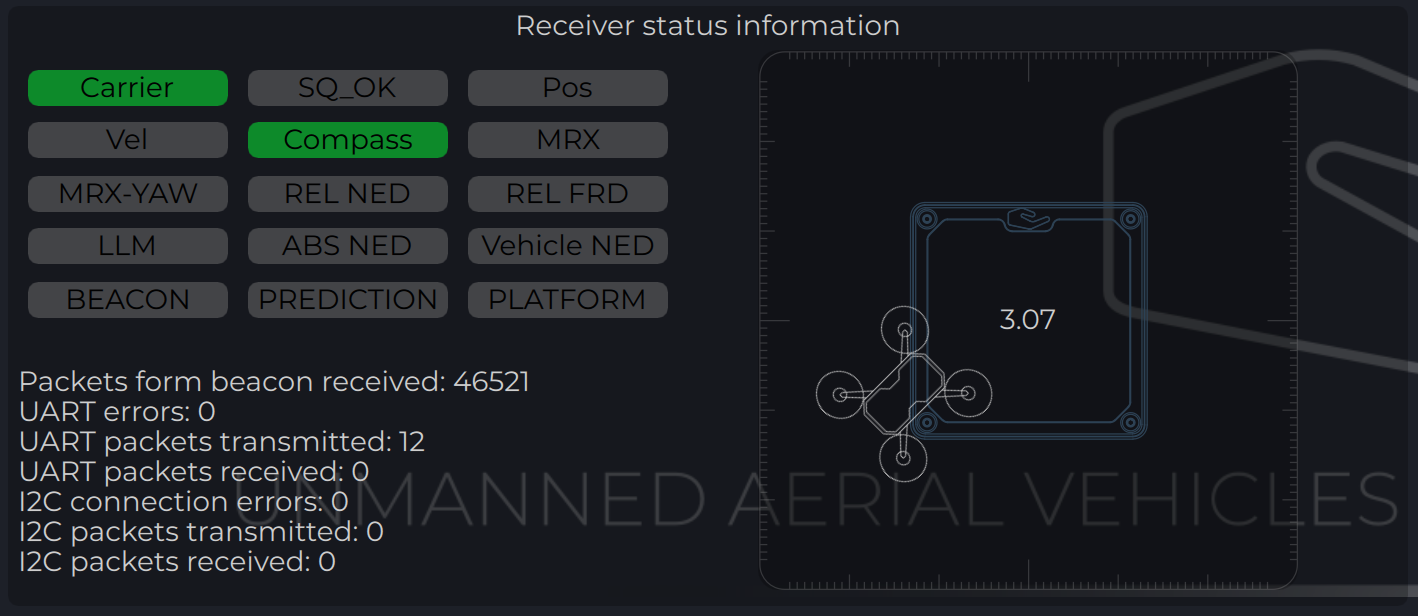
Status Information Field
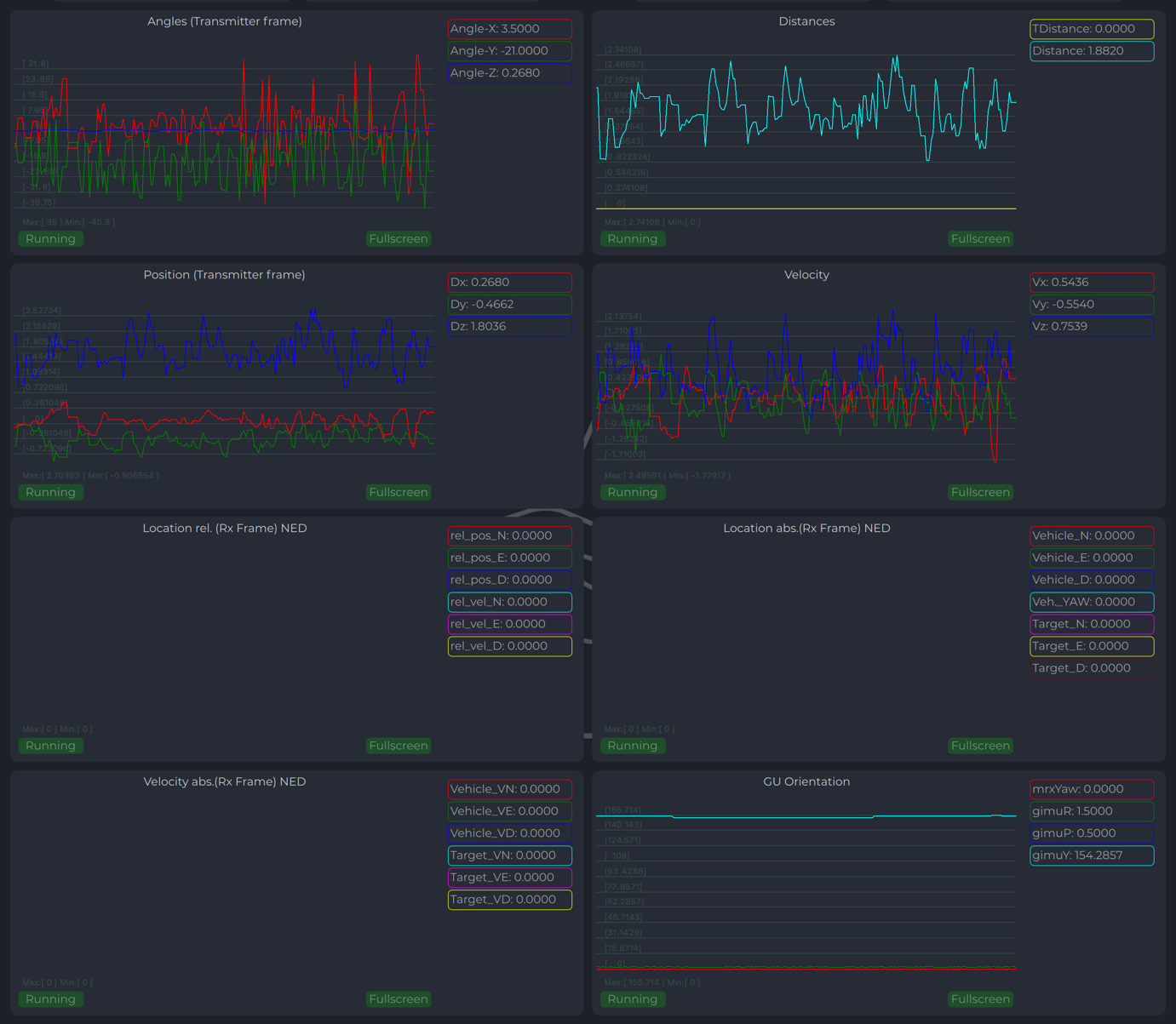
In the status display area, you can check the status of the receiver and visualize the position of the receiver relative to the drone. For XCopter-G2, the YAW orientation of the drone received from the DACS system is displayed.
Figure: Receiver Status Information Field
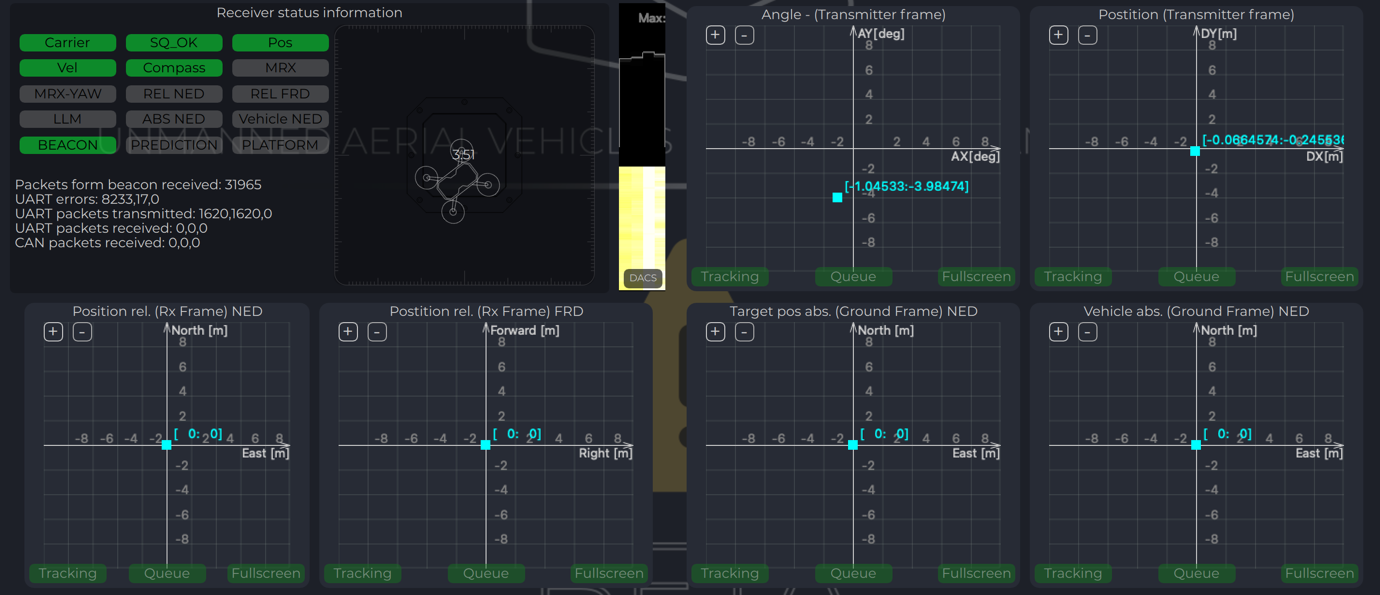
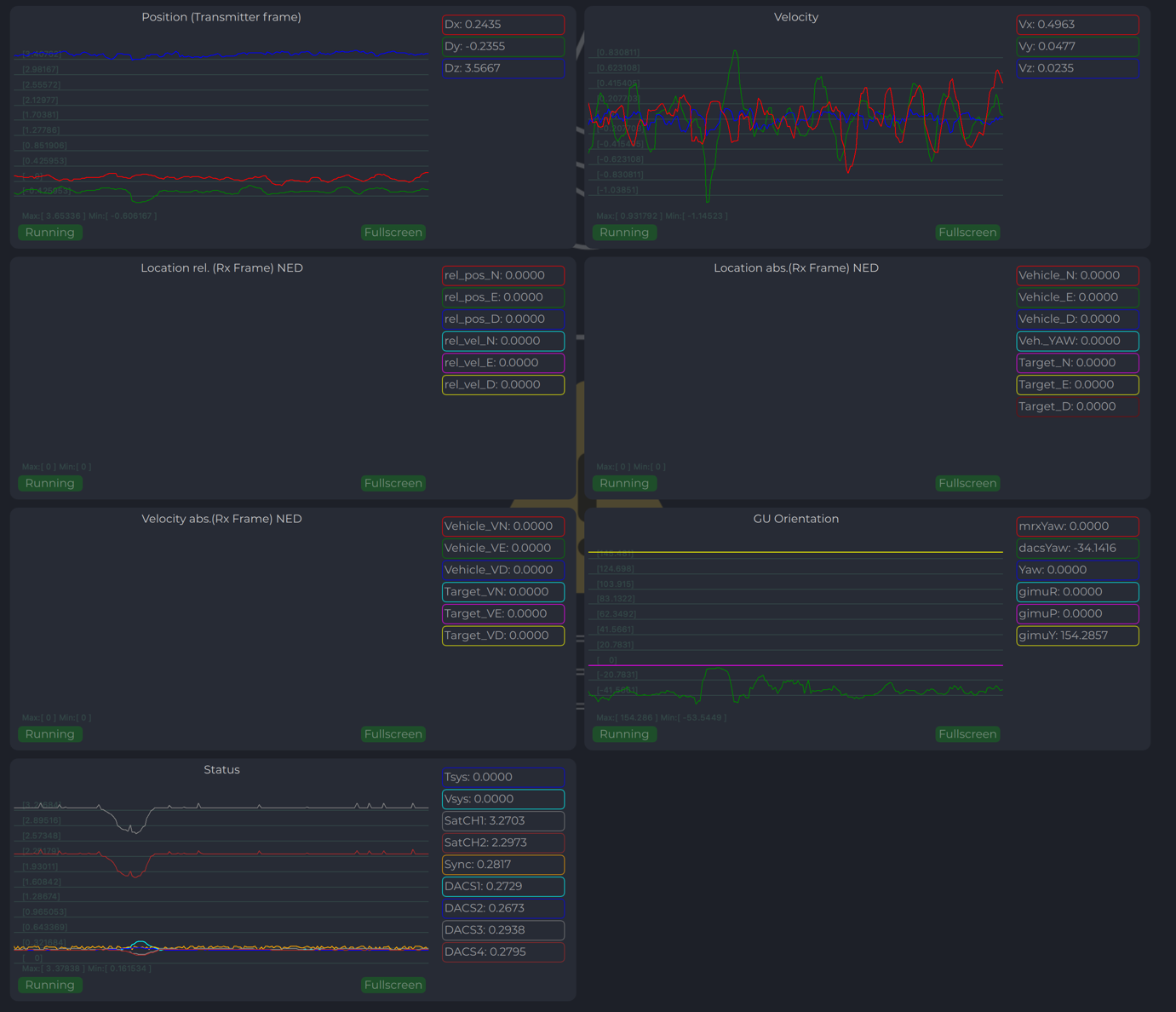
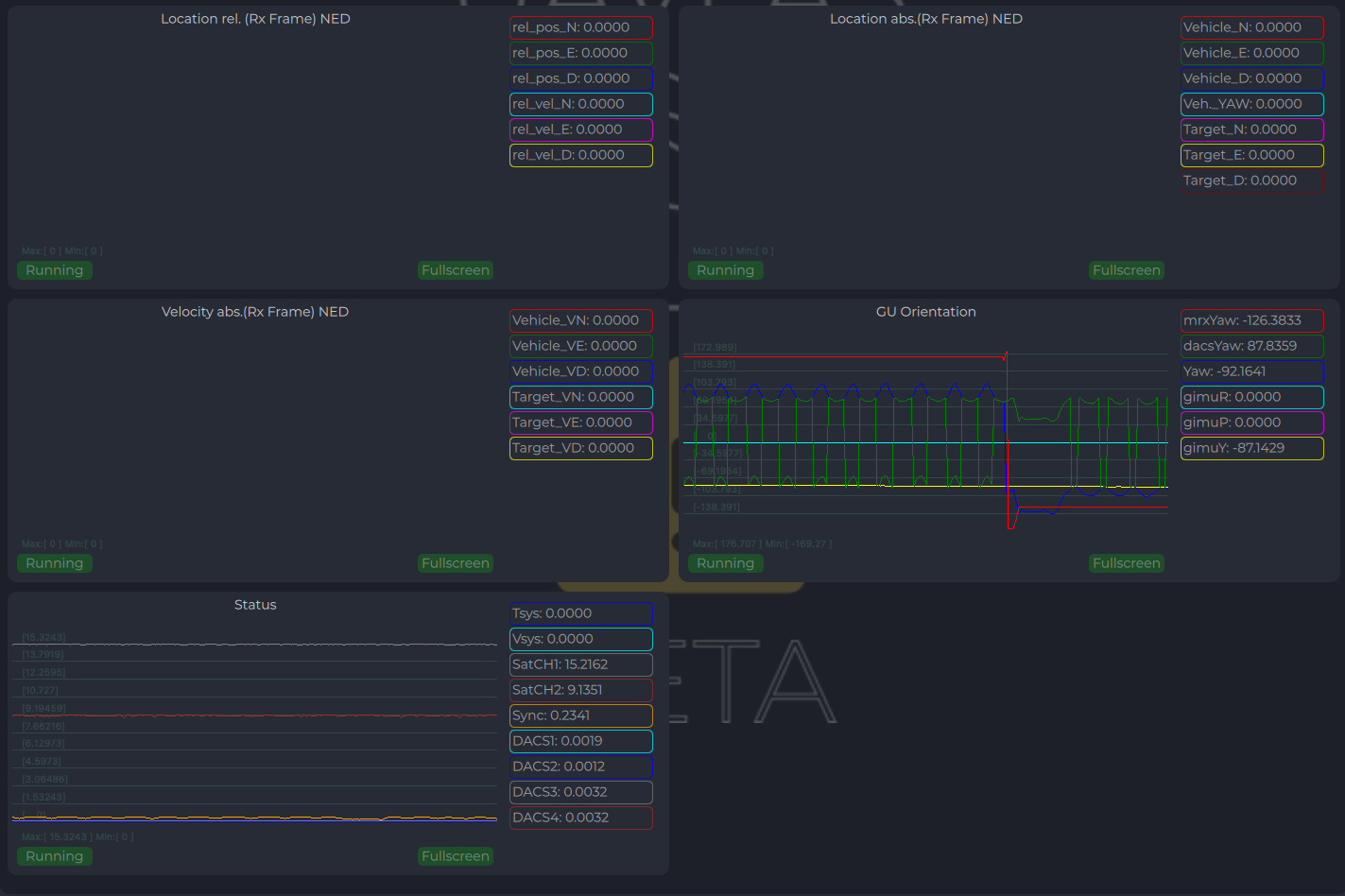
Receiver Charts
Program displays several parameters of the device on charts:
Angles, Positions in different coordinate systems
Distance
Vehicle information (position and velocity)
Data from Transmitter’s IMU
Figure: Receiver Charts - Position and Distance
Figure: Receiver Charts - Vehicle Data and IMU
Integration Instructions for Ardupilot Based Systems
Preparing for Integration
Download the latest version of the ULSTools software. It is recommended to connect all sensors to PC and update the firmware for all UAVLAS devices in the system.
Update autopilot with Arducopter latest version.
Configure transmitter.
Configure receiver.
Current version of the system can use MavlinkV2 protocol to communicate with Ardupilot autopilots (for now it supports MAV_FRAME_BODY_FRD).
Example of receiver configuration:
Figure: Receiver Configuration for Ardupilot
Autopilot Configuration
Setup PLND Section
Param
Value
Comment
PLND_ENABLED
1
Enable precision landing module
PLND_TYPE
1
Use type = 1 to enable UAVLAS sensor over Companion computer driver
Table: PLND Section Parameters
All other parameters in PLND section defaults or use accordingly to your vehicle set up requirements.
On the picture example configuration provided:
Figure: PLND Configuration Example
It is recommended to test several options of Kalman filter during the test flights (or switch it off) to achieve the best performance.
Set Up Serial Communication in SERIALx Section
Param
Value
Comment
SERIAL2_BAUD
230
Select baud rate - it needs to be same as in receiver’s configuration
SERIAL2_OPTIONS
0
Default
SERIAL2_PROTOCOL
2
MAVlink2 protocol support
Table: Serial Communication Parameters
Set up serial communication messages in SRx Section. Sensor requires some data from autopilot to work in different modes.
Param
Value
Comment
SR2_EXTRA1 (or MAV2_EXTRA1)
20
Stream Attitude information (20Hz) (YAW Orientation is required for sensor in compass mode)
SR2_POSITION (or MAV2_POSITION)
20
Optional - Stream Vehicle position (20Hz) (LOCAL_POSITION_NED is required for sensor to provide LOCAL position for the target)
Table: Stream Rate Parameters
Check Setup
If all settings are done correctly, autopilot has GPS data and receiver is in the field of view of the transmitter, you can find LANDING_TARGET message in mavlink inspector (a screenshot from Mission Planner):
Figure: LANDING_TARGET Message in MAVLink Inspector
Setup Precision Loiter Mode
To enable precision loiter mode you need to attach any unused switch to PrecLoiter option see picture below:
Figure: PrecLoiter Switch Configuration
Try to use this switch and you must get messages: “PrecLoiter: LOW” and “PrecLoiter: HIGH”. After test flight above target check telemetry - you will find PL data contains offsets from landing target.
Figure: Telemetry Data with PL Offsets
PID Tuning
In case of oscillations and other issues at landing stage, please check PID parameters of Ardupilot.
It is recommended to check the Position XY, Velocity XY and Loiter speed parameters in “Extended tuning” section to achieve the best performance.
Figure: Extended Tuning Parameters
For example, settings Velocity XY P = 0.8, I = 0.2, and D = 0.6 works well for some of our customers
It is recommended to start testing PIDs and precision system performance in "Precision Loiter" mode. It uses some algorithms and settings in precision landing.
For additional information, see Ardupilot manual.
Integration Instructions for PX4 Based Systems
Preparing for Integration
Download the latest version of the ULSTools software. It is recommended to connect all sensors to PC and update the firmware for all UAVLAS devices in the system.
Update autopilot with PX4 latest version.
Configure transmitter.
Configure receiver.
Current version of the system can use MavlinkV2 protocol to communicate with PX4 autopilots (for now it supports MAV_FRAME_LOCAL_NED).
Example of receiver configuration:
Figure: Receiver Configuration for PX4
Configure PX4 Autopilot
Values are provided as example (in our case, Pixhawk4-mini AP):
PX4 Parameter
Value
MAV_1_CONFIG
TELEM/SERIAL4 (require reboot to set next params)
MAV_1_FORWARD
Enabled
MAV_1_MODE
Onboard
SER_TEL4_BAUD
460800_8N1 (It needs to be corresponding to the setting of UART in Receiver ULS-QR1-R1 connected to PX4 AP)
Table: PX4 Configuration Parameters
Running and Testing
After configuration and wiring, power up drone and transmitter. On QGround Control, go “Analyze Tools” -> MAVLINK Inspector. Check LANDING_TARGET MAVLINK message.
In case the vehicle provides LOCAL_POSITION_NED message to UAVLAS system, and it hovers over beacon, you get “position_valid = 1” in LANDING_TARGET.
To perform precision landing, you need to create a flight plan and enable Precision Landing option on the landing point.
LANDING_TARGET may be unavailable in case of connection over USB. So, use telemetry channel (uart modem etc.) to connect drone to the QGroundControl.
You are using latest version of ULS-Tools, latest firmware on ULS-XCOPTER transmitter and receiver, and latest Ardupilot (PX4) firmware.
No MAVLink Message
ULS-XCopter transmitter is switched on and receiver is in field of view of transmitter.
Red light on receiver flashes fast (> 5 times per second). If it flashes 2 times per second it means that transmitter is not switched on, or not in field of view. If it does not flash - check power.
Check Serial settings on AP params and on receiver. Be sure you have set EXTRA params for corresponding serial port on AP.
Check wiring power and RX, TX (see pinouts and wiring diagram).
Check on receiver that MAV_FRAME_BODY_FRD (MAV_FRAME_LOCAL_NED) is enabled.
Not Holding in Precision Loiter Mode But MAVLink Message OK
Check that you setup Precision loiter mode on AP.
Circular Motions During Landing
Check compass calibration on ground unit.
Check compass calibration on AP.
Check magnetic interference on ground.
Use compass override mode to debug landing.
Check precision landing PID settings.
The Landing is Not Precise Enough
Check the position control PID settings of AP.
For Ardupilot check Kalman filter settings.
Check filter smoothness param on receiver.
Check trajectory Jerk settings on AP.
Safety Information
Do not expose the system to moisture or dust without proper protection
Ensure adequate power supply (minimum 3A for USB connection)
Do not operate beyond specified temperature range
Change Control
All changes to this document must be reviewed and approved by the relevant technical leads and stakeholders.
5 - ULS-ProCopter Documentation
Ruggedized version of ULS-XCopter with an IP67 transmitter for industrial use.
Application
ULS-ProCopter is a ruggedized version of ULS-XCopter for customers who need
a more robust system at an affordable price. The IP67 dust- and waterproof
transmitter suits harsh environments and industrial applications, and the
system works in bright sunlight and at night. A heating option allows
operation in heavy snow, and a wide viewing angle (up to 100 degrees) for
both transmitter and receiver keeps the system working from height down to
touchdown.
The applications are those of ULS-XCopter — platform, elevated and
emergency landing, charging stations and contactless delivery — in
conditions where the device must be protected from dust and water.
Documents
Each page is generated from the source of the controlled PDF; the numbered PDF can be downloaded from the document portal.
5.1 - ULS-ProCopter Datasheet
Specifications, performance, dimensions and pinouts of ULS-ProCopter — ruggedized version of ULS-XCopter with an IP67 transmitter for industrial use.
ULSDC-PBDS070425 · version 1.0.0 · issued June 14, 2025 The numbered PDF is the controlled copy: download it from the portal.
Introduction
Purpose
The purpose of this datasheet is to provide comprehensive technical information about the ULS-ProCopter System family. This includes specifications, performance characteristics, and detailed descriptions of system components, such as transmitters and receivers. By outlining the interfaces between these components, the datasheet aims to facilitate seamless integration and operation for system engineers, integrators, and developers working with ULS-ProCopter systems.
Scope
This document is intended for use by system engineers, integrators, and developers working with ULS-ProCopter systems. It provides detailed information on the system.
System Base Components
Transmitter (Ground Unit)
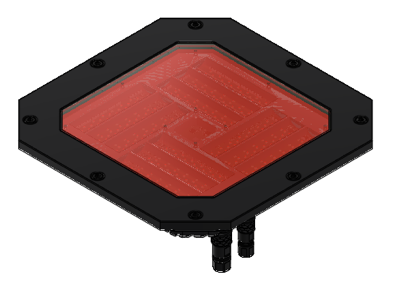
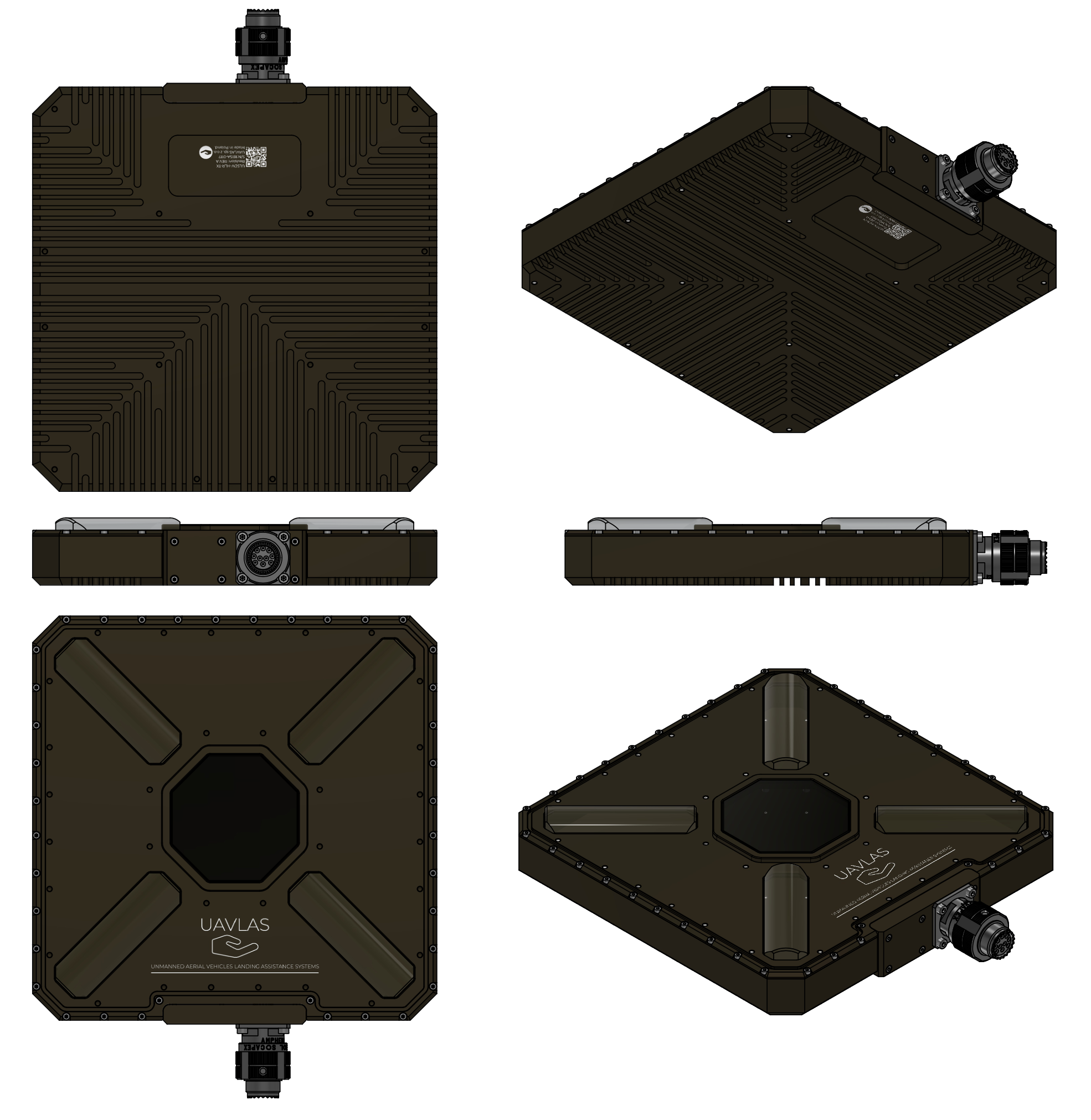
Figure: ULS-ProCopter Transmitter
A transmitter is a device placed on the ground (platform, moving object). It emits a signal in the Infrared range and serves as a kind of beacon. Transmitter marks position for drone landing.
The primary function of the transmitter is to continuously send out a coded signal that can be detected and interpreted by the receiver unit onboard the ULS-ProCopter. This signal contains critical information needed for the operation of the ULS-ProCopter, such as positional data, commands, and system status.
Receiver (Onboard Unit)
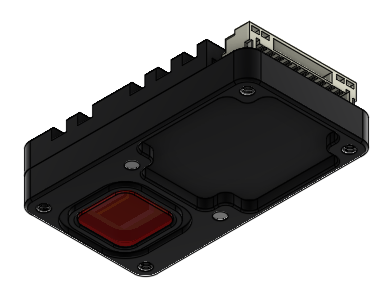
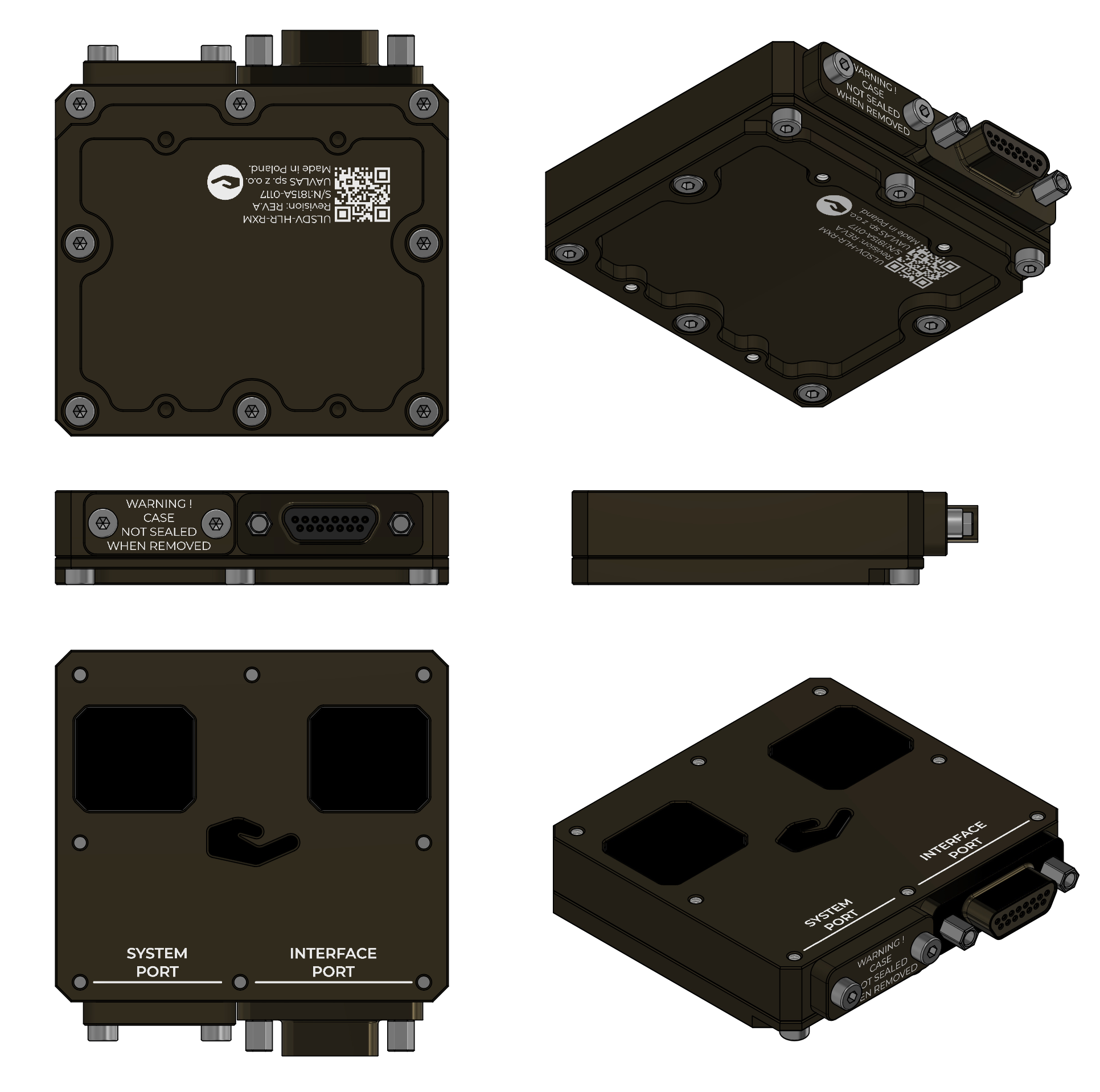
Figure: ULS-ProCopter Receiver
A receiver is a device that is placed on board an aircraft.
The receiver decodes this signal to derive flight information such as positional coordinates, real-time transmitter status updates, and landing guidance. It interprets the data to navigate accurately and ensure drone follows the intended flight path. It provides feedback to the autopilot systems, such as Ardupilot and PX4, to adjust the flight parameters as needed for optimal and safety landing or hovering above.
Part Numbering
Part Number
Description
ULS-ProCopter
System set with 1 receiver.
ULS-ProCopter-MRX
System set with 2 receivers.
ULSDV-PC-TX
Transmitter unit. Generation 2.
ULSDV-PC-RX
Receiver unit. Generation 2.
GHR-10V-S
10 Pin Connector for receiver. Cable side. Manufacturer, JST Commercial.
SA810/P8IIB
8 Pin Connector for transmitter. Cable side. Manufacturer, Weipu Connector.
SA610/P4IB
4 Pin Connector for transmitter. Cable side. Manufacturer, Weipu Connector.
Table: ULS-ProCopter Part Numbers and Descriptions
System specification.
Common specification:
Parameter
Value
Distance range m.:
0.1 - 20.0
Working angle (deg):
>100
Data update frequency (Hz):
20
Table: Common System SpecificationsReceiver (on board unit):
Parameter
Value
Field of view (deg):
100
Dimensions mm :
18.4 x 33.4 x 6.9
Weight g.:
10
Power Consumption (W):
0.3
Voltage supply (V):
5.0
Interfaces:
USB, CAN, UART
Table: Receiver SpecificationsTransmitter (on ground)
Parameter
Value
Field of emitting (deg):
>100
Dimensions mm. :
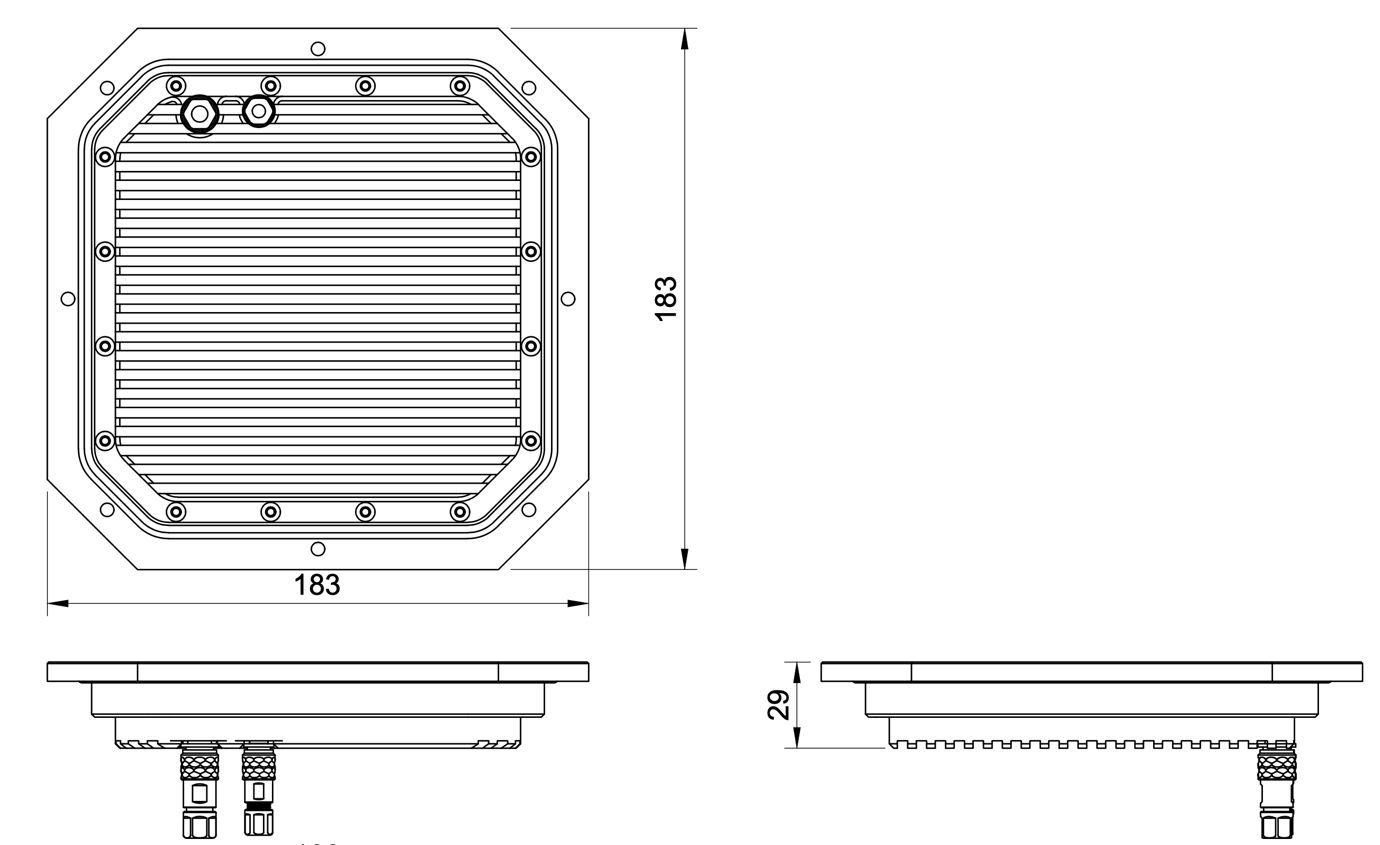
183 x 183 x 29
Weight g.:
1200
Power Consumption (W):
18.4
Voltage supply (V):
12V- 27V
Interfaces :
USB, CAN, UART
Table: Transmitter Specifications
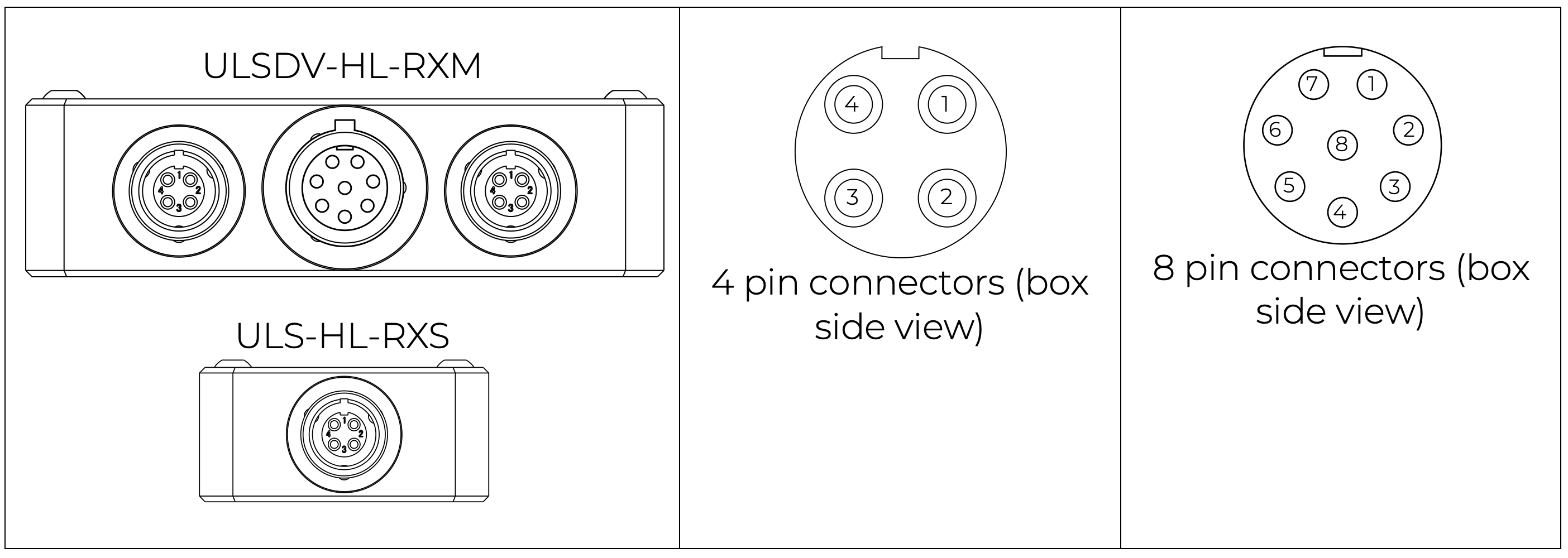
Pinout information
Transmitter pinout
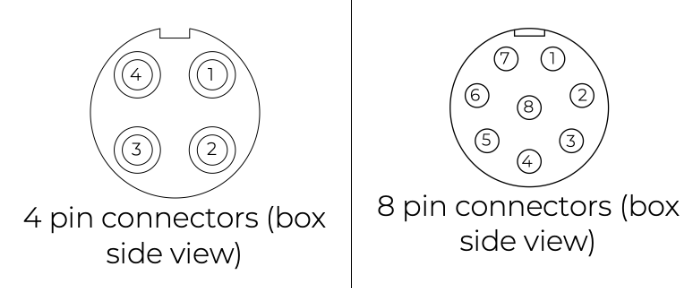
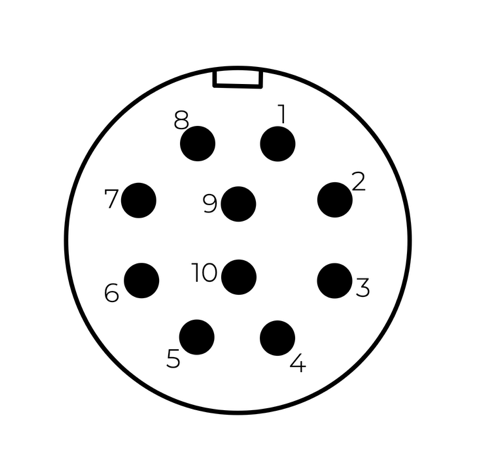
Figure: ULS-ProCopter Transmitter Pinout Diagram
Pin number
ProCopter
1
Vcc Input (+12.0V..+27V)
2
CAN2 H
3
CAN2 L
4
UART TX
5
UART RX
6
USB D-
7
USB D+
8
GND
Table: Transmitter 8-pin Main Connector Pinout
Pin number
ProCopter
1
+5V Output
2
CAN1 H
3
CAN1 L
5
GND
Table: Transmitter 4-pin Connector Pinout
Please DO NOT "HOT-PLUG" Transmitter cable. Apply power on transmitter only when connector connected to transmitter.
Please check pin numbers on connector.
Incorrect wiring or connection under voltage can damage the device and USB interface of connected PC !
Receiver pinout
Figure: Receiver Top Side Connector Variant
Figure: Receiver Strait Variant
Figure: ULS-ProCopter Receiver connector
Pin number
Strait Variant
Top Side Connector Variant
1
+5V Input
GND
2
UART RX
UART2 TX
3
UART TX
UART2 RX
4
CAN H
USB D+
5
CAN L
USB D-
6
USB D-
CAN L
7
USB D+
CAN H
8
UART2 RX
UART TX
9
UART2 TX
UART RX
10
GND
+5V Input
Table: Receiver JX1 Connector Pinout (External Power and Control)
Equipment is designed to operate reliably in demanding environmental conditions typical of aerospace, industrial automation, and outdoor applications.
Operating Temperature Range
Standard operating range: -20°C to +55°C
Covers most industrial and outdoor applications
Reliable performance across temperature extremes
No performance degradation within specified range
Humidity Tolerance
Relative humidity: Up to 70% (non-condensing)
Protected against moisture in typical operating conditions
Suitable for outdoor and semi-protected installations
Condensation prevention through sealed design
Ingress Protection
IP67 rated (Dust tight and water immersion resistant)
6 - Complete protection against dust ingress
7 - Protected against temporary immersion in water (up to 1 meter depth for 30 minutes)
Suitable for harsh industrial environments
Protected against rain, splashing, and temporary submersion
Dust-tight sealing for contaminated environments
Storage Conditions
Storage temperature: -40°C to +70°C
Relative humidity: Up to 95% (non-condensing)
Long-term storage in industrial facilities
Operational Environment Standards
Designed to meet industrial equipment requirements
Suitable for UAV/drone applications
Outdoor installation capable
Protected against:
Dust and particulate matter
Water spray and rain
Temporary water immersion
Temperature fluctuations
High humidity
Dust and moisture protection: Not applicable to the ULSDV-PC-RX, protective measures are required against dust and moisture.
Change Control
All changes to this document must be reviewed and approved by the relevant technical leads and stakeholders
5.2 - ULS-ProCopter Interface Control Document
Electrical, mechanical and communication interfaces of ULS-ProCopter — ruggedized version of ULS-XCopter with an IP67 transmitter for industrial use.
ULSDC-PBICD070425 · version 1.0.0 · issued June 10, 2025 The numbered PDF is the controlled copy: download it from the portal.
Introduction
Purpose
This document outlines the interfaces between the ULS-ProCopter system components, including the transmitter, receiver, and autopilot systems (Ardupilot and PX4 and similar).
Scope
This document is intended for use by system engineers, integrators, and developers working with ULS-ProCopter systems. It provides detailed information on the interfaces between the system components, ensuring seamless integration and operation.
System Components
Transmitter (Ground Unit)
Figure: ULS-ProCopter Transmitter
A transmitter is a device placed on the ground (platform, moving object). It emits a signal in the Infrared range and serves as a kind of beacon. Transmitter marks position for drone landing.
The primary function of the transmitter is to continuously send out a coded signal that can be detected and interpreted by the receiver unit onboard the ULS-ProCopter. This signal contains critical information needed for the operation of the ULS-ProCopter, such as positional data, commands, and system status.
Receiver (Onboard Unit)
Figure: ULS-ProCopter Receiver
A receiver is a device that is placed on board an aircraft.
The receiver decodes this signal to derive flight information such as positional coordinates, real-time transmitter status updates, and landing guidance. It interprets the data to navigate accurately and ensure drone follows the intended flight path. It provides feedback to the autopilot systems, such as Ardupilot and PX4, to adjust the flight parameters as needed for optimal and safety landing or hovering above.
Interface Overview
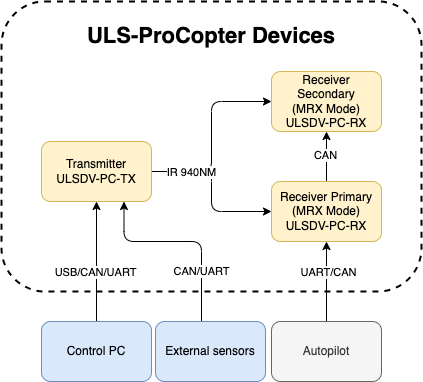
Figure: ULS-ProCopter System Interface Overview
Transmitter to control PC interface (external sensors):
Data Type:
Status information
Control signals
Transmitter configuration
External IMU/COMPASS data
Connection Types
CAN Bus - For network communication
USB - For configuration and firmware updates
UART - For serial communication with external sensors
Pinout:
Figure: ULS-ProCopter Transmitter Pinout Diagram
Pin number
ProCopter
1
Vcc Input (+12.0V..+27V)
2
CAN2 H
3
CAN2 L
4
UART TX
5
UART RX
6
USB D-
7
USB D+
8
GND
Table: Transmitter 8-pin Main Connector Pinout
Pin number
ProCopter
1
+5V Output
2
CAN1 H
3
CAN1 L
5
GND
Table: Transmitter 4-pin Connector Pinout
Please DO NOT "HOT-PLUG" Transmitter cable. Apply power on transmitter only when connector connected to transmitter.
Please check pin numbers on connector.
Incorrect wiring or connection under voltage can damage the device and USB interface of connected PC !
Transmitter to Receiver Interface:
The transmitter and receiver use an optical interface to exchange data. Transmission use IR emission 940 nanometers. Data transmission is only in the direction from the transmitter to the receiver.
Data Type:
Position encoded
Status encoded data (Transmitter orientation and instructions)
Connection Type
Optical IR 940nm - Infrared optical link
Receiver to Autopilot and Receiver to PC Interfaces
Data Type:
Mavlink messages
ULS-Blitz frames
ASCII protocol
Connection Types
UART - Serial communication with autopilot
CAN - Network communication
USB - Direct PC connection
Pinout:
Figure: Receiver Top Side Connector Variant
Figure: Receiver Strait Variant
Figure: ULS-ProCopter Receiver connector
Pin number
Strait Variant
Top Side Connector Variant
1
+5V Input
GND
2
UART RX
UART2 TX
3
UART TX
UART2 RX
4
CAN H
USB D+
5
CAN L
USB D-
6
USB D-
CAN L
7
USB D+
CAN H
8
UART2 RX
UART TX
9
UART2 TX
UART RX
10
GND
+5V Input
Table: Receiver JX1 Connector Pinout (External Power and Control)
Powering Interfaces
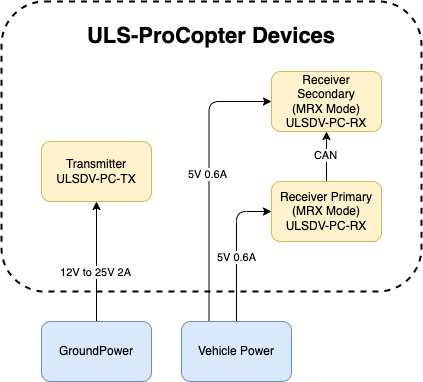
Figure: ULS-ProCopter Powering Interfaces and Electrical Characteristics
Transmitter Electrical Characteristics
Supply Voltage: 12.0V - 25V
Supply Current: 2A
Power Consumption: 18.1 W
Receiver Electrical Characteristics
Supply Voltage: 5.0V
Supply Current: 0.6A
Power Consumption: 3 W
Functional Interfaces

Figure: ULS-ProCopter Functional Interfaces and Data Flow
Data Exchange
Control PC used to configure and view status of transmitter.
Control PC used to set configuration of receivers.
Control PC (or embedded equipment instead control pc) can be used to send control signals (On/off, compass override information)
External IMU/Compass equipment can be used to override internal IMU/compass information.
Receiver accept data from transmitter over IR signal. This data include position field information and ground unit IMU data.
Receiver accept NED and Attitude information from autopilot to be able convert coordinate system that can be accepted by autopilot.
Several Receivers can communicate to be able calculate vehicle orientation YAW.
Receiver send position offset data to autopilot.
Mechanical interfaces
Transmitter mechanical interface:
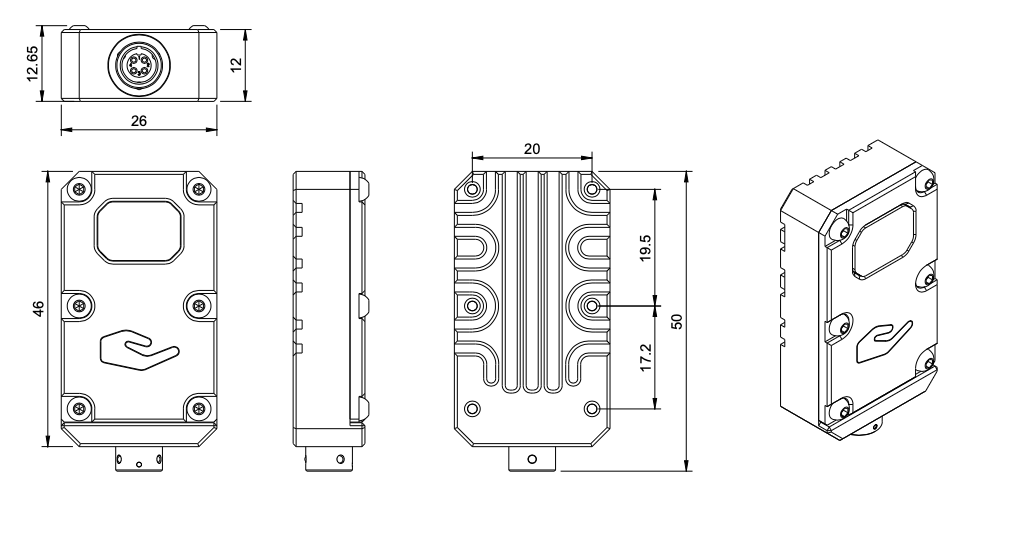
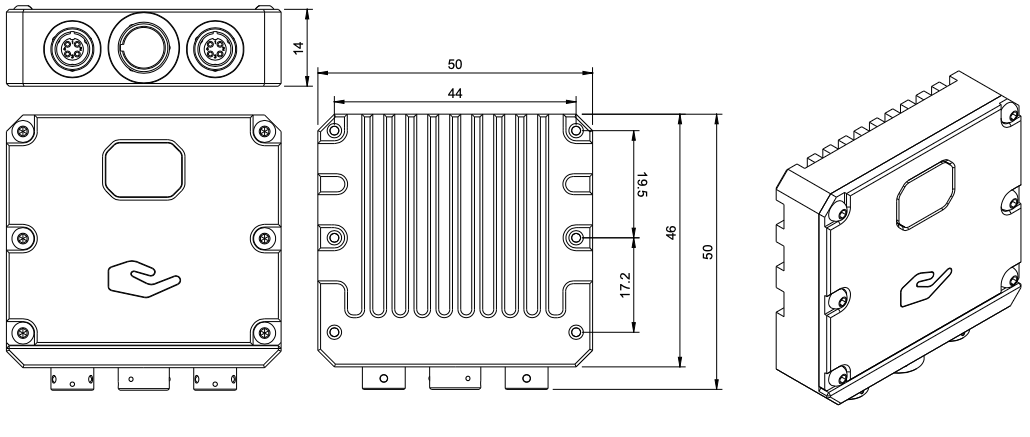
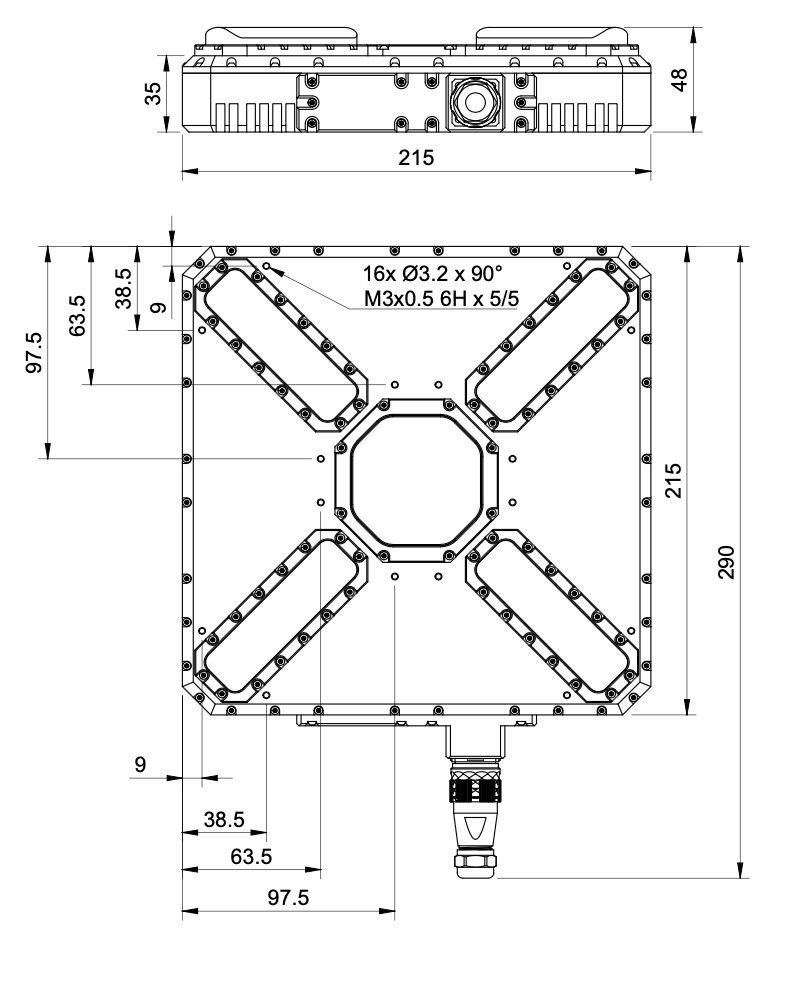
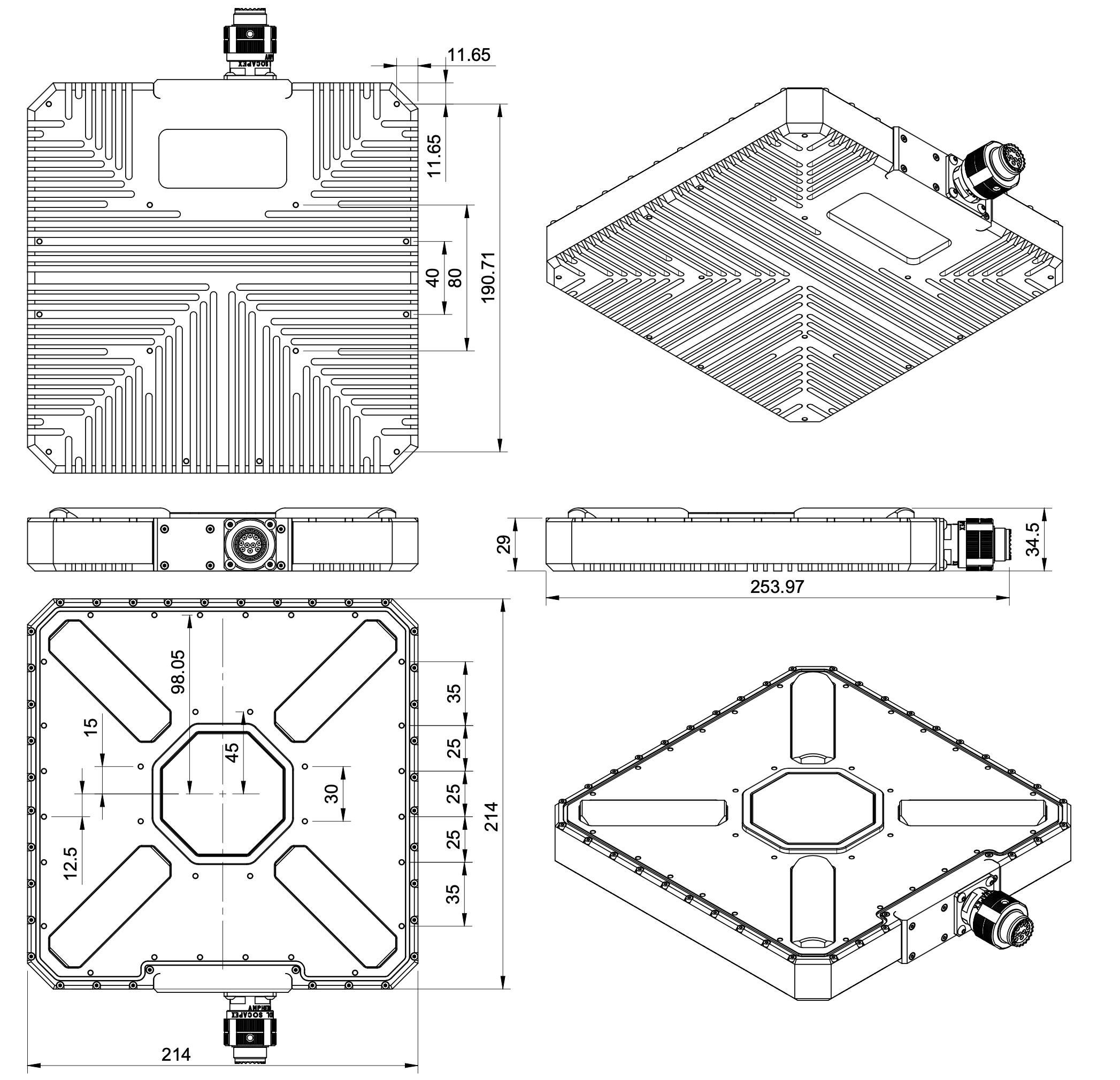
Figure: ULS-ProCopter Transmitter Mechanical Interface and Mounting Dimensions
Receiver mechanical interface:
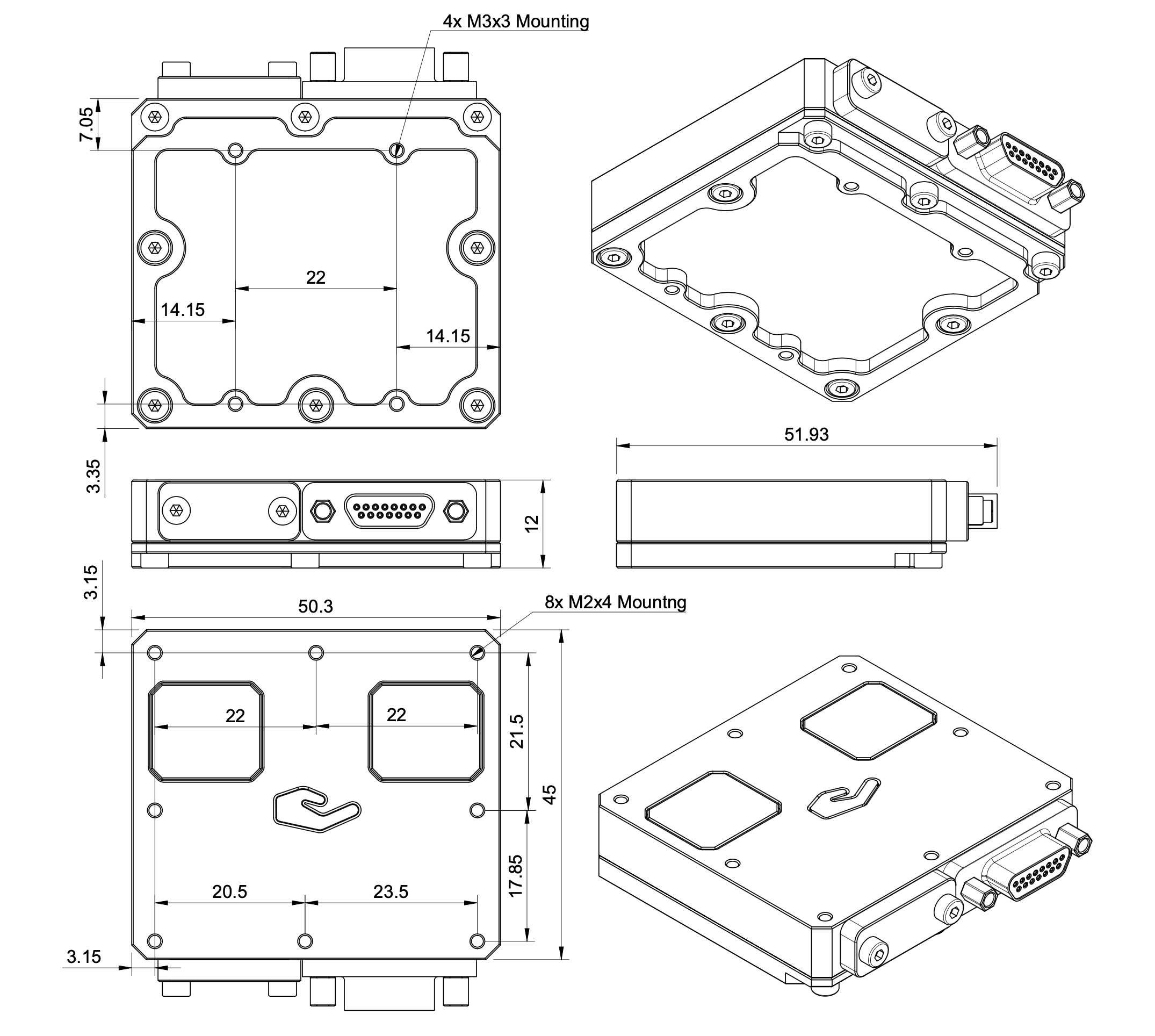
Figure: ULS-ProCopter Receiver Mechanical Interface and Mounting Dimensions
Environmental Conditions - Industrial Grade
Equipment is designed to operate reliably in demanding environmental conditions typical of aerospace, industrial automation, and outdoor applications.
Operating Temperature Range
Standard operating range: -20°C to +55°C
Covers most industrial and outdoor applications
Reliable performance across temperature extremes
No performance degradation within specified range
Humidity Tolerance
Relative humidity: Up to 70% (non-condensing)
Protected against moisture in typical operating conditions
Suitable for outdoor and semi-protected installations
Condensation prevention through sealed design
Ingress Protection
IP67 rated (Dust tight and water immersion resistant)
6 - Complete protection against dust ingress
7 - Protected against temporary immersion in water (up to 1 meter depth for 30 minutes)
Suitable for harsh industrial environments
Protected against rain, splashing, and temporary submersion
Dust-tight sealing for contaminated environments
Storage Conditions
Storage temperature: -40°C to +70°C
Relative humidity: Up to 95% (non-condensing)
Long-term storage in industrial facilities
Operational Environment Standards
Designed to meet industrial equipment requirements
Suitable for UAV/drone applications
Outdoor installation capable
Protected against:
Dust and particulate matter
Water spray and rain
Temporary water immersion
Temperature fluctuations
High humidity
Dust and moisture protection: Not applicable to the ULSDV-PC-RX, protective measures are required against dust and moisture.
Change Control
All changes to this document must be reviewed and approved by the relevant technical leads and stakeholders
5.3 - ULS-ProCopter Operation Manual
Installation, setup, integration and troubleshooting of ULS-ProCopter — ruggedized version of ULS-XCopter with an IP67 transmitter for industrial use.
ULSDC-PBOM070425 · version 1.0.0 · issued June 14, 2025 The numbered PDF is the controlled copy: download it from the portal.
Introduction
Purpose
The purpose of this operation manual is to provide comprehensive guidance on the installation, configuration, operation, and troubleshooting of the ULS-ProCopter System. This manual is designed to help users effectively integrate and utilize the system for precision landing and navigation applications.
Scope
This document is intended for use by system engineers, integrators, operators, and developers working with ULS-ProCopter systems. It provides detailed information on system operation, configuration procedures, and integration with autopilot systems.
System Base Components
Transmitter (Ground Unit)
Figure: ULS-ProCopter Transmitter
A transmitter is a device placed on the ground (platform, moving object). It emits a signal in the Infrared range and serves as a kind of beacon. Transmitter marks position for drone landing.
The primary function of the transmitter is to continuously send out a coded signal that can be detected and interpreted by the receiver unit onboard the ULS-ProCopter. This signal contains critical information needed for the operation of the ULS-ProCopter, such as positional data, commands, and system status.
Receiver (Onboard Unit)
Figure: ULS-ProCopter Receiver
A receiver is a device that is placed on board an aircraft.
The receiver decodes this signal to derive flight information such as positional coordinates, real-time transmitter status updates, and landing guidance. It interprets the data to navigate accurately and ensure drone follows the intended flight path. It provides feedback to the autopilot systems, such as Ardupilot and PX4, to adjust the flight parameters as needed for optimal and safety landing or hovering above.
Operation theory
All data communication from the transmitter to the receiver is done in the optical band, which eliminates interference with other radio devices and radio signals.
The transmitter contains an array of emitting elements that operate in the infrared range. The transmitter emits a modulated signal with each of the transmitter emitters transmitting a unique signal. Each of the transmitter emitters emits in a unique direction. The receiver receives the signal from the transmitter decodes it and by analyzing the signal can determine in which direction relative to the transmitter it is located. The distance to the transmitter is determined by the signal strength. Thus the system determines the position in a polar coordinate system with the origin at the center of the transmitter.
It is worth noting that due to the features described above, the receiver position readings will change when the transmitter orientation is changed, but the change in receiver orientation will have no effect if the transmitter and receiver are within the range of visibility of the systems specified in the specification.
This must be taken into account when working with the system. In order to calculate the position of the receiver without errors in case of orientation changes, the transmitter is equipped with an inertial orientation measurement system. This system allows you to determine the orientation of the module and transmit this information to the receiver by means of an infrared signal so that it can correct the position according to the inclination of the transmitter (transmitter level correction function).
The system can then convert the polar coordinate system to a Cartesian coordinate system. In this case, this coordinate system originates at the center of the transmitter.
Usually, to navigate and ensure a precise landing, the autopilot needs information about the position of the landing point in a coordinate system either attached to the drone’s body or in a global coordinate system.
The system can then convert the polar coordinate system to a Cartesian coordinate system. In this case, this coordinate system originates at the center of the transmitter.
To navigate and ensure a precise landing, the autopilot needs information about the position of the landing point in a coordinate system either attached to the drone’s body or in a global coordinate system. For this purpose, the receiver requests information from the autopilot about its position and orientation. Then, using this information and information about the orientation of the ground transmitter, the receiver can calculate the position of the transmitter relative to the drone in the required coordinates.
It important to point out that the system will act as a navigation sensor. The information from our system can be used by autopilots and drones for various purposes:
Landing vehicle on platform
Hovering over a point of interest
Accurately dropping a load or precisely lowering it on a tether.
Functional description diagram
System specification.
Common specification:
Parameter
Value
Distance range m.:
0.1 - 20.0
Working angle (deg):
>100
Data update frequency (Hz):
20
Table: Common System SpecificationsReceiver (on board unit):
Parameter
Value
Field of view (deg):
100
Dimensions mm :
18.4 x 33.4 x 6.9
Weight g.:
10
Power Consumption (W):
0.3
Voltage supply (V):
5.0
Interfaces:
USB, CAN, UART
Table: Receiver SpecificationsTransmitter (on ground)
Parameter
Value
Field of emitting (deg):
>100
Dimensions mm. :
183 x 183 x 29
Weight g.:
1200
Power Consumption (W):
18.4
Voltage supply (V):
12V- 27V
Interfaces :
USB, CAN, UART
Table: Transmitter Specifications
Pinout information
Transmitter Pinout
Figure: ULS-ProCopter Transmitter Pinout Diagram
Pin number
ProCopter
1
Vcc Input (+12.0V..+27V)
2
CAN2 H
3
CAN2 L
4
UART TX
5
UART RX
6
USB D-
7
USB D+
8
GND
Table: Transmitter 8-pin Main Connector Pinout
Pin number
ProCopter
1
+5V Output
2
CAN1 H
3
CAN1 L
5
GND
Table: Transmitter 4-pin Connector Pinout
Please DO NOT "HOT-PLUG" Transmitter cable. Apply power on transmitter only when connector connected to transmitter.
Please check pin numbers on connector.
Incorrect wiring or connection under voltage can damage the device and USB interface of connected PC !
Receiver Pinout
Figure: Receiver Top Side Connector Variant
Figure: Receiver Strait Variant
Figure: ULS-ProCopter Receiver connector
Pin number
Strait Variant
Top Side Connector Variant
1
+5V Input
GND
2
UART RX
UART2 TX
3
UART TX
UART2 RX
4
CAN H
USB D+
5
CAN L
USB D-
6
USB D-
CAN L
7
USB D+
CAN H
8
UART2 RX
UART TX
9
UART2 TX
UART RX
10
GND
+5V Input
Table: Receiver JX1 Connector Pinout (External Power and Control)
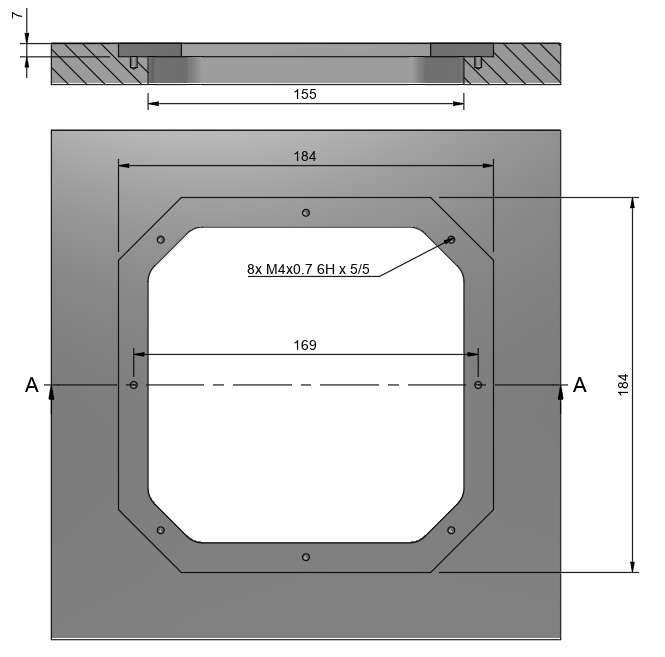
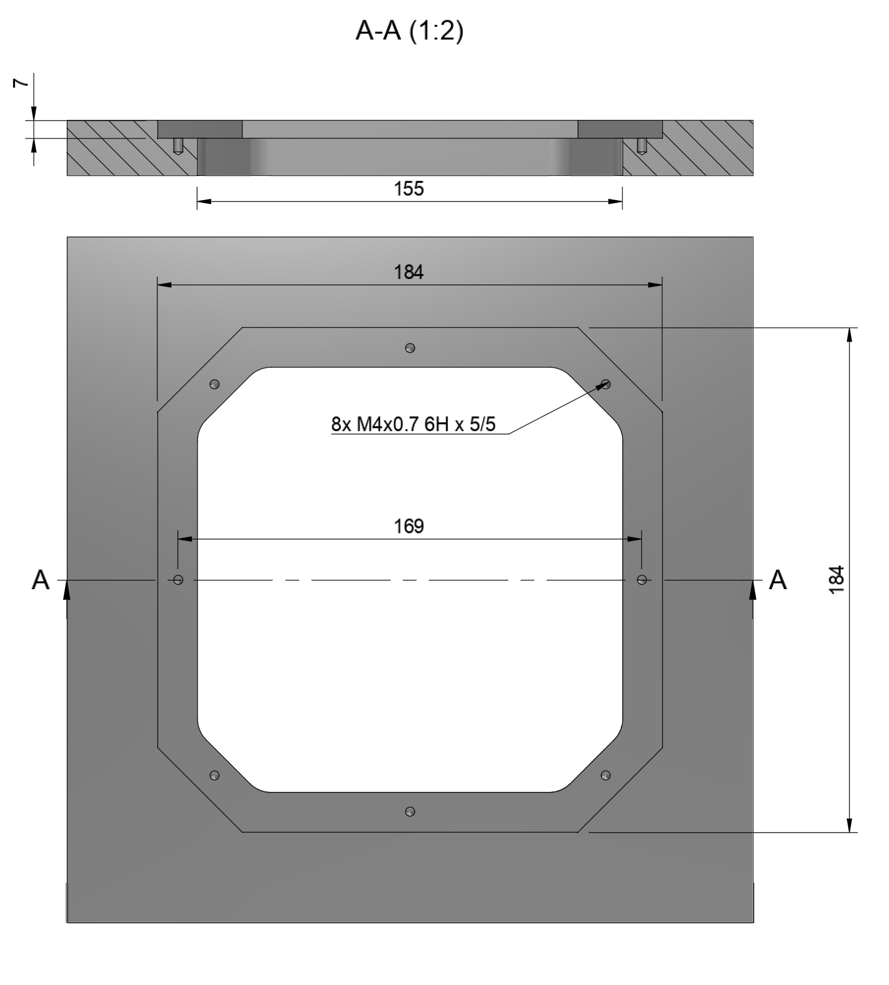
The device must be installed on a clean surface to avoid any obstacles. The device must be installed in an open area. There must be no obstacles in the radiation field of the transmitting device. If possible, avoid installing the system near vertical surfaces that can strongly reflect infrared radiation. Device developed to be installed in panel and bolted with M4 screw. All customers get 3d model of system and cut panel as reference to make integration process more simple.
Panel cut-out drawing.
After installation, it is recommended to verify the correctness of the compass reading and, if necessary, correct the compass calibration.
Wiring Transmitter
The transmitter only requires power to operate. The transmitter can be powered via a 8-pin connector located nearby. External compass (IMU) and control data can be send over UART and CAN protocol. See pinout information of transmitter.
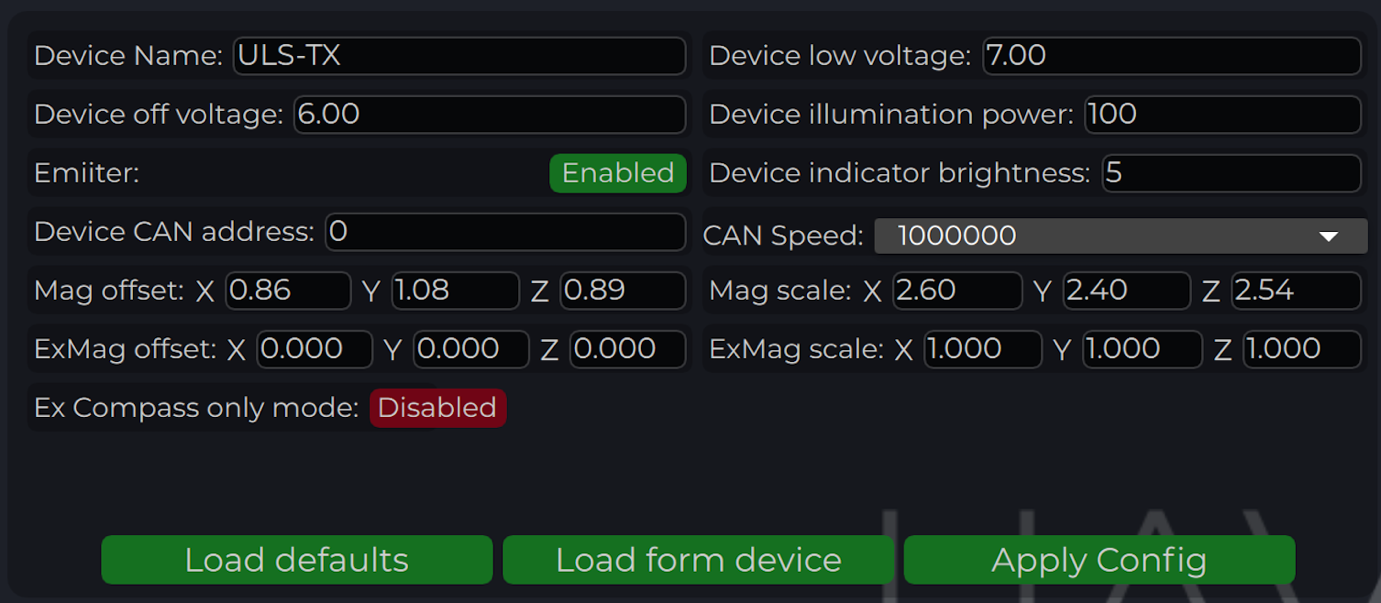
Configure transmitter in ULS-Tools
ULS-ProCopter on beta stage now pls use Beta version of ULS-Tools for configuration and firmware update.
https://github.com/UAVLAS/ULSTools-Beta/releases/
To apply any changes, press "Apply Config" button at the bottom of the field.
Parameter
Description
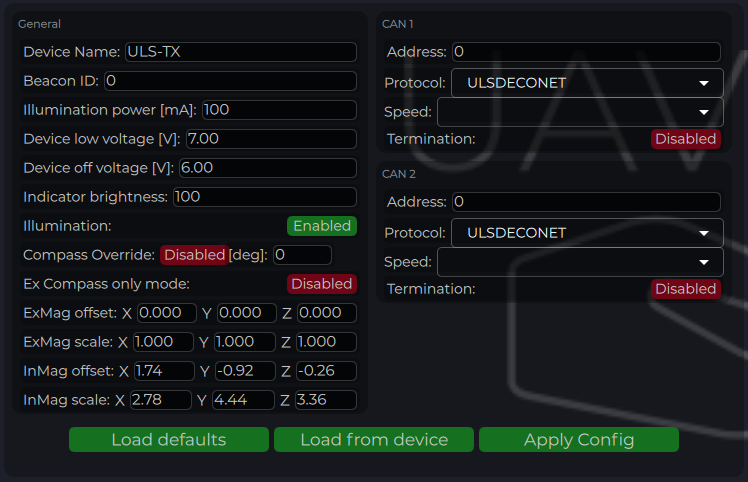
Device name
Name of the device displayed in main window
Device low voltage
Voltage limit to start indicator flash warning
Device off voltage
Voltage limit to disable IR emitters to prevent battery under discharge
Device illumination power
Emitters power correction (100 for normal operation)
Emitter (enable/disable)
Disable (for configure) or enable emitter
Device Indicator Brightness
Adjust transmitter RGB led indicator brightness
Device CAN address/speed
Setup external CAN interface parameters
Compass Override (enable/disable) [deg]
Enable in case of module installed on fixed platform. The entered value will be used instead of internal compass data in “Compass mode”. In this way, the transmitter must be turned on the corresponding angle, CW to North.
Mag(ExMag) offset/scale
Calibration parameters for internal/external magnetometer
ExCompass mode only
If enabled - system will not use internal compass. If external compass data unavailable system generate error. If disabled internal compass will be used if External magnetometer unavailable
Table: Transmitter Configuration Parameters
Compass calibration
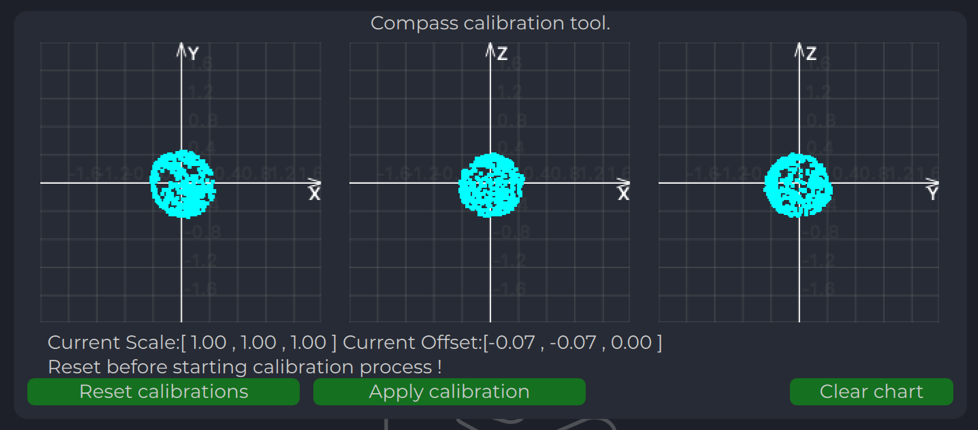
This compass is used to calculate an absolute heading of the ground unit. This information is transmitted to the Receiver and used to calculate NED coordinates. To be able to use compass, it needs to be calibrated before. To calibrate compass:
Press “Reset calibrations”.
Rotate device in different directions until you get 3 circles on charts (see picture below).
During of calibration you can press "Clear chart" to reset previous compass measurements.
Compass chart before calibration:
Compass chart after calibration:
Charts Transmitter
Program display several parameters of the device on charts:
IMU data.
Voltage (not valid when powered from USB).
Temperature data.
Led Indicator
You can check the status of the transmitter looking on the LED indicator on the transmitter. LED flashes in sequences of colors, so it can flash green-red-off-off or green-off-blue-off.
Flash color
Description
Green
Normal operation.
Orange
Low voltage.
Red
Problem, check device. If it is first in sequence it can be led malfunctions of power voltage below minimum, second for compass fail detect.
Blue
Compass ok and device points to the North (brightness of illumination depends on how precise it is pointed to the North).
Table: LED Indicator Status Colors
On-board unit installation (receiver)
The receiver can be installed both inside and outside the vehicle. However, please note that this version of the system is not equipped with protection against moisture and dust. The orientation of the receiver does not matter - however, when installing the receiver, care should be taken to ensure line-of-sight conditions between the transmitter and receiver throughout the entire field of view of the receiver (100 deg). The receiver sensor zone is indicated in the figure.
Once the receiver is installed, enter the appropriate receiver offset information into the configuration.
Wiring Receiver Pixhawk 4 autopilot connection using UART
Wiring for MultiRX mode (MRX)
Configure Receiver in ULS-Tools
Note:
To apply any changes, press “Apply Config” button at the bottom of the field.
Parameter
Description
Device name
Name of the device displayed in main window.
Receiver offset (Front, Right) [m]
Location of receiver in the drone (in meters). This configuration used to calculate drone heading in MultiRX mode.
2Receiver prediction time [s]
Prediction time is used to send prediction information of landing position. It is useful to avoid the effect of short terms signal interruptions. Generally, its value can be set from 0.3 up to 1 sec.
Filter response
Set response for internal position filter of receiver. Hi values make lag time shorter, lower values smooth position information.
Transmitter level compensation
Used to compensate Pan-Tilt rotations of the transmitter. It is used in case of landing on the moving objects.
Noise debug
Use this function to check the noise interference with other devices. In this mode, receiver do not receive the signal from the transmitter, but can capture all the other signals. At the time of the test, transmitter must be switched off, and you can see on Signal Viewer the level of noise and detect what devices around affect the receiver. In general, max level of noise needs to be lower than 0.0025 for Beans B channel. NO OPERATIONS CAN BE PERFORMED IF THIS OPTION IS ENABLED - switch off before the normal use.
Compass mode (disable/enable)
If settings are disabled - receiver will not perform data calculation based on ground compass data. Multi RX mode and (or) compass mode must be enabled to allow the operation.
MRX mode (disable/enable)
If settings are enabled - receiver will use secondary receiver to perform the data calculation. Multi RX mode and (or) compass mode must be enabled to allow the operation.
Device Indicator Brightness
Adjust transmitter led indicator brightness
Device CAN address/speed
Setup external CAN interface parameters
UART Protocol
Select corresponding protocol to communicate with autopilot. If protocol “MavlinkV2” is selected, you can enable the corresponding MAV_FRAME message to be sent to the autopilot (Ardupilot - MAV_FRAME_BODY_FRD and PX4 MAV_FRAME_LOCAL_NED for now)
UART baud rate
Select UART communication speed.
Table: Receiver Configuration Parameters
Status Information field
In the status display area, you can check the status of the receiver and visualise the position of the receiver relative to the drone.
Parameter
Description
Carrier
The carrier signal from transmitter is detected.
SQ_OK
Signal quality of the carrier is ok.
Pos
RAW sensor position is estimated.
Vel
RAW sensor velocity.
Compass
Ground unit orientation is received.
MRX
Secondary sensor for MRX mode is connected and sending data.
MRX-YAW
Yaw orientation is calculated using MRX.
REL-NED
Relative NED position is calculated.
REL-FRD
Relative FRD position is calculated.
LLM
Lat Lon Msl position is available (reserved for future options).
ABS-NED
Absolute position of transmitter is available.
VEHICLE-NED
Absolute position of vehicle is provided by the autopilot (used to calculate ABS position data).
BEACON
Indicate System Ok state.
PREDICTION
Indicate when system uses predicted information for the calculation.
PLATFORM
Position of landing platform is provided by third party devices.
Table: Receiver Status Information Fields
Setup MRX mode
This option enables to use data from two receivers to calculate position. It allows calculating receiver yaw orientation using triangular method. In this mode, compass data (on ground and on board) is not affecting the position estimation, so it is more durable way to land. In this mode the maximum distance is limited by 10 m and at altitude above, it will use compass mode.
To set up and check MRX mode do the following:
Connect receivers on board with CAN BUS.
Configure “Receiver offset” for both receivers.
Configure “Receiver orientation YAW” for both receivers (XCopter-G2).
Enable option “MRX mode”.
After set up, hover the drone above the transmitter (1 m - 2 m) and check that Tdistance and Distance are the same (+/- 20%).
Correct “Receiver offset” option in case of TDistance and Distance are not approximately the same. Increasing position between receivers increases Tdistance and backwards.
Rotate Drove over transmitter (1 m - 2 m) and check the value of the MRX-YAW on chart “GU Orientation”. It needs to be corresponding to the heading of the drone relatively to the transmitter.
Check "Remote IMU", "Filter smoothness", "Receiver sensitivity", "Receiver prediction time", setting MUST be equal to ALL the receivers on the vehicle
Please note, you can connect receiver directly to PC using USB pins. It will make the set up and testing receiver much easier.
Receiver Charts
Program display several parameters of the device on charts:
Angles, Positions in different coordinate systems
Distance
Vehicle information (position and velocity)
Data from Transmitters IMU.
Integration instructions for Ardupilot based systems.
Preparing for integration:
Download the latest version of the ULSTools software. It is recommended to connect all sensors to PC and update the firmware for all UAVLAS devices in the system.
Update autopilot with Arducopter latest version.
Configure transmitter.
Configure receiver.
ULS-ProCopter software on beta stage now. Pls Use Beta version ULS-Tools for configuration and update.
Current version of the system can use MavlinkV2 protocol to communicate with Ardupilot autopilots (for now it supports MAV_FRAME_BODY_FRD).
Example of receiver configuration:
Autopilot configuration
Setup PLND section
Param
Value
Comment
PLND_ENABLED
1
Enable precision landing module
PLND_TYPE
1
Use type = 1 to enable UAVLAS sensor over Companion computer driver
Table: Ardupilot PLND Section Parameters
All other parameters in PLND section defaults or use accordingly to your vehicle set up requirements.
On a picture example configuration provided.
It is recommended to test several options of Kalman filter during the test flights (or switch it off) to achieve the best performance.
Set up serial communication in SERIALx Section.
Param
Value
Comment
SERIAL2_BAUD
230
Select baud rate - it needs to be same as in receiver’s configuration.
SERIAL2_OPTIONS
0
Default
SERIAL2_PROTOCOL
2
MAVlink2 protocol support.
Table: Serial Communication Configuration (SERIALx Section)
Set up serial communication messages in SRx Section. Sensor requires some data from autopilot to work in different modes.
Param
Value
Comment
SR2_EXTRA1 (or MAV2_EXTRA1)
20
Stream Attitude information (20Hz) (YAW Orientation is required for sensor in compass mode)
SR2_POSITION (or MAV2_POSITION)
20
Optional - Stream Vehicle position (20Hz) (LOCAL_POSITION_NED is required for sensor to provide LOCAL position for the target)
Table: Serial Communication Messages (SRx Section)
Check setup.
If all settings are done correct, autopilot has GPS data and receiver in the field of view of the transmitter, you can find LANDING_TARGET message in mavlink inspector (a screenshot from Mission Planner)
Setup Precision loiter mode.
To enable precision loiter mode you need attach any unused switch to PrecLoiter option see picture below:
Try to use this switch and you must get messages: “PrecLoiter: LOW” and “PrecLoiter: HIGH” After test flight above target check telemetry - you will find PL data contains offsets form landing target.
PID tuning
In case of oscillations and other issues at landing stage, pls, check PID parameters of Ardupilot.
It is recommended to check the Position XY, Velocity XY and Loiter speed parameters in “Extended tuning” section to achieve the best performance.
For example, settings Velocity XY P = 0.8, I = 0.2, and D = 0.6 works well for some of our customers
It recommended to start testing PIDs and precision system performance in "Precision Loiter" mode. I use some algorithms and settings in precision landing.
For additional information, see Ardupilot manual.
Integration instructions for PX4 based systems.
Preparing for integration:
Download the latest version of the ULSTools software. It is recommended to connect all sensors to PC and update the firmware for all UAVLAS devices in the system.
Update autopilot with PX4 latest version.
Configure transmitter.
Configure receiver.
ULS-ProCopter software on beta stage now. Pls Use Beta version ULS-Tools for configuration and update.
Current version of the system can use MavlinkV2 protocol to communicate with PX4 autopilots (for now it supports MAV_FRAME_LOCAL_NED).
Example of receiver configuration:
Configure PX4 autopilot.
Values are provided as example (in our case, Pixhawk4-mini AP)
PX4 Parameter
Value
MAV_1_CONFIG
TELEM/SERIAL4 (require reboot to set next params)
MAV_1_FORWARD
Enabled.
MAV_1_MODE
Onboard.
SER_TEL4_BAUD
460800_8N1 (It needs to be corresponding to the setting of UART in Receiver ULS-QR1-R1 connected to PX4 AP)
Table: PX4 Autopilot Configuration Parameters
Running and testing
After configuration and wiring, power up drone and transmitter. On QGround control, go “Analyze Tools” -> MAVLINK Inspector. Check LANDING_TARGET MAVLINK message
In case the vehicle provide LOCAL_POSITION_NED message to UAVLAS system, and it hovers over beacon, you get “position_valid = 1” in LANDING_TARGET
To perform precision landing, you need to create a flight plan and enable Precision Landing option on the landing point.
LANDING_TARGET may be unavailable in case of connection over USB. So, use telemetry channel (uart modem etc.) to connect drone to the QGroundControl.
Troubleshooting
Before of all check:
You are using latest version of ULS-Tools, latest firmware on ULS-XCOPTER transmitter and receiver, and latest Ardupilot (PX4) firmware.
No mavlink message:
Transmitter are switched on and receiver in field of view of transmitter.
Red light on receiver flashes fast ( > 5 times per second ). If it flash 2 times per sec it mean that transmitter not switched on, or not in field of view. If it not flash - check power.
Check Serial setting on AP params and on receiver be sure you are set EXTRA params for corresponding serial port on AP.
Check wiring power and RX, TX (see pinouts and wiring diagram)
Check on receiver that MAV_FRAME_BODY_FRD (MAV_FRAME_LOCAL_NED) enabled.
Not holding in precision loiter mode but mavlink message ok:
Check that you setup Precision loiter mode on AP
Circular motions during landing:
Check compass calibration on ground unit.
Check Compass calibration on AP.
Check magnetic interference on ground.
Use compass override mode to debug landing.
Check precision landing PID settings.
The landing is not precise enough:
Check the position control PID settings of AP.
For Ardupilot check Kalman filter settings.
Check filter smoothness param on receiver.
Check trajectory Jerk settings on AP.
Change Control
All changes to this document must be reviewed and approved by the relevant technical leads and stakeholders
6 - ULS-Heli Documentation
Precision landing for large VTOL drones and helicopters, up to 50 m range.
Application
ULS-Heli is designed for autonomous landing of large VTOL drones and
helicopters, assisted landing and parking of manually controlled aircraft,
and marine-based helicopters. Its dust- and waterproof design is built for
challenging environments.
ULS-Heli-G3 uses two identical, equal-priority receivers for redundancy and
yaw estimation in MRX mode, and shares its receiver platform with
ULS-XSpot-G3.
Documents
Each page is generated from the source of the controlled PDF; the numbered PDF can be downloaded from the document portal.
6.1 - ULS-Heli-G2 Datasheet
Specifications, performance, dimensions and pinouts of ULS-Heli-G2 — precision landing for large VTOL drones and helicopters, up to 50 m range.
ULSDC-PBDS210925 · version 0.2.0 · issued September 21, 2025 The numbered PDF is the controlled copy: download it from the portal.
Introduction
Purpose
The purpose of this datasheet is to provide comprehensive technical information about the ULS-Heli-G2 System family. This includes specifications, performance characteristics, and detailed descriptions of system components, such as transmitters and receivers. By outlining the interfaces between these components, the datasheet aims to facilitate seamless integration and operation for system engineers, integrators, and developers working system.
Scope
This document is intended for use by system engineers, integrators, and developers working with ULS-Heli-G2 systems. It provides detailed information on the system.
System Base Components
Transmitter (Ground Unit)
Figure: ULS-Heli-G2 Transmitter
A transmitter is a device placed on the ground (platform, moving object). It emits a signal in the Infrared range and serves as a kind of beacon. Transmitter marks position for drone landing.
The primary function of the transmitter is to continuously send out a coded signal that can be detected and interpreted by the receiver unit onboard the XCopter. This signal contains critical information needed for the operation of the system, such as positional data, commands, and status.
Receiver (Onboard Unit)
Figure: ULS-Heli-G2 Receiver
A receiver is a device that is placed on board an aircraft.
The receiver decodes this signal to derive flight information such as positional coordinates, real-time transmitter status updates, and landing guidance. It interprets the data to navigate accurately and ensure drone follows the intended flight path. It provides feedback to the autopilot systems, such as Ardupilot and PX4, to adjust the flight parameters as needed for optimal and safety landing or hovering above.
Part Numbering
Part Number
Description
ULS-HELI-G2
System set with 3 receivers.
ULSDV-HL-TX-G2
Transmitter unit.
ULSDV-HL-RXM-G2
Master receiver unit.
ULSDV-HL-RXS-G2
Slave receiver unit.
SA610/P4IB
4 Pin Connector for receiver. Manufacturer Weipu.
SA810/P8IIB
8 Pin Connector for receiver. Manufacturer Weipu.
SA1610/P10IIB-1
10 Pin Connector for transmitter. Manufacturer Weipu.
Table: Part Numbering
System specification.
Parameter
Value
Distance range m.:
50.0
Working angle (deg):
60
Data update frequency (Hz):
20
Table: Common Specification
Parameter
Value
Field of view (deg):
90
Dimensions mm :
46x26x12
Weight g.:
40
Power Consumption (W):
3
Voltage supply (V):
5
Interfaces:
USB, CAN, UART
Table: Receiver (Slave) Specifications
Parameter
Value
Field of view (deg):
90
Dimensions mm :
50x50x14
Weight g. :
60
Power Consumption (W):
3
Voltage supply (V):
5
Interfaces:
USB, CAN, UART
Table: Receiver (Master) Specifications
Parameter
Value
Field of emitting (deg):
60
Dimensions mm. :
290x215x48
Weight g.:
4100
Power Consumption (W):
10
Voltage supply (V):
22.0-26.0
Interfaces :
USB, CAN, UART
Table: Transmitter (Ground) Specifications
Pinout Information
Pin
Function
1
Vin (+5V)
2
CANH
3
CANL
4
GND
Table: 4 Pin Connector Pinout
Pin
Function
1
Vin (+5V)
2
CANH
3
CANL
4
UART_TX (OUT)
5
UART_RX(IN)
6
USB_D-
7
USB_D+
8
GND
Table: 8 Pin Connector Pinout
Pin
Function
1
Vin +18V – +28V
2
RS422A
3
RS422B
4
RS422Y
5
RS422Z
6
CAN-L
7
CAN-H
8
USB-D-
9
USB-D+
10
GND
Table: Transmitter 10 Pin Connector Pinout
Please DO NOT "HOT-PLUG" Transmitter cable. Apply power on transmitter only when connector connected to transmitter.
Please check pin numbers on connector.
Incorrect wiring or connection under voltage can damage the device and USB interface of connected PC !
Mechanical dimensions
Figure: Slave receiver Mechanical Dimensions
Figure: Master receiver Mechanical Dimensions
Figure: Transmitter Mechanical Dimensions
Packaging information
The device is shipped in a protective case.
Figure: Protective Packaging Case
Environmental Conditions
Environmental Conditions - Industrial Grade
Equipment is designed to operate reliably in demanding environmental conditions typical of aerospace, industrial automation, and outdoor applications.
Operating Temperature Range
Standard operating range: -20°C to +55°C
Covers most industrial and outdoor applications
Reliable performance across temperature extremes
No performance degradation within specified range
Humidity Tolerance
Relative humidity: Up to 70% (non-condensing)
Protected against moisture in typical operating conditions
Suitable for outdoor and semi-protected installations
Condensation prevention through sealed design
Ingress Protection
IP67 rated (Dust tight and water immersion resistant)
6 - Complete protection against dust ingress
7 - Protected against temporary immersion in water (up to 1 meter depth for 30 minutes)
Suitable for harsh industrial environments
Protected against rain, splashing, and temporary submersion
Dust-tight sealing for contaminated environments
Storage Conditions
Storage temperature: -40°C to +70°C
Relative humidity: Up to 95% (non-condensing)
Long-term storage in industrial facilities
Operational Environment Standards
Designed to meet industrial equipment requirements
Suitable for UAV/drone applications
Outdoor installation capable
Protected against:
Dust and particulate matter
Water spray and rain
Temporary water immersion
Temperature fluctuations
High humidity
Change Control
All changes to this document must be reviewed and approved by the relevant technical leads and stakeholders
6.2 - ULS-Heli-G2 Interface Control Document
Electrical, mechanical and communication interfaces of ULS-Heli-G2 — precision landing for large VTOL drones and helicopters, up to 50 m range.
ULSDC-PBICD210925 · version 1.0.1 · issued September 22, 2025 The numbered PDF is the controlled copy: download it from the portal.
Introduction
Purpose
This document outlines the interfaces between the ULS-Heli-G2 system components, including the transmitter, receiver, and autopilot systems (Ardupilot and PX4 and similar).
Scope
This document is intended for use by system engineers, integrators, and developers working with ULS-Heli-G2 systems. It provides detailed information on the interfaces between the system components, ensuring seamless integration and operation.
System Components
Transmitter (Ground Unit)
Figure: ULS-Heli-G2 Transmitter
A transmitter is a device placed on the ground (platform, moving object). It emits a signal in the Infrared range and serves as a kind of beacon. Transmitter marks position for drone landing.
The primary function of the transmitter is to continuously send out a coded signal that can be detected and interpreted by the receiver unit onboard the XCopter. This signal contains critical information needed for the operation of the system, such as positional data, commands, and status.
Receiver (Onboard Unit)
Figure: ULS-Heli-G2 Receiver
A receiver is a device that is placed on board an aircraft.
The receiver decodes this signal to derive flight information such as positional coordinates, real-time transmitter status updates, and landing guidance. It interprets the data to navigate accurately and ensure drone follows the intended flight path. It provides feedback to the autopilot systems, such as Ardupilot and PX4, to adjust the flight parameters as needed for optimal and safety landing or hovering above.
Interface Overview
Figure: ULS-Heli-G2 System Interfaces Overview
Transmitter to Control PC Interface (External Sensors)
The transmitter can be connected to a control PC or external equipment for configuration, status monitoring, and data exchange.
Data Types
Status information
Control signals
Transmitter configuration
External IMU/COMPASS data
Connection Types
CAN Bus - For network communication
USB - For configuration and firmware updates
RS422 - For serial communication with external sensors
Transmitter Pinout
Pin
Function
1
Vin +18V – +28V
2
RS422A
3
RS422B
4
RS422Y
5
RS422Z
6
CAN-L
7
CAN-H
8
USB-D-
9
USB-D+
10
GND
Table: Transmitter 10 Pin Connector Pinout
Please DO NOT "HOT-PLUG" Transmitter cable. Apply power on transmitter only when connector connected to transmitter.
Please check pin numbers on connector.
Incorrect wiring or connection under voltage can damage the device and USB interface of connected PC !
Transmitter to Receiver Interface
The transmitter and receiver use an optical interface to exchange data. Transmission uses IR emission at 940 nanometers. Data transmission is only in the direction from the transmitter to the receiver.
Data Types
Position encoded
Status encoded data (Transmitter orientation and instructions)
Connection Type
Optical IR 940nm - Infrared optical link
Receiver to Autopilot and Receiver to PC Interfaces
Data Types
MAVLink messages
ULS-Blitz frames
ASCII protocol
Connection Types
UART - Serial communication with autopilot
CAN - Network communication
USB - Direct PC connection
Receiver Pinout
Pin
Function
1
Vin (+5V)
2
CANH
3
CANL
4
GND
Table: 4 Pin Connector Pinout
Pin
Function
1
Vin (+5V)
2
CANH
3
CANL
4
UART_TX (OUT)
5
UART_RX(IN)
6
USB_D-
7
USB_D+
8
GND
Table: 8 Pin Connector Pinout
Powering Interfaces
Figure: Power Distribution and Connections
Transmitter Electrical Characteristics
Parameter
Value
Unit
Notes
Supply Voltage
22.0 - 26.0
V
Nominal 24V
Supply Current
4
A
Peak
Power Consumption
18.1
W
Typical
Table: Transmitter Electrical Specifications
Receiver Electrical Characteristics
Parameter
Value
Unit
Notes
Supply Voltage
5.0
V
From flight controller
Supply Current
1
A
Peak
Power Consumption
3
W
Typical
Table: Receiver Electrical Specifications
Functional Interfaces
Figure: Data Flow and Functional Interfaces
Data Exchange
The ULS-Heli-G2 system implements several data exchange mechanisms:
Control PC Functions:
Configure and view status of transmitter
Set configuration of receivers
Send control signals (On/off, compass override information)
External Equipment:
External IMU/Compass equipment can be used to override internal IMU/compass information
Receiver Functions:
Accept data from transmitter over IR signal (position field information and ground unit IMU data)
Accept NED and Attitude information from autopilot to convert coordinate system
Multiple receivers can communicate to calculate vehicle orientation (YAW)
Send position offset data to autopilot
Mechanical Interfaces
Figure: Slave receiver Mechanical Dimensions
Figure: Master receiver Mechanical Dimensions
Figure: Transmitter Mechanical Dimensions
Transmitter Mounting
Use 16 mounting holes to mount transmitter to panel. 3D model of the transmitter can be provided upon request.
Receiver Mounting
Both master and slave receivers have mounting provisions for secure installation. 3D models of the receivers can be provided upon request.
Communication Protocols
Overview
The protocol used by devices for configuration is proprietary and is described in other documents. However, the protocol implements the possibility of transmitting messages (Blitz messages) that can be used by the user to control the device and obtain information. These messages are universal, and the format describes the data that is transmitted by various devices in our system connected to a single network.
Use CMD=6 to send Blitz messages.
In this document, the CAN protocol is specified. RS485 is used to implement custom protocols that can be defined in the future.
CAN Bus Protocol Frame Format
flowchart LR
  A[Sender Device] --> B[GLOBAL]
  B --> C[CMD = 6]
  C --> D[ID]
  D --> E[dsn_lid]
  E --> F[msg_id]
  F --> G[Blitz Payload data <= 8 bytes]
  G --> H[Receiver Device]
The CAN protocol uses the following frame structure:
Field
Description
GLOBAL
Flag used to send packets over several local networks
CMD
Command field (Use CMD=6 to send Blitz messages)
ID
Packet sender ID (local id src_lid for local packets and device id for global packets src_did)
dsn_lid
Destination local ID address
msg_id
Message ID used to identify Blitz packet types
Table: CAN Protocol Frame Fields
Status Bit Definitions
Most messages include a status byte with the following bit definitions:
Bit
Flag
Description
0
ULS_STATUS_RX_CARRIER_OK
IR signal detected
1
ULS_STATUS_RX_SQ_OK
Signal quality OK
2
ULS_STATUS_RX_POS_OK
Position estimated
3
ULS_STATUS_RX_VEL_OK
Velocity estimated
4
ULS_STATUS_RX_GU_IMU_OK
Ground Unit IMU OK
5
ULS_STATUS_RX_MRX_OK
MRX message received (secondary receiver)
6
ULS_STATUS_RX_MRXDATA_OK
MRX Yaw and Distance calculated OK
Table: Status Bit Definitions
Common Data Structure
Blitz Common Data Structure
Structure: __blitz_common_data_struct
Field
Type
Description
src_lid
uint8_t
Source logical ID
msg_id
uint16_t
Message ID (see message types below)
data
union
Message-specific data (8 bytes max)
Table: Blitz Common Data Structure
The union contains all possible message structures:
xcg1_rx_raw_measurmet
rx_raw_measurmet
rx_pos_in_tx_frame
rx_mrx
rx_dacs
Usage: Universal container for all ULS Blitz message types.
Implementation Notes
Packed Structures: All structures use __attribute__((packed)) to ensure no padding bytes are added by the compiler.
Endianness: The protocol assumes little-endian byte order for multi-byte fields.
Angular Precision: Angular measurements use 16-bit signed integers with specific scaling factors for different ranges.
Distance Units: Distance measurements may use different units (cm, 10cm increments) depending on the message type.
Table: Position in TX Frame Message FormatPurpose: 3D position data relative to the transmitter coordinate system.
MRX Information (0x0013)
Message ID:ULS_BLITZ_MSG_ID_RX_MRX (0x0013)
Structure:__uls_blitz_msg_rx_mrx
Field
Type
Description
status
uint8_t
Status bits (see Status Bit Definitions above)
counter
uint8_t
Message counter for tracking
yaw
int16_t
Yaw angle [-180° to +180°]
distance
uint16_t
Distance measurement in cm
Table: MRX Information Message FormatPurpose: Multi-receiver (MRX) information for secondary receiver data.
DACS Information (0x0014)
Message ID:ULS_BLITZ_MSG_ID_RX_DACS (0x0014)
Structure:__uls_blitz_msg_rx_dacs
Field
Type
Description
status
uint8_t
Status bits (see Status Bit Definitions above)
counter
uint8_t
Message counter for tracking
yaw
int16_t
Yaw angle [-180° to +180°]
distance
uint16_t
Distance measurement
yawContinuous
int16_t
Continuous yaw angle ±32768°
Table: DACS Information Message FormatPurpose: DACS (Distance and Azimuth Correction System) data with continuous yaw tracking. Available on VTOL systems only.
Table: Magnetometer Override Control BitsMagnetic Field Conversion Formula:
mag_value = (value_int16 * 1.0f) / 32767.0f
Purpose: Override magnetometer data on ground unit for external compass control.
Environmental Conditions
For the Receiver Unit
Operating temperature range: -40°C to +85°C
Humidity range: Less than 70%
Dust and moisture protection: IP67
6 - Complete protection against dust ingress
7 - Protected against temporary immersion in water (up to 1 meter depth for 30 minutes)
For the Transmitter Unit
Operating temperature range: -40°C to +85°C
Humidity range: Less than 70%
Dust and moisture protection: IP67
6 - Complete protection against dust ingress
7 - Protected against temporary immersion in water (up to 1 meter depth for 30 minutes)
Storage Conditions
Storage temperature: -40°C to +85°C
Relative humidity: Up to 70% (non-condensing)
- The receiver unit does not requires additional protective measures in dusty or moist environments
- The transmitter unit can operate in harsh outdoor conditions without additional protection
- Extended temperature range (-40°C to +85°C) enables operation in extreme climates
Part Numbering
Part Number
Description
ULS-HELI-G2
System set with 3 receivers.
ULSDV-HL-TX-G2
Transmitter unit.
ULSDV-HL-RXM-G2
Master receiver unit.
ULSDV-HL-RXS-G2
Slave receiver unit.
SA610/P4IB
4 Pin Connector for receiver. Manufacturer Weipu.
SA810/P8IIB
8 Pin Connector for receiver. Manufacturer Weipu.
SA1610/P10IIB-1
10 Pin Connector for transmitter. Manufacturer Weipu.
Table: Part Numbering
Specifications
Parameter
Value
Distance range m.:
50.0
Working angle (deg):
60
Data update frequency (Hz):
20
Table: Common Specification
Parameter
Value
Field of view (deg):
90
Dimensions mm :
46x26x12
Weight g.:
40
Power Consumption (W):
3
Voltage supply (V):
5
Interfaces:
USB, CAN, UART
Table: Receiver (Slave) Specifications
Parameter
Value
Field of view (deg):
90
Dimensions mm :
50x50x14
Weight g. :
60
Power Consumption (W):
3
Voltage supply (V):
5
Interfaces:
USB, CAN, UART
Table: Receiver (Master) Specifications
Parameter
Value
Field of emitting (deg):
60
Dimensions mm. :
290x215x48
Weight g.:
4100
Power Consumption (W):
10
Voltage supply (V):
22.0-26.0
Interfaces :
USB, CAN, UART
Table: Transmitter (Ground) Specifications
Change Control
All changes to this document must be reviewed and approved by the relevant technical leads and stakeholders
6.3 - ULS-Heli-G2 Operation Manual
Installation, setup, integration and troubleshooting of ULS-Heli-G2 — precision landing for large VTOL drones and helicopters, up to 50 m range.
ULSDC-PBOM210925 · version 1.0.0 · issued January 26, 2026 The numbered PDF is the controlled copy: download it from the portal.
The ULS-Heli-G2 is a professional-grade optical positioning system designed to enable precision approach and landing for helicopters and heavy-lift rotary-wing UAVs. It provides reliable short-range positioning in GPS-denied or degraded environments, including maritime and industrial operations.
Scope
This manual covers safe operation, installation, configuration, and routine maintenance of the ULS-Heli-G2 system, including aircraft receivers (Master/Slave) and the ground transmitter (Beacon).
Intended Audience
Pilots, flight technicians, and integration engineers responsible for installing and operating the system on helicopters or heavy-lift rotary UAV platforms.
Safety Information
Important Safety Guidelines
WARNING: Rotary-wing aircraft operations are inherently hazardous. Only qualified personnel should install and operate this system.
WARNING: Avoid direct eye exposure to high-intensity optical emitters. Do not stare into the Beacon emission aperture.
CAUTION: Ensure secure mounting and vibration isolation compliant with airworthiness requirements for your platform.
CAUTION: Verify electromagnetic compatibility and power budgets when integrating with aircraft systems.
NOTE: Maintain clear line-of-sight between aircraft receivers and ground Beacon during approach and landing.
Regulatory Compliance
System components should be installed per applicable aviation regulations and local maritime/industrial standards.
Environmental considerations: the system is qualified for all-weather operation; verify local restrictions for optical emissions.
Specifications, performance, dimensions and pinouts of ULS-Heli-G3 — precision landing for large VTOL drones and helicopters, up to 50 m range.
ULSDC-PBDS110426 · version 0.1.19 · issued April 11, 2026 The numbered PDF is the controlled copy: download it from the portal.
Introduction
Purpose
The purpose of this datasheet is to provide a concise technical overview of the ULS-Heli-G3 system family, including the transmitter and 2 identical, equal-priority RXM receiver units. The document is intended to help customers, evaluators, and integrators understand the product role, key characteristics, and integration fit. Detailed interface definitions remain in the Interface Control Document.
Scope
This document is intended for system engineers, integrators, and developers preparing ULS-Heli-G3 integration.
Intended Audience
This datasheet is intended for customers, sales engineers, system integrators, and technical evaluators.
Product Overview
ULS-Heli-G3 is a generation 3 precision optical positioning system designed for integration with aircraft platforms that require accurate relative positioning and landing guidance. The system architecture consists of one ground transmitter and 2 equal-priority RXM onboard receivers. The dual-receiver architecture supports redundancy and yaw orientation estimation in MRX mode.
System Base Components
Transmitter (Ground Unit)
Device code: ULSDV-HL-G3-TX
Primary function: Optical IR field emission for precision positioning
Optical emission parameters: 940nm, pulsed
Figure: ULSDV-HL-G3-TX Transmitter
Receiver (Onboard Unit)
Device code: ULSDV-HLXS-G3-RXM
Primary function: Optical IR field sensor for precision positioning
Optical central wavelength : 940nm
System architecture uses 2 identical RXM receiver units operating with the same priority.
Both RXM units are used for redundancy and for yaw orientation estimation using a triangular method in MRX mode.
Figure: ULSDV-HLXS-G3-RXM Receiver
RS422–UART Onboard Adapter
When the autopilot has only a UART interface, the ULSDV-HLXS-G3 RS422-to-UART adapter (ULSDV-XX-UART-RS422) is used onboard to connect the ULSDV-HLXS-G3-RXM receiver to the autopilot.
Figure: ULSDV-XX-UART-RS422 Onboard Adapter
USB–RS422 Ground Adapter
The ULSDV-XX-USB-RS422 adapter is used on the ground to connect the ULSDV-HL-G3-TX transmitter to a PC for configuration and control.
Figure: ULS-XX-USB-RS422 Ground Adapter
Key Features
Dual RXM receiver architecture for redundancy and yaw estimation in MRX mode
Shared generation 3 receiver platform for improved hardware commonality
Optical transmitter-to-receiver link for precision positioning data transfer
RS422-based native hardware interfaces with adapter support for UART-only autopilots
System Applications
Precision landing and approach guidance
Platform-relative positioning for autonomous aircraft operations
Integration with supported autopilot and mission systems
System Wiring Schematics
Figure: HL/XS G3 Ground-Side Wiring Schematic
Figure: HL/XS G3 Onboard Wiring Schematic
Part Numbering
Part Number
Description
ULS-HELI-G3
System set with transmitter and 2 identical RXM receiver units.
ULSDV-HL-G3-TX
Transmitter unit.
ULSDV-HLXS-G3-RXM
RXM receiver unit (identical hardware for Set A and Set B), quantity 2 per system.
ULS-XX-UART-RS422
RS422-to-UART onboard adapter for connecting RXM receiver to UART-only autopilots.
ULS-XX-USB-RS422
USB-to-RS422 ground adapter for connecting transmitter to PC (configuration and control).
Equipment is designed to meet stringent military and maritime operational requirements, providing reliable performance in the most demanding environmental conditions including shipboard operations, offshore platforms, and tactical deployments.
Operating Temperature Range
Extended operating range: -40°C to +85°C
Meets MIL-STD-810 requirements for temperature extremes
Arctic to desert operations capability
No performance degradation across full temperature range
Qualified for rapid temperature transitions and thermal shock
Cold-soak start capability from -40°C
Humidity and Salt Fog Resistance
Relative humidity: Up to 95% (condensing)
Salt fog resistant per MIL-STD-810 Method 509
Maritime environment qualified for shipboard operations
Corrosion-resistant materials and protective coatings
Protected against salt spray and marine atmosphere
Suitable for offshore platform installations
Ingress Protection
IP67 rated (Dust tight and water immersion resistant)
6 - Complete protection against dust, sand, and particulate ingress
7 - Protected against temporary immersion in water (up to 1 meter depth for 30 minutes)
Exceeds requirements for shipboard and maritime operations
Protected against:
Heavy rain and sea spray
Temporary submersion (deck washing, wave impact)
Sand and dust storms
Contaminated environments
Shock and Vibration
Vibration: MIL-STD-810 Method 514
Helicopter vibration profile qualified
Shipboard vibration and shock resistant
Continuous operation during vibration
Mechanical Shock: MIL-STD-810 Method 516
Drop and impact qualified
Transportation and handling shock resistant
Crash survival design considerations
Electromagnetic Compatibility
EMI/EMC: MIL-STD-461 compliant
Electromagnetic interference immunity
Low electromagnetic emissions
RF coexistence with military avionics
Lightning protection per MIL-STD-464
ESD Protection: IEC 61000-4-2
Contact discharge: ±8kV
Air discharge: ±15kV
Storage Conditions
Storage temperature: -55°C to +85°C
Relative humidity: Up to 95% (condensing)
Long-term storage in uncontrolled environments
Sealed for preservation and long-term depot storage
Altitude and Pressure
Operating altitude: -500m to +4500m above sea level
Storage altitude: -500m to +12000m
Pressure differential resistant
Suitable for high-altitude helicopter operations
Maintenance and Serviceability
Designed for field maintenance and repair
Minimal preventive maintenance required
Accessible components for service and inspection
Environmental seals serviceable in the field
Long service intervals suitable for deployed operations
Note: All environmental specifications are subject to final qualification testing. Contact UAVLAS for the most current test data and certification documentation. Custom environmental testing and certification to specific standards available upon request.
Optical Radiation Safety (IR Emission)
The transmitter (ground unit) emits pulsed infrared optical radiation with a centre wavelength of 940nm. The receivers are optical sensors only and do not emit optical radiation.
INFRARED RADIATION IS EMITTED FROM THE TRANSMITTER OPTICAL APERTURES WHENEVER THE UNIT IS POWERED. Do not look into the transmitter emitter apertures at close range. IR emission at 940nm is invisible and does not trigger the blink or aversion reflex, so the eye receives no natural warning of exposure.
Why This Warning Is Given
Radiation at 940nm is outside the visible range. The protective mechanisms that limit exposure to bright visible sources — the blink reflex, pupil constriction, and the instinct to look away — are not triggered by an invisible source. Exposure time is therefore limited only by operator behaviour, which is why the precautions below are given as operating instructions and not left to the operator’s judgement.
The transmitter is a positioning beacon. It is not an illumination product and is not intended to be viewed at any time.
Operating Precautions
Do not look directly into the transmitter emitter apertures from a distance of less than 1 metre while the unit is powered.
Treat the transmitter as emitting whenever supply voltage is applied, including when no receiver is present and no positioning data is being transferred.
Switch emission off before working directly in front of the transmitter. Use the Illumination parameter in ULS-Tools to disable emission, or disconnect supply power.
Do not view the powered transmitter through binoculars, telescopes, camera lenses, magnifiers, or any other light-collecting instrument. Such optics concentrate the emission and can raise the exposure at the eye by orders of magnitude compared with unaided viewing.
Do not add, remove, or modify optical elements of the transmitter. Added optics change the emission characteristics and invalidate any photobiological classification of the unit.
Position the transmitter so that the emission field is directed away from work positions and walkways where personnel stay for extended periods.
Servicing personnel working inside the emission field at close range should disable emission first rather than rely on viewing distance.
Classification and Applicable Standards
Item
Value
Emitter type
Incoherent IR LED array (not a laser)
Centre wavelength
940nm
Emission mode
Pulsed
Applicable standard
IEC 62471 / EN 62471, Photobiological safety of lamps and lamp systems
Classification distance
200mm (non-GLS source, per IEC 62471)
Risk group
TBD — to be entered from the IEC 62471 assessment report
Hazard distance
TBD — to be entered from the IEC 62471 assessment report
Table: Optical Radiation Safety Data
The transmitter uses light emitting diodes, not laser emitters. LED sources are assessed under IEC 62471; the laser product standard IEC 60825-1 does not apply to this product.
For a 940nm source the applicable exposure limits are the retinal thermal hazard (380nm to 1400nm), the retinal thermal hazard for a weak visual stimulus (780nm to 1400nm, which applies specifically to sources that give no visual cue), and the infrared hazard to the cornea and lens (780nm to 3000nm). The corneal and lens limits are intended for chronic exposures longer than 1000s at a daily averaged irradiance of 100 W/m² or more.
Organisations operating this equipment within the European Union are additionally subject to Directive 2006/25/EC on the exposure of workers to artificial optical radiation, which requires the employer to assess worker exposure against the exposure limit values given in Annex I of that directive. UAVLAS provides the emission data needed for that assessment on request.
Compliance and Standards
Document classification and release control as defined in metadata
Product-specific compliance statements to be finalized for release
Ordering Information
Use the part numbering section to identify system variants, subassemblies, and related accessories.
Change Control
All changes to this document must be reviewed and approved by the relevant technical leads and stakeholders
6.5 - ULS-Heli-G3 Interface Control Document
Electrical, mechanical and communication interfaces of ULS-Heli-G3 — precision landing for large VTOL drones and helicopters, up to 50 m range.
ULSDC-PBICD110426 · version 0.1.36 · issued April 11, 2026 The numbered PDF is the controlled copy: download it from the portal.
Introduction
Purpose
This document defines the interfaces between ULS-Heli-G3 components, including one transmitter and 2 identical, equal-priority RXM receivers. It records the mechanical, electrical, communication, and functional characteristics needed for correct system integration.
Scope
This document is intended for system engineers, integrators, and developers working with ULS-Heli-G3 systems.
Assumptions and Exclusions
This document defines interfaces only; product selection and overview information belong in the datasheet.
Installation, calibration, and operating procedures belong in the operation manual.
System Components
Transmitter (Ground Unit)
Device code: ULSDV-HL-G3-TX
Primary function: Optical IR field emission for precision positioning
Optical emission parameters: 940nm, pulsed
Figure: ULSDV-HL-G3-TX Transmitter
Receiver (Onboard Unit)
Device code: ULSDV-HLXS-G3-RXM
Primary function: Optical IR field sensor for precision positioning
Optical central wavelength : 940nm
System architecture uses 2 identical RXM receiver units operating with the same priority.
Both RXM units are used for redundancy and for yaw orientation estimation using a triangular method in MRX mode.
Figure: ULSDV-HLXS-G3-RXM Receiver
RS422–UART Onboard Adapter
When the autopilot has only a UART interface, the ULSDV-HLXS-G3 RS422-to-UART adapter (ULSDV-XX-UART-RS422) is used onboard to connect the ULSDV-HLXS-G3-RXM receiver to the autopilot.
Figure: ULSDV-XX-UART-RS422 Onboard Adapter
USB–RS422 Ground Adapter
The ULSDV-XX-USB-RS422 adapter is used on the ground to connect the ULSDV-HL-G3-TX transmitter to a PC for configuration and control.
Figure: ULS-XX-USB-RS422 Ground Adapter
Interface Overview
Figure: ULS-Heli-G3 System Interfaces Overview
Physical Interfaces
Figure: ULS-Heli-G3 System Interfaces Overview
Transmitter to Control PC Interface
The transmitter (ULSDV-HL-G3-TX) connects to a PC via the ULS-XX-USB-RS422 ground adapter for configuration and control.
Figure: ULS-XX-USB-RS422 Adapter Pinout
Pin
Function
1
+V supply +18V…+27V to Transmitter
2
GND
3
RS422 A RX+ (Adapter Input)
4
RS422 B RX- (Adapter Input)
5
RS422 Y TX- (Adapter Output)
6
RS422 Z TX+ (Adapter Output)
7,8
+V supply +18V…+27V Power input from battery
*Table: ULS-XX-USB-RS422 Pinout *
Data Types
Status information
Control signals
Transmitter configuration
External IMU/COMPASS data
Connection Types
CAN Bus – For network communication
USB – Via ULS-XX-USB-RS422 adapter (PC side)
RS422 – Native transmitter interface; for serial communication with external sensors
Do not connect or disconnect the transmitter interface under power unless approved by final hardware instructions.
Transmitter to Receiver Interface
The transmitter and receiver use an optical interface to exchange data. Transmission uses pulsed IR emission at 940 nanometers. Data transmission is only in the direction from the transmitter to the receiver.
Data Types
Position encoded
Status encoded data (transmitter orientation and instructions)
Connection Type
Optical IR 940nm (pulsed) – Infrared optical link
The transmitter emits invisible infrared radiation whenever it is powered. Observe the precautions in the Optical Radiation Safety section before working in front of the transmitter.
Receiver Interfaces (RXM Set A and RXM Set B)
Both RXM receivers (ULSDV-HLXS-G3-RXM) are identical and have the same priority in system operation.
When the autopilot provides only a UART interface, connect the RXM receiver RS422 output through the ULS-XX-UART-RS422 onboard adapter.
Equipment is designed to meet stringent military and maritime operational requirements, providing reliable performance in the most demanding environmental conditions including shipboard operations, offshore platforms, and tactical deployments.
Operating Temperature Range
Extended operating range: -40°C to +85°C
Meets MIL-STD-810 requirements for temperature extremes
Arctic to desert operations capability
No performance degradation across full temperature range
Qualified for rapid temperature transitions and thermal shock
Cold-soak start capability from -40°C
Humidity and Salt Fog Resistance
Relative humidity: Up to 95% (condensing)
Salt fog resistant per MIL-STD-810 Method 509
Maritime environment qualified for shipboard operations
Corrosion-resistant materials and protective coatings
Protected against salt spray and marine atmosphere
Suitable for offshore platform installations
Ingress Protection
IP67 rated (Dust tight and water immersion resistant)
6 - Complete protection against dust, sand, and particulate ingress
7 - Protected against temporary immersion in water (up to 1 meter depth for 30 minutes)
Exceeds requirements for shipboard and maritime operations
Protected against:
Heavy rain and sea spray
Temporary submersion (deck washing, wave impact)
Sand and dust storms
Contaminated environments
Shock and Vibration
Vibration: MIL-STD-810 Method 514
Helicopter vibration profile qualified
Shipboard vibration and shock resistant
Continuous operation during vibration
Mechanical Shock: MIL-STD-810 Method 516
Drop and impact qualified
Transportation and handling shock resistant
Crash survival design considerations
Electromagnetic Compatibility
EMI/EMC: MIL-STD-461 compliant
Electromagnetic interference immunity
Low electromagnetic emissions
RF coexistence with military avionics
Lightning protection per MIL-STD-464
ESD Protection: IEC 61000-4-2
Contact discharge: ±8kV
Air discharge: ±15kV
Storage Conditions
Storage temperature: -55°C to +85°C
Relative humidity: Up to 95% (condensing)
Long-term storage in uncontrolled environments
Sealed for preservation and long-term depot storage
Altitude and Pressure
Operating altitude: -500m to +4500m above sea level
Storage altitude: -500m to +12000m
Pressure differential resistant
Suitable for high-altitude helicopter operations
Maintenance and Serviceability
Designed for field maintenance and repair
Minimal preventive maintenance required
Accessible components for service and inspection
Environmental seals serviceable in the field
Long service intervals suitable for deployed operations
Note: All environmental specifications are subject to final qualification testing. Contact UAVLAS for the most current test data and certification documentation. Custom environmental testing and certification to specific standards available upon request.
Optical Radiation Safety (IR Emission)
The transmitter (ground unit) emits pulsed infrared optical radiation with a centre wavelength of 940nm. The receivers are optical sensors only and do not emit optical radiation.
INFRARED RADIATION IS EMITTED FROM THE TRANSMITTER OPTICAL APERTURES WHENEVER THE UNIT IS POWERED. Do not look into the transmitter emitter apertures at close range. IR emission at 940nm is invisible and does not trigger the blink or aversion reflex, so the eye receives no natural warning of exposure.
Why This Warning Is Given
Radiation at 940nm is outside the visible range. The protective mechanisms that limit exposure to bright visible sources — the blink reflex, pupil constriction, and the instinct to look away — are not triggered by an invisible source. Exposure time is therefore limited only by operator behaviour, which is why the precautions below are given as operating instructions and not left to the operator’s judgement.
The transmitter is a positioning beacon. It is not an illumination product and is not intended to be viewed at any time.
Operating Precautions
Do not look directly into the transmitter emitter apertures from a distance of less than 1 metre while the unit is powered.
Treat the transmitter as emitting whenever supply voltage is applied, including when no receiver is present and no positioning data is being transferred.
Switch emission off before working directly in front of the transmitter. Use the Illumination parameter in ULS-Tools to disable emission, or disconnect supply power.
Do not view the powered transmitter through binoculars, telescopes, camera lenses, magnifiers, or any other light-collecting instrument. Such optics concentrate the emission and can raise the exposure at the eye by orders of magnitude compared with unaided viewing.
Do not add, remove, or modify optical elements of the transmitter. Added optics change the emission characteristics and invalidate any photobiological classification of the unit.
Position the transmitter so that the emission field is directed away from work positions and walkways where personnel stay for extended periods.
Servicing personnel working inside the emission field at close range should disable emission first rather than rely on viewing distance.
Classification and Applicable Standards
Item
Value
Emitter type
Incoherent IR LED array (not a laser)
Centre wavelength
940nm
Emission mode
Pulsed
Applicable standard
IEC 62471 / EN 62471, Photobiological safety of lamps and lamp systems
Classification distance
200mm (non-GLS source, per IEC 62471)
Risk group
TBD — to be entered from the IEC 62471 assessment report
Hazard distance
TBD — to be entered from the IEC 62471 assessment report
Table: Optical Radiation Safety Data
The transmitter uses light emitting diodes, not laser emitters. LED sources are assessed under IEC 62471; the laser product standard IEC 60825-1 does not apply to this product.
For a 940nm source the applicable exposure limits are the retinal thermal hazard (380nm to 1400nm), the retinal thermal hazard for a weak visual stimulus (780nm to 1400nm, which applies specifically to sources that give no visual cue), and the infrared hazard to the cornea and lens (780nm to 3000nm). The corneal and lens limits are intended for chronic exposures longer than 1000s at a daily averaged irradiance of 100 W/m² or more.
Organisations operating this equipment within the European Union are additionally subject to Directive 2006/25/EC on the exposure of workers to artificial optical radiation, which requires the employer to assess worker exposure against the exposure limit values given in Annex I of that directive. UAVLAS provides the emission data needed for that assessment on request.
Integration Wiring Diagrams
Figure: HL/XS G3 Ground-Side Wiring Schematic
Figure: HL/XS G3 Onboard Wiring Schematic
Part Numbering
Part Number
Description
ULS-HELI-G3
System set with transmitter and 2 identical RXM receiver units.
ULSDV-HL-G3-TX
Transmitter unit.
ULSDV-HLXS-G3-RXM
RXM receiver unit (identical hardware for Set A and Set B), quantity 2 per system.
ULS-XX-UART-RS422
RS422-to-UART onboard adapter for connecting RXM receiver to UART-only autopilots.
ULS-XX-USB-RS422
USB-to-RS422 ground adapter for connecting transmitter to PC (configuration and control).
All changes to this document must be reviewed and approved by the relevant technical leads and stakeholders
6.6 - ULS-Heli-G3 Operation Manual
Installation, setup, integration and troubleshooting of ULS-Heli-G3 — precision landing for large VTOL drones and helicopters, up to 50 m range.
ULSDC-PBOM110426 · version 0.1.22 · issued April 11, 2026 The numbered PDF is the controlled copy: download it from the portal.
Introduction
Purpose
This manual provides installation, configuration, operation, verification, and troubleshooting guidance for the ULS-Heli-G3 system.
Scope
This manual covers one transmitter and 2 identical, equal-priority RXM receivers used in the ULS-Heli-G3 architecture.
Intended Audience
This manual is intended for operators, installers, technicians, and integrators responsible for commissioning and using the system.
Safety Information
WARNING: The transmitter emits invisible infrared radiation when powered. Do not look into the emitter apertures at close range. See the Optical Radiation Safety section below.
CAUTION: Do not connect or disconnect the transmitter interface under power.
Optical Radiation Safety (IR Emission)
The transmitter (ground unit) emits pulsed infrared optical radiation with a centre wavelength of 940nm. The receivers are optical sensors only and do not emit optical radiation.
INFRARED RADIATION IS EMITTED FROM THE TRANSMITTER OPTICAL APERTURES WHENEVER THE UNIT IS POWERED. Do not look into the transmitter emitter apertures at close range. IR emission at 940nm is invisible and does not trigger the blink or aversion reflex, so the eye receives no natural warning of exposure.
Why This Warning Is Given
Radiation at 940nm is outside the visible range. The protective mechanisms that limit exposure to bright visible sources — the blink reflex, pupil constriction, and the instinct to look away — are not triggered by an invisible source. Exposure time is therefore limited only by operator behaviour, which is why the precautions below are given as operating instructions and not left to the operator’s judgement.
The transmitter is a positioning beacon. It is not an illumination product and is not intended to be viewed at any time.
Operating Precautions
Do not look directly into the transmitter emitter apertures from a distance of less than 1 metre while the unit is powered.
Treat the transmitter as emitting whenever supply voltage is applied, including when no receiver is present and no positioning data is being transferred.
Switch emission off before working directly in front of the transmitter. Use the Illumination parameter in ULS-Tools to disable emission, or disconnect supply power.
Do not view the powered transmitter through binoculars, telescopes, camera lenses, magnifiers, or any other light-collecting instrument. Such optics concentrate the emission and can raise the exposure at the eye by orders of magnitude compared with unaided viewing.
Do not add, remove, or modify optical elements of the transmitter. Added optics change the emission characteristics and invalidate any photobiological classification of the unit.
Position the transmitter so that the emission field is directed away from work positions and walkways where personnel stay for extended periods.
Servicing personnel working inside the emission field at close range should disable emission first rather than rely on viewing distance.
Classification and Applicable Standards
Item
Value
Emitter type
Incoherent IR LED array (not a laser)
Centre wavelength
940nm
Emission mode
Pulsed
Applicable standard
IEC 62471 / EN 62471, Photobiological safety of lamps and lamp systems
Classification distance
200mm (non-GLS source, per IEC 62471)
Risk group
TBD — to be entered from the IEC 62471 assessment report
Hazard distance
TBD — to be entered from the IEC 62471 assessment report
Table: Optical Radiation Safety Data
The transmitter uses light emitting diodes, not laser emitters. LED sources are assessed under IEC 62471; the laser product standard IEC 60825-1 does not apply to this product.
For a 940nm source the applicable exposure limits are the retinal thermal hazard (380nm to 1400nm), the retinal thermal hazard for a weak visual stimulus (780nm to 1400nm, which applies specifically to sources that give no visual cue), and the infrared hazard to the cornea and lens (780nm to 3000nm). The corneal and lens limits are intended for chronic exposures longer than 1000s at a daily averaged irradiance of 100 W/m² or more.
Organisations operating this equipment within the European Union are additionally subject to Directive 2006/25/EC on the exposure of workers to artificial optical radiation, which requires the employer to assess worker exposure against the exposure limit values given in Annex I of that directive. UAVLAS provides the emission data needed for that assessment on request.
System Overview
ULS-Heli-G3 is a generation 3 precision optical positioning system built around one ground transmitter and 2 equal-priority RXM receivers. The system supports redundant onboard sensing and MRX-based yaw estimation for platform-relative positioning and landing support.
Documentation package (may supply in online form )
Installation
Wiring Schematics
Figure: HL/XS G3 Ground-Side Wiring Schematic
Figure: HL/XS G3 Onboard Wiring Schematic
Transmitter Installation
Figure: ULSDV-HL-G3-TX Transmitter
Figure: ULSDV-HL-G3-TX Dimensions
Mounting instructions: device can be mounter from top side or from bottom side. Use corresponding M3 screws to mount device on place. 3D model and pad example can be provided by UAVLAS under request.
Orientation requirements: The device must be positioned with the optical elements facing upward. Make sure that no foreign objects obstruct the optical elements within the transmitter’s entire field of view.
Receiver Installation
Figure: ULSDV-HLXS-G3-RXM Receiver
Figure: ULSDV-HLXS-G3-RXM Dimensions
Receivers location and orientation: The device must be positioned with the optical elements facing downward. Ensure that the optical elements are not obstructed by foreign objects within the transmitter’s entire field of view.
Install the receivers at least 0.5 meters apart; this will ensure reliable operation in MRX mode even if one of the transmitters moves out of the system’s field of view.Typically, the first receiver (the one connected to the main autopilot) is located near the center of the landing point, and the second receiver is located at the tail. The maximum installation distance is 3 meters.
Configuration
Connecting Transmitter to PC
Use the ULS-XX-USB-RS422 adapter to connect the transmitter RS422 interface to a PC USB port for configuration and control via ULS-Tools software.
Figure: ULS-XX-USB-RS422 Ground Adapter
Figure: ULS-XX-USB-RS422 Adapter Pinout
Connecting Receiver to UART Autopilot
When the autopilot provides only a UART interface, use the ULS-XX-UART-RS422 onboard adapter between the receiver RS422 output and the autopilot UART port.
Figure: ULS-XX-UART-RS422 Onboard Adapter
Figure: ULS-XX-UART-RS422 Onboard Adapter Pinout
Receiver Pinout
ULSDV-HLXS-G3-RXM Receiver pinout information.
Figure: Receiver connector
Pin
Function
1
+ V supply +12V..+25V
2
C2H
3
C2L
4
GND - Ground connection
5
+ V supply +12V..+25V
6
C1H
7
C1L
8
GND - Ground connection
9
+ V supply +12V..+25V
10
RS422 Z
11
RS422 Y
12
RS422 A
13
RS422 B
14
GND - Ground connection
15
GND - Ground connection
Table: ULSDV-HLXS-G3-RXM Connector Pinout
For receiver setup unscrew protection part to get access to usb connector.
Figure: Receiver USB connector
Due hardware limitation of current revision USB connector with thin shield required
Do not connect or disconnect the transmitter interface under power unless approved by final hardware instructions.
Device Configuration and Integration in ULS-Tools
ULS-Heli-G3 is currently in pre-production stage. Use ULS-Tools Beta for configuration and firmware update:
https://github.com/UAVLAS/ULSTools-Beta/releases/
Use the adapters listed in this manual to connect each device to a PC and complete configuration in ULS-Tools before field operation.
ULS-Tools Device Dashboard
Figure: ULS-Tools Device Dashboard
Configure Transmitter
Connect the transmitter through the ULS-XX-USB-RS422 adapter.
Open transmitter settings and verify communication parameters.
Set required operating parameters and click Apply Config.
Figure: ULS-Tools Transmitter Configuration
Parameter
Description
Device Name
Name shown for the transmitter in ULS-Tools.
Beacon ID
Transmitter iD to be transmitter to receiver over R signal (functionality under request)
Device Illumination Power
IR emitter power scaling (100 for nominal operation).
Device Low Voltage
Voltage level where low-voltage warning is activated.
Device Off Voltage
Voltage level where IR emitters are disabled to prevent over-discharge.
Indicator Brightness
Brightness level of the transmitter status LED indicator.
Illumination
Enables or disables transmitter emission during configuration and operation.
Compass Override [deg]
Fixed heading override for installations that require manual heading alignment.
External Compass Only
Forces system to use only external compass data when enabled.
Magnetometer Offset/Scale
Calibration values for internal or external (“Ex”) magnetometer.
CAN Address/Speed
CAN bus node address and bitrate settings.
CAN Protocol
Protocol selection (ULS DECENT with ULSBlitz messages supported) Custom protocols are possible
CAN Termination
If system has inbuilt termination resistor this option can activate it
Table: Transmitter Configuration Parameters
Configure Receiver (RXM)
Connect each receiver and configure one at a time.
Set UART protocol/baud rate to match autopilot serial configuration.
For dual-receiver installation, verify MRX-related parameters and offsets.
Click Apply Config after each update.
Figure: ULS-Tools Receiver Configuration
Parameter
Description
Device Name
Name shown for the receiver in ULS-Tools.
Receiver Offset (Front, Right) [m]
Receiver position relative to vehicle reference point for MRX/yaw calculations.
Rx orientation
Receiver YAW installation orientation relative to vehicle front
Prediction Time [s]
Position prediction window used to smooth short signal interruptions.
Filter Response
Receiver position filter response tuning (higher is faster, lower is smoother).
Tx Level Compensation
Compensation for transmitter pan/tilt motion on moving platforms.
Compass Mode
Enables use of ground compass data in receiver calculations.
MRX Mode
Enables dual-receiver mode for yaw and redundancy features.
DACS Yaw Correction
Disable and enable Distance and Azimuth Correction System
Indicator Brightness
Brightness level of receiver status indicator.
Magnetometer Offset/Scale
Calibration values for internal or external (“Ex”) magnetometer. (under implementation)
CAN Address/Speed
CAN bus node address and bitrate settings.
CAN Protocol
Protocol selection (ULS DECENT with ULSBlitz messages supported) Custom protocols are possible
CAN Termination
If system has inbuilt termination resistor this option can activate it
UART Protocol
Protocol selection for autopilot communication (for example MavlinkV2).
UART Baud Rate
Serial baud rate; must match autopilot serial port settings.
UART Termination
If system has inbuilt termination resistor this option can activate it
Table: Receiver Configuration Parameters
Compass Calibration (Ground Unit)
After installation, check compass behavior and perform calibration if required.
Press Reset calibrations.
Rotate the ground unit through multiple orientations to fill calibration charts.
Press Apply calibration and Apply Config.
Figure: ULS-Tools Compass Calibration
Integration Verification in ULS-Tools
Confirm live device telemetry is visible in charts.
Verify stable IMU and system parameter traces before flight tests.
Confirm receiver link and valid position updates prior to autopilot integration tests.
Figure: ULS-Tools System Parameters Chart
Figure: ULS-Tools Receiver Charts
Integration Instructions for Ardupilot Based Systems
Preparing for Integration
Download the latest version of ULS-Tools (Beta). It is recommended to connect all devices to a PC and update firmware for all UAVLAS devices before proceeding.
Update the autopilot to the latest Arducopter version.
Configure the transmitter in ULS-Tools
Configure both receivers in ULS-Tools
The system communicates with Ardupilot using the MavlinkV2 protocol (supports MAV_FRAME_BODY_FRD).
Autopilot Configuration
Setup PLND Section
Param
Value
Comment
PLND_ENABLED
1
Enable the precision landing module
PLND_TYPE
1
Use type = 1 to enable UAVLAS sensor over the companion computer driver
Table: Ardupilot PLND Section Parameters
All other PLND parameters should remain at defaults, or be set according to your vehicle requirements.
Figure: PLND Configuration Example
It is recommended to test several Kalman filter options during test flights (or switch it off) to achieve the best performance.
Set Up Serial Communication in SERIALx Section
Param
Value
Comment
SERIAL2_BAUD
230
Baud rate — must match the receiver UART baud rate setting
SERIAL2_OPTIONS
0
Default
SERIAL2_PROTOCOL
2
MAVlink2 protocol
Table: Ardupilot SERIALx Section Parameters
Set up serial stream rates in the SRx section. The sensor requires the following data from the autopilot:
Param
Value
Comment
SR2_EXTRA1 (or MAV2_EXTRA1)
20
Attitude stream at 20 Hz — required for compass mode yaw orientation
SR2_POSITION (or MAV2_POSITION)
20
Optional — Vehicle LOCAL_POSITION_NED stream at 20 Hz for absolute target position calculation
Table: Ardupilot SRx Stream Rate Parameters
Check Setup
When configuration and wiring are correct, GPS is available, and the receiver is in the field of view of the transmitter, you will see the LANDING_TARGET MAVLink message in the MAVLink Inspector (Mission Planner example shown):
Figure: LANDING_TARGET Message in MAVLink Inspector
Setup Precision Loiter Mode
Attach any unused switch to the PrecLoiter option to enable precision loiter mode:
Figure: PrecLoiter Switch Configuration
Activate the switch and confirm messages “PrecLoiter: LOW” and “PrecLoiter: HIGH” appear. After a test flight above the target, check telemetry for PL offset data.
Figure: Telemetry Data Showing PL Offsets
PID Tuning
In case of oscillations or instability during landing, check the PID parameters in Ardupilot Extended Tuning.
It is recommended to tune Position XY, Velocity XY, and Loiter Speed for the best performance:
Figure: Ardupilot Extended Tuning Parameters
Settings of Velocity XY P = 0.8, I = 0.2, D = 0.6 have worked well for some customers as a starting point.
It is recommended to start PID testing and performance validation in Precision Loiter mode before enabling full precision landing.
Download the latest version of ULS-Tools (Beta). It is recommended to connect all devices to a PC and update firmware for all UAVLAS devices before proceeding.
Update the autopilot to the latest PX4 version.
Configure the transmitter in ULS-Tools.
Configure both receivers in ULS-Tools.
The system communicates with PX4 using the MavlinkV2 protocol (supports MAV_FRAME_LOCAL_NED).
Configure PX4 Autopilot
Values are provided as an example (Pixhawk4-mini AP):
PX4 Parameter
Value
Comment
MAV_1_CONFIG
TELEM/SERIAL4
Requires reboot to apply the next parameters
MAV_1_FORWARD
Enabled
Forward MAVLink messages
MAV_1_MODE
Onboard
Set link mode to onboard
SER_TEL4_BAUD
460800_8N1
Must match the UART baud rate set in the receiver configuration
Table: PX4 Autopilot Configuration Parameters
Running and Testing
After configuration and wiring, power up the drone and transmitter. In QGroundControl, go to Analyze Tools → MAVLink Inspector and check for the LANDING_TARGET MAVLink message.
If the vehicle is providing a LOCAL_POSITION_NED message to the UAVLAS system and is hovering over the beacon, the field position_valid = 1 will appear in LANDING_TARGET.
To perform precision landing, create a flight plan and enable the Precision Landing option on the landing waypoint.
LANDING_TARGET may be unavailable when connected over USB. Use a telemetry channel (UART modem, etc.) to connect the drone to QGroundControl during testing.
Power sequence: Power device after all connectors are plugged in before powering.
Link check procedure: Link can be checked from the configuration system during system installation, as well as during operation using a third-party device via the appropriate protocols.
Landing and approach operation notes: The vehicle’s control system independently decides on the appropriate action based on the status of the landing system. The UAVLAS system acts as a sensor—the procedure for handling abnormal situations during operation remains the responsibility of the unmanned vehicle’s control system.
Equal-priority RXM behavior in MRX mode: Both receivers have the same priority, and either one can be used to receive system status data.
Service and Support
The device requires no maintenance throughout its service life.
All changes to this document must be reviewed and approved by the relevant technical leads and stakeholders
References
ULSDC-PBDS110426-ULS-Heli-G3-Datasheet
ULSDC-PBICD110426-ULS-Heli-G3-ICD
7 - ULS-XSpot Documentation
Precision positioning for tethered drones, with a tether-compatible transmitter.
Application
ULS-XSpot is built for tethered drone operations: the transmitter has a
centre through hole, so the tether cable passes through the unit without
obstructing the optical field. It suits stationary or slow-moving tethered
drones that need precise positioning over the ground station during flight
and landing, over a working distance of up to 50 m.
ULS-XSpot-G3 shares the generation 3 platform with ULS-Heli-G3, including
the dual receiver architecture for redundancy and MRX yaw estimation.
Documents
Each page is generated from the source of the controlled PDF; the numbered PDF can be downloaded from the document portal.
7.1 - ULS-XSpot Datasheet
Specifications, performance, dimensions and pinouts of ULS-XSpot — precision positioning for tethered drones, with a tether-compatible transmitter.
ULSDC-PBDS231125 · version 1.0.1 · issued November 23, 2025 The numbered PDF is the controlled copy: download it from the portal.
Introduction
Purpose
The purpose of this datasheet is to provide comprehensive technical information about the ULS-XSpot System family, specifically designed for tethered drone operations. This includes specifications, performance characteristics, and detailed descriptions of system components, such as the tether-compatible transmitter and receivers. By outlining the interfaces between these components, the datasheet aims to facilitate seamless integration and operation for system engineers, integrators, and developers working with tethered drone systems.
Scope
This document is intended for use by system engineers, integrators, and developers working with ULS-XSpot systems in tethered drone applications. It provides detailed information on the system, with special emphasis on tethered drone operation requirements and the 50-meter working range.
Key Differences from ULS-Heli-G2
The ULS-XSpot system is optimized for tethered drone operations and features the following key differences:
Tethered Design: Transmitter features a center hole for tether cable passage, enabling integration with tethered drone power and data systems
Simplified Optics: Standard IR optical link without DACS technology, over the same 50-meter working distance as ULS-Heli-G2
Application Focus: Specifically designed for stationary or slow-moving tethered drone operations with continuous power availability
System Base Components
Transmitter (Ground Unit - Tethered Design)
Figure: ULS-XSpot Transmitter with Center Tether Hole
The ULS-XSpot transmitter is specifically designed for tethered drone systems. It features a center hole for tether passage, allowing the drone’s power and data cable to pass through while maintaining optical positioning capabilities. The transmitter is placed on the ground (platform, moving object) and emits a signal in the Infrared range, serving as a positioning beacon for tethered drone landing and station-keeping.
The primary function of the transmitter is to continuously send out a coded signal that can be detected and interpreted by the receiver unit onboard the tethered copter. This signal contains critical information needed for the operation of the system, such as positional data and status. The tethered design allows for extended flight duration while maintaining precision positioning.
Key Features:
Center hole for tether cable passage (integrated tether management)
Working range: 50 meters working distance
Optimized for tethered drone operations
Continuous power available via tether connection
Receiver (Onboard Unit)
Figure: ULS-XSpot Receiver
The receiver is a device that is placed on board the tethered aircraft.
The receiver decodes the IR signal to derive flight information such as positional coordinates, real-time transmitter status updates, and positioning guidance. It interprets the data to navigate accurately and ensure the drone maintains its position relative to the ground station. It provides feedback to autopilot systems, such as Ardupilot and PX4, to adjust the flight parameters as needed for optimal station-keeping, landing, or hovering operations while connected to the tether.
Key Features:
Compatible with tethered drone configurations
Real-time position feedback for station-keeping
Seamless integration with tether management systems
Part Numbering
Part Number
Description
ULS-XSPOT
System set with 3 receivers for tethered drone systems.
ULSDV-XS-TX
Transmitter unit with center tether hole.
ULSDV-XS-RXM
Master receiver unit.
ULSDV-XS-RXS
Slave receiver unit.
SA610/P4IB
4 Pin Connector for receiver. Manufacturer Weipu.
SA810/P8IIB
8 Pin Connector for receiver. Manufacturer Weipu.
SA1610/P10IIB-1
10 Pin Connector for transmitter. Manufacturer Weipu.
Please DO NOT "HOT-PLUG" Transmitter cable. Apply power on transmitter only when connector connected to transmitter.
Please check pin numbers on connector.
Incorrect wiring or connection under voltage can damage the device and USB interface of connected PC !
Special Note for ULS-XSpot: The transmitter includes a center hole for tether cable passage. Ensure tether cable routing does not obstruct the IR emission pattern.
Receiver Pinout
Pin
Function
1
Vin (+5V)
2
CANH
3
CANL
4
GND
Table: 4 Pin Connector Pinout
Pin
Function
1
Vin (+5V)
2
CANH
3
CANL
4
UART_TX (OUT)
5
UART_RX(IN)
6
USB_D-
7
USB_D+
8
GND
Table: 8 Pin Connector Pinout
Mechanical Dimensions
Figure: Slave Receiver Mechanical Dimensions
Figure: Master Receiver Mechanical Dimensions
Figure: Transmitter Mechanical Dimensions with Center Tether Hole
Note: The transmitter features a center hole designed for tether cable passage, enabling integration with tethered drone power and data systems.
Packaging Information
Figure: ULS-XSpot System Package
The ULS-XSpot system is packaged in a protective hard case designed for field deployment in tethered drone operations.
Package Contents
1x Transmitter unit (with center tether hole)
1x Master receiver unit
2x Slave receiver units
Connection cables
Mounting hardware
Quick start guide
USB configuration cable
Package Specifications
Parameter
Value
Case Type
Hard protective case
Dimensions (LxWxH)
Approx. 450 x 350 x 200 mm
Weight (with equipment)
Approx. 6 kg
Table: Package Specifications
Environmental Conditions - Industrial Grade
Equipment is designed to operate reliably in demanding environmental conditions typical of aerospace, industrial automation, and outdoor applications.
Operating Temperature Range
Standard operating range: -20°C to +55°C
Covers most industrial and outdoor applications
Reliable performance across temperature extremes
No performance degradation within specified range
Humidity Tolerance
Relative humidity: Up to 70% (non-condensing)
Protected against moisture in typical operating conditions
Suitable for outdoor and semi-protected installations
Condensation prevention through sealed design
Ingress Protection
IP67 rated (Dust tight and water immersion resistant)
6 - Complete protection against dust ingress
7 - Protected against temporary immersion in water (up to 1 meter depth for 30 minutes)
Suitable for harsh industrial environments
Protected against rain, splashing, and temporary submersion
Dust-tight sealing for contaminated environments
Storage Conditions
Storage temperature: -40°C to +70°C
Relative humidity: Up to 95% (non-condensing)
Long-term storage in industrial facilities
Operational Environment Standards
Designed to meet industrial equipment requirements
Suitable for UAV/drone applications
Outdoor installation capable
Protected against:
Dust and particulate matter
Water spray and rain
Temporary water immersion
Temperature fluctuations
High humidity
Tethered Operation Guidelines
System Integration
The ULS-XSpot system is specifically designed to work with tethered drone platforms. Key integration considerations include:
Tether Routing: Route the tether cable through the center hole of the transmitter
Clearance: Maintain minimum 10cm clearance around transmitter for optimal IR propagation
Cable Management: Secure tether to prevent interference with optical path
Ground Station Setup: Position transmitter at the tether connection point for optimal positioning reference
Advantages for Tethered Drones
Extended Flight Time: Continuous power via tether enables unlimited operation duration
Stable Reference: Tether provides additional stability reference for position control
Simplified Design: Center hole design integrates cleanly with tether management systems
Enhanced Safety: Physical tether connection adds redundancy to positioning system
Weather Resilience: Extended operation capability in various weather conditions with continuous power
Change Control
All changes to this document must be reviewed and approved by the relevant technical leads and stakeholders
7.2 - ULS-XSpot Interface Control Document
Electrical, mechanical and communication interfaces of ULS-XSpot — precision positioning for tethered drones, with a tether-compatible transmitter.
ULSDC-PBICD231125 · version 1.0.2 · issued November 23, 2025 The numbered PDF is the controlled copy: download it from the portal.
Introduction
Purpose
This document outlines the interfaces between the ULS-XSpot system components, including the tether-compatible transmitter, receiver, and autopilot systems (Ardupilot, PX4, and similar). The ULS-XSpot is specifically designed for tethered drone operations with a 50-meter working range.
Scope
This document is intended for use by system engineers, integrators, and developers working with ULS-XSpot systems in tethered drone applications. It provides detailed information on the interfaces between the system components, ensuring seamless integration and operation with tether management systems.
Key Features for Tethered Operations
Tether-Compatible Design: Center hole in transmitter for cable passage
Working Range: 50-meter working distance
Standard IR Optical: No DACS technology required
Continuous Operation: Designed for 24/7 operation with tethered power
System Components
Transmitter (Ground Unit - Tethered Design)
Figure: ULS-XSpot Transmitter with Center Tether Hole
The ULS-XSpot transmitter is specifically designed for tethered drone systems. It features a center hole for tether passage, allowing the drone’s power and data cable to pass through while maintaining optical positioning capabilities. The transmitter is placed on the ground (platform, moving object) and emits a signal in the Infrared range, serving as a positioning beacon for tethered drone landing and station-keeping.
The primary function of the transmitter is to continuously send out a coded signal that can be detected and interpreted by the receiver unit onboard the tethered copter. This signal contains critical information needed for the operation of the system, such as positional data and status. The tethered design allows for extended flight duration while maintaining precision positioning.
Key Features:
Center hole for tether cable passage (integrated tether management)
Working range: 50 meters working distance
Optimized for tethered drone operations
Continuous power available via tether connection
Receiver (Onboard Unit)
Figure: ULS-XSpot Receiver
The receiver is a device that is placed on board the tethered aircraft.
The receiver decodes the IR signal to derive flight information such as positional coordinates, real-time transmitter status updates, and positioning guidance. It interprets the data to navigate accurately and ensure the drone maintains its position relative to the ground station. It provides feedback to autopilot systems, such as Ardupilot and PX4, to adjust the flight parameters as needed for optimal station-keeping, landing, or hovering operations while connected to the tether.
Key Features:
Compatible with tethered drone configurations
Real-time position feedback for station-keeping
Seamless integration with tether management systems
Interface Overview
Figure: ULS-XSpot System Interfaces Overview
Note: The ULS-XSpot uses the same interface architecture as ULS-Heli-G2, with the addition of tether-compatible mechanical design.
Transmitter to Control PC Interface (External Sensors)
The transmitter can be connected to a control PC or external equipment for configuration, status monitoring, and data exchange.
Data Types
Status information
Control signals
Transmitter configuration
External IMU/COMPASS data
Connection Types
CAN Bus - For network communication
USB - For configuration and firmware updates
RS422 - For serial communication with external sensors
Transmitter Pinout
Pin
Function
1
Vin +18V – +28V
2
RS422A
3
RS422B
4
RS422Y
5
RS422Z
6
CAN-L
7
CAN-H
8
USB-D-
9
USB-D+
10
GND
Table: Transmitter 10 Pin Connector Pinout
Please DO NOT "HOT-PLUG" Transmitter cable. Apply power on transmitter only when connector connected to transmitter.
Please check pin numbers on connector.
Incorrect wiring or connection under voltage can damage the device and USB interface of connected PC !
Tethered System Note: When routing tether cable through the center hole, ensure the cable does not interfere with connector access or IR emission pattern.
Transmitter to Receiver Interface
The transmitter and receiver use an optical interface to exchange data. Transmission uses IR emission at 940 nanometers. Data transmission is only in the direction from the transmitter to the receiver.
Optical Range and Performance
Parameter
ULS-XSpot
ULS-Heli-G2
Notes
Maximum Range
50m
50m
Same range
Working Angle
60°
60°
Emission cone
Technology
Standard IR
IR + DACS
Simplified for tethered use
Update Rate
20Hz
20Hz
Same performance
Table: Optical Interface Comparison
Data Types
Position encoded
Status encoded data (Transmitter orientation and instructions)
Connection Type
Optical IR 940nm - Infrared optical link
Tethered Operation: The 50-meter range covers typical tethered drone operating heights. Tether provides stable reference, reducing positioning complexity compared to free-flight applications.
Receiver to Autopilot and Receiver to PC Interfaces
Data Types
MAVLink messages
ULS-Blitz frames
ASCII protocol
Connection Types
UART - Serial communication with autopilot
CAN - Network communication
USB - Direct PC connection
Receiver Pinout
Pin
Function
1
Vin (+5V)
2
CANH
3
CANL
4
GND
Table: 4 Pin Connector Pinout
Pin
Function
1
Vin (+5V)
2
CANH
3
CANL
4
UART_TX (OUT)
5
UART_RX(IN)
6
USB_D-
7
USB_D+
8
GND
Table: 8 Pin Connector Pinout
Powering Interfaces
Figure: Power Distribution and Connections
Transmitter Electrical Characteristics
Parameter
Value
Unit
Notes
Supply Voltage
22.0 - 26.0
V
Nominal 24V
Supply Current
4
A
Peak
Power Consumption
18.1
W
Typical
Table: Transmitter Electrical SpecificationsTethered System Power: Transmitter can be continuously powered from ground station power supply. Consider tether voltage drop when sizing power system for long tether runs.
Receiver Electrical Characteristics
Parameter
Value
Unit
Notes
Supply Voltage
5.0
V
From flight controller or tether
Supply Current
1
A
Peak
Power Consumption
3
W
Typical
Table: Receiver Electrical SpecificationsTethered Power Option: Receiver can be powered from flight controller or directly from tether power distribution system.
Functional Diagram
Figure: Functional description of the system
Functional Interfaces
Figure: Data Flow and Functional Interfaces
Data Exchange
The ULS-XSpot system implements several data exchange mechanisms optimized for tethered operations:
Control PC Functions:
Configure and view status of transmitter
Set configuration of receivers
Send control signals (On/off, compass override information)
Monitor tethered operation parameters
External Equipment:
External IMU/Compass equipment can be used to override internal IMU/compass information
Tether management system integration for position reference
Receiver Functions:
Accept data from transmitter over IR signal (position field information and ground unit IMU data)
Accept NED and Attitude information from autopilot to convert coordinate system
Multiple receivers can communicate to calculate vehicle orientation (YAW)
Send position offset data to autopilot
Support for tethered flight modes and station-keeping
Tethered System Integration
Ground Station Interface:
Power distribution to transmitter via ground power supply
Data connection for configuration and monitoring
Tether management system coordination
Aircraft Interface:
Position data from ULS-XSpot receiver to autopilot
Tether tension and status monitoring (external system)
Coordinated flight control for tethered operations
Mechanical Interfaces
Figure: Slave Receiver Mechanical Dimensions
Figure: Master Receiver Mechanical Dimensions
Figure: Transmitter Mechanical Dimensions with Center Tether Hole
Note: The transmitter features a center hole designed for tether cable passage, enabling integration with tethered drone power and data systems.
Transmitter Mounting with Tether
The transmitter features a center hole for tether passage. Key mounting considerations:
Use 16 mounting holes to secure transmitter to platform
Route tether cable through center hole before mounting
Ensure tether has adequate strain relief above and below transmitter
Maintain 10cm minimum clearance around transmitter for IR emission
Verify tether routing does not obstruct 60° emission cone
Receiver Mounting
Both master and slave receivers have mounting provisions for secure installation on tethered aircraft. 3D models of the receivers can be provided upon request.
Tethered Aircraft Considerations:
Position receivers to avoid tether shadow/obstruction
Consider tether dynamics in receiver placement
Maintain clear line-of-sight to ground transmitter
Communication Protocols
Overview
The protocol used by devices for configuration is proprietary and is described in other documents. However, the protocol implements the possibility of transmitting messages (Blitz messages) that can be used by the user to control the device and obtain information. These messages are universal, and the format describes the data that is transmitted by various devices in our system connected to a single network.
Use CMD=6 to send Blitz messages.
In this document, the CAN protocol is specified. RS485 is used to implement custom protocols that can be defined in the future.
CAN Bus Protocol Frame Format
flowchart LR
  A[Sender Device] --> B[GLOBAL]
  B --> C[CMD = 6]
  C --> D[ID]
  D --> E[dsn_lid]
  E --> F[msg_id]
  F --> G[Blitz Payload data <= 8 bytes]
  G --> H[Receiver Device]
The CAN protocol uses the following frame structure:
Field
Description
GLOBAL
Flag used to send packets over several local networks
CMD
Command field (Use CMD=6 to send Blitz messages)
ID
Packet sender ID (local id src_lid for local packets and device id for global packets src_did)
dsn_lid
Destination local ID address
msg_id
Message ID used to identify Blitz packet types
Table: CAN Protocol Frame Fields
Status Bit Definitions
Most messages include a status byte with the following bit definitions:
Bit
Flag
Description
0
ULS_STATUS_RX_CARRIER_OK
IR signal detected
1
ULS_STATUS_RX_SQ_OK
Signal quality OK
2
ULS_STATUS_RX_POS_OK
Position estimated
3
ULS_STATUS_RX_VEL_OK
Velocity estimated
4
ULS_STATUS_RX_GU_IMU_OK
Ground Unit IMU OK
5
ULS_STATUS_RX_MRX_OK
MRX message received (secondary receiver)
6
ULS_STATUS_RX_MRXDATA_OK
MRX Yaw and Distance calculated OK
Table: Status Bit Definitions
Common Data Structure
Blitz Common Data Structure
Structure: __blitz_common_data_struct
Field
Type
Description
src_lid
uint8_t
Source logical ID
msg_id
uint16_t
Message ID (see message types below)
data
union
Message-specific data (8 bytes max)
Table: Blitz Common Data Structure
The union contains all possible message structures:
xcg1_rx_raw_measurmet
rx_raw_measurmet
rx_pos_in_tx_frame
rx_mrx
rx_dacs
Usage: Universal container for all ULS Blitz message types.
Implementation Notes
Packed Structures: All structures use __attribute__((packed)) to ensure no padding bytes are added by the compiler.
Endianness: The protocol assumes little-endian byte order for multi-byte fields.
Angular Precision: Angular measurements use 16-bit signed integers with specific scaling factors for different ranges.
Distance Units: Distance measurements may use different units (cm, 10cm increments) depending on the message type.
Table: Position in TX Frame Message FormatPurpose: 3D position data relative to the transmitter coordinate system.
MRX Information (0x0013)
Message ID:ULS_BLITZ_MSG_ID_RX_MRX (0x0013)
Structure:__uls_blitz_msg_rx_mrx
Field
Type
Description
status
uint8_t
Status bits (see Status Bit Definitions above)
counter
uint8_t
Message counter for tracking
yaw
int16_t
Yaw angle [-180° to +180°]
distance
uint16_t
Distance measurement in cm
Table: MRX Information Message FormatPurpose: Multi-receiver (MRX) information for secondary receiver data.
DACS Information (0x0014)
Message ID:ULS_BLITZ_MSG_ID_RX_DACS (0x0014)
Structure:__uls_blitz_msg_rx_dacs
Field
Type
Description
status
uint8_t
Status bits (see Status Bit Definitions above)
counter
uint8_t
Message counter for tracking
yaw
int16_t
Yaw angle [-180° to +180°]
distance
uint16_t
Distance measurement
yawContinuous
int16_t
Continuous yaw angle ±32768°
Table: DACS Information Message FormatPurpose: DACS (Distance and Azimuth Correction System) data with continuous yaw tracking. Available on VTOL systems only.
Table: Magnetometer Override Control BitsMagnetic Field Conversion Formula:
mag_value = (value_int16 * 1.0f) / 32767.0f
Purpose: Override magnetometer data on ground unit for external compass control.
Tethered System Note: CAN bus protocol can be extended over tether for ground station integration if required.
Environmental Conditions - Industrial Grade
Equipment is designed to operate reliably in demanding environmental conditions typical of aerospace, industrial automation, and outdoor applications.
Operating Temperature Range
Standard operating range: -20°C to +55°C
Covers most industrial and outdoor applications
Reliable performance across temperature extremes
No performance degradation within specified range
Humidity Tolerance
Relative humidity: Up to 70% (non-condensing)
Protected against moisture in typical operating conditions
Suitable for outdoor and semi-protected installations
Condensation prevention through sealed design
Ingress Protection
IP67 rated (Dust tight and water immersion resistant)
6 - Complete protection against dust ingress
7 - Protected against temporary immersion in water (up to 1 meter depth for 30 minutes)
Suitable for harsh industrial environments
Protected against rain, splashing, and temporary submersion
Dust-tight sealing for contaminated environments
Storage Conditions
Storage temperature: -40°C to +70°C
Relative humidity: Up to 95% (non-condensing)
Long-term storage in industrial facilities
Operational Environment Standards
Designed to meet industrial equipment requirements
Suitable for UAV/drone applications
Outdoor installation capable
Protected against:
Dust and particulate matter
Water spray and rain
Temporary water immersion
Temperature fluctuations
High humidity
Part Numbering
Part Number
Description
ULS-XSPOT
System set with 3 receivers for tethered drone systems.
ULSDV-XS-TX
Transmitter unit with center tether hole.
ULSDV-XS-RXM
Master receiver unit.
ULSDV-XS-RXS
Slave receiver unit.
SA610/P4IB
4 Pin Connector for receiver. Manufacturer Weipu.
SA810/P8IIB
8 Pin Connector for receiver. Manufacturer Weipu.
SA1610/P10IIB-1
10 Pin Connector for transmitter. Manufacturer Weipu.
Table: Part Numbering
Tethered System Specific Interfaces
Tether Cable Specifications
Recommended tether cable specifications for integration with ULS-XSpot:
Parameter
Specification
Notes
Center Hole Diameter
20-50mm
Accommodates various tether sizes
Cable Clearance
Minimum 10mm
Around IR emission area
Strain Relief
Required
Both ends of transmitter
Cable Weight
Considered
Does not affect IR transmission
Table: Tether Integration Specifications
Ground Station Integration
The ULS-XSpot transmitter should be integrated with the ground station tether management system:
Power Connection: 24V DC supply from ground station
Data Connection: USB or CAN for configuration/monitoring
Mechanical Integration: Mounted at tether launch/recovery point
Cable Management: Integrated with tether handling system
Safety Considerations
Tether provides physical backup to optical positioning
Loss of optical signal does not mean loss of tether connection
Emergency procedures should account for tether recovery
Regular inspection of tether routing through transmitter
7.3 - ULS-XSpot Operational Manual
Installation, setup, integration and troubleshooting of ULS-XSpot — precision positioning for tethered drones, with a tether-compatible transmitter.
ULSDC-PBOM231125 · version 1.0.1 · issued November 23, 2025 The numbered PDF is the controlled copy: download it from the portal.
Introduction
Purpose
This operational manual provides comprehensive guidance for operating the ULS-XSpot precision positioning system for tethered drone operations. It covers system setup, configuration, operation procedures, troubleshooting, and maintenance for safe and effective use of the system.
Scope
This manual is intended for operators, technicians, and engineers responsible for deploying and operating ULS-XSpot systems in tethered drone applications. It assumes basic familiarity with drone operations and autopilot systems.
About ULS-XSpot
The ULS-XSpot is a precision optical positioning system specifically designed for tethered drone operations. Key features include:
50-meter operational range - Covers typical tethered operating heights
Tether-compatible transmitter - Center hole for cable passage
⚠️ CAUTION: Ensure tether cable is properly routed through transmitter center hole to avoid optical path obstruction.
⚠️ NOTICE: Regular inspection of tether routing is required to maintain optimal system performance.
System Overview
System Components
Transmitter (Ground Unit - Tethered Design)
Figure: ULS-XSpot Transmitter with Center Tether Hole
The ULS-XSpot transmitter is specifically designed for tethered drone systems. It features a center hole for tether passage, allowing the drone’s power and data cable to pass through while maintaining optical positioning capabilities. The transmitter is placed on the ground (platform, moving object) and emits a signal in the Infrared range, serving as a positioning beacon for tethered drone landing and station-keeping.
The primary function of the transmitter is to continuously send out a coded signal that can be detected and interpreted by the receiver unit onboard the tethered copter. This signal contains critical information needed for the operation of the system, such as positional data and status. The tethered design allows for extended flight duration while maintaining precision positioning.
Key Features:
Center hole for tether cable passage (integrated tether management)
Working range: 50 meters working distance
Optimized for tethered drone operations
Continuous power available via tether connection
Receiver (Onboard Unit)
Figure: ULS-XSpot Receiver
The receiver is a device that is placed on board the tethered aircraft.
The receiver decodes the IR signal to derive flight information such as positional coordinates, real-time transmitter status updates, and positioning guidance. It interprets the data to navigate accurately and ensure the drone maintains its position relative to the ground station. It provides feedback to autopilot systems, such as Ardupilot and PX4, to adjust the flight parameters as needed for optimal station-keeping, landing, or hovering operations while connected to the tether.
Key Features:
Compatible with tethered drone configurations
Real-time position feedback for station-keeping
Seamless integration with tether management systems
What’s in the Box
Figure: ULS-XSpot System Package
The ULS-XSpot system is packaged in a protective hard case designed for field deployment in tethered drone operations.
Package Contents
1x Transmitter unit (with center tether hole)
1x Master receiver unit
2x Slave receiver units
Connection cables
Mounting hardware
Quick start guide
USB configuration cable
Package Specifications
Parameter
Value
Case Type
Hard protective case
Dimensions (LxWxH)
Approx. 450 x 350 x 200 mm
Weight (with equipment)
Approx. 6 kg
Table: Package Specifications
Pre-Operation Checklist
Before operating the ULS-XSpot system, verify the following:
All system components are present and undamaged
Transmitter is securely mounted at ground station
Tether cable is properly routed through transmitter center hole
Receivers are properly mounted on aircraft
All electrical connections are secure
Power supply to transmitter is within specification (22-26V DC)
Receiver power from flight controller is stable (5V DC)
Autopilot is configured for precision landing
Weather conditions are within operational limits
Operating area is clear of obstacles
Tether management system is operational
Installation and Setup
Ground Station Setup
Step 1: Transmitter Mounting
Select mounting location at tether launch/recovery point
Ensure clear line-of-sight to expected aircraft operating area
Route tether cable through center hole of transmitter
Secure transmitter using 16 mounting holes
Install strain relief above and below transmitter
Verify 10cm minimum clearance around transmitter
Figure: Transmitter Mounting with Tether
Step 2: Power Connection
Connect 24V DC power supply to transmitter
Verify power supply can provide minimum 4A peak current
Check power connections are secure
Verify transmitter LED indicators show normal operation
Step 3: Data Connection
Connect USB or CAN cable to transmitter for configuration
Launch ULS configuration software on control PC
Verify communication with transmitter
Configure transmitter parameters as needed
Aircraft Installation
Step 1: Receiver Mounting
Master Receiver Installation:
Mount master receiver on top of aircraft
Ensure receiver has clear view downward toward ground station
Position away from tether cable to avoid shadowing
Specifications, performance, dimensions and pinouts of ULS-XSpot-G3 — precision positioning for tethered drones, with a tether-compatible transmitter.
ULSDC-PBDS190426 · version 0.1.6 · issued August 9, 2026 The numbered PDF is the controlled copy: download it from the portal.
Introduction
Purpose
The purpose of this datasheet is to provide a concise technical overview of the ULS-XSpot-G3 system, the third generation of the ULS-XSpot tethered drone precision positioning system. The document is intended to help customers, evaluators, and integrators understand the product role, key characteristics, and integration fit. Detailed interface definitions remain in the Interface Control Document.
Scope
This document is intended for system engineers, integrators, and developers preparing ULS-XSpot-G3 integration with tethered drone platforms and autopilot systems.
Intended Audience
This datasheet is intended for customers, sales engineers, system integrators, and technical evaluators.
Product Overview
ULS-XSpot-G3 combines a tether-compatible ground transmitter with 2 identical RXM onboard receivers and shares the ULSDV-HLXS-G3-RXM receiver platform with ULS-Heli-G3. The architecture supports redundant onboard sensing and MRX-based yaw estimation for tethered flight and landing support.
ULS-XSpot-G3 and ULS-Heli-G3 are built on the same HL/XS G3 platform and have the same optical, electrical, and communication characteristics. The single difference is the transmitter case: the ULSDV-XS-G3-TX has a centre through hole (47mm x 47mm) that lets the tether cable pass through the unit, so the transmitter can be mounted directly at the tether exit point.
Key Features
Generation 3 Architecture: Shared ULSDV-HLXS-G3-RXM receiver hardware with ULS-Heli-G3 for improved logistics and spares management
Tether-compatible transmitter: Centre through hole for tether cable routing without obstructing the optical emission field
Dual RXM receivers: 2 identical, equal-priority RXM units for redundancy and triangular yaw estimation in MRX mode
Pulsed IR optical link: 940nm pulsed emission from transmitter to receivers
PC Configuration via USB-RS422: Ground-side USB-to-RS422 adapter (ULS-XX-USB-RS422) used to connect transmitter to PC
System Applications
Tethered drone landing and station-keeping support
Relative positioning for tethered aircraft operations
Integration with supported autopilot and mission systems
System Base Components
Transmitter (Ground Unit)
The ULS-XSpot-G3 transmitter (ULSDV-XS-G3-TX) is the ground-side unit that emits the optical IR positioning field. It uses the same optical, electrical, and communication design as the ULS-Heli-G3 transmitter (ULSDV-HL-G3-TX); the only difference is a through hole in the centre of the case that allows the tether cable to pass through the unit.
Device code: ULSDV-XS-G3-TX
Primary function: Optical IR field emission for precision positioning
Optical emission parameters: 940nm, pulsed
Tether-compatible design: centre through hole (47 x 47 mm) for tether cable passage
Figure: ULSDV-XS-G3-TX Transmitter
Receiver (Onboard Unit)
The ULS-XSpot-G3 uses the shared ULSDV-HLXS-G3-RXM receiver unit, identical to the one used in ULS-Heli-G3.
Device code: ULSDV-HLXS-G3-RXM
Primary function: Optical IR field sensor for precision positioning
Optical central wavelength: 940nm
System architecture uses 2 identical RXM receiver units operating with the same priority.
Both RXM units are used for redundancy and for yaw orientation estimation using a triangular method in MRX mode.
Figure: ULSDV-HLXS-G3-RXM Receiver
RS422–UART Onboard Adapter
When the autopilot has only a UART interface, the ULSDV-HLXS-G3 RS422-to-UART adapter (ULS-XX-UART-RS422) is used onboard to connect the ULSDV-HLXS-G3-RXM receiver to the autopilot.
Figure: ULS-XX-UART-RS422 Onboard Adapter
USB–RS422 Ground Adapter
The ULS-XX-USB-RS422 adapter is used on the ground to connect the ULSDV-XS-G3-TX transmitter to a PC for configuration and control.
Figure: ULS-XX-USB-RS422 Ground Adapter
System Wiring Schematics
Figure: HL/XS G3 Ground-Side Wiring Schematic
Figure: HL/XS G3 Onboard Wiring Schematic
Part Numbering
Part Number
Description
ULS-XSPOT-G3
System set with transmitter and 2 identical RXM receiver units.
ULSDV-XS-G3-TX
Transmitter unit (tether-compatible, centre through hole design).
ULSDV-HLXS-G3-RXM
RXM receiver unit (identical hardware for Set A and Set B), quantity 2 per system.
ULS-XX-UART-RS422
RS422-to-UART onboard adapter for connecting RXM receiver to UART-only autopilots.
ULS-XX-USB-RS422
USB-to-RS422 ground adapter for connecting transmitter to PC (configuration and control).
The ULS-XSpot-G3 system uses optical, RS422, CAN, USB, and adapter-assisted UART connectivity depending on subsystem role and host platform capability.
Transmitter to receiver: optical IR link, 940nm pulsed
Transmitter to control PC: USB to RS422 adapter path
Receiver to host system: native RS422, CAN, USB, or adapter-assisted UART
For connector, pinout, signal, and protocol definitions, refer to ULSDC-PBICD190426-ULS-XSpot-G3-ICD.
Mechanical Dimensions
Component
Dimensions (mm)
Notes
ULSDV-HLXS-G3-RXM
~ 50mm x 52mm
Without connector
ULSDV-XS-G3-TX
~254mm x 214mm
Without connector. Centre through hole 47mm x 47mm for tether cable
Equipment is designed to meet stringent military and maritime operational requirements, providing reliable performance in the most demanding environmental conditions including shipboard operations, offshore platforms, and tactical deployments.
Operating Temperature Range
Extended operating range: -40°C to +85°C
Meets MIL-STD-810 requirements for temperature extremes
Arctic to desert operations capability
No performance degradation across full temperature range
Qualified for rapid temperature transitions and thermal shock
Cold-soak start capability from -40°C
Humidity and Salt Fog Resistance
Relative humidity: Up to 95% (condensing)
Salt fog resistant per MIL-STD-810 Method 509
Maritime environment qualified for shipboard operations
Corrosion-resistant materials and protective coatings
Protected against salt spray and marine atmosphere
Suitable for offshore platform installations
Ingress Protection
IP67 rated (Dust tight and water immersion resistant)
6 - Complete protection against dust, sand, and particulate ingress
7 - Protected against temporary immersion in water (up to 1 meter depth for 30 minutes)
Exceeds requirements for shipboard and maritime operations
Protected against:
Heavy rain and sea spray
Temporary submersion (deck washing, wave impact)
Sand and dust storms
Contaminated environments
Shock and Vibration
Vibration: MIL-STD-810 Method 514
Helicopter vibration profile qualified
Shipboard vibration and shock resistant
Continuous operation during vibration
Mechanical Shock: MIL-STD-810 Method 516
Drop and impact qualified
Transportation and handling shock resistant
Crash survival design considerations
Electromagnetic Compatibility
EMI/EMC: MIL-STD-461 compliant
Electromagnetic interference immunity
Low electromagnetic emissions
RF coexistence with military avionics
Lightning protection per MIL-STD-464
ESD Protection: IEC 61000-4-2
Contact discharge: ±8kV
Air discharge: ±15kV
Storage Conditions
Storage temperature: -55°C to +85°C
Relative humidity: Up to 95% (condensing)
Long-term storage in uncontrolled environments
Sealed for preservation and long-term depot storage
Altitude and Pressure
Operating altitude: -500m to +4500m above sea level
Storage altitude: -500m to +12000m
Pressure differential resistant
Suitable for high-altitude helicopter operations
Maintenance and Serviceability
Designed for field maintenance and repair
Minimal preventive maintenance required
Accessible components for service and inspection
Environmental seals serviceable in the field
Long service intervals suitable for deployed operations
Note: All environmental specifications are subject to final qualification testing. Contact UAVLAS for the most current test data and certification documentation. Custom environmental testing and certification to specific standards available upon request.
Optical Radiation Safety (IR Emission)
The transmitter (ground unit) emits pulsed infrared optical radiation with a centre wavelength of 940nm. The receivers are optical sensors only and do not emit optical radiation.
INFRARED RADIATION IS EMITTED FROM THE TRANSMITTER OPTICAL APERTURES WHENEVER THE UNIT IS POWERED. Do not look into the transmitter emitter apertures at close range. IR emission at 940nm is invisible and does not trigger the blink or aversion reflex, so the eye receives no natural warning of exposure.
Why This Warning Is Given
Radiation at 940nm is outside the visible range. The protective mechanisms that limit exposure to bright visible sources — the blink reflex, pupil constriction, and the instinct to look away — are not triggered by an invisible source. Exposure time is therefore limited only by operator behaviour, which is why the precautions below are given as operating instructions and not left to the operator’s judgement.
The transmitter is a positioning beacon. It is not an illumination product and is not intended to be viewed at any time.
Operating Precautions
Do not look directly into the transmitter emitter apertures from a distance of less than 1 metre while the unit is powered.
Treat the transmitter as emitting whenever supply voltage is applied, including when no receiver is present and no positioning data is being transferred.
Switch emission off before working directly in front of the transmitter. Use the Illumination parameter in ULS-Tools to disable emission, or disconnect supply power.
Do not view the powered transmitter through binoculars, telescopes, camera lenses, magnifiers, or any other light-collecting instrument. Such optics concentrate the emission and can raise the exposure at the eye by orders of magnitude compared with unaided viewing.
Do not add, remove, or modify optical elements of the transmitter. Added optics change the emission characteristics and invalidate any photobiological classification of the unit.
Position the transmitter so that the emission field is directed away from work positions and walkways where personnel stay for extended periods.
Servicing personnel working inside the emission field at close range should disable emission first rather than rely on viewing distance.
Classification and Applicable Standards
Item
Value
Emitter type
Incoherent IR LED array (not a laser)
Centre wavelength
940nm
Emission mode
Pulsed
Applicable standard
IEC 62471 / EN 62471, Photobiological safety of lamps and lamp systems
Classification distance
200mm (non-GLS source, per IEC 62471)
Risk group
TBD — to be entered from the IEC 62471 assessment report
Hazard distance
TBD — to be entered from the IEC 62471 assessment report
Table: Optical Radiation Safety Data
The transmitter uses light emitting diodes, not laser emitters. LED sources are assessed under IEC 62471; the laser product standard IEC 60825-1 does not apply to this product.
For a 940nm source the applicable exposure limits are the retinal thermal hazard (380nm to 1400nm), the retinal thermal hazard for a weak visual stimulus (780nm to 1400nm, which applies specifically to sources that give no visual cue), and the infrared hazard to the cornea and lens (780nm to 3000nm). The corneal and lens limits are intended for chronic exposures longer than 1000s at a daily averaged irradiance of 100 W/m² or more.
Organisations operating this equipment within the European Union are additionally subject to Directive 2006/25/EC on the exposure of workers to artificial optical radiation, which requires the employer to assess worker exposure against the exposure limit values given in Annex I of that directive. UAVLAS provides the emission data needed for that assessment on request.
Compliance and Standards
Document classification and release control as defined in metadata
Product-specific compliance statements to be finalized for release
Ordering Information
Use the part numbering section to identify system variants, subassemblies, and related accessories.
Change Control
All changes to this document must be reviewed and approved by the relevant technical leads and stakeholders
References
ULSDC-PBICD190426-ULS-XSpot-G3-ICD
ULSDC-PBOM190426-ULS-XSpot-G3-Operation-Manual
7.5 - ULS-XSpot-G3 Interface Control Document
Electrical, mechanical and communication interfaces of ULS-XSpot-G3 — precision positioning for tethered drones, with a tether-compatible transmitter.
ULSDC-PBICD190426 · version 0.1.6 · issued August 9, 2026 The numbered PDF is the controlled copy: download it from the portal.
Introduction
Purpose
This document defines the interfaces between ULS-XSpot-G3 components, including one tether-compatible transmitter (ULSDV-XS-G3-TX) and 2 identical, equal-priority RXM receivers (ULSDV-HLXS-G3-RXM). The dual RXM architecture is used for redundancy and for yaw orientation estimation using a triangular method in MRX mode.
ULS-XSpot-G3 shares the HL/XS G3 platform with ULS-Heli-G3. Optical, electrical, and communication interfaces are identical to ULS-Heli-G3; the only difference is the transmitter case, which has a centre through hole for tether cable passage.
Scope
This document is intended for system engineers, integrators, and developers working with ULS-XSpot-G3 systems in tethered drone applications.
Assumptions and Exclusions
This document defines interfaces only; product selection and overview information belong in the datasheet.
Installation, calibration, and operating procedures belong in the operation manual.
System Components
Transmitter (Ground Unit)
The ULS-XSpot-G3 transmitter (ULSDV-XS-G3-TX) is the ground-side unit that emits the optical IR positioning field. It uses the same optical, electrical, and communication design as the ULS-Heli-G3 transmitter (ULSDV-HL-G3-TX); the only difference is a through hole in the centre of the case that allows the tether cable to pass through the unit.
Device code: ULSDV-XS-G3-TX
Primary function: Optical IR field emission for precision positioning
Optical emission parameters: 940nm, pulsed
Tether-compatible design: centre through hole (47 x 47 mm) for tether cable passage
Figure: ULSDV-XS-G3-TX Transmitter
Receiver (Onboard Unit)
The ULS-XSpot-G3 uses the shared ULSDV-HLXS-G3-RXM receiver unit, identical to the one used in ULS-Heli-G3.
Device code: ULSDV-HLXS-G3-RXM
Primary function: Optical IR field sensor for precision positioning
Optical central wavelength: 940nm
System architecture uses 2 identical RXM receiver units operating with the same priority.
Both RXM units are used for redundancy and for yaw orientation estimation using a triangular method in MRX mode.
Figure: ULSDV-HLXS-G3-RXM Receiver
RS422–UART Onboard Adapter
When the autopilot has only a UART interface, the ULSDV-HLXS-G3 RS422-to-UART adapter (ULS-XX-UART-RS422) is used onboard to connect the ULSDV-HLXS-G3-RXM receiver to the autopilot.
Figure: ULS-XX-UART-RS422 Onboard Adapter
USB–RS422 Ground Adapter
The ULS-XX-USB-RS422 adapter is used on the ground to connect the ULSDV-XS-G3-TX transmitter to a PC for configuration and control.
Figure: ULS-XX-USB-RS422 Ground Adapter
Interface Overview
Figure: ULS-XSpot-G3 System Interfaces Overview
Interface Summary
Transmitter to control PC
Transmitter to receiver optical link
Receiver to autopilot, PC, and network interfaces
Power distribution and interface-related electrical constraints
Physical Interfaces
Figure: ULS-XSpot-G3 Physical Interfaces Overview
Transmitter to Control PC Interface
The transmitter (ULSDV-XS-G3-TX) connects to a PC via the ULS-XX-USB-RS422 ground adapter for configuration and control.
Figure: ULS-XX-USB-RS422 Adapter Pinout
Pin
Function
1
+V supply +18V…+27V to Transmitter
2
GND
3
RS422 A RX+ (Adapter Input)
4
RS422 B RX- (Adapter Input)
5
RS422 Y TX- (Adapter Output)
6
RS422 Z TX+ (Adapter Output)
7,8
+V supply +18V…+27V Power input from battery
*Table: ULS-XX-USB-RS422 Pinout *
Data Types
Status information
Control signals
Transmitter configuration
External IMU/COMPASS data
Connection Types
CAN Bus – For network communication
USB – Via ULS-XX-USB-RS422 adapter (PC side)
RS422 – Native transmitter interface; for serial communication with external sensors
Do not connect or disconnect the transmitter interface under power unless approved by final hardware instructions.
The transmitter connects to a PC via the ULS-XX-USB-RS422 ground adapter (USB side to PC, RS422 side to transmitter connector).
Transmitter to Receiver Interface
The transmitter and receiver use an optical interface to exchange data. Transmission uses pulsed IR emission at 940 nanometers. Data transmission is only in the direction from the transmitter to the receiver.
Data Types
Position encoded
Status encoded data (transmitter orientation and instructions)
Connection Type
Optical IR 940nm (pulsed) – Infrared optical link
The transmitter emits invisible infrared radiation whenever it is powered. Observe the precautions in the Optical Radiation Safety section before working in front of the transmitter.
Receiver Interfaces (RXM Set A and RXM Set B)
Both RXM receivers (ULSDV-HLXS-G3-RXM) are identical and have the same priority in system operation.
When the autopilot provides only a UART interface, connect the RXM receiver RS422 output through the ULS-XX-UART-RS422 onboard adapter.
UART – Via ULS-XX-UART-RS422 adapter (for UART-only autopilots)
CAN – Network communication
USB – Direct PC connection
Receiver Pinout
ULSDV-HLXS-G3-RXM Receiver pinout information.
Both receivers (Set A and Set B) are identical, equal-priority units. The pinout is the same for both.
Figure: Receiver connector
Pin
Function
1
+ V supply +12V..+25V
2
C2H
3
C2L
4
GND - Ground connection
5
+ V supply +12V..+25V
6
C1H
7
C1L
8
GND - Ground connection
9
+ V supply +12V..+25V
10
RS422 Z
11
RS422 Y
12
RS422 A
13
RS422 B
14
GND - Ground connection
15
GND - Ground connection
Table: ULSDV-HLXS-G3-RXM Connector Pinout
When the autopilot provides only a UART interface, connect the receiver RS422 output to the autopilot via the ULS-XX-UART-RS422 onboard adapter.
For receiver setup unscrew protection part to get access to usb connector.
Figure: Receiver USB connector
Due hardware limitation of current revision USB connector with thin shield required
Receiver case not sealed when USB cover removed.
Electrical Interfaces
Figure: Power Distribution and Connections
Transmitter Electrical Characteristics
Parameter
Value
Unit
Notes
Supply Voltage
+18…+26
V
Supply Current
2.5
A
Power Consumption
25
W
Table: Transmitter Electrical SpecificationsTethered System Power: Transmitter may be continuously powered from a ground station power supply via the tether cable.
Receiver Electrical Characteristics (Per RXM Set)
Parameter
Value
Unit
Notes
Supply Voltage
+12…+26
V
Supply Current
1
A
Power Consumption
10
W
Table: Receiver Electrical Specifications
Communication Interfaces
Supported Communication Methods
Optical IR 940nm pulsed link between transmitter and receiver
RS422 for native wired subsystem interfaces
UART via ULS-XX-UART-RS422 where required by the host autopilot
CAN for network communication
USB for direct PC access where supported
Data Definitions
Data Categories
Position-encoded optical data
Transmitter status and orientation data
MAVLink messages
ULS-Blitz frames
ASCII protocol data
MRX yaw estimation data
Message payload definitions are given in ULSDC-PBDS051125-ULS-DeCoNet Blitz Messages Specification.
Functional Interfaces
Figure: Data Flow and Functional Interfaces
Data Exchange
The ULS-XSpot-G3 system data exchange mechanism, applied to tethered drone operations:
Control PC Functions:
Configure and view status of transmitter
Set configuration of receivers
Send control signals (On/off, compass override information)
Monitor tethered operation parameters
External Equipment:
External IMU/Compass equipment can be used to override internal IMU/compass information
Tether management system integration for position reference
Receiver Functions:
Accept data from transmitter over IR signal (position field information and ground unit IMU data)
Accept NED and Attitude information from autopilot to convert coordinate system
Multiple receivers (MRX mode) communicate to calculate vehicle orientation (YAW) using triangular method
Send position offset data to autopilot
Support for tethered flight modes and station-keeping
Mechanical Interfaces
Component
Dimensions (mm)
Notes
ULSDV-HLXS-G3-RXM
~ 50mm x 52mm
Without connector
ULSDV-XS-G3-TX
~254mm x 214mm
Without connector. Centre through hole 47mm x 47mm for tether cable
The transmitter centre through hole (47mm x 47mm) is reserved for tether cable passage. Do not route the tether cable across the optical emission apertures.
Environmental Conditions
Equipment is designed to meet stringent military and maritime operational requirements, providing reliable performance in the most demanding environmental conditions including shipboard operations, offshore platforms, and tactical deployments.
Operating Temperature Range
Extended operating range: -40°C to +85°C
Meets MIL-STD-810 requirements for temperature extremes
Arctic to desert operations capability
No performance degradation across full temperature range
Qualified for rapid temperature transitions and thermal shock
Cold-soak start capability from -40°C
Humidity and Salt Fog Resistance
Relative humidity: Up to 95% (condensing)
Salt fog resistant per MIL-STD-810 Method 509
Maritime environment qualified for shipboard operations
Corrosion-resistant materials and protective coatings
Protected against salt spray and marine atmosphere
Suitable for offshore platform installations
Ingress Protection
IP67 rated (Dust tight and water immersion resistant)
6 - Complete protection against dust, sand, and particulate ingress
7 - Protected against temporary immersion in water (up to 1 meter depth for 30 minutes)
Exceeds requirements for shipboard and maritime operations
Protected against:
Heavy rain and sea spray
Temporary submersion (deck washing, wave impact)
Sand and dust storms
Contaminated environments
Shock and Vibration
Vibration: MIL-STD-810 Method 514
Helicopter vibration profile qualified
Shipboard vibration and shock resistant
Continuous operation during vibration
Mechanical Shock: MIL-STD-810 Method 516
Drop and impact qualified
Transportation and handling shock resistant
Crash survival design considerations
Electromagnetic Compatibility
EMI/EMC: MIL-STD-461 compliant
Electromagnetic interference immunity
Low electromagnetic emissions
RF coexistence with military avionics
Lightning protection per MIL-STD-464
ESD Protection: IEC 61000-4-2
Contact discharge: ±8kV
Air discharge: ±15kV
Storage Conditions
Storage temperature: -55°C to +85°C
Relative humidity: Up to 95% (condensing)
Long-term storage in uncontrolled environments
Sealed for preservation and long-term depot storage
Altitude and Pressure
Operating altitude: -500m to +4500m above sea level
Storage altitude: -500m to +12000m
Pressure differential resistant
Suitable for high-altitude helicopter operations
Maintenance and Serviceability
Designed for field maintenance and repair
Minimal preventive maintenance required
Accessible components for service and inspection
Environmental seals serviceable in the field
Long service intervals suitable for deployed operations
Note: All environmental specifications are subject to final qualification testing. Contact UAVLAS for the most current test data and certification documentation. Custom environmental testing and certification to specific standards available upon request.
Optical Radiation Safety (IR Emission)
The transmitter (ground unit) emits pulsed infrared optical radiation with a centre wavelength of 940nm. The receivers are optical sensors only and do not emit optical radiation.
INFRARED RADIATION IS EMITTED FROM THE TRANSMITTER OPTICAL APERTURES WHENEVER THE UNIT IS POWERED. Do not look into the transmitter emitter apertures at close range. IR emission at 940nm is invisible and does not trigger the blink or aversion reflex, so the eye receives no natural warning of exposure.
Why This Warning Is Given
Radiation at 940nm is outside the visible range. The protective mechanisms that limit exposure to bright visible sources — the blink reflex, pupil constriction, and the instinct to look away — are not triggered by an invisible source. Exposure time is therefore limited only by operator behaviour, which is why the precautions below are given as operating instructions and not left to the operator’s judgement.
The transmitter is a positioning beacon. It is not an illumination product and is not intended to be viewed at any time.
Operating Precautions
Do not look directly into the transmitter emitter apertures from a distance of less than 1 metre while the unit is powered.
Treat the transmitter as emitting whenever supply voltage is applied, including when no receiver is present and no positioning data is being transferred.
Switch emission off before working directly in front of the transmitter. Use the Illumination parameter in ULS-Tools to disable emission, or disconnect supply power.
Do not view the powered transmitter through binoculars, telescopes, camera lenses, magnifiers, or any other light-collecting instrument. Such optics concentrate the emission and can raise the exposure at the eye by orders of magnitude compared with unaided viewing.
Do not add, remove, or modify optical elements of the transmitter. Added optics change the emission characteristics and invalidate any photobiological classification of the unit.
Position the transmitter so that the emission field is directed away from work positions and walkways where personnel stay for extended periods.
Servicing personnel working inside the emission field at close range should disable emission first rather than rely on viewing distance.
Classification and Applicable Standards
Item
Value
Emitter type
Incoherent IR LED array (not a laser)
Centre wavelength
940nm
Emission mode
Pulsed
Applicable standard
IEC 62471 / EN 62471, Photobiological safety of lamps and lamp systems
Classification distance
200mm (non-GLS source, per IEC 62471)
Risk group
TBD — to be entered from the IEC 62471 assessment report
Hazard distance
TBD — to be entered from the IEC 62471 assessment report
Table: Optical Radiation Safety Data
The transmitter uses light emitting diodes, not laser emitters. LED sources are assessed under IEC 62471; the laser product standard IEC 60825-1 does not apply to this product.
For a 940nm source the applicable exposure limits are the retinal thermal hazard (380nm to 1400nm), the retinal thermal hazard for a weak visual stimulus (780nm to 1400nm, which applies specifically to sources that give no visual cue), and the infrared hazard to the cornea and lens (780nm to 3000nm). The corneal and lens limits are intended for chronic exposures longer than 1000s at a daily averaged irradiance of 100 W/m² or more.
Organisations operating this equipment within the European Union are additionally subject to Directive 2006/25/EC on the exposure of workers to artificial optical radiation, which requires the employer to assess worker exposure against the exposure limit values given in Annex I of that directive. UAVLAS provides the emission data needed for that assessment on request.
Integration Wiring Diagrams
Figure: HL/XS G3 Ground-Side Wiring Schematic
Figure: HL/XS G3 Onboard Wiring Schematic
Part Numbering
Part Number
Description
ULS-XSPOT-G3
System set with transmitter and 2 identical RXM receiver units.
ULSDV-XS-G3-TX
Transmitter unit (tether-compatible, centre through hole design).
ULSDV-HLXS-G3-RXM
RXM receiver unit (identical hardware for Set A and Set B), quantity 2 per system.
ULS-XX-UART-RS422
RS422-to-UART onboard adapter for connecting RXM receiver to UART-only autopilots.
ULS-XX-USB-RS422
USB-to-RS422 ground adapter for connecting transmitter to PC (configuration and control).
All changes to this document must be reviewed and approved by the relevant technical leads and stakeholders
7.6 - ULS-XSpot-G3 Operation Manual
Installation, setup, integration and troubleshooting of ULS-XSpot-G3 — precision positioning for tethered drones, with a tether-compatible transmitter.
ULSDC-PBOM190426 · version 0.1.5 · issued August 9, 2026 The numbered PDF is the controlled copy: download it from the portal.
Introduction
Purpose
This manual provides installation, configuration, operation, verification, and troubleshooting guidance for the ULS-XSpot-G3 system.
Scope
This manual covers one tether-compatible transmitter and 2 identical, equal-priority RXM receivers used in the ULS-XSpot-G3 architecture.
Intended Audience
This manual is intended for operators, installers, technicians, and integrators responsible for commissioning and using the system.
Safety Information
WARNING: The transmitter emits invisible infrared radiation when powered. Do not look into the emitter apertures at close range. See the Optical Radiation Safety section below.
CAUTION: Route the tether cable through the transmitter centre through hole. Do not route the cable across the optical emission apertures.
CAUTION: Do not connect or disconnect the transmitter interface under power.
Optical Radiation Safety (IR Emission)
The transmitter (ground unit) emits pulsed infrared optical radiation with a centre wavelength of 940nm. The receivers are optical sensors only and do not emit optical radiation.
INFRARED RADIATION IS EMITTED FROM THE TRANSMITTER OPTICAL APERTURES WHENEVER THE UNIT IS POWERED. Do not look into the transmitter emitter apertures at close range. IR emission at 940nm is invisible and does not trigger the blink or aversion reflex, so the eye receives no natural warning of exposure.
Why This Warning Is Given
Radiation at 940nm is outside the visible range. The protective mechanisms that limit exposure to bright visible sources — the blink reflex, pupil constriction, and the instinct to look away — are not triggered by an invisible source. Exposure time is therefore limited only by operator behaviour, which is why the precautions below are given as operating instructions and not left to the operator’s judgement.
The transmitter is a positioning beacon. It is not an illumination product and is not intended to be viewed at any time.
Operating Precautions
Do not look directly into the transmitter emitter apertures from a distance of less than 1 metre while the unit is powered.
Treat the transmitter as emitting whenever supply voltage is applied, including when no receiver is present and no positioning data is being transferred.
Switch emission off before working directly in front of the transmitter. Use the Illumination parameter in ULS-Tools to disable emission, or disconnect supply power.
Do not view the powered transmitter through binoculars, telescopes, camera lenses, magnifiers, or any other light-collecting instrument. Such optics concentrate the emission and can raise the exposure at the eye by orders of magnitude compared with unaided viewing.
Do not add, remove, or modify optical elements of the transmitter. Added optics change the emission characteristics and invalidate any photobiological classification of the unit.
Position the transmitter so that the emission field is directed away from work positions and walkways where personnel stay for extended periods.
Servicing personnel working inside the emission field at close range should disable emission first rather than rely on viewing distance.
Classification and Applicable Standards
Item
Value
Emitter type
Incoherent IR LED array (not a laser)
Centre wavelength
940nm
Emission mode
Pulsed
Applicable standard
IEC 62471 / EN 62471, Photobiological safety of lamps and lamp systems
Classification distance
200mm (non-GLS source, per IEC 62471)
Risk group
TBD — to be entered from the IEC 62471 assessment report
Hazard distance
TBD — to be entered from the IEC 62471 assessment report
Table: Optical Radiation Safety Data
The transmitter uses light emitting diodes, not laser emitters. LED sources are assessed under IEC 62471; the laser product standard IEC 60825-1 does not apply to this product.
For a 940nm source the applicable exposure limits are the retinal thermal hazard (380nm to 1400nm), the retinal thermal hazard for a weak visual stimulus (780nm to 1400nm, which applies specifically to sources that give no visual cue), and the infrared hazard to the cornea and lens (780nm to 3000nm). The corneal and lens limits are intended for chronic exposures longer than 1000s at a daily averaged irradiance of 100 W/m² or more.
Organisations operating this equipment within the European Union are additionally subject to Directive 2006/25/EC on the exposure of workers to artificial optical radiation, which requires the employer to assess worker exposure against the exposure limit values given in Annex I of that directive. UAVLAS provides the emission data needed for that assessment on request.
System Overview
ULS-XSpot-G3 is a tethered drone precision optical positioning system built around a tether-compatible ground transmitter (ULSDV-XS-G3-TX) and 2 equal-priority RXM onboard receivers (ULSDV-HLXS-G3-RXM). The system supports redundant onboard sensing and MRX-based yaw estimation for tethered flight and landing support.
ULS-XSpot-G3 uses the same HL/XS G3 platform as ULS-Heli-G3. Installation, configuration, and operating procedures are identical, except for the tether routing through the transmitter centre through hole (47mm x 47mm).
Package Contents
1x ULSDV-XS-G3-TX ground transmitter unit
2x ULSDV-HLXS-G3-RXM receiver units (Set A and Set B)
Supported autopilots: Ardupilot and PX4 based systems (MAVLink V2), or any host supporting RS422/CAN/UART ULS protocols
Installation
Wiring Schematics
Figure: HL/XS G3 Ground-Side Wiring Schematic
Figure: HL/XS G3 Onboard Wiring Schematic
Transmitter Installation
The ULSDV-XS-G3-TX transmitter is a tether-compatible ground unit with a centre through hole for tether cable passage.
Figure: ULSDV-XS-G3-TX Transmitter
Figure: ULSDV-XS-G3-TX Dimensions
Mounting instructions: device can be mounted from top side or from bottom side. Use corresponding M3 screws to mount device on place. 3D model and pad example can be provided by UAVLAS under request.
Orientation requirements: The device must be positioned with the optical elements facing upward. Make sure that no foreign objects obstruct the optical elements within the transmitter’s entire field of view.
Tether routing: route the tether cable through the centre through hole (47mm x 47mm) before mounting. The tether must not cross the optical emission apertures.
Receiver Installation
Both receivers are identical and operate with equal priority.
Figure: ULSDV-HLXS-G3-RXM Receiver
Figure: ULSDV-HLXS-G3-RXM Dimensions
Receivers location and orientation: The device must be positioned with the optical elements facing downward. Ensure that the optical elements are not obstructed by foreign objects within the transmitter’s entire field of view.
Install the receivers at least 0.5 meters apart; this will ensure reliable operation in MRX mode even if one of the receivers moves out of the system’s field of view. Typically, the first receiver (the one connected to the main autopilot) is located near the center of the landing point, and the second receiver is located at the tail. The maximum installation distance is 3 meters.
Configuration
Connecting Transmitter to PC
Use the ULS-XX-USB-RS422 adapter to connect the transmitter RS422 interface to a PC USB port for configuration and control via ULS-Tools software.
Figure: ULS-XX-USB-RS422 Ground Adapter
Figure: ULS-XX-USB-RS422 Adapter Pinout
Connecting Receiver to UART Autopilot
When the autopilot provides only a UART interface, use the ULS-XX-UART-RS422 onboard adapter between the receiver RS422 output and the autopilot UART port.
Figure: ULS-XX-UART-RS422 Onboard Adapter
Figure: ULS-XX-UART-RS422 Onboard Adapter Pinout
Receiver Pinout
ULSDV-HLXS-G3-RXM Receiver pinout information.
Both receivers (Set A and Set B) are identical, equal-priority units. The pinout is the same for both.
Figure: Receiver connector
Pin
Function
1
+ V supply +12V..+25V
2
C2H
3
C2L
4
GND - Ground connection
5
+ V supply +12V..+25V
6
C1H
7
C1L
8
GND - Ground connection
9
+ V supply +12V..+25V
10
RS422 Z
11
RS422 Y
12
RS422 A
13
RS422 B
14
GND - Ground connection
15
GND - Ground connection
Table: ULSDV-HLXS-G3-RXM Connector Pinout
When the autopilot provides only a UART interface, connect the receiver RS422 output to the autopilot via the ULS-XX-UART-RS422 onboard adapter.
For receiver setup unscrew protection part to get access to usb connector.
Figure: Receiver USB connector
Due hardware limitation of current revision USB connector with thin shield required
Do not connect or disconnect the transmitter interface under power unless approved by final hardware instructions.
The transmitter connects to a PC via the ULS-XX-USB-RS422 ground adapter (USB side to PC, RS422 side to transmitter connector).
Device Configuration and Integration in ULS-Tools
ULS-XSpot-G3 is currently in pre-production stage. Use ULS-Tools Beta for configuration and firmware update:
https://github.com/UAVLAS/ULSTools-Beta/releases/
Use the adapters listed in this manual to connect each device to a PC and complete configuration in ULS-Tools before field operation.
ULS-Tools Device Dashboard
Figure: ULS-Tools Device Dashboard
Configure Transmitter
Connect the transmitter through the ULS-XX-USB-RS422 adapter.
Open transmitter settings and verify communication parameters.
Set required operating parameters and click Apply Config.
Figure: ULS-Tools Transmitter Configuration
Parameter
Description
Device Name
Name shown for the transmitter in ULS-Tools.
Beacon ID
Transmitter iD to be transmitter to receiver over R signal (functionality under request)
Device Illumination Power
IR emitter power scaling (100 for nominal operation).
Device Low Voltage
Voltage level where low-voltage warning is activated.
Device Off Voltage
Voltage level where IR emitters are disabled to prevent over-discharge.
Indicator Brightness
Brightness level of the transmitter status LED indicator.
Illumination
Enables or disables transmitter emission during configuration and operation.
Compass Override [deg]
Fixed heading override for installations that require manual heading alignment.
External Compass Only
Forces system to use only external compass data when enabled.
Magnetometer Offset/Scale
Calibration values for internal or external (“Ex”) magnetometer.
CAN Address/Speed
CAN bus node address and bitrate settings.
CAN Protocol
Protocol selection (ULS DECENT with ULSBlitz messages supported) Custom protocols are possible
CAN Termination
If system has inbuilt termination resistor this option can activate it
Table: Transmitter Configuration Parameters
Configure Receiver (RXM)
Connect each receiver and configure one at a time.
Set UART protocol/baud rate to match autopilot serial configuration.
For dual-receiver installation, verify MRX-related parameters and offsets.
Click Apply Config after each update.
Figure: ULS-Tools Receiver Configuration
Parameter
Description
Device Name
Name shown for the receiver in ULS-Tools.
Receiver Offset (Front, Right) [m]
Receiver position relative to vehicle reference point for MRX/yaw calculations.
Rx orientation
Receiver YAW installation orientation relative to vehicle front
Prediction Time [s]
Position prediction window used to smooth short signal interruptions.
Filter Response
Receiver position filter response tuning (higher is faster, lower is smoother).
Tx Level Compensation
Compensation for transmitter pan/tilt motion on moving platforms.
Compass Mode
Enables use of ground compass data in receiver calculations.
MRX Mode
Enables dual-receiver mode for yaw and redundancy features.
DACS Yaw Correction
Disable and enable Distance and Azimuth Correction System
Indicator Brightness
Brightness level of receiver status indicator.
Magnetometer Offset/Scale
Calibration values for internal or external (“Ex”) magnetometer. (under implementation)
CAN Address/Speed
CAN bus node address and bitrate settings.
CAN Protocol
Protocol selection (ULS DECENT with ULSBlitz messages supported) Custom protocols are possible
CAN Termination
If system has inbuilt termination resistor this option can activate it
UART Protocol
Protocol selection for autopilot communication (for example MavlinkV2).
UART Baud Rate
Serial baud rate; must match autopilot serial port settings.
UART Termination
If system has inbuilt termination resistor this option can activate it
Table: Receiver Configuration Parameters
Compass Calibration (Ground Unit)
After installation, check compass behavior and perform calibration if required.
Press Reset calibrations.
Rotate the ground unit through multiple orientations to fill calibration charts.
Press Apply calibration and Apply Config.
Figure: ULS-Tools Compass Calibration
Integration Verification in ULS-Tools
Confirm live device telemetry is visible in charts.
Verify stable IMU and system parameter traces before flight tests.
Confirm receiver link and valid position updates prior to autopilot integration tests.
Figure: ULS-Tools System Parameters Chart
Figure: ULS-Tools Receiver Charts
Integration Instructions for Ardupilot Based Systems
Preparing for Integration
Download the latest version of ULS-Tools (Beta). It is recommended to connect all devices to a PC and update firmware for all UAVLAS devices before proceeding.
Update the autopilot to the latest Arducopter version.
Configure the transmitter in ULS-Tools
Configure both receivers in ULS-Tools
The system communicates with Ardupilot using the MavlinkV2 protocol (supports MAV_FRAME_BODY_FRD).
Autopilot Configuration
Setup PLND Section
Param
Value
Comment
PLND_ENABLED
1
Enable the precision landing module
PLND_TYPE
1
Use type = 1 to enable UAVLAS sensor over the companion computer driver
Table: Ardupilot PLND Section Parameters
All other PLND parameters should remain at defaults, or be set according to your vehicle requirements.
Figure: PLND Configuration Example
It is recommended to test several Kalman filter options during test flights (or switch it off) to achieve the best performance.
Set Up Serial Communication in SERIALx Section
Param
Value
Comment
SERIAL2_BAUD
230
Baud rate — must match the receiver UART baud rate setting
SERIAL2_OPTIONS
0
Default
SERIAL2_PROTOCOL
2
MAVlink2 protocol
Table: Ardupilot SERIALx Section Parameters
Set up serial stream rates in the SRx section. The sensor requires the following data from the autopilot:
Param
Value
Comment
SR2_EXTRA1 (or MAV2_EXTRA1)
20
Attitude stream at 20 Hz — required for compass mode yaw orientation
SR2_POSITION (or MAV2_POSITION)
20
Optional — Vehicle LOCAL_POSITION_NED stream at 20 Hz for absolute target position calculation
Table: Ardupilot SRx Stream Rate Parameters
Check Setup
When configuration and wiring are correct, GPS is available, and the receiver is in the field of view of the transmitter, you will see the LANDING_TARGET MAVLink message in the MAVLink Inspector (Mission Planner example shown):
Figure: LANDING_TARGET Message in MAVLink Inspector
Setup Precision Loiter Mode
Attach any unused switch to the PrecLoiter option to enable precision loiter mode:
Figure: PrecLoiter Switch Configuration
Activate the switch and confirm messages “PrecLoiter: LOW” and “PrecLoiter: HIGH” appear. After a test flight above the target, check telemetry for PL offset data.
Figure: Telemetry Data Showing PL Offsets
PID Tuning
In case of oscillations or instability during landing, check the PID parameters in Ardupilot Extended Tuning.
It is recommended to tune Position XY, Velocity XY, and Loiter Speed for the best performance:
Figure: Ardupilot Extended Tuning Parameters
Settings of Velocity XY P = 0.8, I = 0.2, D = 0.6 have worked well for some customers as a starting point.
It is recommended to start PID testing and performance validation in Precision Loiter mode before enabling full precision landing.
Download the latest version of ULS-Tools (Beta). It is recommended to connect all devices to a PC and update firmware for all UAVLAS devices before proceeding.
Update the autopilot to the latest PX4 version.
Configure the transmitter in ULS-Tools.
Configure both receivers in ULS-Tools.
The system communicates with PX4 using the MavlinkV2 protocol (supports MAV_FRAME_LOCAL_NED).
Configure PX4 Autopilot
Values are provided as an example (Pixhawk4-mini AP):
PX4 Parameter
Value
Comment
MAV_1_CONFIG
TELEM/SERIAL4
Requires reboot to apply the next parameters
MAV_1_FORWARD
Enabled
Forward MAVLink messages
MAV_1_MODE
Onboard
Set link mode to onboard
SER_TEL4_BAUD
460800_8N1
Must match the UART baud rate set in the receiver configuration
Table: PX4 Autopilot Configuration Parameters
Running and Testing
After configuration and wiring, power up the drone and transmitter. In QGroundControl, go to Analyze Tools → MAVLink Inspector and check for the LANDING_TARGET MAVLink message.
If the vehicle is providing a LOCAL_POSITION_NED message to the UAVLAS system and is hovering over the beacon, the field position_valid = 1 will appear in LANDING_TARGET.
To perform precision landing, create a flight plan and enable the Precision Landing option on the landing waypoint.
LANDING_TARGET may be unavailable when connected over USB. Use a telemetry channel (UART modem, etc.) to connect the drone to QGroundControl during testing.
Power sequence: Power device after all connectors are plugged in before powering.
Link check procedure: Link can be checked from the configuration system during system installation, as well as during operation using a third-party device via the appropriate protocols.
Landing and approach operation notes: The vehicle’s control system independently decides on the appropriate action based on the status of the landing system. The UAVLAS system acts as a sensor—the procedure for handling abnormal situations during operation remains the responsibility of the unmanned vehicle’s control system.
Equal-priority RXM behavior in MRX mode: Both receivers have the same priority, and either one can be used to receive system status data.
Tethered operation: verify that the tether cable stays inside the transmitter centre through hole over the full range of tether movement.
Service and Support
The device requires no maintenance throughout its service life.
Appendices
Technical Reference
Parameter
Value
Distance range (m)
30m…50m
Working angle (deg)
60
Data update frequency (Hz)
20
Optical emission
IR 940nm, pulsed
Receiver architecture
2 identical RXM receivers with same priority
Redundancy mode
Dual-RXM redundancy
MRX yaw estimation method
Triangular method
Operating mode
Tethered drone, stationary or slow-moving platform
Table: Common Specification
Parameter
Value
Field of view (deg)
95
Dimensions (mm)
50x54
Weight (g)
50
Power consumption (W)
10
Supply voltage (V)
+12V…+24V
Interfaces
CAN,USB,RS422
Table: ULSDV-HLXS-G3-RXM Receiver Specifications
Both RXM units (Set A and Set B) are the same hardware and share the specification above.
All changes to this document must be reviewed and approved by the relevant technical leads and stakeholders
References
ULSDC-PBDS190426-ULS-XSpot-G3-Datasheet
ULSDC-PBICD190426-ULS-XSpot-G3-ICD
8 - ULS-OnNet Documentation
GNSS-independent precision landing of fixed-wing drones into a net or onto a tether.
Application
ULS-OnNet gives a fixed-wing aircraft the navigation information it needs
to land automatically into a recovery net or onto a tether. It is aimed at
small and medium fixed-wing UAVs, including ship-based operation, and
offers up to 300 m of operational range.
The landing solution uses neither GNSS nor radio, so the system keeps
working where satellite navigation is jammed or unavailable and where
radio emission is undesirable.
Documents
Each page is generated from the source of the controlled PDF; the numbered PDF can be downloaded from the document portal.
8.1 - ULS-OnNet Datasheet
Specifications, performance, dimensions and pinouts of ULS-OnNet — GNSS-independent precision landing of fixed-wing drones into a net or onto a tether.
ULSDC-PBDS061125 · version 1.0.3 · issued August 14, 2026 The numbered PDF is the controlled copy: download it from the portal.
Introduction
Purpose
This datasheet provides a technical overview of the ULS-OnNet precision landing system: its role, architecture, performance figures, and integration characteristics. It is intended to let customers, evaluators, and integrators judge the fit of the system to a given fixed-wing platform and recovery method.
Scope
The document covers the ULS-OnNet-G2 system as delivered in its standard configuration: one ground transmitter (ULSDV-ON-TX-G2) and one onboard receiver (ULSDV-ON-RX-G2), with an optional second receiver for redundant operation. Detailed protocol and connector definitions are held in the interface documentation referenced at the end of this document.
Intended Audience
System engineers, integrators, autopilot developers, and technical evaluators preparing a ULS-OnNet installation on a fixed-wing platform or a recovery installation.
Product Overview
Description
ULS-OnNet is an optical (infrared) precision positioning system that gives a fixed-wing aircraft the navigation information required to perform an automatic precision landing into a recovery net or onto a tether. The system is aimed at small and medium fixed-wing UAVs and can also be used by small aircraft for conventional landing on the ground.
A single ground transmitter projects a structured infrared field along the approach direction. The onboard receiver decodes that field and outputs the position of the aircraft relative to the ground unit, at 20 Hz, to the autopilot. The autopilot remains fully responsible for aircraft control and for computing the landing path; ULS-OnNet supplies the relative navigation solution it needs.
The system does not use GNSS and does not use radio for the landing solution, so it continues to work where satellite navigation is jammed, degraded, or unavailable, and in areas where radio emission is undesirable.
Key Features
300 m operational range — flexible placement of the recovery installation while keeping precision guidance through the whole approach
GNSS-independent operation — the landing solution relies only on the infrared field
Infrared optical link at 940 nm — no radio emission, no radio interference, no spectrum coordination
0.8° accuracy in both the horizontal and vertical planes, with 0.1° resolution
20 Hz update rate — smooth, responsive approach control
24/7 operation across −40 °C to +85 °C and in harsh weather
IP67 protection on all equipment against dust and water ingress
Motion compensation — built-in level correction over a ±20° range for moving and shipborne platforms
Simple integration — one transmitter on the ground, one receiver on board; a second receiver may be added for redundancy
Lightweight onboard module — 85 g receiver, 47 × 26 × 17 mm
Multi-protocol interfacing — CAN, RS422, and UART, with USB used for setup
Fast start-up — the system is operational 2.8 s after power is applied
Advantages of the Optical Approach
Reduced susceptibility to interference. GNSS and radio signals can be disrupted by weather, terrain, or intentional jamming. By relying only on the infrared field, ULS-OnNet avoids these failure modes and keeps landings reliable in contested or difficult environments.
Increased safety in sensitive areas. Where radio emission could interfere with critical equipment — near hospitals, airports, or sensitive installations — an optical system is the safer alternative.
Weather-independent operation. The equipment holds its function across the full −40 °C to +85 °C range and under adverse weather, supporting mission continuity.
Motion compensation for moving platforms. The internal level correction system compensates platform movement over a 20° range, enabling recovery onto vessels experiencing wave motion up to moderate sea states.
Autonomous landing precision. 0.8° accuracy in both planes supports autonomous recovery without human intervention, reducing operational risk and the personnel required on site.
System Applications
Net recovery of fixed-wing UAVs (spider-web style capture nets)
Tether recovery with a wing-mounted hook
Shipborne and other moving-platform recovery
Landing guidance in GNSS-denied or GNSS-degraded environments
Conventional ground/runway landing of small fixed-wing aircraft where high-precision guidance is required
Research and development platforms for autonomous recovery
Supported Platforms
ULS-OnNet is optimised for fixed-wing platforms that require precision guidance into a net or tether recovery system.
Platform class
MTOW
Typical use
Medium
10 – 25 kg
Surveillance, reconnaissance, and commercial missions recovering onto maritime vessels and ground installations
Medium-large
25 – 60 kg
Extended-range operations, cargo delivery, and professional applications recovering onto large vessels and specialised platforms
Table: Supported Fixed-Wing Platform ClassesAutopilot integration. Compatible with MAVLink-enabled autopilots across all supported weight categories. Custom integration protocols are available on request.
Landing Platform Compatibility
Figure: Landing on ship application
Net recovery systems. ULS-OnNet provides precision guidance for aircraft designed to land in recovery nets, holding an accurate approach vector under challenging conditions.
Tether-based platforms. Precision guidance onto tether systems, supporting reliable recovery for surveillance and monitoring missions.
Ground-based landing. Adaptable to conventional runway landing where high-precision guidance is required.
Maritime platforms. Designed to operate from moving vessels, compensating ship motion through the transmitter level correction system.
System Architecture
flowchart LR
  subgraph GND["Ground / Vessel Installation"]
    TX["ULSDV-ON-TX-G2 Transmitter\n• IR emission 940nm\n• 30° x 30° field\n• Level correction ±20°\n• 20-28V, 30W"]
    PC["Setup PC\n• USB\n• Configuration & diagnostics"]
  end
  subgraph AIR["Fixed-Wing Aircraft"]
    RX["ULSDV-ON-RX-G2 Receiver\n• IR sensor 940nm\n• 60° x 30° FOV\n• Relative position, 20Hz\n• 12-24V, 10W"]
    AP["Autopilot\n• MAVLink\n• CAN (ULS-Blitz)\n• Landing path control"]
  end
  TX -->|"Structured IR field, up to 300m"| RX
  PC -->|"Setup & diagnostics"| TX
  RX -->|"Relative position & status"| AP
The transmitter is the navigation beacon; the receiver is the navigation sensor. All positioning is computed on board from the received optical field, so the aircraft does not depend on a data link with the ground during the approach. Several aircraft can operate simultaneously inside the field of a single transmitter.
System Base Components
Receiver — Onboard Module (ULSDV-ON-RX-G2)
Figure: Onboard receiver (ULSDV-ON-RX-G2)
The onboard infrared receiver is the navigation sensor of the system. It captures the infrared signal from the ground transmitter and converts it into navigation data for the autopilot. Several receivers may be installed on one vehicle where redundant operation is required.
Key functions:
IR signal reception — detects and decodes the 940 nm infrared navigation signal from the ground transmitter within the 300 m range
Spatial processing — converts the received optical data into precise position and orientation information relative to the landing zone
Autopilot interface — transmits processed navigation data to the autopilot over CAN or UART
Real-time updates — continuous position output at 20 Hz for smooth approach guidance
System integration — works with MAVLink and with custom autopilot solutions
Transmitter — Ground Module (ULSDV-ON-TX-G2)
Figure: On-runway portable transmitter, 300 m (ULSDV-ON-TX-G2)
The ground-based infrared transmitter is the primary navigation beacon of the system. It projects a structured infrared field that provides spatial reference information to approaching aircraft within a 300 m operational range. It is mounted on the ground or on a vehicle or vessel.
Key functions:
IR beacon generation — creates a precise infrared navigation field with 30° horizontal and vertical coverage
Spatial reference — provides the position and orientation reference that makes accurate landing guidance possible
Real-time status — transmits system status and diagnostic information to the onboard receiver
Flexible operation — multiple vehicles can operate in the field of a single transmitter simultaneously
Part Numbering
Part number
Item
Description
ULSDV-ON-TX-G2
Transmitter
Ground/vehicle-mounted infrared transmitter, 300 m range
ULSDV-ON-RX-G2
Receiver
Onboard infrared receiver module, 85 g
Table: ULS-OnNet-G2 Device Part Numbers
The ULSDV-ON prefix identifies devices of the ULS-OnNet family; the -G2 suffix identifies the generation of the device.
Technical Specifications
General Specifications
Parameter
Specification
Operation range
300 m
Navigation method
Optical (infrared, 940 nm)
Radio wave independence
No GNSS or radio wave reliance for the landing solution
Optional connectivity
GNSS and radio connectivity available on request
Update rate
20 Hz
Start-up time
2.8 s
Landing capability
Nets, tethers, and ground
Table: General System Specifications
Field of View
Component
Horizontal
Vertical
Transmitter (emission field)
30 degrees
30 degrees
Receiver (sensor field)
60 degrees
30 degrees
Table: Field of View Specifications
Accuracy
Parameter
Specification
Horizontal accuracy
0.8 degrees
Vertical accuracy
0.8 degrees
Resolution (horizontal and vertical)
0.1 degrees
Distance estimation accuracy
2 m or 20 % of the distance, whichever is greater
Table: System Accuracy and Resolution
Angular accuracy is the primary specification of the system: the linear position error therefore grows in proportion to the distance from the transmitter, and the guidance becomes progressively tighter as the aircraft closes on the recovery point. Distance estimation is a coarser measurement than the angular solution and is intended to support approach staging, not touchdown geometry.
Power Requirements
Unit
Supply
Consumption
Ground unit (ULSDV-ON-TX-G2)
20 – 28 V DC, 3 A (battery or external supply)
30 W
Onboard unit (ULSDV-ON-RX-G2)
12 – 24 V DC, 1.2 A
10 W
Table: Power Supply and Consumption
Communication and Connectivity
Parameter
Specification
Data connectivity
CAN, RS422, UART
Setup interface
USB
Communication protocols
MAVLink, ULS-Blitz over CAN; custom protocol solutions on request
Table: Communication Interfaces and Connectivity Options
Transmitter Level Correction System
Parameter
Specification
Level correction limit
20 degrees
Level correction accuracy
0.1 degrees
Table: Transmitter Level Correction System Capabilities
Environmental Specifications
Parameter
Range
Operating temperature range
−40 °C to +85 °C
IP rating
IP67 (dust-tight, protected against temporary immersion)
Table: Environmental Operating Conditions and Protection Rating
All ULS-OnNet equipment is sealed to IP67 and is intended for continuous outdoor and shipborne operation without additional weather protection. Qualification test data and certification documentation are available from UAVLAS on request.
Mechanical Specifications
Ground Unit (ULSDV-ON-TX-G2)
Figure: ULSDV-ON-TX-G2 dimensions
Parameter
Specification
Dimensions
213 × 136 × 95 mm
Weight
3200 g
Table: Transmitter Physical Specifications
Onboard Unit (ULSDV-ON-RX-G2)
Figure: ULSDV-ON-RX-G2 dimensions
Parameter
Specification
Dimensions
47 × 26 × 17 mm
Weight
85 g
Table: Receiver Physical Specifications
Interface Summary
ULS-OnNet uses an optical link between the ground and the aircraft, and wired interfaces on each side of that link.
Transmitter to receiver: optical infrared link, 940 nm, up to 300 m
Transmitter to setup PC: USB, for configuration and diagnostics
Receiver to autopilot: CAN or UART; RS422 and USB are available on the transmitter side
Transmitter Connector
Figure: ULSDV-ON-TX-G2 connector pin numbers
Pin
Function
1
Vin +18 V … +28 V
2
RS422A
3
RS422B
4
RS422Y
5
RS422Z
6
CAN-L
7
CAN-H
8
USB-D−
9
USB-D+
10
GND
Table: ULS-OnNet transmitter pinout
Do NOT "hot-plug" the transmitter cable. Apply power to the transmitter only when the connector is mated to the transmitter.
Check the pin numbers on the connector before wiring.
Incorrect wiring, or connection while under voltage, can damage the device and the USB interface of the connected PC.
Receiver Connector
Figure: ULSDV-ON-RX-G2 connector pin numbers
Pin
Function
1
Vin (supply — see Power Requirements)
2
CAN-H
3
CAN-L
4
UART_TX (out)
5
UART_RX (in)
6
USB_D−
7
USB_D+
8
GND
Table: ULS-OnNet receiver pinout
Autopilot Integration
Integration Options
Standard protocol (MAVLink). The widely used open communication protocol for UAVs; integration with MAVLink-compatible autopilots is the simplest path.
CAN protocol (ULS-Blitz messages). Navigation data can be taken directly from the CAN bus using ULS-Blitz messages. See ULSDC-PBDS031025-ULS-Blitz-Types-and-Description.
Custom solution. UAVLAS can supply a custom integration where the autopilot does not support MAVLink or where specific functionality is required.
Data Provided by ULS-OnNet
Relative position. The onboard unit outputs the position of the aircraft relative to the ground transmitter, derived from the infrared navigation field.
System diagnostics. Transmitter level and life status are relayed to the onboard side.
Role of the Autopilot
Aircraft control. The autopilot remains responsible for flying the aircraft, including stability and manoeuvring during the approach.
Landing path calculation. The autopilot uses the relative position from ULS-OnNet to compute and fly a precise path into the net or onto the tether.
Installation
Ground Equipment
The ground segment of ULS-OnNet consists of a single main component and is straightforward to install.
Simplified setup. The transmitter is pointed along the intended landing path direction; no further alignment infrastructure is required.
Typical placement. The transmitter is ideally positioned behind the landing zone — behind the net or tether — for optimal signal geometry during the approach.
Fast start-up. The system becomes operational within 3 seconds of power being applied, which suits rapid deployment.
Levelling Requirements
Why levelling matters. A level transmitter installation maximises the usable radiation angle, and therefore the coverage area of the infrared field.
Level correction system. The built-in level correction system compensates minor mounting errors within a 20° range, at the cost of a slight reduction in the effective viewing angle.
Stabilised platform recommendation. For installation on objects with a high chance of tilting beyond 20° of roll, a stabilised platform is recommended to keep the transmitter level. UAVLAS offers customised solutions for such installations on request.
Onboard Equipment
Mounting. The receiver is mounted with a clear view along the approach direction, so that the transmitter stays inside the 60° × 30° sensor field through the whole approach.
Redundancy. A second receiver may be added and mounted so that the two units cover the approach independently.
Power and data. The receiver is supplied from the aircraft bus (12 – 24 V DC, 10 W) and connects to the autopilot over CAN or UART.
Packaging Information
ULS-OnNet-G2 is delivered as a complete precision landing solution containing everything needed for deployment: hardware modules, connectivity accessories, and documentation.
Standard Package Contents
Component
Quantity
Part number
Description
Transmitter unit
1
ULSDV-ON-TX-G2
Ground-based infrared transmitter, 300 m range
Receiver unit
1
ULSDV-ON-RX-G2
Onboard infrared receiver module (85 g)
Transmitter cable
1
-
10-pin connector cable for the transmitter
Receiver cable
1
-
8-pin connector cable for the receiver
USB configuration cable
2
-
For system setup and diagnostics
Mounting hardware
1 set
-
Brackets and screws for installation
Quick start guide
1
-
Initial setup instructions
Technical documentation
1 set
-
Complete system manuals and specifications
Table: ULS-OnNet-G2 Standard Package Contents
Optional Accessories
Component
Part number
Description
Secondary receiver
ULSDV-ON-RX-G2
Additional receiver for redundant operation
Extended cable kit
-
Longer cables for specific installation requirements
Power supply unit
-
Dedicated power supply for the ground transmitter
Table: Optional Accessories
Optical Radiation Safety (IR Emission)
The transmitter (ground unit) emits pulsed infrared optical radiation with a centre wavelength of 940nm. The receivers are optical sensors only and do not emit optical radiation.
INFRARED RADIATION IS EMITTED FROM THE TRANSMITTER OPTICAL APERTURES WHENEVER THE UNIT IS POWERED. Do not look into the transmitter emitter apertures at close range. IR emission at 940nm is invisible and does not trigger the blink or aversion reflex, so the eye receives no natural warning of exposure.
Why This Warning Is Given
Radiation at 940nm is outside the visible range. The protective mechanisms that limit exposure to bright visible sources — the blink reflex, pupil constriction, and the instinct to look away — are not triggered by an invisible source. Exposure time is therefore limited only by operator behaviour, which is why the precautions below are given as operating instructions and not left to the operator’s judgement.
The transmitter is a positioning beacon. It is not an illumination product and is not intended to be viewed at any time.
Operating Precautions
Do not look directly into the transmitter emitter apertures from a distance of less than 1 metre while the unit is powered.
Treat the transmitter as emitting whenever supply voltage is applied, including when no receiver is present and no positioning data is being transferred.
Switch emission off before working directly in front of the transmitter. Use the Illumination parameter in ULS-Tools to disable emission, or disconnect supply power.
Do not view the powered transmitter through binoculars, telescopes, camera lenses, magnifiers, or any other light-collecting instrument. Such optics concentrate the emission and can raise the exposure at the eye by orders of magnitude compared with unaided viewing.
Do not add, remove, or modify optical elements of the transmitter. Added optics change the emission characteristics and invalidate any photobiological classification of the unit.
Position the transmitter so that the emission field is directed away from work positions and walkways where personnel stay for extended periods.
Servicing personnel working inside the emission field at close range should disable emission first rather than rely on viewing distance.
Classification and Applicable Standards
Item
Value
Emitter type
Incoherent IR LED array (not a laser)
Centre wavelength
940nm
Emission mode
Pulsed
Applicable standard
IEC 62471 / EN 62471, Photobiological safety of lamps and lamp systems
Classification distance
200mm (non-GLS source, per IEC 62471)
Risk group
TBD — to be entered from the IEC 62471 assessment report
Hazard distance
TBD — to be entered from the IEC 62471 assessment report
Table: Optical Radiation Safety Data
The transmitter uses light emitting diodes, not laser emitters. LED sources are assessed under IEC 62471; the laser product standard IEC 60825-1 does not apply to this product.
For a 940nm source the applicable exposure limits are the retinal thermal hazard (380nm to 1400nm), the retinal thermal hazard for a weak visual stimulus (780nm to 1400nm, which applies specifically to sources that give no visual cue), and the infrared hazard to the cornea and lens (780nm to 3000nm). The corneal and lens limits are intended for chronic exposures longer than 1000s at a daily averaged irradiance of 100 W/m² or more.
Organisations operating this equipment within the European Union are additionally subject to Directive 2006/25/EC on the exposure of workers to artificial optical radiation, which requires the employer to assess worker exposure against the exposure limit values given in Annex I of that directive. UAVLAS provides the emission data needed for that assessment on request.
Compliance and Standards
RoHS compliant
Document classification and release control as defined in the document metadata
Product-specific compliance statements to be finalised for release
Ordering Information
Use the part numbering and packaging sections to identify system variants, subassemblies, and accessories. Communication protocol selection is agreed per installation; optional GNSS and radio connectivity can be supplied for preliminary calculation of the landing slope.
Change Control
All changes to this document must be reviewed and approved by the relevant technical leads and stakeholders
References
ULSDC-PBDS031025-ULS-Blitz-Types-and-Description
9 - ULS-DeCoNet Protocol Documentation
The ULS Devices Connection Network protocol for UART and CAN.
Application
ULS-DeCoNet (ULS Devices Connection Network) is the protocol UAVLAS devices
use to talk to each other and to host systems over UART and CAN bus. These
documents are for developers integrating UAVLAS devices into their own
hardware or software: device discovery, object-based configuration,
firmware update, multi-hop routing and the Blitz sensor data messages.
Documents
Each page is generated from the source of the controlled PDF; the numbered PDF can be downloaded from the document portal.
9.1 - ULS Blitz Types and Description
Reference for developers and integrators of ULS Blitz Protocol — the ULS Devices Connection Network protocol for UART and CAN.
ULSDC-PBDS031025 · version 1.0.1 · issued November 3, 2025 The numbered PDF is the controlled copy: download it from the portal.
Overview
The protocol used by devices for configuration is proprietary and is described in other documents. However, the protocol implements the possibility of transmitting messages (Blitz messages) that can be used by the user to control the device and obtain information. These messages are universal, and the format describes the data that is transmitted by various devices in our system connected to a single network.
Use CMD=6 to send Blitz messages.
In this document, the CAN protocol is specified. RS485 is used to implement custom protocols that can be defined in the future.
ULS-DECONET CAN Bus Protocol Frame Format
flowchart LR
  A[Sender Device] --> B[GLOBAL]
  B --> C[CMD = 6]
  C --> D[ID]
  D --> E[dsn_lid]
  E --> F[msg_id]
  F --> G[Blitz Payload data <= 8 bytes]
  G --> H[Receiver Device]
The CAN protocol uses the following frame structure:
Field
Description
GLOBAL
Flag used to send packets over several local networks
CMD
Command field (Use CMD=6 to send Blitz messages)
ID
Packet sender ID (local id src_lid for local packets and device id for global packets src_did)
dsn_lid
Destination local ID address
msg_id
Message ID used to identify Blitz packet types
Table: CAN Protocol Frame Fields
Status Bit Definitions
Most messages include a status byte with the following bit definitions:
Angular information X-axis, proportional [-30000 = -30°, +30000 = +30°]
aY
int16_t
Angular information Y-axis, proportional [-30000 = -30°, +30000 = +30°]
oF
int8_t
Sensor offset Forward in cm
oR
int8_t
Sensor offset Right in cm
Table: XCG1 Raw Measurement Message StructureUsage: Legacy raw measurement data. Message generated by receiver each time it decode signal from transmitter. Client can capture this frame to get receivers raw data. Do not send this type of message to Bus.
Table: Position in TX Frame Message StructureUsage: 3D position data relative to the transmitter coordinate system. Generated by receiver after calculating position from raw measurements.
Table: MRX Information Message StructureUsage: Multi-receiver (MRX) information for secondary receiver data. Generated when multiple receivers calculate relative orientation.
Senders list (this message is generated by):
ULSDV-XS-RXM - ULS-XSpot master receiver (when paired with slaves).
ULSDV-HL-RXM - ULS-Heli master receiver (when paired with slaves).
Receivers list (this message is consumed by):
Autopilot systems (for yaw correction)
External navigation computers
Ground control stations
DACS Information (0x0014)
Message ID:ULS_BLITZ_MSG_ID_RX_DACS (0x0014)
Structure:__uls_blitz_msg_rx_dacs
Field
Type
Description
status
uint8_t
Status bits (see Status Bit Definitions above)
counter
uint8_t
Message counter for tracking
yaw
int16_t
Yaw angle [-180° to +180°]
distance
uint16_t
Distance measurement
yawContinuous
int16_t
Continuous yaw angle ±32768°
Table: DACS Information Message StructureUsage: DACS (Directional Angle Calculation System) data with continuous yaw tracking. Advanced multi-receiver mode with unwrapped yaw angle.
Packed Structures: All structures use __attribute__((packed)) to ensure no padding bytes are added by the compiler.
Endianness: The protocol assumes little-endian byte order for multi-byte fields.
Message Counters: Most messages include a counter field for packet ordering and loss detection.
Angular Precision: Angular measurements use 16-bit signed integers with specific scaling factors for different ranges.
Distance Units: Distance measurements may use different units (cm, 10cm increments) depending on the message type.
9.2 - ULS-DeCoNet Protocol Interface Control Document
Electrical, mechanical and communication interfaces of ULS-DeCoNet — the ULS Devices Connection Network protocol for UART and CAN.
ULSDC-PBICD011125 · version 1.0.5 · issued November 13, 2025 The numbered PDF is the controlled copy: download it from the portal.
Introduction
Purpose
The ULS-DeCoNet (ULS Devices Connection Network) protocol is a comprehensive communication protocol designed for Ultra-precise Location Systems (ULS). It provides a robust, hierarchical network architecture for connecting ULS devices across multiple transport mediums including UART and CAN bus.
Scope
This protocol defines:
Device discovery and network management
Object-oriented data exchange
System control and configuration
Firmware update mechanisms
Multi-hop routing capabilities
Blitz sensor data transmission
Key Features
Multi-transport Support: UART (with various framing modes) and CAN bus
Automatic Device Discovery: Dynamic network topology with automatic ID allocation
Hierarchical Addressing: Support for up to 63 local devices per interface
Multi-hop Routing: Packet forwarding through intermediate nodes
Object-based Data Model: Structured access to device parameters and data
Permission System: Read/write/protected access control for objects
Firmware Update: Secure bootloader mode with signature verification
Low Overhead: Optimized for embedded systems with limited resources
Terminology
Term
Description
DID
Device ID - Logical identifier for devices on a network segment (0-63)
LID
Local ID - Synonym for DID
CID
Connection ID - Identifies which connection interface (0-3)
HB
Heartbeat - Periodic keep-alive message
NM
Network Management - Protocol layer for device discovery
CN
Connection - Higher-level protocol for data exchange
Blitz
Fast sensor data messaging subsystem
MRX
Multi-Receiver eXtension - Secondary receiver support
GIMU
Ground IMU - Inertial Measurement Unit on transmitter
TXC
Transmitter Control - Ground unit control interface
Voltage Levels: Device-dependent (typically 3.3V or 5V TTL/RS232)
Flow Control: Optional hardware (RTS/CTS) or software (XON/XOFF)
Advantages:
Simple two-wire interface
Widely supported
Point-to-point or multi-drop with appropriate hardware
Limitations:
Distance limitations without level shifters
No built-in arbitration for multi-device scenarios
CAN Physical Layer
Specifications:
CAN Version: Classical CAN and CAN-FD (FDCAN) supported
Bit Rates:
Classical CAN: Up to 1 Mbps
CAN-FD: Up to 5 Mbps (data phase)
Bus Topology: Multi-drop differential bus
Termination: 120Ω termination resistors required at both ends
Max Devices: Theoretically unlimited (practical limit ~32-64)
Max Distance: Up to 40m @ 1Mbps, longer at lower speeds
Advantages:
Multi-master capability with arbitration
Built-in error detection and signaling
Robust in electrically noisy environments
Supports broadcast and multicast
CAN Identifiers:
Standard 11-bit identifiers used
Identifier structure defined by implementation
Data Link Layer
The Data Link Layer provides reliable frame transmission with error detection. Different framing modes are supported for UART, while CAN has its own native framing.
UART Framing Modes
The protocol supports four UART framing modes:
RAW Mode (SERIAL_MODE_RAW)
Description: No framing - direct byte transmission
Use Case: Binary data transfer when frame boundaries are managed at higher layers
Structure:
[DATA BYTES...]
Characteristics:
No overhead
No frame delimiting
No error detection at this layer
Highest throughput
Requires higher layer to manage message boundaries
ESC Mode (SERIAL_MODE_ESC)
Description: Frame delimiting with byte stuffing and CRC-16
FRMCTL byte: Bit 7 = End-of-message flag (1 = last frame); Bits 6-0 = Frame sequence number (0–127)
Multi-Frame Protocol:
Frame Sequence: Frames numbered 0, 1, 2, … N
Last Frame Marker: Frame N has bit 7 set (value = N | 0x80)
Payload per Frame: 9 bytes (DLC = 11, minus 3 header bytes)
Frame Pool: Receiver maintains a pool of 256 frame buffers
Timeout: Device timeout of 128 frames worth of time
Transmission Algorithm:
total_frames = ceil(message_len / 9)
for frame_num in 0..total_frames-1:
    can_frame.data[0] = CMD
    can_frame.data[1] = SRC_DID
    can_frame.data[2] = frame_num
    if frame_num == total_frames-1:
        can_frame.data[2] |= 0x80  // Mark last frame
    copy up to 9 bytes to can_frame.data[3..11]
    send_can_frame()
Reception Algorithm:
On receiving CAN frame:
    1. Store frame in pool indexed by (DID, frame_num)
    2. Set device timeout
    3. If last_frame_flag:
        a. Verify all frames 0..N received
        b. Reconstruct message from frames
        c. If complete: process message
        d. If incomplete: log missing frames, discard
        e. Free pool entries for this DID
Frame Pool Management:
Pool Size: 256 frame slots
Device Table: 64 device entries with timeouts
Timeout Value: CN_CAN_DEV_TIMEOUT = 128 frames
Cleanup: On timeout, all frames from device are freed
1. Maintain table of active devices (timeout-based)
2. On REQUEST_ID received:
   a. Scan table for first free ID (timeout == 0)
   b. Assign that ID
   c. Send SET_ID with matching KEY
   d. Set timeout for new device
Reception (Requesting Device):
1. Receive SET_ID
2. Verify KEY matches own key
3. If match:
   a. Set DID = NEW_ID
   b. Change state to OK
   c. Send immediate HB
4. If no match:
   Ignore (not for us)
IF_CMD_NM_RESET_ID (0x05) - Reset Device ID
Purpose: Force device to return to uninitialized state
HOP byte: Bits 7-4 = current hop index; Bits 3-0 = route size
Packet Fields:
CMD: CN command type
SRC_DID: Original source device ID
HOP: Hop counter (high nibble) and route size (low nibble)
ROUTE: Array of CNRID values defining path
PAYLOAD: Command-specific data
Routing Example
Scenario: Device A (DID=1, CID=0) sends message to Device C (DID=3, CID=2) through Device B (DID=2, CID=1)
Forward Packet (A→B→C):
At A:
  CMD = CN_CMD_GETOBJ
  SRC_DID = 1
  HOP = 0x03 (hop=0, route_size=3)
  ROUTE = [0x01, 0x42, 0x83]
          ^^^^  ^^^^  ^^^^
          A     B     C
          CID=0 CID=1 CID=2
          DID=1 DID=2 DID=3

At B (forwarding):
  - Increment hop: HOP = 0x13 (hop=1, route_size=3)
  - Next destination = ROUTE[1] = 0x42 (DID=2)
  - Forward to CID=1

At C (final destination):
  - hop == route_size-1, packet is for us
  - Process CN_CMD_GETOBJ
Response Packet (C→B→A):
At C:
  CMD = CN_ACK_GETOBJ
  SRC_DID = 3
  HOP = 0x03 (hop=0, route_size=3)
  ROUTE = [0x83, 0x42, 0x01]  // Reversed!
          ^^^^  ^^^^  ^^^^
          C     B     A

Routing process same as forward
Route Discovery
Routes are built dynamically through Explorer messages:
Master sends CN_CMD_EXPLORER with empty route
Each device:
Adds its CNRID to route
Forwards to all connections
Responds with CN_ACK_EXPLORER containing reverse route
1. Master sends with HOP=0x00, empty route
2. Each device receives:
   a. Append own CNRID to route
   b. If HOP < 15:
      - Increment HOP
      - Forward to all other connections
   c. Send CN_ACK_EXPLORER with reverse route
Key validation prevents accidental or malicious operations
Each device can have unique key derived from UID
Application Layer
The Application Layer defines device-specific data structures and high-level protocols.
Object Model
Object Architecture
Objects provide structured access to device parameters, configuration, and data.
Object Base Class:
classULSObjectBase{uint16_tid;// Object address
uint16_tsize;// Size of single element
uint16_tlen;// Array length (1 for scalar)
uint8_t*data;// Pointer to data
constchar*name;// Object name
constchar*description;// Object description
_ulsbus_obj_permissionspermission;// Access permission
}
Purpose: Device identification and firmware information
Structure:
structULSObjectSignature{charfw[32];// Firmware version
charldr[32];// Loader/bootloader version
uint32_tserial[4];// Device serial number (UID)
uint32_tprogflashingtime;// Firmware flash timestamp
uint32_tprogsize;// Program size
uint32_tprogcrc;// Program CRC32
uint32_ttype;// Device type code
};// Total: 128 bytes
Permission: READONLY
Usage:
Device identification
Firmware version tracking
Update verification
Device Base Class
classULSDBase{constchar*devname;// Device name
constchar*typeName;// Type name string
uint16_ttypeCode;// Numeric type code
ULSList<ULSObjectBase>objects;// List of objects
ULSObjectBase*getObject(uint16_tobj_id);voidsetData(uint16_tobj_id,uint8_t*buf);};
Purpose: Base class for all ULS devices providing:
Object management
Device identification
Configuration storage
Blitz Protocol
The Blitz protocol provides high-frequency sensor data transmission with minimal overhead.
// Construct Blitz message
__uls_blitz_msg_rx_raw_measurmetmsg;msg.status=calculate_status();msg.counter=counter++;msg.aX=angle_x_scaled;msg.aY=angle_y_scaled;msg.distance=distance_cm;// Send via IF layer
interface->ifSendBLITZ(ULS_BLITZ_MSG_ID_RX_RAW_MEASURMENT,(uint8_t*)&msg,sizeof(msg));
Receiver:
// Set callback
interface->ifclbkBlitzReceived=&onBlitzReceived;voidonBlitzReceived(ULSBusInterface*iface){uint16_tmsg_id=iface->ifRxPacket->blitz.msg_id;uint8_t*data=iface->ifRxPacket->blitz.data;switch(msg_id){caseULS_BLITZ_MSG_ID_RX_RAW_MEASURMENT:process_raw_measurement(data);break;// ... handle other message types
}}
Application Examples
Read Configuration Object
Scenario: Read object 0x0100 from device at DID=5
// Prepare route (direct connection)
uint8_troute[]={0x05};// DID=5, CID=0
// Send GET request
connection->cnSendGetObject(route,// Route array
1,// Route size (hops)
0x0100// Object address
);// Response handled in callback
connection->cnclbkObjReceived=&onObjectReceived;voidonObjectReceived(ULSBusConnection*cn){uint16_tobj_addr=*((uint16_t*)&cn->cnRxPacket->pld[cn->cnRxPacket->hop&0xF]);uint8_t*obj_data=&cn->cnRxPacket->pld[(cn->cnRxPacket->hop&0xF)+2];// Process object data
process_config(obj_addr,obj_data);}
Firmware Update Procedure
1. Switch to Loader Mode:
   cnSendSysSetMode(route, hops, CN_SYS_MODE_LOADER)
   → Device resets into bootloader

2. Erase Flash:
   cnSendSysErase(route, hops, key, start_addr, length)
   → Wait for CN_ACK_SYS with OK result

3. Write Firmware (in blocks):
   for each 512-byte block:
       cnSendSysWrite(route, hops, key, addr, 512, data)
       → Wait for CN_ACK_SYS with OK result
       addr += 512

4. Set Signature:
   cnSendSysSetSignature(route, hops, key, fw_ver, ldr_ver,
                         timestamp, size, crc)
   → Device validates and stores metadata

5. Save Configuration:
   cnSendSysSaveConfig(route, hops, key)
   → Device commits changes

6. Switch to Application Mode:
   cnSendSysSetMode(route, hops, CN_SYS_MODE_APP)
   → Device resets into new firmware
Reference for developers and integrators of ULS-DeCoNet Blitz Protocol — the ULS Devices Connection Network protocol for UART and CAN.
ULSDC-PBDS051125 · version 1.0.4 · issued November 13, 2025 The numbered PDF is the controlled copy: download it from the portal.
Introduction
Purpose
The Blitz protocol is a specialized messaging subsystem within ULS-DeCoNet designed for high-frequency transmission of sensor measurement data from ULS positioning systems.
MSG_ID: Blitz message type identifier (uint16_t, little-endian)
DATA: Message-specific payload (8 bytes maximum)
Common Data Structure
typedefstruct{uint8_tsrc_lid;// Source logical ID
uint16_tmsg_id;// Message type ID
union{uint8_tdata[8];// Raw data access
// Specific message structures
__uls_blitz_xcg1_rx_raw_measurmetxcg1_rx_raw_measurmet;__uls_blitz_msg_rx_raw_measurmetrx_raw_measurmet;__uls_blitz_msg_rx_pos_in_tx_framerx_pos_in_tx_frame;__uls_blitz_msg_rx_mrxrx_mrx;__uls_blitz_msg_rx_dacsrx_dacs;};}__blitz_common_data_struct;
Message Types
Message Type Summary
Message ID
Name
Size
Description
0x0010
XCG1_RX_RAW_MEASURMENT
8 bytes
Legacy raw measurement (±30°)
0x0011
RX_RAW_MEASURMENT
8 bytes
Raw measurement (±180°)
0x0012
RX_POS_IN_TX_FRAME
8 bytes
3D position in TX frame
0x0013
RX_MRX
6 bytes
Multi-receiver info
0x0014
RX_DACS
8 bytes
DACS with continuous yaw
0x0020
GIMU_MEASUREMENT
8 bytes
Ground IMU data
0x0030
XX_TXC_IMU_OVERRIDE
8 bytes
IMU override command
0x0031
XX_TXC_MAG_OVERRIDE
8 bytes
Magnetometer override
XCG1 Raw Measurement (0x0010)
Legacy message for XCopter Generation 1 systems
Structure
typedefstruct__attribute__((packed)){uint8_tstatus;// Status bits
uint8_td;// Distance in 10 cm increments
int16_taX;// Angle X: [-30000 = -30°, +30000 = +30°]
int16_taY;// Angle Y: [-30000 = -30°, +30000 = +30°]
int8_toF;// Sensor offset Forward (cm)
int8_toR;// Sensor offset Right (cm)
}__uls_blitz_xcg1_rx_raw_measurmet;
3D position vector in transmitter coordinate frame
Structure
typedefstruct__attribute__((packed)){uint8_tstatus;// Status bits
uint8_tcounter;// Message counter
int16_tposX;// X position (cm)
int16_tposY;// Y position (cm)
int16_tposZ;// Z position (cm)
}__uls_blitz_msg_rx_pos_in_tx_frame;
floatpos_x_m=posX*0.01f;// cm to m
floatpos_y_m=posY*0.01f;floatpos_z_m=posZ*0.01f;
Range: ±327.68 meters Resolution: 1 cm
MRX Information (0x0013)
Multi-Receiver Extension data
Structure
typedefstruct__attribute__((packed)){uint8_tstatus;// Status bits
uint8_tcounter;// Message counter
int16_tyaw;// Yaw angle [-180° to +180°]
uint16_tdistance;// Distance in cm
}__uls_blitz_msg_rx_mrx;
Total Size: 6 bytes (2 bytes unused in 8-byte payload)
Field Descriptions
Field
Type
Range
Description
status
uint8_t
0-255
Status flags (bit 5: MRX_OK)
counter
uint8_t
0-255
Packet counter
yaw
int16_t
-32768 to +32767
Yaw angle scaled to ±180°
distance
uint16_t
0-65535
Distance in cm
Angular Conversion
floatyaw_deg=(yaw*180.0f)/32767.0f;
Usage
MRX data is calculated from measurements of a secondary receiver, providing:
Relative yaw orientation
Distance between receivers
Enhanced positioning accuracy
DACS Information (0x0014)
Directional Angle Calculation System with continuous yaw tracking
Structure
typedefstruct__attribute__((packed)){uint8_tstatus;// Status bits
uint8_tcounter;// Message counter
int16_tyaw;// Yaw angle [-180° to +180°]
uint16_tdistance;// Distance in cm
int16_tyawContinuous;// Continuous yaw (±32768°)
}__uls_blitz_msg_rx_dacs;
Total Size: 8 bytes
Field Descriptions
Field
Type
Range
Description
status
uint8_t
0-255
Status flags
counter
uint8_t
0-255
Packet counter
yaw
int16_t
-32768 to +32767
Wrapped yaw ±180°
distance
uint16_t
0-65535
Distance in cm
yawContinuous
int16_t
-32768 to +32767
Unwrapped yaw ±32768°
Angular Conversion
Wrapped Yaw:
floatyaw_deg=(yaw*180.0f)/32767.0f;// -180 to +180°
Continuous Yaw:
floatyaw_continuous_deg=yawContinuous;// Direct degree value
Usage
DACS provides:
Standard wrapped yaw for heading
Continuous yaw for counting full rotations
Useful for applications requiring rotation tracking beyond ±180°
Inertial Measurement Unit data from ground transmitter
Structure
typedefstruct__attribute__((packed)){uint8_tstatus;// Status bits
uint8_tcounter;// Message counter
int16_troll;// Roll angle [-180° to +180°]
int16_tpitch;// Pitch angle [-180° to +180°]
int16_tyaw;// Yaw angle [-180° to +180°]
}__uls_blitz_msg_gimu_data;
Euler Angles (Tait-Bryan convention):
  Roll:  Rotation about X-axis (forward)
  Pitch: Rotation about Y-axis (right)
  Yaw:   Rotation about Z-axis (up)
IMU Override (0x0030)
Override IMU data on ground transmitter
Structure
typedefstruct__attribute__((packed)){uint8_tcontrol;// Control bits
uint8_tcounter;// Message counter
int16_troll;// Override roll [-180° to +180°]
int16_tpitch;// Override pitch [-180° to +180°]
int16_tyaw;// Override yaw [-180° to +180°]
}__uls_blitz_msg_xx_txc_imu_override;
Total Size: 8 bytes
Field Descriptions
Field
Type
Range
Description
control
uint8_t
0-255
Control flags (see below)
counter
uint8_t
0-255
Packet counter
roll
int16_t
-32768 to +32767
Override roll value
pitch
int16_t
-32768 to +32767
Override pitch value
yaw
int16_t
-32768 to +32767
Override yaw value
Control Bits
Bit
Name
Description
0
SET_ROLL
Enable roll override
1
SET_PITCH
Enable pitch override
2
SET_YAW
Enable yaw override
3-7
Reserved
Must be 0
Usage
// Override only yaw
msg.control=(1<<2);// SET_YAW
msg.yaw=(45.0f*32767.0f)/180.0f;// 45 degrees
msg.roll=0;// Ignored (SET_ROLL not set)
msg.pitch=0;// Ignored (SET_PITCH not set)
typedefstruct__attribute__((packed)){uint8_tcontrol;// Control bits
uint8_tcounter;// Message counter
int16_tmx;// Magnetic field X component
int16_tmy;// Magnetic field Y component
int16_tmz;// Magnetic field Z component
}__uls_blitz_msg_xx_txc_mag_override;
Most Blitz messages include a status byte with these flags:
Bit
Flag Name
Description
0
CARRIER_OK
IR carrier signal detected
1
SQ_OK
Signal quality acceptable
2
POS_OK
Position successfully estimated
3
VEL_OK
Velocity successfully estimated
4
GU_IMU_OK
Ground Unit IMU operational
5
MRX_OK
MRX message received from secondary receiver
6
MRXDATA_OK
MRX yaw and distance calculated successfully
7
Reserved
Reserved for future use
Status Checking
boolcheck_measurement_valid(uint8_tstatus){// Check minimum required flags
if(!(status&(1<<0)))returnfalse;// No carrier
if(!(status&(1<<1)))returnfalse;// Poor signal quality
if(!(status&(1<<2)))returnfalse;// No position
returntrue;}boolhas_velocity(uint8_tstatus){return(status&(1<<3))!=0;}boolhas_mrx_data(uint8_tstatus){return((status&(1<<5))!=0)&&((status&(1<<6))!=0);}
All multi-byte fields use little-endian byte order
Example (int16_t = 0x1234):
Memory layout: [0x34, 0x12]
                 LSB   MSB
Packing
All structures use __attribute__((packed)) to ensure:
No padding bytes inserted by compiler
Exact memory layout as defined
Network transmission compatibility
Usage Examples
Sending Blitz Message
// Prepare raw measurement
__uls_blitz_msg_rx_raw_measurmetmsg;msg.status=calculate_status_bits();msg.counter=packet_counter++;msg.aX=(int16_t)((angle_x_deg/180.0f)*32767.0f);msg.aY=(int16_t)((angle_y_deg/180.0f)*32767.0f);msg.distance=(uint16_t)(distance_m*100.0f);// m to cm
// Send via interface
interface->ifSendBLITZ(ULS_BLITZ_MSG_ID_RX_RAW_MEASURMENT,(uint8_t*)&msg,sizeof(msg));
Receiving Blitz Message
// Set callback
interface->ifclbkBlitzReceived=&onBlitzReceived;voidonBlitzReceived(ULSBusInterface*iface){uint16_tmsg_id=iface->ifRxPacket->blitz.msg_id;uint8_t*data=iface->ifRxPacket->blitz.data;switch(msg_id){caseULS_BLITZ_MSG_ID_RX_RAW_MEASURMENT:{__uls_blitz_msg_rx_raw_measurmet*msg=(__uls_blitz_msg_rx_raw_measurmet*)data;// Check status
if(!(msg->status&0x07))break;// Check flags 0,1,2
// Extract data
floatax=(msg->aX/32767.0f)*180.0f;floatay=(msg->aY/32767.0f)*180.0f;floatdist=msg->distance*0.01f;// Process measurement
process_measurement(ax,ay,dist);break;}caseULS_BLITZ_MSG_ID_GIMU_MEASUREMENT:{__uls_blitz_msg_gimu_data*msg=(__uls_blitz_msg_gimu_data*)data;floatroll=(msg->roll/32767.0f)*180.0f;floatpitch=(msg->pitch/32767.0f)*180.0f;floatyaw=(msg->yaw/32767.0f)*180.0f;update_orientation(roll,pitch,yaw);break;}// Handle other message types...
}}
IMU Override Example
// Override yaw angle from external source
voidsend_yaw_override(floatyaw_deg){__uls_blitz_msg_xx_txc_imu_overridemsg;msg.control=(1<<2);// Enable yaw override only
msg.counter=counter++;msg.roll=0;msg.pitch=0;msg.yaw=(int16_t)((yaw_deg/180.0f)*32767.0f);interface->ifSendBLITZ(ULS_BLITZ_MSG_ID_XX_TXC_IMU_OVERRIDE,(uint8_t*)&msg,sizeof(msg));}
Performance Considerations
Update Rates
Typical Rates:
Raw measurements: 100-200 Hz
Position data: 100 Hz
IMU data: 100-200 Hz
MRX data: 50-100 Hz
Bandwidth Usage
Per Message:
UART (COBS mode): ~13 bytes (11 data + 2 overhead)
Reference for developers and integrators of ULS-DeCoNet CAN Transport — the ULS Devices Connection Network protocol for UART and CAN.
ULSDC-PBDS021125 · version 1.0.5 · issued November 13, 2025 The numbered PDF is the controlled copy: download it from the portal.
Introduction
Purpose
This document specifies how ULS-DeCoNet protocol messages are transmitted over CAN bus, including frame structure, multi-frame messaging, and error handling specific to the CAN transport.
CAN Bus Advantages
Why CAN for ULS-DeCoNet:
Multi-master: Any device can initiate communication
Robust: Built-in error detection and retry
Priority-based: Critical messages transmitted first
Note: Blitz messages use DLC=7 or 8 depending on data size
Multi-Frame Protocol
Overview
When Multi-Frame is Used:
Messages >10 bytes total length
CN protocol commands (routing, object access)
System commands with large payloads
Firmware update data
Key Concept:
Large message split into multiple CAN frames
Each frame carries 5 bytes of payload (with 3-byte header)
Frames can arrive out of order
Receiver assembles from frame pool
Transmission Algorithm
_io_op_resultsendPacket(){uint8_tframecntr=0;uint8_t*pxPld=ifTxPacket->pld;// Check if single-frame message
if(ifTxPacket->cmd<16){if(ifTxLen>12)returnIO_ERROR;// Single-frame transmission
_can_mailmail;mail.packet.raw.data[0]=ifTxPacket->cmd;mail.packet.raw.data[1]=ifTxPacket->src_lid;memcpy(&mail.packet.raw.data[2],ifTxPacket->pld,ifTxLen-2);mail.len=(ifTxLen<4)?0:ifTxLen-4;send_can_frame(&mail,CAN_PRIORITY_HIGH);returnIO_OK;}// Multi-frame transmission
ifTxLen-=2;// Subtract CMD and DID
while(ifTxLen>0){_can_mailmail;mail.packet.raw.data[0]=ifTxPacket->cmd;mail.packet.raw.data[1]=ifTxPacket->src_lid;mail.packet.raw.data[2]=framecntr++;// Copy up to 5 bytes payload
uint32_tlen=(ifTxLen>5)?5:ifTxLen;for(uint32_ti=0;i<len;i++){mail.packet.raw.data[3+i]=*pxPld++;ifTxLen--;}// Mark last frame
if(ifTxLen==0){mail.packet.raw.data[2]|=0x80;}mail.len=len+2;// Data length code
if(!send_can_frame(&mail,CAN_PRIORITY_NORMAL)){returnIO_BUFFER_FULL;}}returnIO_OK;}
Reception Algorithm
_io_op_resultreceivePacket(){_can_mailmail;while(read_can_frame(&mail)){uint8_tdid=mail.packet.raw.data[1]&0x3F;uint8_tcmd=mail.packet.raw.data[0];// Update device timeout
_devs[did].timeout=CN_CAN_DEV_TIMEOUT;// Single-frame message
if(cmd<16){ifRxPacket->cmd=cmd;ifRxPacket->src_lid=did;memcpy(ifRxPacket->pld,&mail.packet.raw.data[2],mail.len+2);ifRxLen=4+mail.len;returnIO_OK;}// Multi-frame message
uint8_tframe_num=mail.packet.raw.data[2]&0x7F;boolis_last=(mail.packet.raw.data[2]&0x80)!=0;// Store frame in pool
store_frame_in_pool(did,frame_num,&mail);if(is_last){// Attempt to assemble message
returnassemble_message(did,frame_num);}}returnIO_NO_DATA;}
Message Assembly
_io_op_resultassemble_message(uint8_tdid,uint8_tlast_frame){ifRxPacket->cmd=get_cmd_from_pool(did);ifRxPacket->src_lid=did;uint32_texpected_frames=last_frame+1;uint32_texpected_len=last_frame*5+get_last_frame_len(did);ifRxLen=2;// CMD + DID
// Verify all frames present
for(uint32_tframe=0;frame<=last_frame;frame++){if(!frame_exists_in_pool(did,frame)){// Missing frame
log_missing_frames(did,expected_frames);clean_pool(did);returnIO_ERROR;}// Copy frame payload
copy_frame_payload(did,frame,&ifRxPacket->pld[frame*5]);ifRxLen+=get_frame_payload_len(did,frame);}// Verify length
if(ifRxLen!=expected_len+2){clean_pool(did);returnIO_ERROR;}// Success - clean up pool
clean_pool(did);returnIO_OK;}
boolstore_frame_in_pool(uint8_tdid,uint8_tframe_num,_can_mail*mail){// Find free slot
uint32_tslot=allocate_pool_slot();if(slot==INVALID_SLOT){// Pool full - trigger cleanup
clean_expired_frames();slot=allocate_pool_slot();if(slot==INVALID_SLOT){returnfalse;// Still full
}}// Store frame
memcpy(&_pool[slot],mail,sizeof(_can_mail));// Mark slot as used
_pool[slot].packet.raw.data[0]=mail->packet.raw.data[0];returntrue;}
Slot Allocation
uint32_tallocate_pool_slot(){for(uint32_ti=0;i<CN_CAN_POOL_SIZE;i++){_iempty++;if(_iempty>=CN_CAN_POOL_SIZE){_iempty=0;}// Check if slot is empty (marked with 0xFF)
if(_pool[_iempty].packet.raw.data[0]==0xFF){return_iempty;}}returnINVALID_SLOT;}
Timeout Management
Device Timeout:
#define CN_CAN_DEV_TIMEOUT (CN_CAN_POOL_SIZE / 2) // 128 frame times
Timeout Process:
voidtask(uint32_tdtms){// Decrement all device timeouts
for(uint32_ti=0;i<CN_CAN_DEV_SIZE;i++){if(_devs[i].timeout>0){_devs[i].timeout--;}}// On device timeout, clean its frames
for(uint32_ti=0;i<CN_CAN_DEV_SIZE;i++){if(_devs[i].timeout==0&&_devs[i].size>0){clean_device_frames(i);}}}
uint32_tget_pool_free_count(){uint32_tcount=0;for(uint32_ti=0;i<CN_CAN_POOL_SIZE;i++){if(_pool[i].packet.raw.data[0]==0xFF){count++;}}returncount;}voidcheck_pool_health(){uint32_tfree=get_pool_free_count();if(free<CN_CAN_POOL_SIZE/4){// Less than 25% free - warning
log_warning("CAN pool low: %d free",free);}if(free==0){// Pool exhausted - critical
log_error("CAN pool exhausted!");emergency_cleanup();}}
Automatic recovery from Bus Off (implementation-dependent)
Application-Level Errors
Missing Frames
Detection:
// Check for missing frames in sequence
for(uint32_ti=0;i<=last_frame;i++){if(!frame_exists(did,i)){log_error("Missing frame %d from device %d",i,did);_missedFrames[i]=1;}}
Recovery:
Discard incomplete message
Clean pool entries
Higher layer handles timeout/retransmission
Pool Overflow
Detection:
if(allocate_pool_slot()==INVALID_SLOT){log_error("CAN pool exhausted!");returnIO_BUFFER_FULL;}
typedefstruct{union{struct{uint32_tid;// CAN identifier
uint8_tdata[8];// Payload
uint8_tlen;// DLC (0-8)
}raw;// Alternative access methods
}packet;}_can_mail;
Driver Integration
classDrvCAN{protected:_drvcan_handle_td*_handler;public:boolopen();voidsetSpeed(uint32_tspeed);boolsend(_can_mail*mail,_can_mail_prioritypriority);boolread(_can_mail*mail);voidtxTask();// Process TX queue
};
Configuration Example
// Initialize CAN peripheral
FDCAN_HandleTypeDefhfdcan1;hfdcan1.Instance=FDCAN1;hfdcan1.Init.FrameFormat=FDCAN_FRAME_CLASSIC;hfdcan1.Init.Mode=FDCAN_MODE_NORMAL;hfdcan1.Init.AutoRetransmission=ENABLE;hfdcan1.Init.TransmitPause=DISABLE;hfdcan1.Init.ProtocolException=ENABLE;// Bit timing (1 Mbps @ 80 MHz APB clock)
hfdcan1.Init.NominalPrescaler=4;hfdcan1.Init.NominalSyncJumpWidth=1;hfdcan1.Init.NominalTimeSeg1=15;hfdcan1.Init.NominalTimeSeg2=4;// Create ULS connection
ULSBusConnectionCANcanConnection(&hfdcan1,// CAN handle
&device,// Device object
&connections,// Connection list
"CAN1",// Name
static_did,// Device ID
0// Connection ID
);// Configure and open
canConnection.setSpeed(1000000);// 1 Mbps
canConnection.open();
Usage Pattern
// Main loop
voidmain_loop(){while(1){// Process CAN I/O
canConnection.task(dt_ms);// Send data
if(data_ready){canConnection.ifSendBLITZ(msg_id,data,size);}// Check pool health
if(canConnection.poolSize()<64){log_warning("CAN pool low");}delay(1);// 1ms tick
}}
Best Practices
Design Guidelines
Keep Messages Small: Use single-frame when possible
Set Appropriate Timeouts: Balance responsiveness vs. robustness
Monitor Pool Usage: Implement pool health checks
Use Priority Wisely: Don’t overuse high priority
Handle Bus-Off: Implement recovery mechanism
Test Under Load: Verify behavior at high utilization
Performance Optimization
For High Throughput:
Use CAN-FD if available
Batch small messages
Optimize frame packing
Use DMA for CAN peripheral
For Low Latency:
Minimize multi-frame messages
Use high priority for time-critical data
Reduce bus load
Implement fast-path processing
For Reliability:
Implement message acknowledgment at application level
Use sequence numbers
Add timeout and retry logic
Monitor error statistics
Troubleshooting
Symptom
Possible Cause
Solution
No communication
Wrong bit rate
Verify bit rate settings match
Intermittent errors
No termination
Check 120Ω resistors at bus ends
Bus-Off state
Wiring issue
Check CAN_H/CAN_L connections
Missing frames
Pool overflow
Increase pool size or cleanup rate
High latency
Bus saturation
Reduce message rate or increase bitrate
Device timeouts
Lost frames
Check for collisions or interference
Appendices
Appendix A: Frame Examples
Heartbeat Frame:
CAN ID: 0x001
Data: [0x01][0x05][0x12][0x34][0x56][0x78][00][00]
       CMD   DID   UID0 (little-endian)
Reference for developers and integrators of ULS-DeCoNet UART Transport — the ULS Devices Connection Network protocol for UART and CAN.
ULSDC-PBDS031125 · version 1.0.9 · issued November 13, 2025 The numbered PDF is the controlled copy: download it from the portal.
Introduction
Purpose
This document specifies the UART framing layer of the ULS-DeCoNet protocol, providing detailed information about packet delimiting, byte stuffing, and error detection mechanisms.
Scope
The UART protocol layer operates between the Physical Layer (UART hardware) and the Network Layer (IF protocol), providing:
typedefenum{SERIAL_MODE_RAW=0,// No framing
SERIAL_MODE_ESC=1,// Escape framing with CRC-16
SERIAL_MODE_ESC_SIMPLE_CRC=2,// Escape framing with 8-bit checksum
SERIAL_MODE_COBS=3// COBS framing with CRC-16
}_serial_mode;
Rule: If data byte equals 0x55, insert 0x02 immediately after it
Encoding:
Original byte:  0x55
Transmitted:    0x55 0x02
Example Frame:
Original payload: [0x12, 0x55, 0x34, 0x55]
CRC-16:          0x1234

Transmitted:
[0x55][0x01][0x12][0x55][0x02][0x34][0x55][0x02][0x34][0x12][0x55][0x03]
 SOF   TYPE  data  ←stuffed→    data  ←stuffed→   CRC_L CRC_H  EOF TYPE
uint16_tconstcrc16_table[256]={0x0000,0xC0C1,0xC181,0x0140,0xC301,0x03C0,0x0280,0xC241,0xC601,0x06C0,0x0780,0xC741,0x0500,0xC5C1,0xC481,0x0440,// ... 248 more entries
};
Transmission Pseudocode
deftransmit_esc_frame(payload):# Start framesend_byte(0x55)send_byte(0x01)# Calculate CRCcrc=calculate_crc16(payload)# Send payload with byte stuffingforbyteinpayload:send_byte(byte)ifbyte==0x55:send_byte(0x02)# Stuff byte# Send CRC with byte stuffingcrc_low=crc&0xFFsend_byte(crc_low)ifcrc_low==0x55:send_byte(0x02)crc_high=(crc>>8)&0xFFsend_byte(crc_high)ifcrc_high==0x55:send_byte(0x02)# End framesend_byte(0x55)send_byte(0x03)
Reception State Machine
stateDiagram-v2
    [*] --> IDLE
    IDLE --> CHECK_START: 0x55 received
    CHECK_START --> RECEIVING: 0x01 start marker
    CHECK_START --> IDLE: 0x03 or other byte

    RECEIVING --> CHECK_END: 0x55 received
    RECEIVING --> RECEIVING: data byte; update CRC

    CHECK_END --> RECEIVING: 0x02 escaped 0x55
    CHECK_END --> VALIDATE: 0x03 end marker
    CHECK_END --> IDLE: 0x01 or other byte error

    VALIDATE --> IDLE: CRC OK process frame
    VALIDATE --> IDLE: CRC error discard frame and increment error counter
Reception Pseudocode
defreceive_esc_frame():stage=IDLEbuffer=[]crc=0xFFFFlast_byte=0whileTrue:byte=read_byte()ifstage==IDLE:ifbyte==0x55:stage=CHECK_STARTelifstage==CHECK_START:ifbyte==0x01:stage=RECEIVINGbuffer=[]crc=0xFFFFelse:stage=IDLEelifstage==RECEIVING:ifbyte==0x55:stage=CHECK_ENDlast_byte=0x55else:buffer.append(byte)crc=update_crc(crc,byte)elifstage==CHECK_END:ifbyte==0x02:# Escaped 0x55buffer.append(0x55)crc=update_crc(crc,0x55)stage=RECEIVINGelifbyte==0x03:# End of frameifvalidate_crc(buffer,crc):returnbuffer[:-2]# Remove CRC byteselse:increment_crc_error()stage=IDLEelse:# Errorstage=IDLE
Original: [0x11, 0x22, 0x33, 0x44, 0x55]

Segments:
  [0x11, 0x22, 0x33, 0x44, 0x55] → 5 bytes

Encoded:
  [0x06, 0x11, 0x22, 0x33, 0x44, 0x55]
  // code=6 means 5 bytes follow, no zero at end

Result: [0x06, 0x11, 0x22, 0x33, 0x44, 0x55]
Overhead: 1 byte for 5 bytes of data = 20%
Example 3 - Long Segment (>254 bytes):
Original: [0x01, 0x02, ..., 0xFF, 0xFE] (255 bytes, no zeros)

Segments:
  First 254 bytes
  Last 1 byte

Encoded:
  [0xFF, 0x01, 0x02, ..., (254 bytes)]
  [0x02, 0xFE]

Overhead: 2 bytes for 255 bytes = 0.8%
COBS Decoding Algorithm
Process:
Read code byte
If code == 0x00: Frame delimiter (start/end)
If code == 0xFF: Copy next 254 bytes as-is
If code < 0xFF:
Copy next (code-1) bytes
Insert 0x00 after them (unless end of data)
Repeat until frame delimiter
Pseudocode:
defdecode_cobs(encoded_data):decoded=[]pos=0whilepos<len(encoded_data):code=encoded_data[pos]pos+=1ifcode==0x00:break# End of frame# Copy (code-1) bytesforiinrange(code-1):ifpos<len(encoded_data):decoded.append(encoded_data[pos])pos+=1# Insert zero (if code != 0xFF and not end of data)ifcode<0xFFandpos<len(encoded_data):decoded.append(0x00)returndecoded
COBS Frame Transmission
deftransmit_cobs_frame(payload):# Calculate CRC on original datacrc=calculate_crc16(payload)# Append CRC to payloadfull_data=payload+[crc&0xFF,(crc>>8)&0xFF]# COBS encodeencoded=cobs_encode(full_data)# Transmit framesend_byte(0x00)# Start delimiterforbyteinencoded:send_byte(byte)send_byte(0x00)# End delimiter
COBS Frame Reception
State Machine:
stateDiagram-v2
    [*] --> IDLE
    IDLE --> RECEIVING: 0x00 start delimiter
    RECEIVING --> RECEIVING: code byte process block
    RECEIVING --> VALIDATE: 0x00 end delimiter
    VALIDATE --> IDLE: CRC OK return decoded data
    VALIDATE --> IDLE: CRC error discard and increment counter
Reception with Validation:
boolreadCobsCheck(uint32_tsizelimit){uint8_tv=0;while(fifo->seek(&v)){switch(stage){case0:// Start of packet
cobs_code=cobs_counter=v;stage=1;len=0;crc=0xFFFF;break;case1:// Analyzing packet
cobs_counter--;if(cobs_counter!=0){len++;crc=GetCrcByte(crc,v);}else{if(v==0){// Packet complete
stage=0;if(crc!=0||len<2||len>sizelimit+2){fifo->flush_to_seeker();returnfalse;// Error
}len-=2;// Remove CRC
returntrue;// Valid packet
}// Next block
if(cobs_code!=0xFF){len++;crc=GetCrcByte(crc,0);// Implicit zero
}cobs_counter=cobs_code=v;}break;}}returnfalse;}
COBS Overhead Analysis
Best Case (no zeros in data):
Data length: 254 bytes
Overhead: 1 code byte
Percentage: 0.39%
1. Detect error (CRC mismatch or framing error)
2. Increment error counter
3. Discard corrupted frame
4. Flush FIFO to next frame delimiter
5. Resume normal operation
Higher Layer Responsibility:
Implement timeouts
Request retransmission
Handle missing data
Error Statistics
Monitoring:
voidcheck_link_quality(){floaterror_rate=(float)serial._crcerrors/total_packets;if(error_rate>0.01){// More than 1% error rate - poor link
reduce_baud_rate();}}
// Start with simple mode
serial.mode(SERIAL_MODE_ESC_SIMPLE);// Negotiate with remote device
send_mode_negotiation();// Switch to COBS for binary data transfer
serial.mode(SERIAL_MODE_COBS);transfer_binary_data();// Switch back
serial.mode(SERIAL_MODE_ESC_SIMPLE);
Common problems with UAVLAS systems and how to fix them.
Application
Start here when the system does not behave as expected: no MAVLink
messages, intermittent or inaccurate position data, circular motions or
imprecise landings. The fixes apply to every UAVLAS product; LED codes and
product-specific checks are in each product’s Operation Manual.
Documents
Each page is generated from the source of the controlled PDF; the numbered PDF can be downloaded from the document portal.
10.1 - Common Problems and Solutions
Fixes for common UAVLAS precision landing problems: no MAVLink message, intermittent or inaccurate position, circular motions and imprecise landing.
ULSDC-PBTS161026 · version 1.0.0 · issued October 16, 2026 The numbered PDF is the controlled copy: download it from the portal.
Introduction
Purpose
This guide lists the problems most often met when integrating and flying UAVLAS precision landing systems, with their likely causes and fixes.
Intended Audience
Integrators, operators and support engineers.
Applicability
This document applies to every UAVLAS precision landing system that connects to the autopilot over MAVLink: ULS-XCopter, ULS-ProCopter, ULS-Heli and ULS-XSpot. Product-specific installation, pinouts and wiring are in each product’s Operation Manual and Interface Control Document.
Troubleshooting
Before You Start
Most problems are solved by bringing everything up to date and repeating the setup:
Use the latest version of ULS-Tools.
Update the firmware of the transmitter and all receivers.
Use the latest ArduPilot or PX4 firmware.
Check the receiver and transmitter LED indications against the Operation Manual of your product.
No MAVLink Message (No Position Data)
Symptom: the autopilot receives no LANDING_TARGET message from the receiver.
Check that the transmitter is switched on and the receiver is in its field of view, with a clear line of sight.
Check the receiver power and the wiring of power, RX and TX (see the pinout and wiring diagram in the product’s Interface Control Document).
Check that the serial port baud rate and protocol on the autopilot match the receiver configuration (MAVLink 2).
On ArduPilot, check that the EXTRA1 (attitude) stream is enabled for the receiver’s serial port.
Check the receiver frame configuration: MAV_FRAME_BODY_FRD for ArduPilot, MAV_FRAME_LOCAL_NED for PX4.
Check the transmitter power supply.
When testing with QGroundControl, connect over telemetry, not USB: LANDING_TARGET may not be shown over a USB connection.
Intermittent Position Data
Symptom: position data drops in and out.
Keep the approach corridor and the line of sight between transmitter and receiver clear.
Re-orient the receiver(s) or the transmitter so the receiver stays inside the transmitter’s field of view.
Reduce the operating distance if you are close to the product’s maximum range.
Clean the receiver lens and the transmitter emission window.
Secure the receiver mounting to reduce vibration.
Inaccurate Position or Offset
Symptom: the reported position shows a large or constant offset from the real one.
Check that the receiver is mounted in the correct orientation and the mounting offset is set in the receiver configuration.
Check that the transmitter is level and its compass/IMU is calibrated.
Check for magnetic interference near the transmitter.
Indoors, reflections can disturb the measurement; test outdoors or in a controlled environment.
Not Holding in Precision Loiter Mode but MAVLink Message OK
Check that precision loiter is set up on the autopilot (a switch assigned to PrecLoiter on ArduPilot), and that PLND_ENABLED and PLND_TYPE are set.
Circular Motions During Landing
Check the compass calibration of the ground unit (transmitter).
Check the compass calibration of the autopilot.
Check for magnetic interference on the ground.
Use compass override mode to debug the landing.
Check the precision landing PID settings.
The Landing Is Not Precise Enough
Check the position control PID settings of the autopilot.
On ArduPilot, check the Kalman filter settings of the PLND section.
Check the filter smoothness parameter on the receiver.
Check the trajectory jerk settings on the autopilot.
Transmitter or Receiver Not Powering
Check that the supply voltage is within the range given in the product’s datasheet.
Check the cables, connectors and the aircraft power rail.
If Nothing Works
Update the firmware of all UAVLAS devices, reset them to default settings and repeat the setup. Update the autopilot firmware, reset the autopilot parameters to default, and perform the autopilot calibrations and settings from the beginning. If the problem persists, contact UAVLAS support at https://uavlas.com/contact/ with your product, firmware versions and a flight log.
11 - Frequently Asked Questions
Answers to common questions about UAVLAS precision landing: sunlight and night use, range, accuracy, field of view, weight, autopilots and angled landing.
Do sunlight or sunlight reflections affect the operation of UAVLAS system?
UAVLAS landing systems are designed to operate in a certain frequency spectrum and time intervals, so system’s performance is not affected by sunlight or reflections. Analog and digital signal processing (DSP) filtering system effectively filters out noise and constant light in the infrared range.
This ensures that the system can operate effectively and accurately under a wide range of environmental conditions, including those with bright sunlight or reflections. It is always recommended to consult with us or a qualified expert for specific details on the performance of the system and any recommended operating conditions.
Can UAVLAS system work at night?
Yes. The UAVLAS system can work at night. That is because the system illuminates the infrared signal, so it is not affected by ambient light conditions. The system uses infrared light emitting diodes to send signals to the receiver on the drone, and the receiver detects the infrared signal to determine the precise position of the landing area. Therefore, the UAVLAS system can operate effectively evn in low light or dark conditions, making it a versatile and reliable option for night operations.
Do vehicle vibrations affect the operation of the system?
No. Unlike camera-based systems where vibrations can cause blurring, the UAVLAS systems are designed to be resilient to strong vibrations and sharp maneuvers of the aircraft. Physically, the system is invariant to the orientation of the receiver in its field of view.
This means that the UAVLAS system can still provide accurate readings even in the presence of significant vibrations and movements of the aircraft. The fact that the system is not affected by vibrations and maneuvers is an important advantage, especially for industrial and military applications where the UAV may be required to operate in challenging environments.
At what distance can the system operate?
The distance of confident operation depends on the type of system.
For example, at the moment for ULS-XCopter type systems, the range is currently at least 20 m. Conceptually, our technology allows for much longer ranges - please contact us if you need them.
For technical specifications, please refer to the datasheet of each product.
What is the operating angle of your system?
The viewing angle differs depending on the type of system. For example, the ULS-XCopter type system has a viewing angle of 90 degrees for the Lighthouse and 90 degrees for the Receiver, respectively.
For technical specifications, please refer to the datasheet of each product.
How accurate is the UAVLAS system?
The system relies on angle data received from the transmitter, and that the maximum error in measuring the system position changes in proportion to the distance from the transmitter to the receiver. For example, at a distance of 0.5 meters, the maximum error is estimated to be 2-3 centimeters for ULS-XCopter.
To get information about the uncertainty at different distances see the ULS-XCopter-G2 datasheet. For technical specifications, please refer to the datasheet of each product.
How will the system behave in case of an obstacle in the field of view?
The system is not affected by objects in the field of view of the system, provided that there is a line of sight between the photosensitive zone of the receiver and the transmitter. The system continues to work correctly even in the case of a temporary obstacle between the transmitter and the receiver for about 0.5-1 seconds. If the time is exceeded, the system informs the autopilot about the loss of the target. After the obstacle is removed, the system recovers its operation in 0.5-0.8 seconds.
How much does the onboard part of the system weigh?
The weight of the onboard part differs depending on the type of system and version. For example, the ULS-XCopter version of the receiver weighs less than 10 grams. This allows it to be mounted on drones of almost any payload capacity.
For technical specifications, please refer to the datasheet of each product.
Does the receiver have an IMU?
No. Because of its principle of operation, the receiving part of the system is invariant to orientation, there is no need to install an IMU system. However, it should be noted that in order to be able to transmit information to the autopilot in the coordinate system associated with the drone (North East Down Frame) the system requests from the drone information about the Yaw orientation of the aircraft.
Which operating system is suitable for installing the setup and updating software (ULS-Tools)?
ULS-Tool can run on Windows, Linux, and MacOs systems.
What autopilots can work with your system?
At the moment, our system works with the stock Ardupilot and PX4 firmware. However, thanks to the standard interfaces and protocols, it can be easily integrated into almost any system.
If you are using your own autopilot system, we can coordinate the communication protocol and help you to integrate our system.
Does the system need an altimeter to operate?
No. Our system independently calculates the distance to the beacon and uses this information to convert the angular position of the aircraft into the Cartesian coordinate system. Accordingly, the system transmits to the autopilot the fully calculated landing coordinates including the distance. By the way, it allows to landing on sites with different altitudes and where radar, laser and ultrasonic altimeter can not work or has a large error (e.g. towers, balconies).
Is it possible with your system to make the landing not vertically, but at an angle?
Yes. Our system allows you to land on the platform at an angle.
This is useful when it is necessary to climb onto a balcony or a ledge along a vertical wall, or, in other cases, when it is necessary to avoid the drone to enter a forbidden zone.
You can see an example in the video below.