PX4 Integration Guide
ULSDC-PBIG161026-PX4 · version 1.0.1 · issued October 16, 2026
The numbered PDF is the controlled copy: download it from the portal.

PX4 and the PX4 logo are trademarks of the Dronecode Foundation, shown to identify the autopilot this guide covers.
Introduction
Purpose
This guide describes how to connect a UAVLAS precision landing system to a PX4 autopilot, configure the MAVLink port, verify the LANDING_TARGET message and fly a precision landing mission.
Intended Audience
Integrators and operators setting up precision landing on PX4 vehicles.
Applicability
This guide applies to every UAVLAS precision landing system that connects to the autopilot over MAVLink: ULS-XCopter, ULS-ProCopter, ULS-Heli and ULS-XSpot. Product-specific installation, pinouts and wiring are in each product’s Operation Manual and Interface Control Document.
Integration
Preparing for Integration
- Download the latest version of ULS-Tools. Connect all UAVLAS devices to a PC and update their firmware before proceeding.
- Update the autopilot to the latest PX4 version. The stock PX4 firmware supports UAVLAS systems; no custom build is needed.
- Install the transmitter and receiver(s) and wire the receiver to a free autopilot UART (TELEM) port. Pinouts and wiring diagrams are in the Interface Control Document and Operation Manual of your product.
- Configure the transmitter in ULS-Tools.
- Configure the receiver in ULS-Tools (on dual-receiver systems, configure both receivers).
The system communicates with PX4 over MAVLink 2 and reports the target in MAV_FRAME_LOCAL_NED.
Example of receiver configuration:
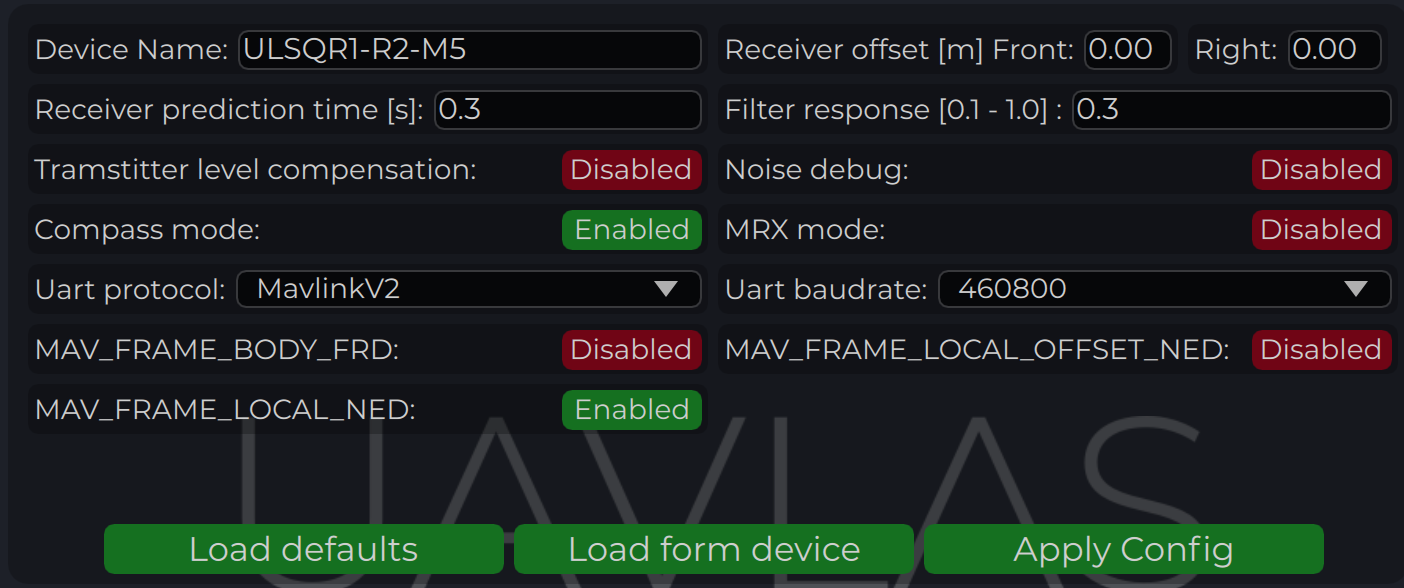
Figure: Receiver Configuration for PX4
Configure PX4 Autopilot
Values are provided as an example (Pixhawk4-mini AP):
| PX4 Parameter | Value | Comment |
|---|---|---|
| MAV_1_CONFIG | TELEM/SERIAL4 | Requires reboot to apply the next parameters |
| MAV_1_FORWARD | Enabled | Forward MAVLink messages |
| MAV_1_MODE | Onboard | Set link mode to onboard |
| SER_TEL4_BAUD | 460800_8N1 | Must match the UART baud rate set in the receiver configuration |
Table: PX4 Autopilot Configuration Parameters
Running and Testing
After configuration and wiring, power up the drone and transmitter. In QGroundControl, go to Analyze Tools → MAVLink Inspector and check for the LANDING_TARGET MAVLink message.
If the vehicle is providing a LOCAL_POSITION_NED message to the UAVLAS system and is hovering over the beacon, the field position_valid = 1 will appear in LANDING_TARGET.
To perform precision landing, create a flight plan and enable the Precision Landing option on the landing waypoint.
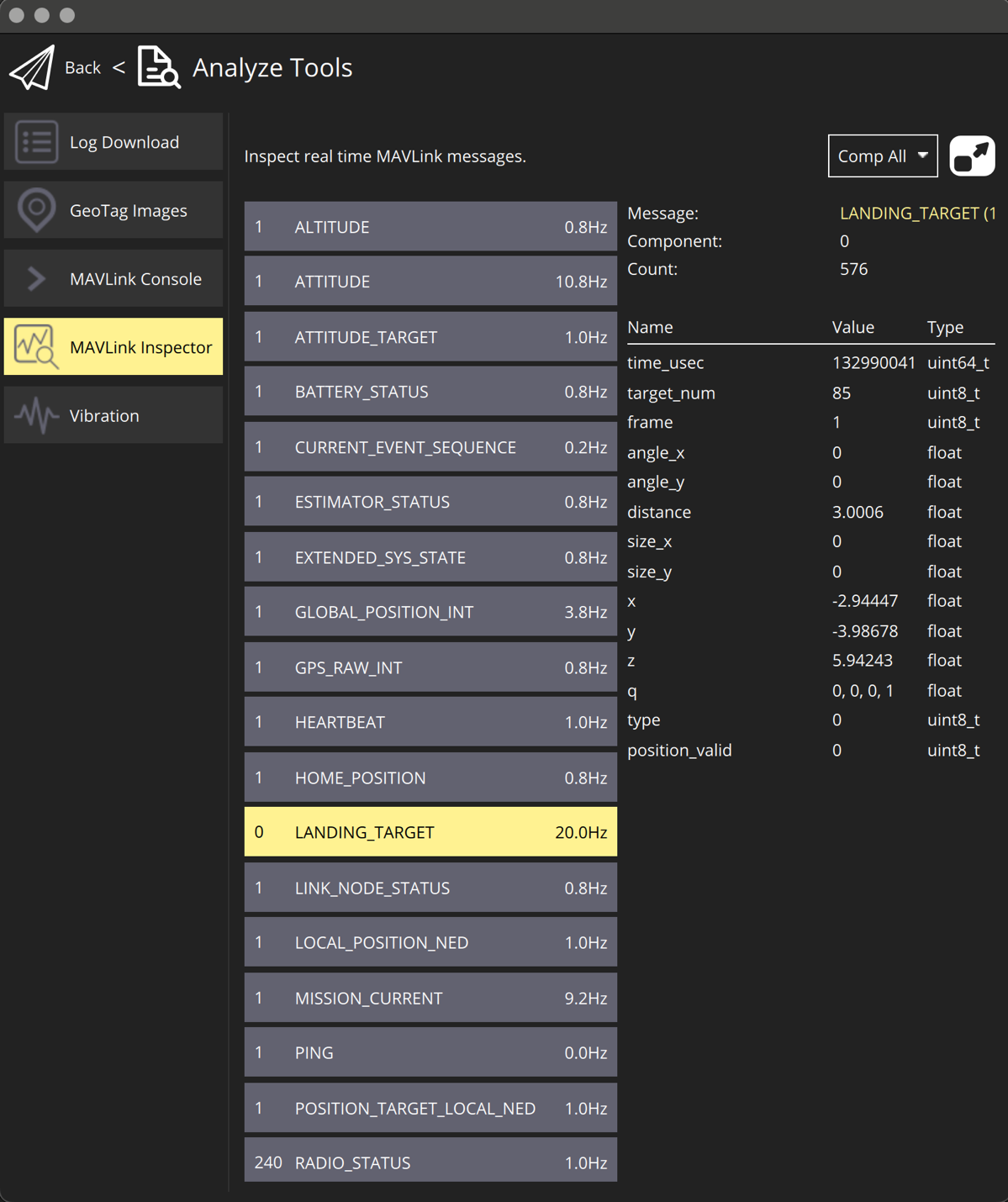
Figure: LANDING_TARGET Message in QGroundControl
For additional information, see the PX4 documentation at https://docs.px4.io/main/en/